
Service schedules tell Latner when each machine is next due for a service, and the Equipment Due for Service screen lets you move that next due date or hour reading when reality does not match the schedule.
Overview
Schedules are tidy; job sites are not. A machine sits idle for a month, a mechanic gets to it a fortnight early, or a customer asks you to service on site while you are already there. Latner sets the next due point automatically, but you can override it for a single machine without disturbing anyone else on the same schedule.
-
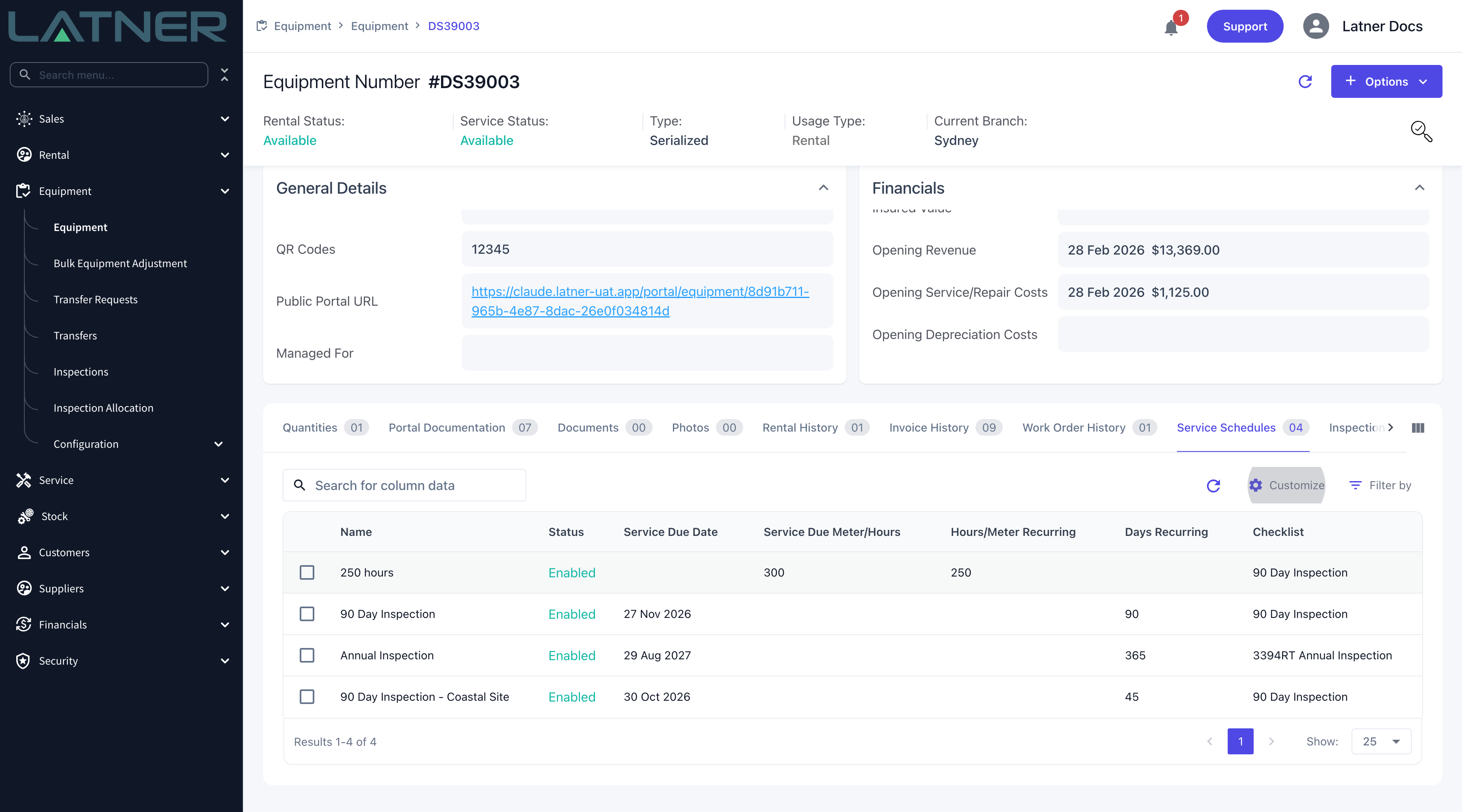
Every service schedule on a machine has its own next due point: a Service Due Date, a Service Due Meter/Hours reading, or both.
-
Latner sets that due point when the schedule is first assigned, and sets the following one each time a service work order is completed.
-
You override it from Service › Equipment Due For Service, one row at a time.
-
The due point you edit belongs to that one machine, even when the schedule itself was set up on an equipment class or model.
-
An override moves one occurrence only. The service after it is still worked out from the completion date and completion meter reading plus the schedule's own recurrence.
Before You Begin
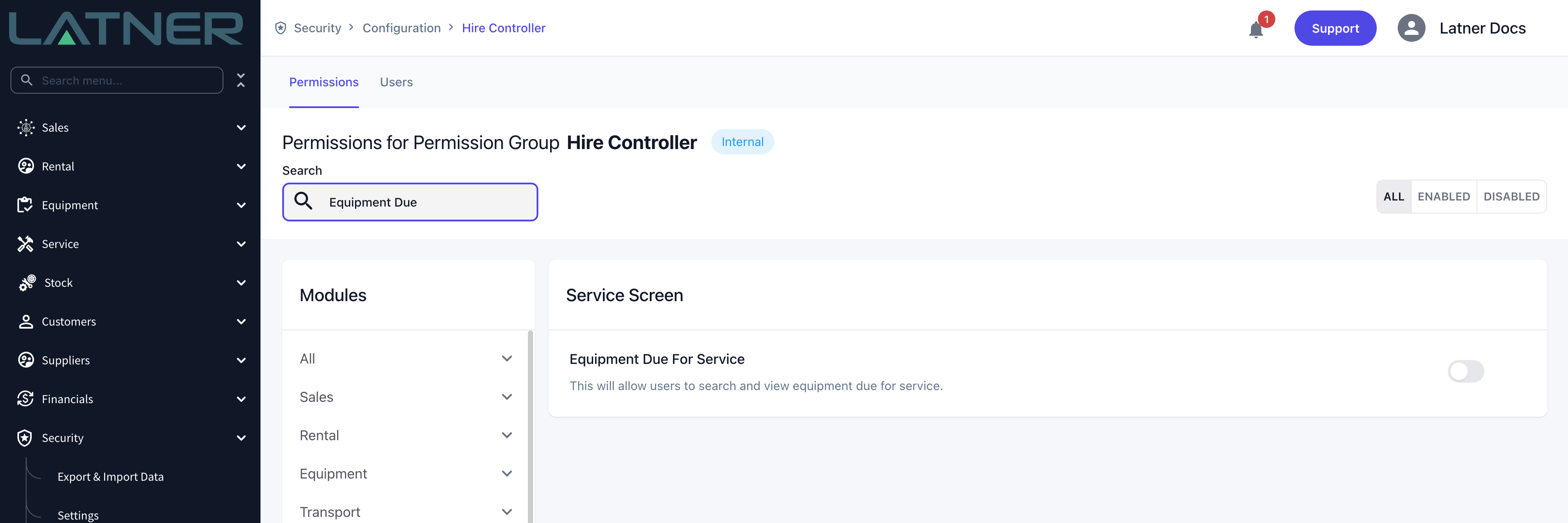
You need access to the screen, and the machine needs a service schedule already on it.
|
Requirement |
Where to Find It |
|---|---|
|
Equipment Due For Service screen permission |
Security › Configuration › Permission Groups, under Service › Screen |
|
A serialized machine with at least one service schedule |
The equipment record's Service Schedules tab; add one with Options › Add Service Schedule |
|
The schedule row is still Pending |
The Status column on the equipment record's Service Schedules tab |
Equipment Due for Service lists only schedules in Pending status on equipment that is still in your fleet. A schedule that has already been turned into a work order (Open), one that has been completed, and one that has been disabled are all left out, as is equipment that is Inactive, Sold, Disposed, Converted or Pending Activation. If a machine is missing, check its Service Schedules tab first.
Updating the Next Service Due Date or Hours
Step 1 - Open the Equipment Due for Service screen
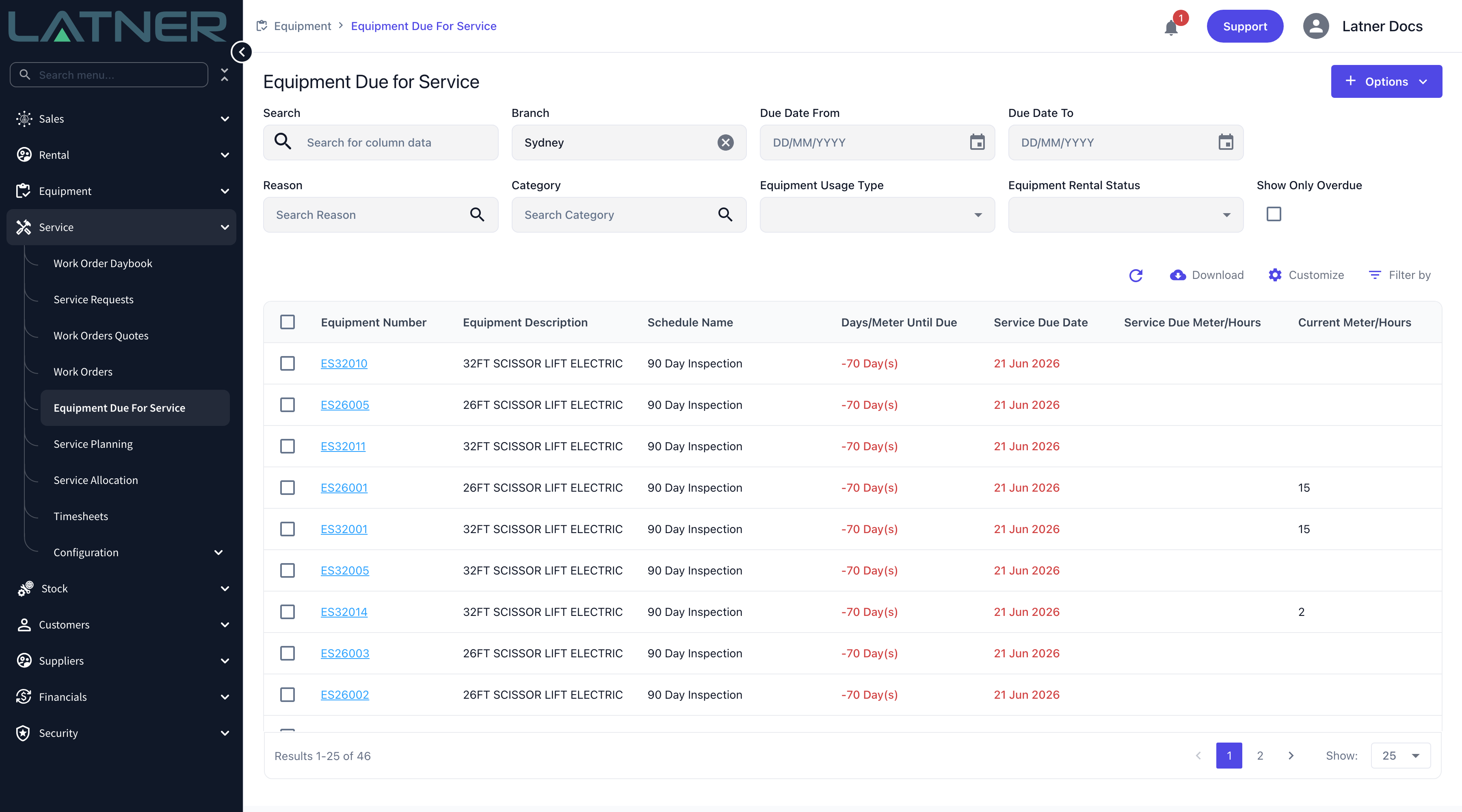
Go to Service › Equipment Due For Service. Every pending service schedule in your branch is listed, one row per schedule per machine, sorted with the most urgent first. Overdue rows are red, rows falling due within the next seven days are amber, and a meter-driven row turns amber once the current reading is inside the last fifth of its interval and red once it has passed the due reading.
Step 2 - Find the schedule you want to move
Search on equipment number, description, schedule name or the customer the machine is on rent to, or narrow the list with the filters above the grid.
-
Branch - defaults to your own branch, and takes more than one.
-
Due Date From and Due Date To - only affect date-driven schedules.
-
Reason and Category - the work order reason and category the schedule will use.
-
Equipment Usage Type and Equipment Rental Status.
-
Show Only Overdue - uses the forecast in Days/Meter Until Due, so it catches machines that are past their due hours as well as past their due date.
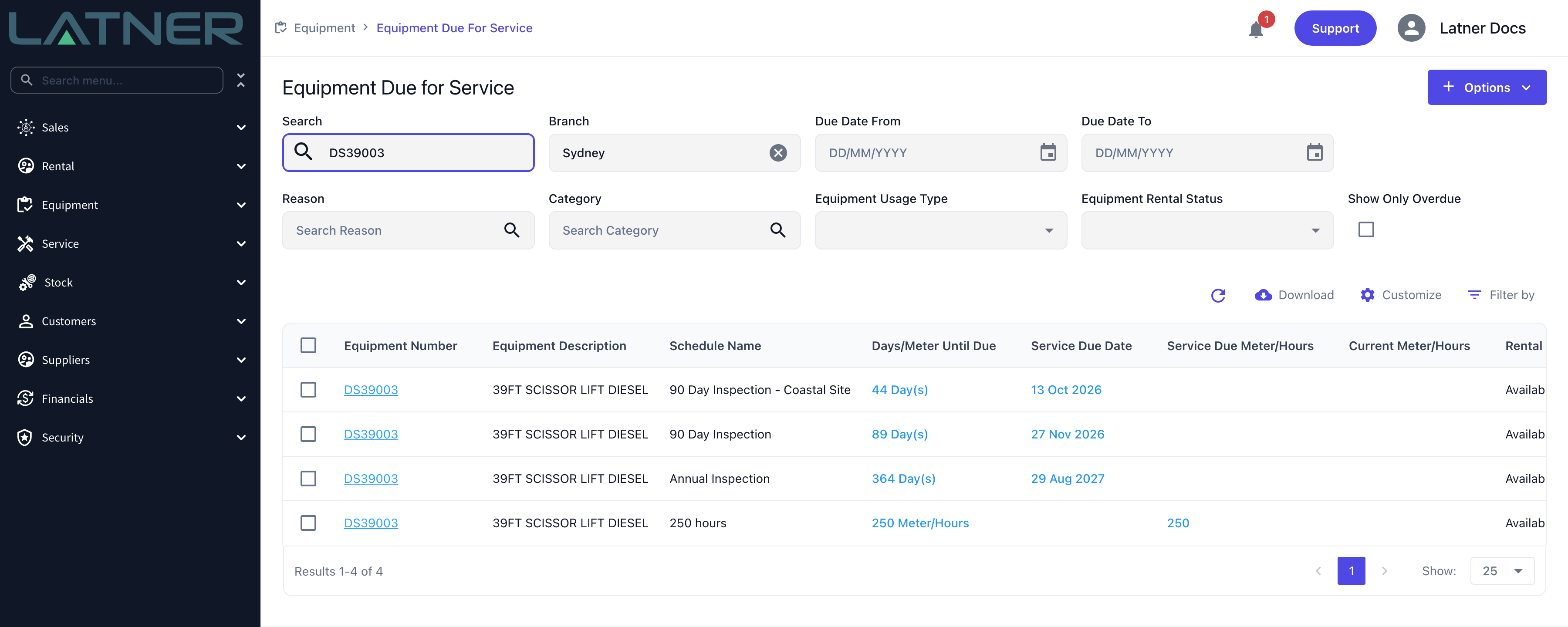
A machine with several schedules appears once per schedule, so check the Schedule Name column before you select a row.
Step 3 - Select the row
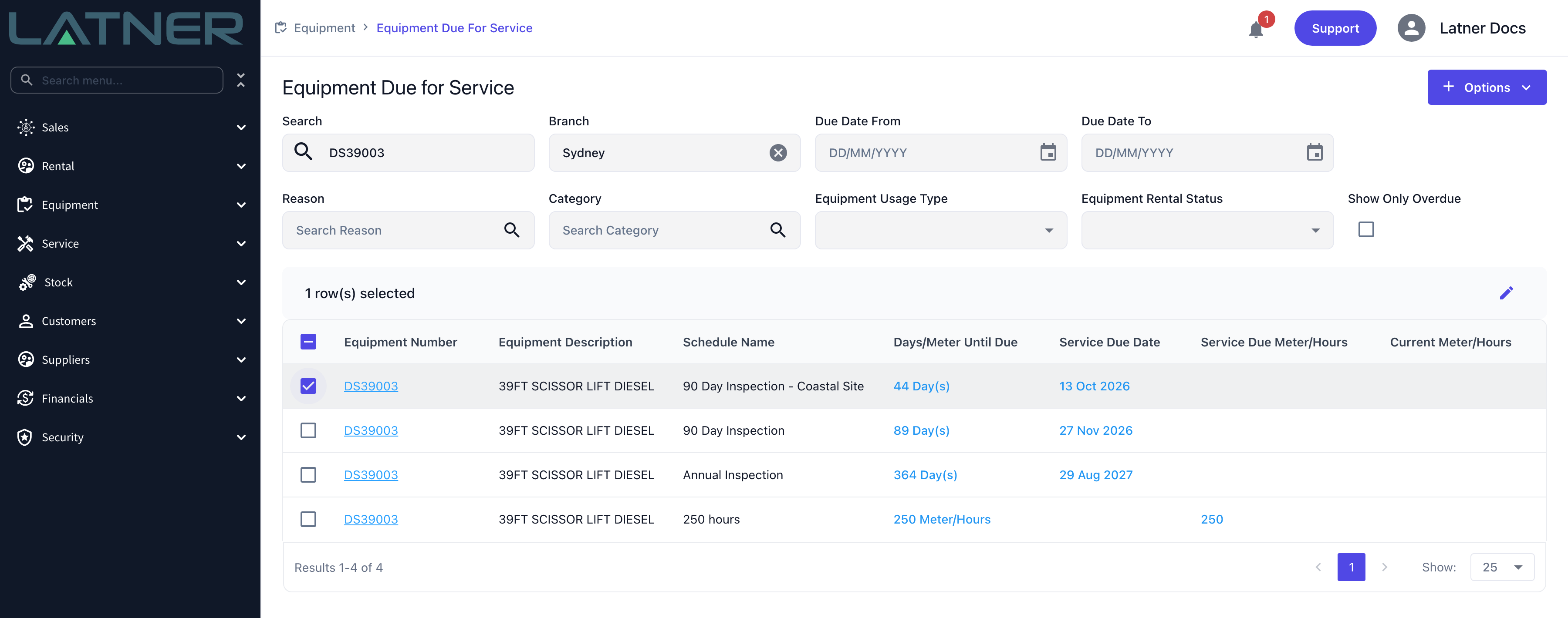
Tick the checkbox at the left of the row. A 1 row(s) selected bar appears above the grid with an Edit pencil at its right-hand end. Click the pencil.
You can only edit one row at a time. Tick a second row and the pencil greys out with the tooltip Only 1 line can be selected.
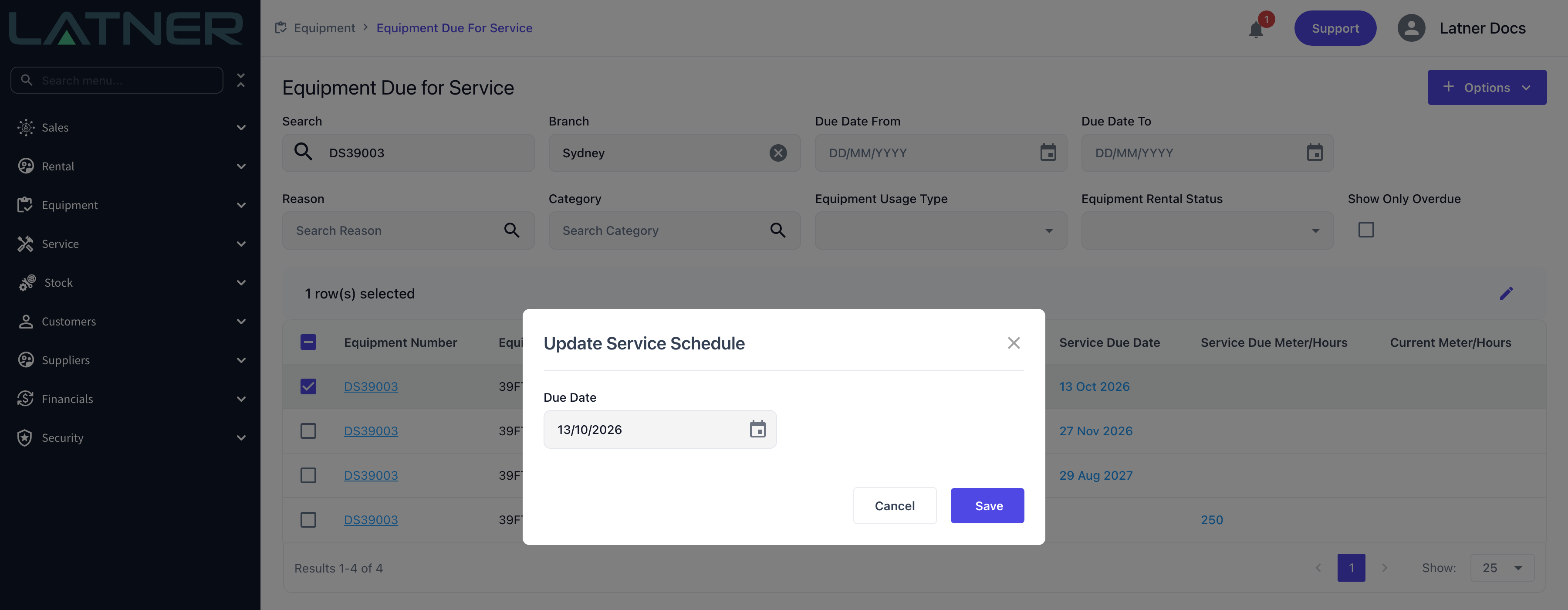
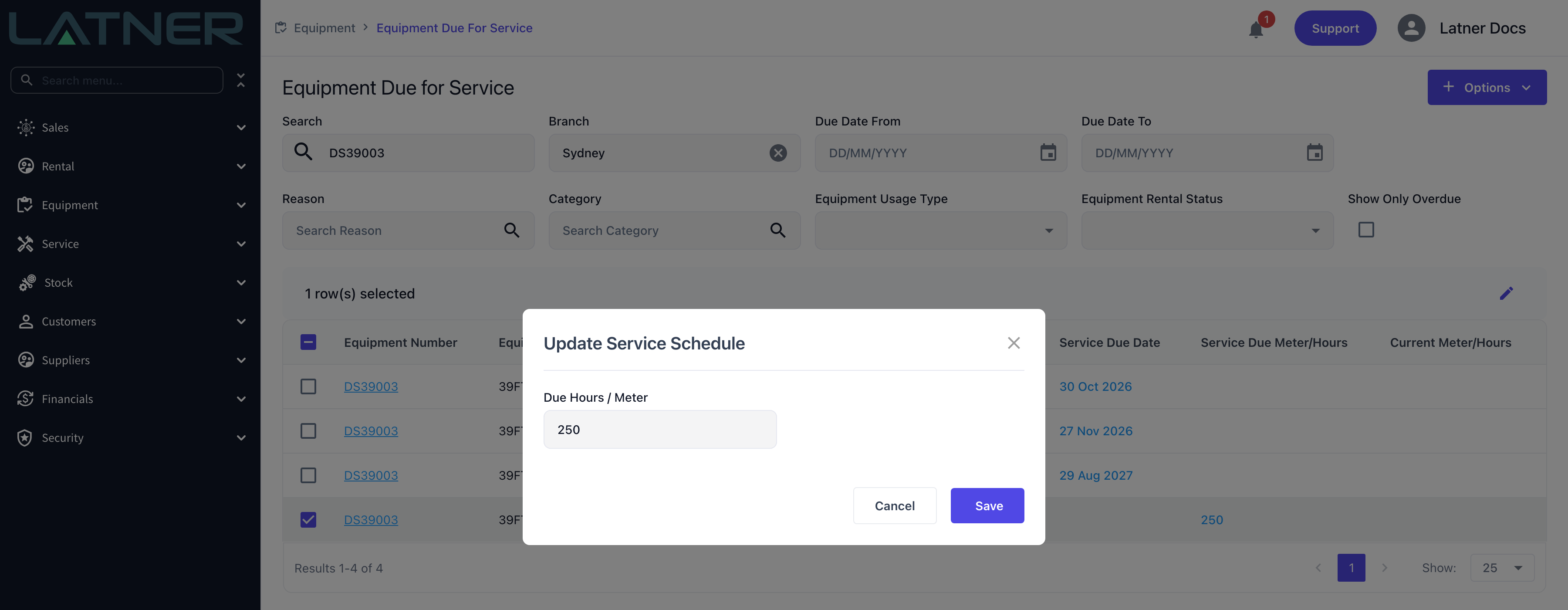
Step 4 - Enter the new due point
The Update Service Schedule dialog shows only the fields the schedule actually uses, so what you see depends on how the schedule was set up.
-
Due Date - shown when the schedule recurs on days. It is required, so you can change it but not clear it.
-
Due Hours / Meter - shown when the schedule recurs on hours or kilometres. It must be a number, and it is the reading the machine will be at when the service falls due, not the hours remaining.
A schedule set up with both a day interval and an hours interval shows both fields, and whichever comes first drives the service.
Step 5 - Save
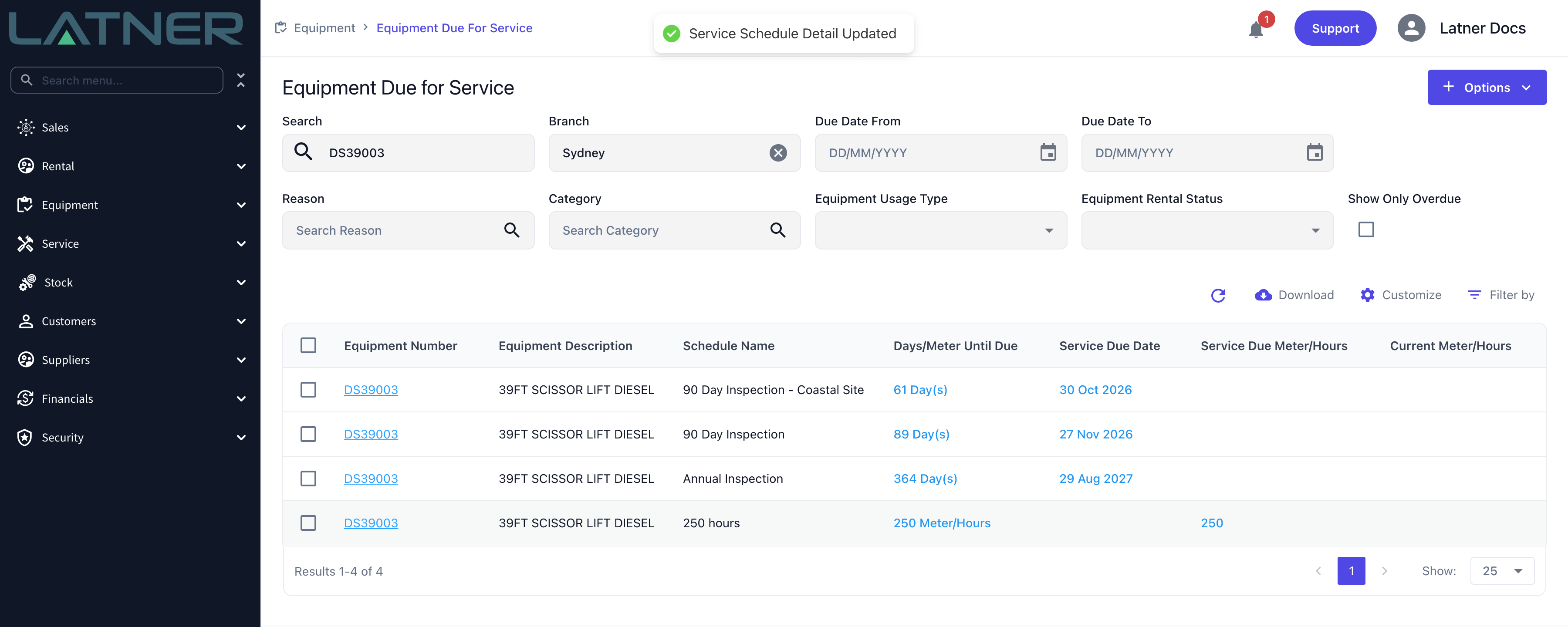
Click Save. Latner confirms with Service Schedule Detail Updated, the grid refreshes and Days/Meter Until Due is recalculated against the new due point, which may move the row up or down the list.
After Updating
-
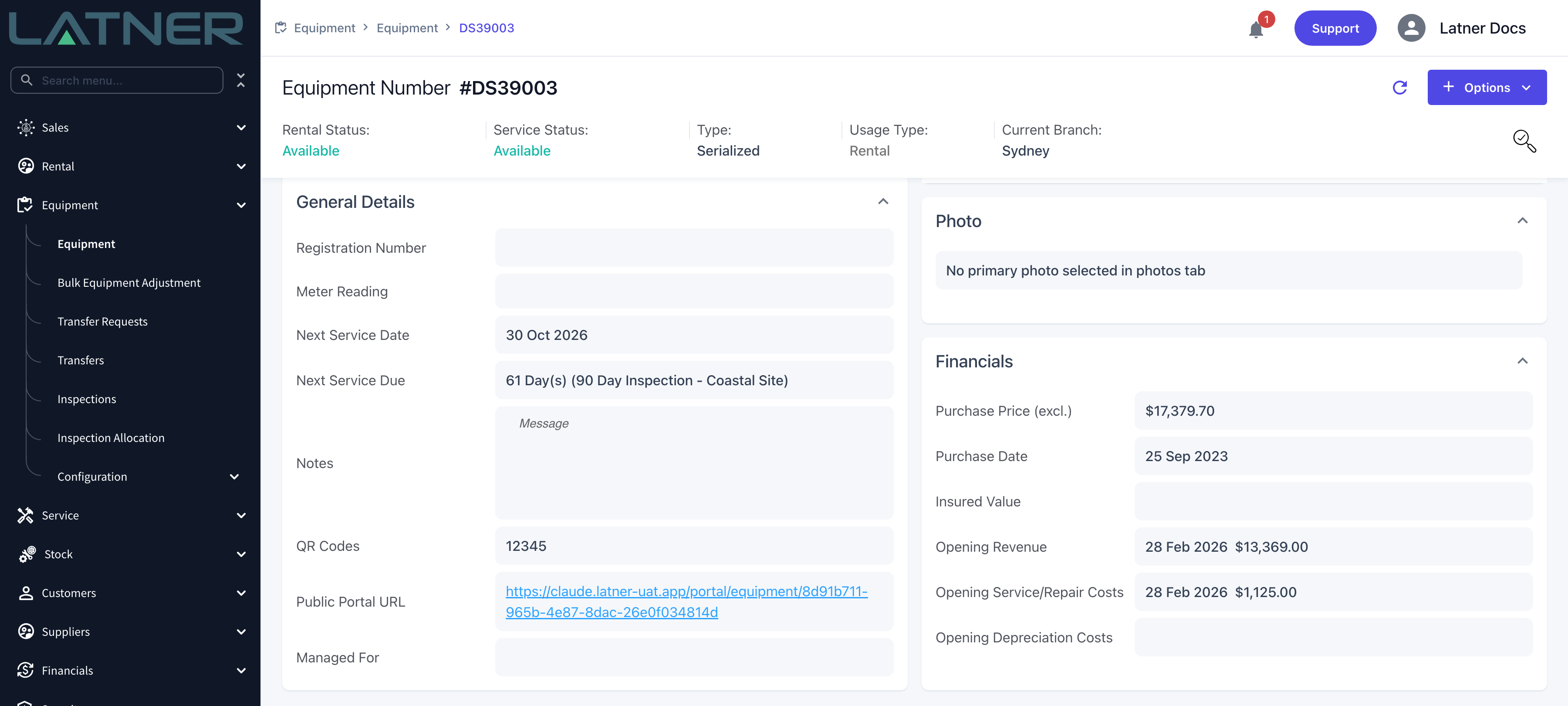
The equipment record's General Details card picks up the change straight away: Next Service Date, Next Service Reading and Next Service Due all follow the machine's most urgent pending schedule.
-
The equipment record's Service Schedules tab shows the new Service Due Date and Service Due Meter/Hours against that schedule.
-
The row stays Pending. Editing the due point does not create, change or cancel a work order - use Options › Create Work Order on the same screen when you are ready to book the service in.
-
For an hours-driven schedule Latner converts the hours still to run into days using the machine's average daily meter usage, which is why the row can change position in the list even though you only touched a meter reading.
-
If Equipment Warning Threshold for Days Until Next Service or Equipment Warning Threshold for Meter Reading Hours Until Next Service is set under Security › Settings › Equipment, the warning raised when the machine is added to a rental contract now uses the new due point.
An override moves one occurrence only. When the resulting work order is completed, Latner works the following due point out from the completion date and completion meter reading plus the schedule's recurrence - not from the value you typed here. If a machine genuinely needs a different interval from the rest of its class, give it its own schedule with Options › Add Service Schedule on the equipment record instead of overriding the date every cycle.
FAQs
Watch the Demo
Prefer to watch it? Step through the same flow here.