
Converting a work order quote turns an approved price into a real job, so the labour, parts and expenses the customer signed off become the estimates the mechanic works to and the invoice is billed from.
Overview
A quote is only ever a promise. The moment the customer says yes, someone has to turn it into work a mechanic can pick up - and that is all converting does. Latner gives you two ways to do it, depending on whether the job is new or an addition to something already booked in.
-
Convert to New Work Order creates a fresh chargeable work order in Open status and Unallocated tech status, carrying the quote's job details across.
-
Convert to Existing Work Order attaches the quote to a work order you already have, so several quotes can feed the one job.
-
Either way the quote's estimate lines are not copied. They stay on the quote and appear on the work order's Estimates tab, which is what makes invoicing from estimates possible later.
-
Converting is available while the quote is Open or Quoted. You don't have to email the quote first.
-
The quote moves to Converted and records which work order it became, when, and who did it.
Before You Begin
Converting needs a quote worth converting and the right permissions on the work order side, not just the quote side.
|
Requirement |
Where to Find It |
|---|---|
|
Work Order Quote permission - lets you open the quote in the first place |
Security › Configuration › Permission Groups › Service › Screen |
|
Create Work Order permission - needed for Convert to New Work Order |
Security › Configuration › Permission Groups › Service › Option |
|
Edit Work Order permission - needed for Convert to Existing Work Order |
Security › Configuration › Permission Groups › Service › Option |
|
Work Order permission - so the link to the new work order is clickable from the quote |
Security › Configuration › Permission Groups › Service › Screen |
|
A quote with at least one estimate line, in Open or Quoted status |
Service › Work Orders Quotes |
|
A purchase order number, if the customer is flagged Purchase Order Required |
Customers › Customers › the customer's Financial Details |
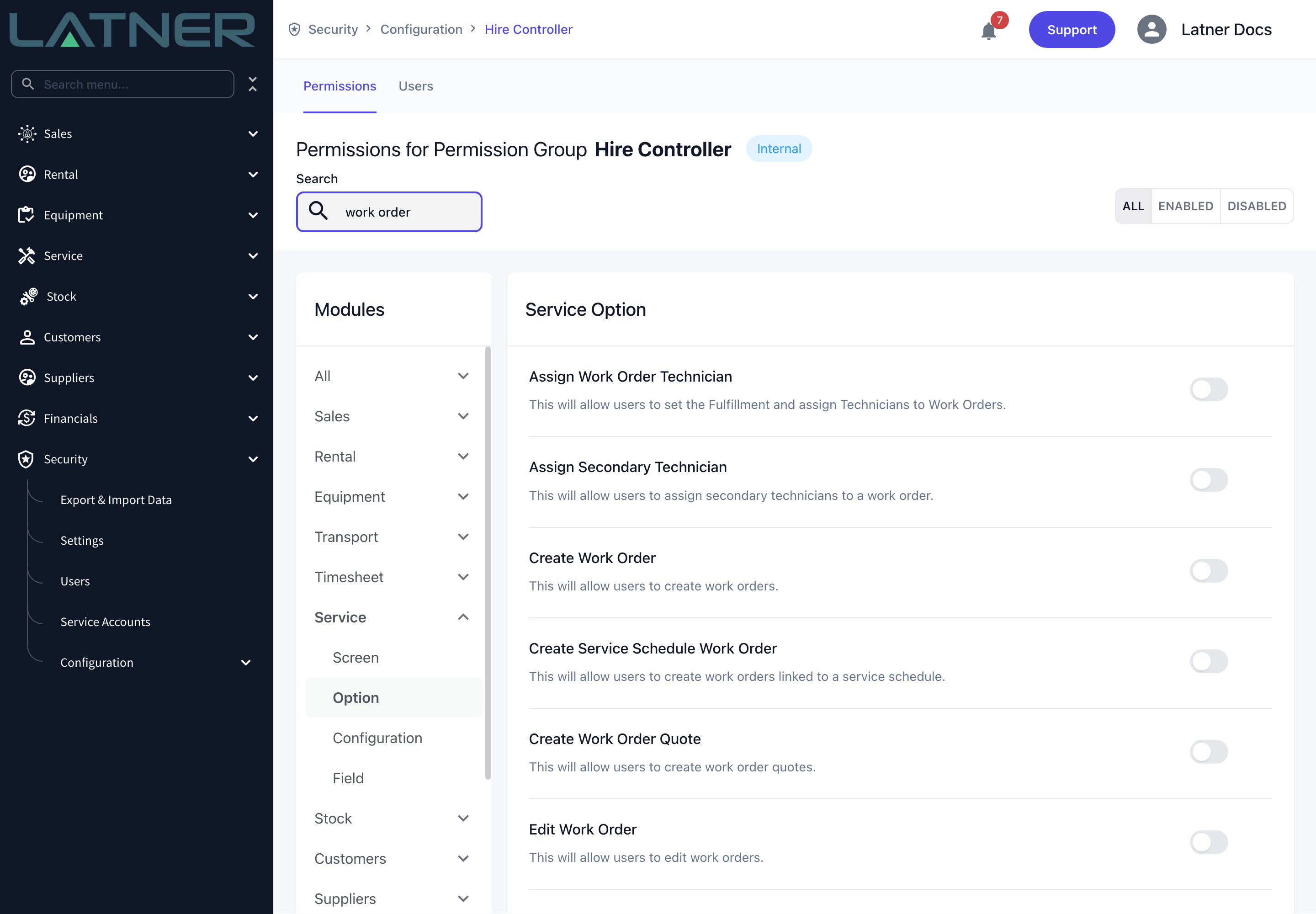
The two Convert options are permissioned separately on purpose. Whether a menu item is greyed out is about the quote's status, not your permissions - a user without the permission doesn't see the item at all.
Converting the Quote
Step 1 - Open the quote
Go to Service › Work Orders Quotes and open the quote the customer has approved. Converting is done from the quote itself; there is no bulk convert on the list screen.
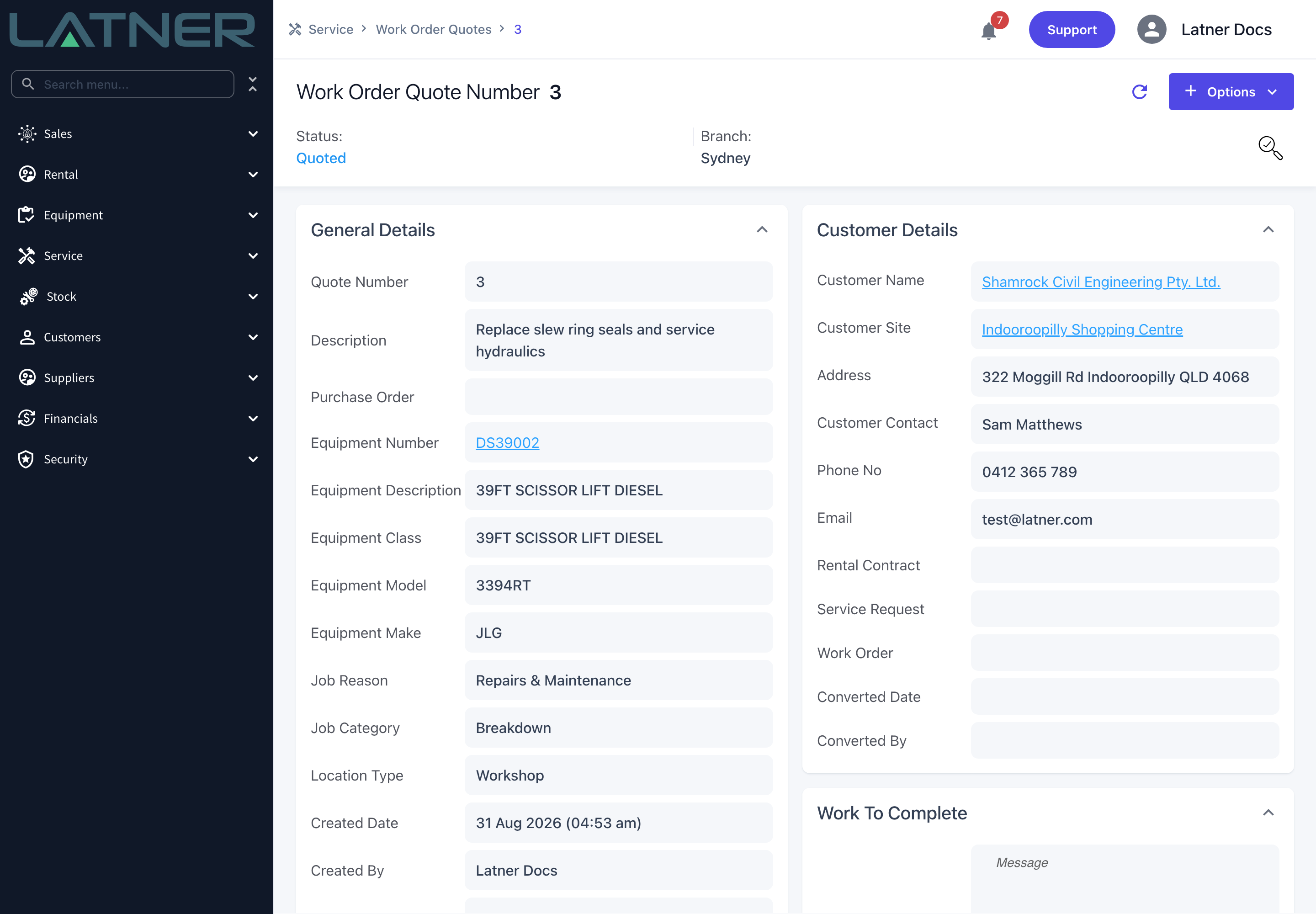
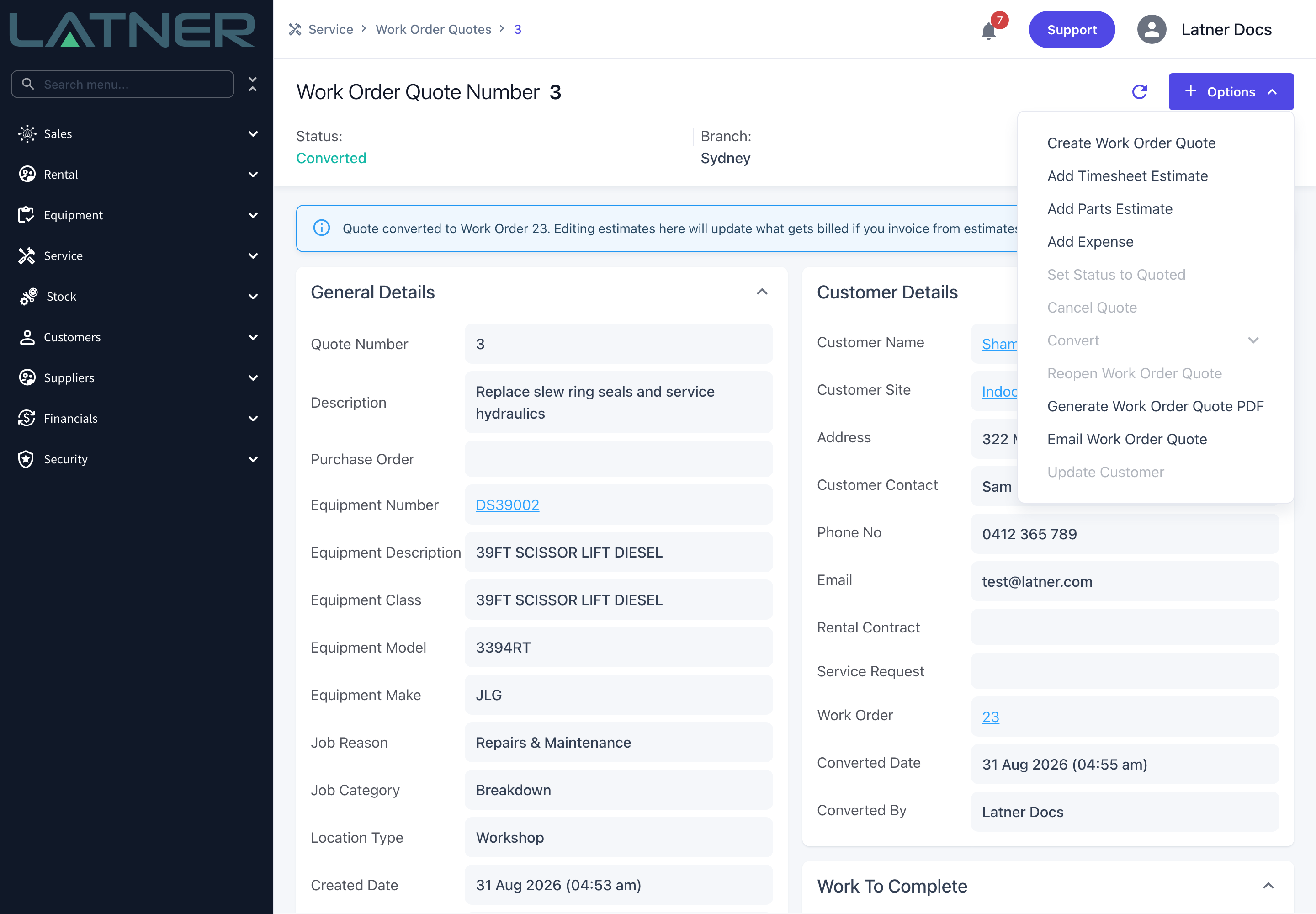
Check the Customer Details card before you go any further. Work Order, Converted Date and Converted By are empty on a quote that hasn't been converted, and they are the quickest way to tell whether someone has already done this.
Step 2 - Check the estimate lines
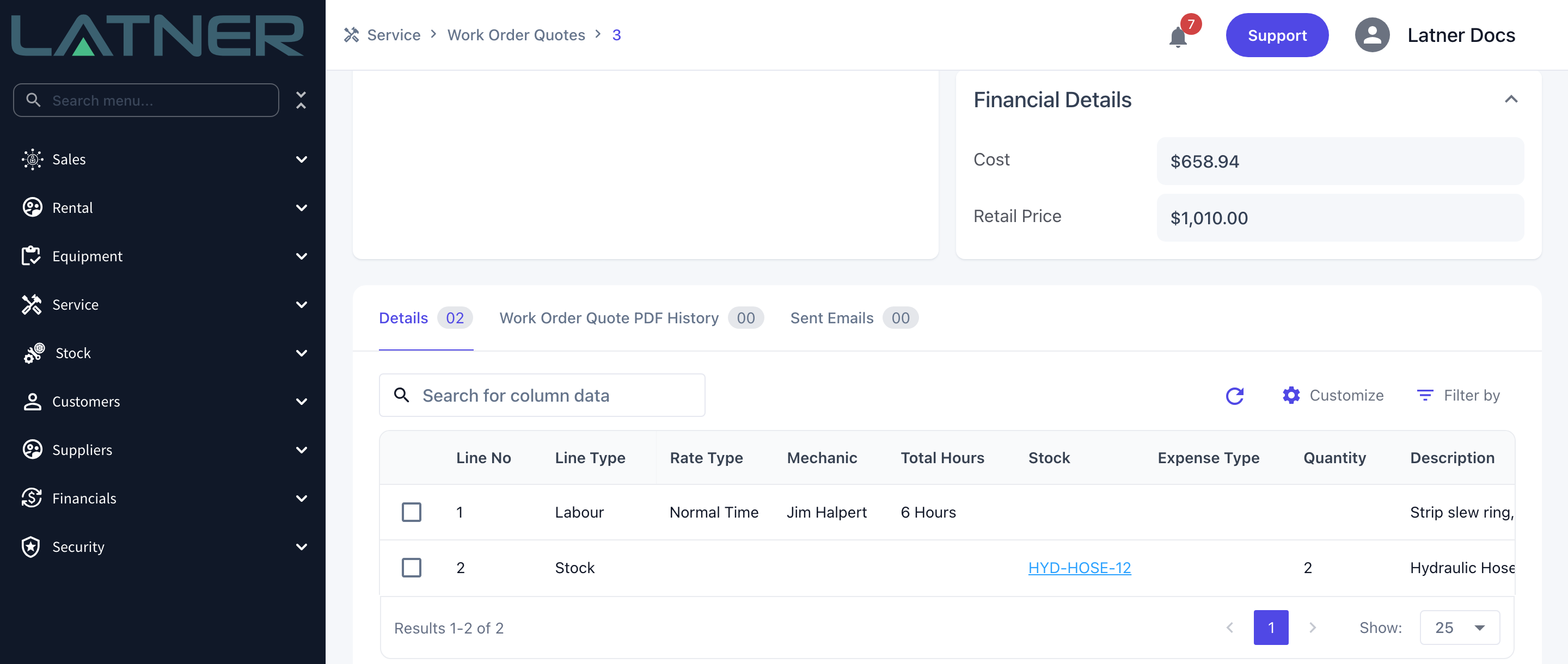
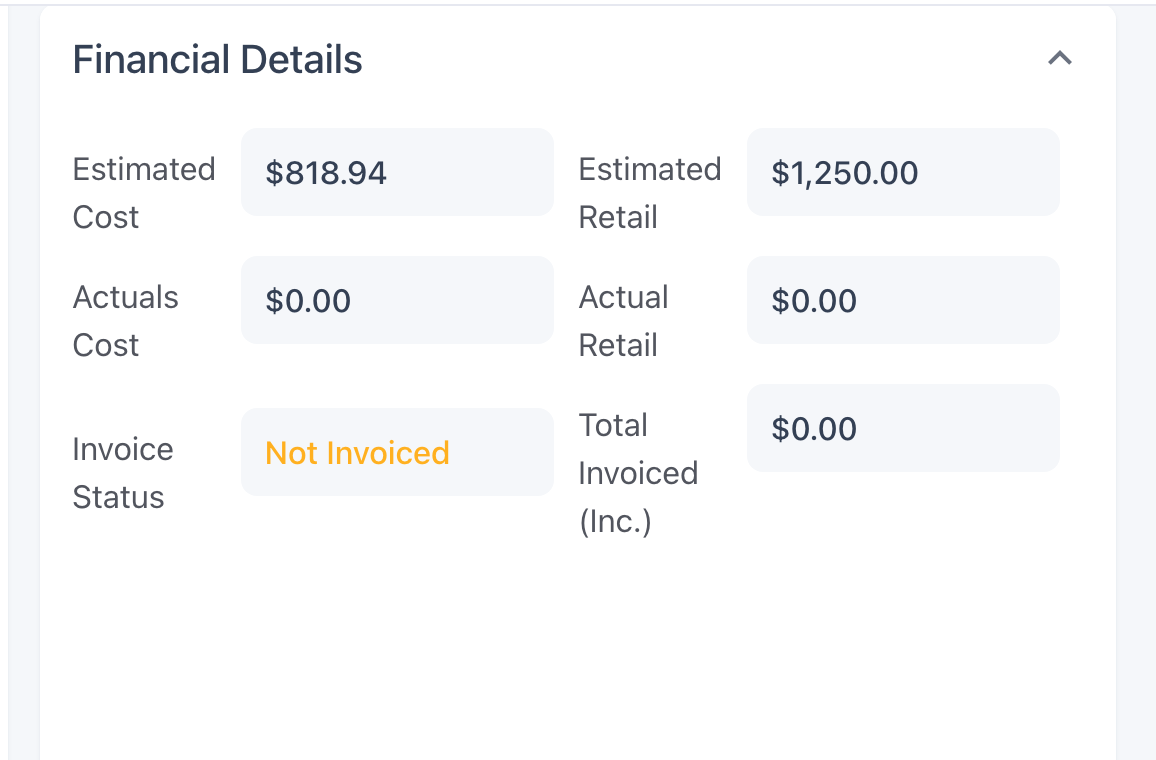
Scroll to the Details tab and confirm the labour, parts and expense lines are the ones the customer agreed to. This is your last easy chance to fix them: the totals on the Financial Details card become the work order's estimated cost and estimated retail, and those numbers are what an estimates-based invoice bills.
A quote with no lines at all can't be converted.
Step 3 - Choose how to convert
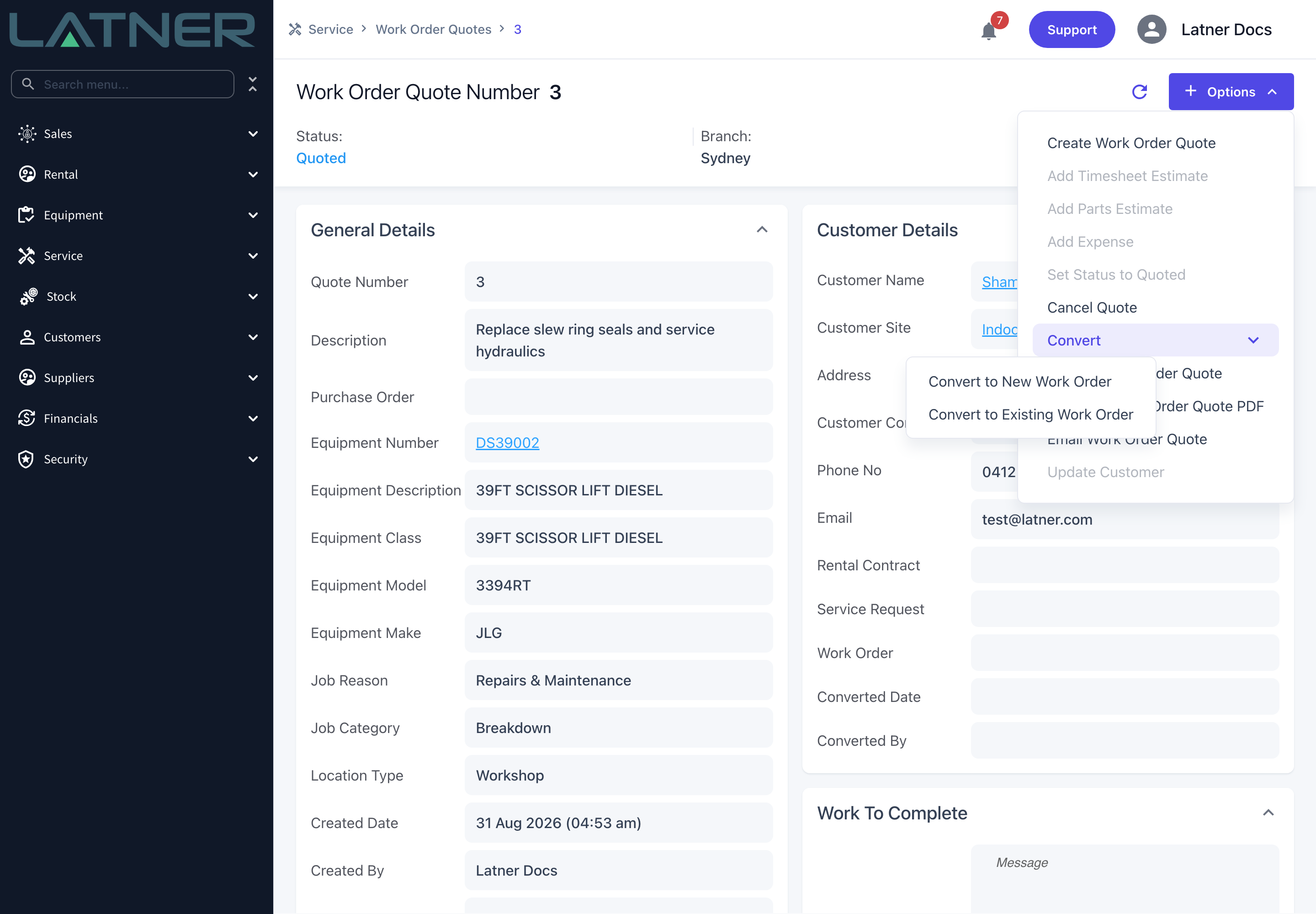
Select Options › Convert. Two choices appear:
-
Convert to New Work Order - the usual path. Use it when the quote is the whole job.
-
Convert to Existing Work Order - use it when the quote is extra work on a job that is already booked in, for example a variation the customer approved after the original work order was raised.
Step 4 - Convert to a new work order
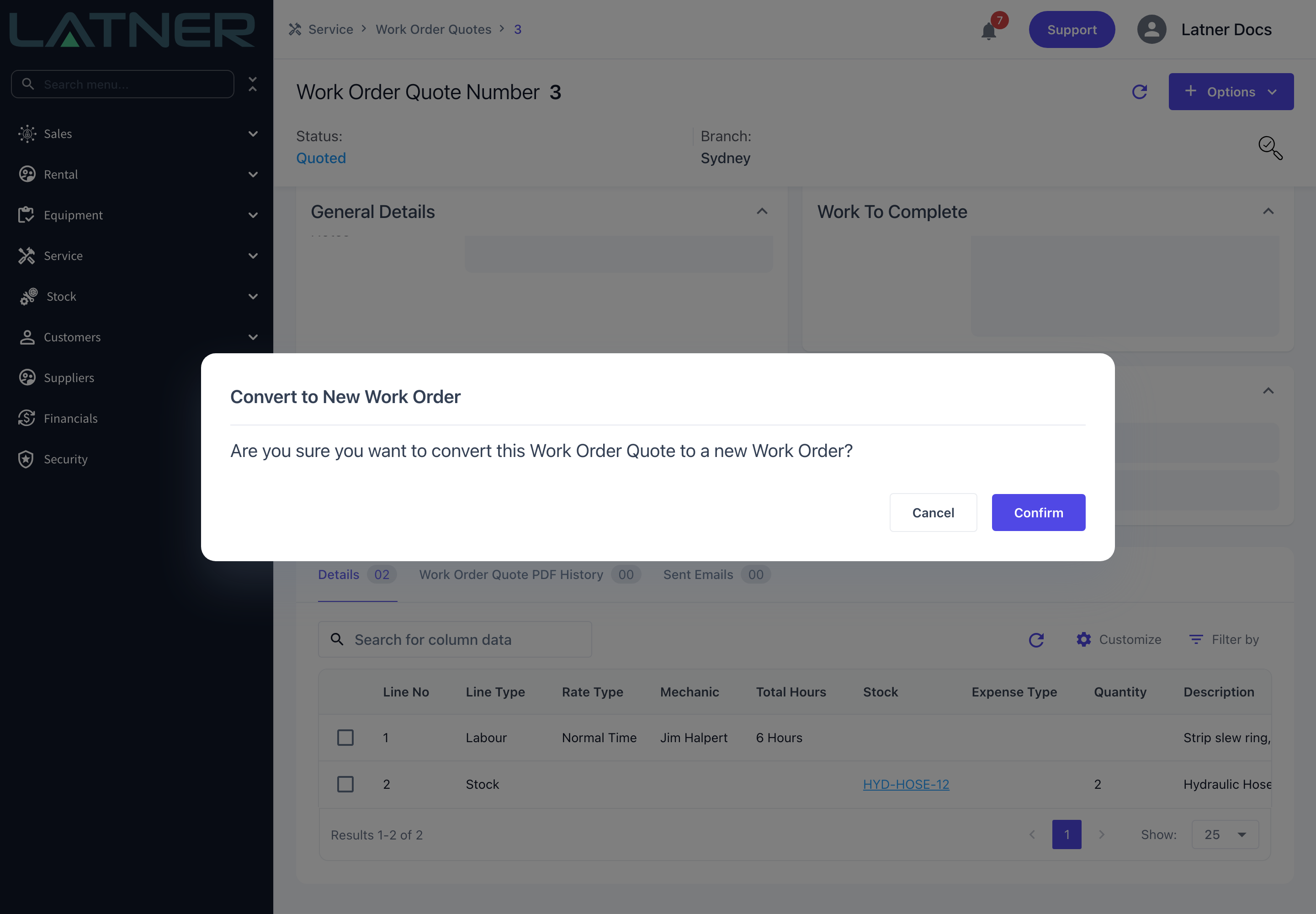
Select Convert to New Work Order and confirm the prompt. Latner creates the work order and opens it straight away.
The new work order starts as Open status, Unallocated tech status and type Chargeable, with its due date set to the moment you converted. It carries across the quote's:
-
Branch, Work Order Description and Notes
-
Equipment and Equipment Description
-
Customer, Site and Customer Contact
-
Purchase Order
-
Job Category (and with it the job reason), Rental Contract and Service Request, where the quote had them
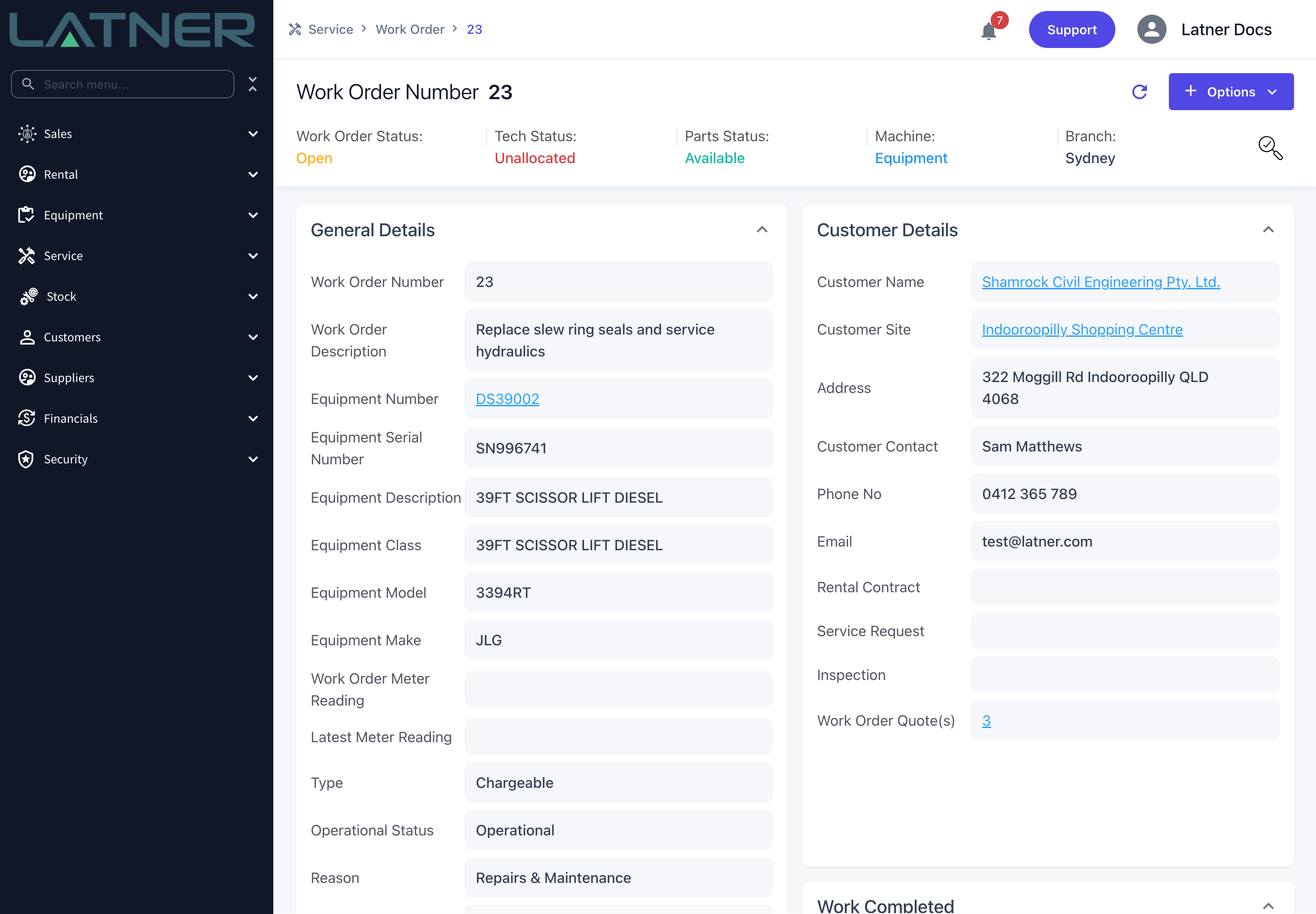
Two things do not come across. Location Type always starts as Workshop on the new work order, even if the quote was Field Service, and the quote's Work To Complete text does not populate the work order's Work Completed. Set them on the work order after converting if the job needs them.
Step 5 - Or convert to an existing work order
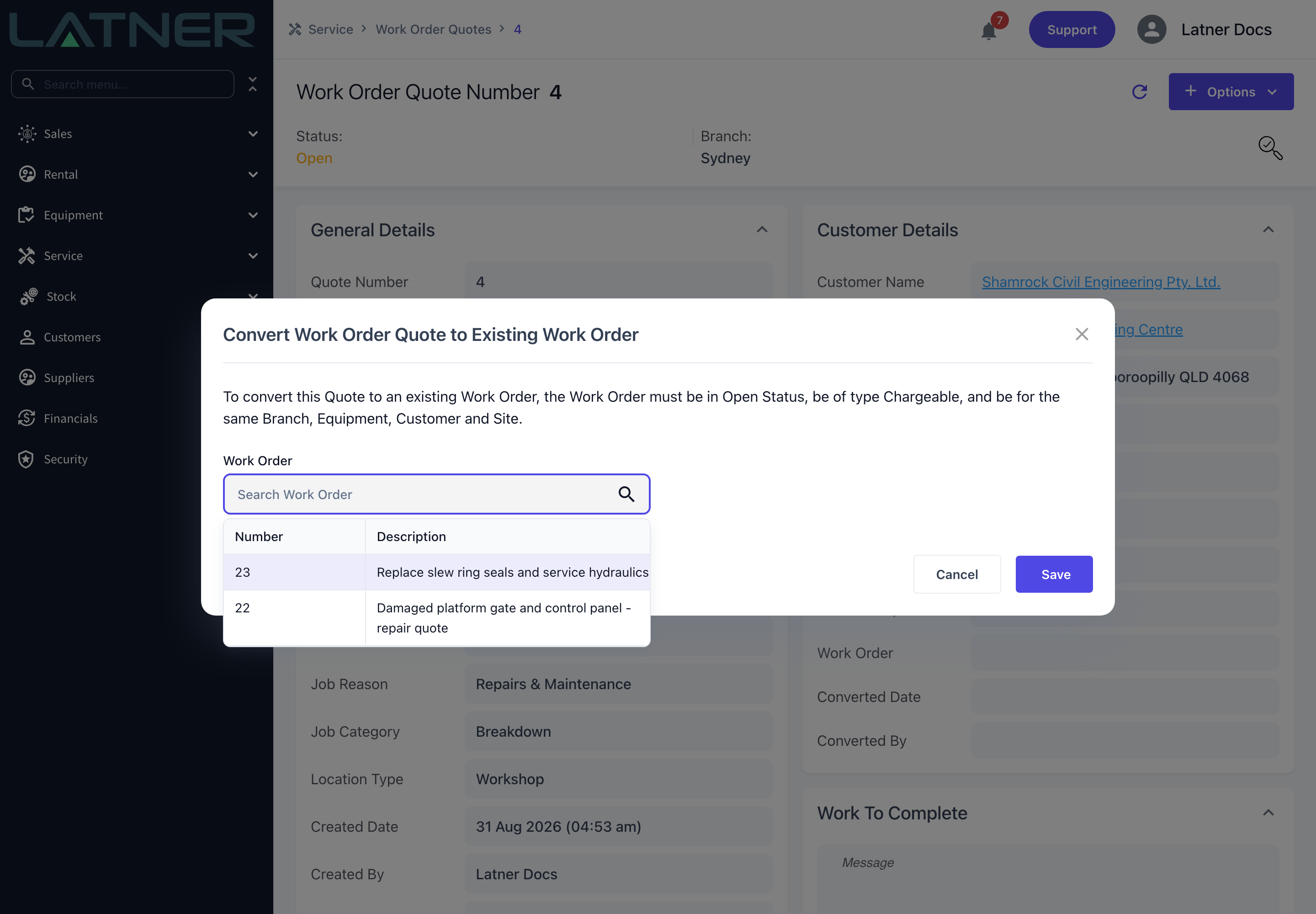
Select Convert to Existing Work Order and pick the target in the Work Order field. The list only offers work orders that are in Open status, of type Chargeable, and for the same Branch, Equipment, Customer and Site as the quote, so anything you can select is a valid target.
Select Save. The quote is attached to that work order and Latner opens it.
After Conversion
-
The quote's status becomes Converted, and Work Order, Converted Date and Converted By are filled in on the Customer Details card. A banner at the top of the quote links to the work order.
-
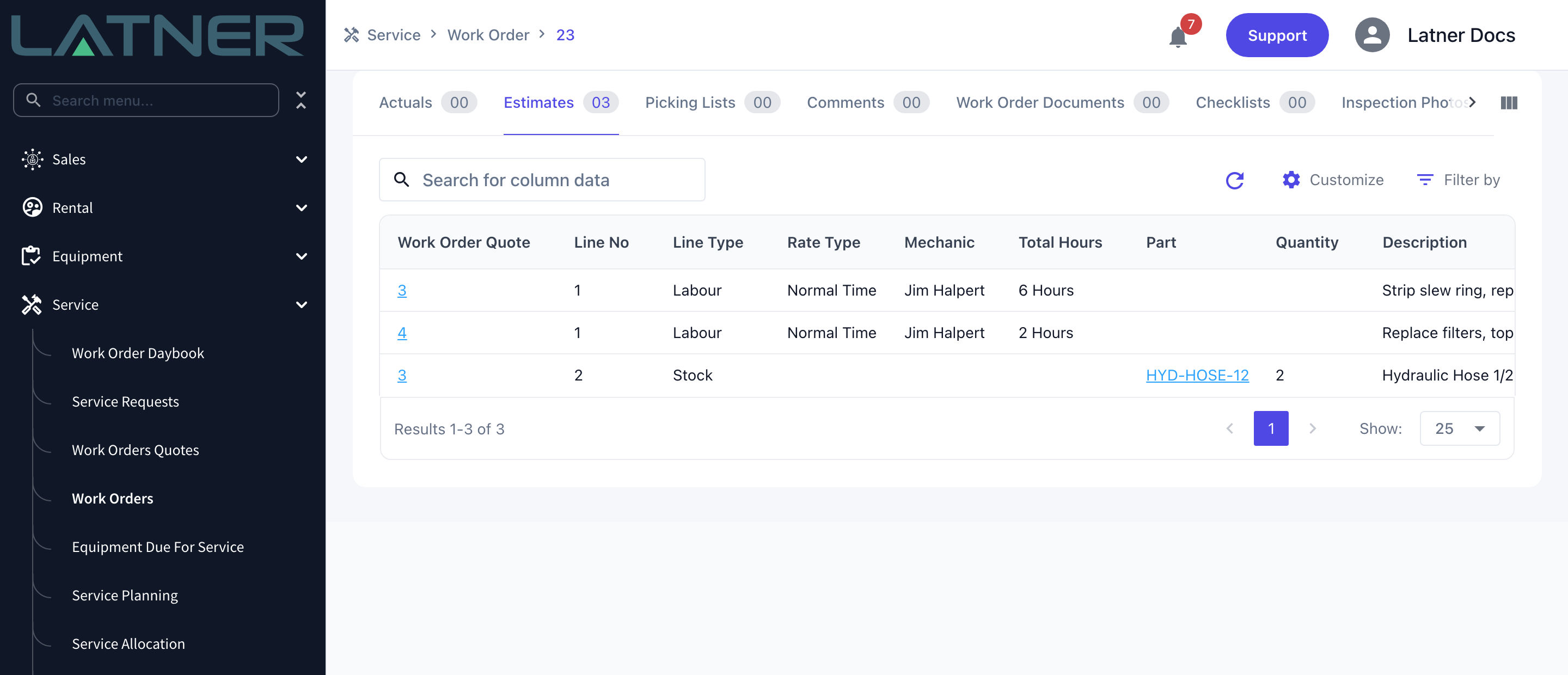
The quote's lines appear on the work order's Estimates tab, each row showing the quote number it came from. Where several quotes have been converted into the one work order, all of their lines sit on that tab together.
-
The work order's Estimated Cost and Estimated Retail are recalculated from every quote attached to it, so a second quote pushes the estimate up rather than replacing it.
-
When you invoice the work order you can bill from Estimates instead of Actuals, which charges exactly what the customer approved. Once a work order has been invoiced one way, later invoices on it must use the same source.
-
You can still add and change estimate lines on a converted quote, and doing so changes what an estimates-based invoice will bill. A line that is already on a live invoice is locked until that invoice is cancelled, and everything locks once the work order is cancelled.
-
On a converted quote, Set Status to Quoted, Cancel Quote, Convert, Reopen Work Order Quote and Update Customer are all greyed out.
Converting is one-way. There is no unconvert, and a Converted quote can no longer be reopened or cancelled. If the customer pulls out after you have converted, cancel the work order rather than trying to reverse the conversion; if the job changes shape, raise a fresh quote and convert that one into the same work order.