
Welcome to the Late October 2026 Release of Latner! This release is all about knowing exactly what you own and where it sits: assets gain documents, renumbering, moves between header assets, a full change history and a collective value, and Zebra stock labels now preview at their true size and can carry warehouse bin locations. Later in the month, supplier invoices became readable straight from the PDF and matched to their purchase orders, and a new in-app Support Assistant started answering your how-to questions from the documentation. You can also require a rental contract to be sent before transport is booked, drop a map pin on hard-to-find sites, and keep a contract highlighted on the Operator Allocation board. There's also a set of improvements across the Assets list, work order checklists, stocktakes, operator timesheets, mobile routes, AI Reports and purchasing. Below is a full breakdown of what's new in this release.
New Features
Smarter Asset Management
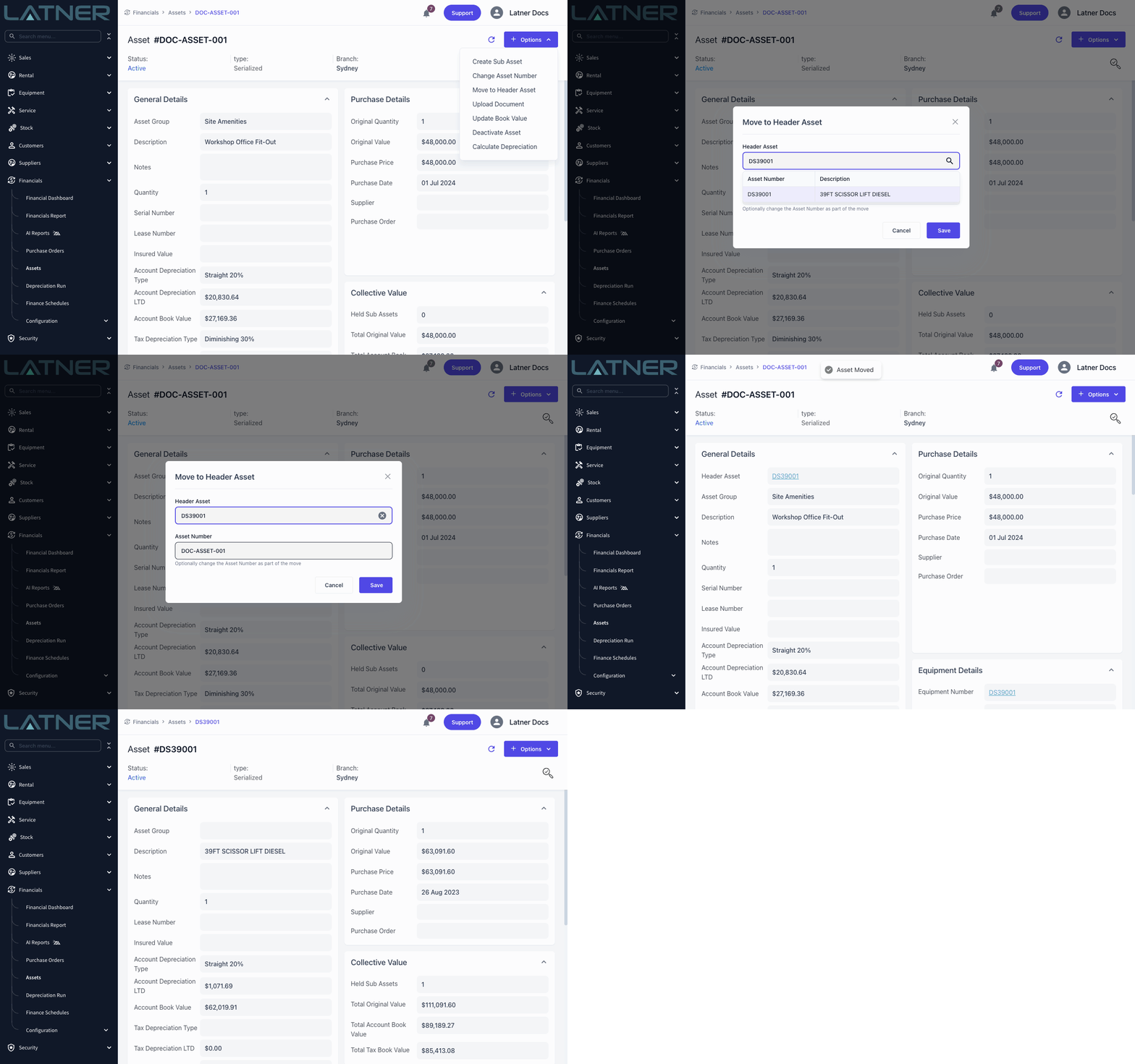
Your asset register now keeps up with how your fleet really changes. From Options on an asset you can Change Asset Number, Move to Header Asset to group an asset under another (or Make Standalone Asset to split it back out), and Upload Document to keep invoices, photos and paperwork on the new Documents tab - or just drag files onto it. Every change and move is recorded in the asset's history, including moves made on its sub assets, and header assets now show a Collective Value panel that totals the original, book and tax book values of everything they hold. Renumbering and moving apply to assets that aren't linked to an equipment record, and moving is for serialized assets.
True-to-Size Zebra Stock Labels
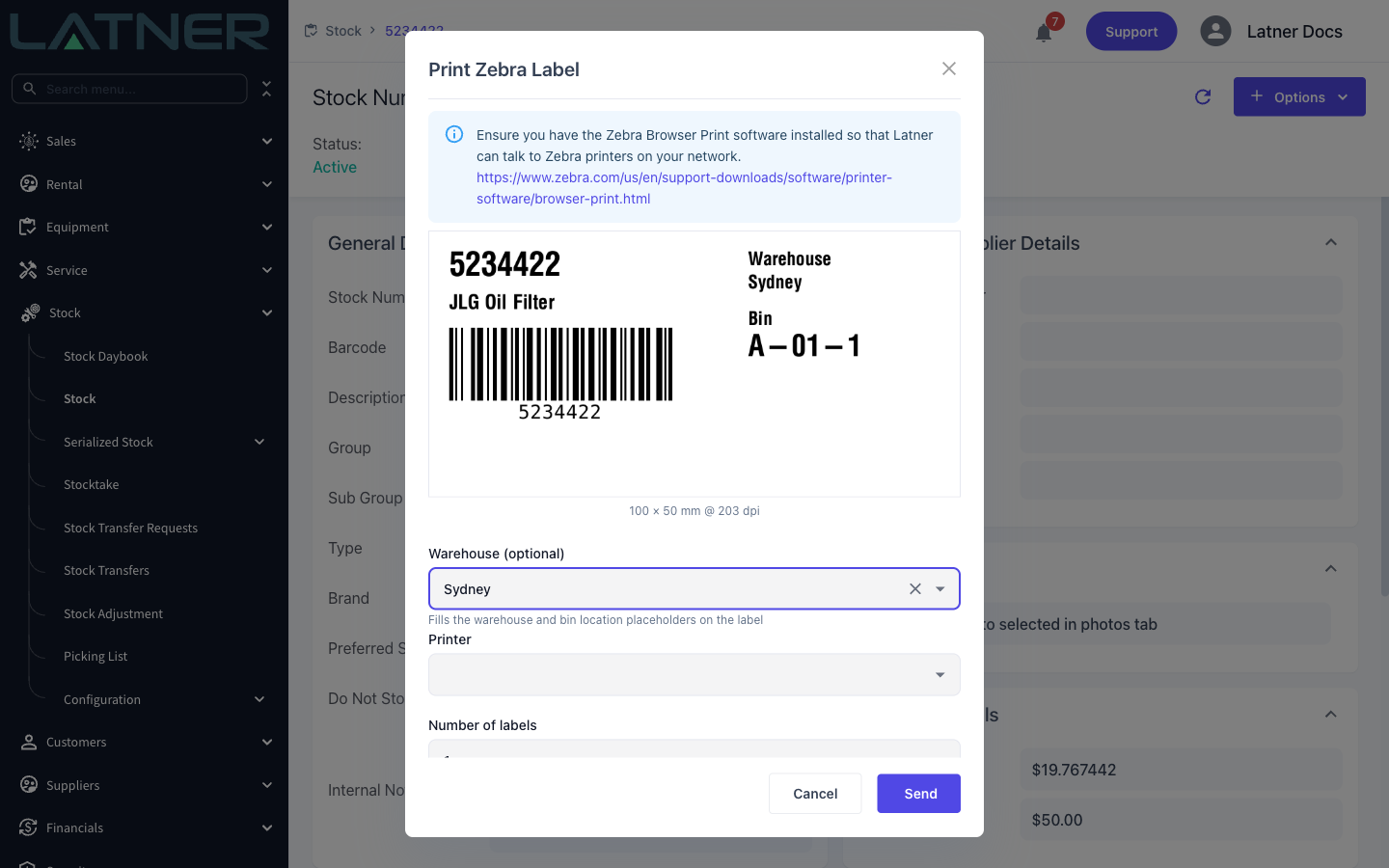
What you see is now what you print. Options › Print Stock Barcode on a stock item previews the label at its real size, worked out from your label template and the new Zebra Printer Resolution setting under Security › Settings › Stock. Pick a Warehouse (optional) while printing and the label can carry that warehouse's name and bin locations, so your team can label shelves and bins straight from Latner. Add the warehouse and bin location placeholders listed in the stock label template setting to your template to use them.
Supplier Invoice Scanning
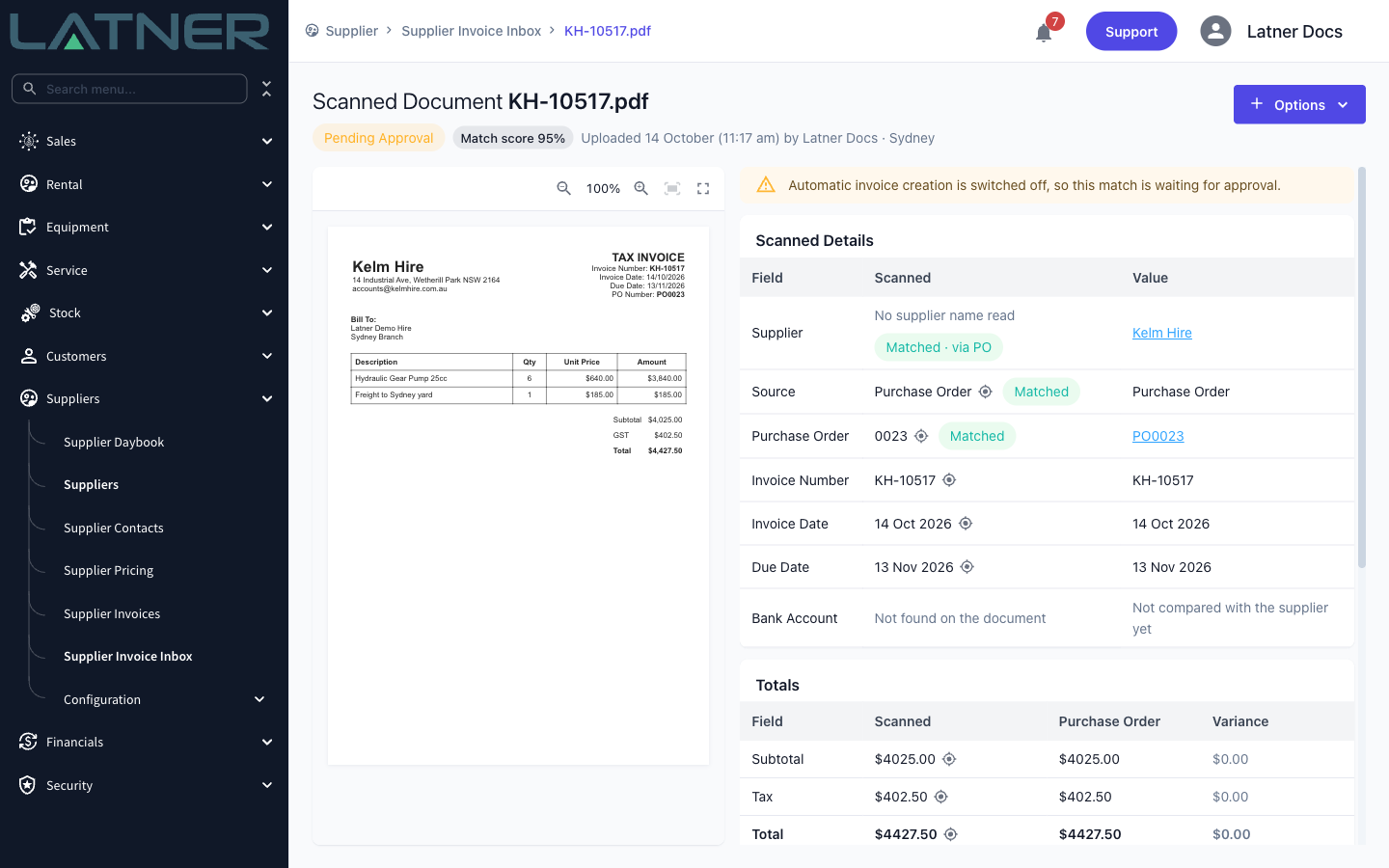
Keying supplier invoices in by hand is slow and easy to get wrong. The new Supplier Invoice Inbox (Suppliers › Supplier Invoice Inbox) reads each PDF you upload or email in, finds the supplier and the purchase order it belongs to, and checks every line and the total against that order. A document that matches is ready for one click on Approve & Create Invoice, and anything that doesn't is flagged with the reason so you can correct it, link the right order or reject it. Supplier Invoice Scanning is available on request - contact Latner to have it switched on for your company.
Support Assistant
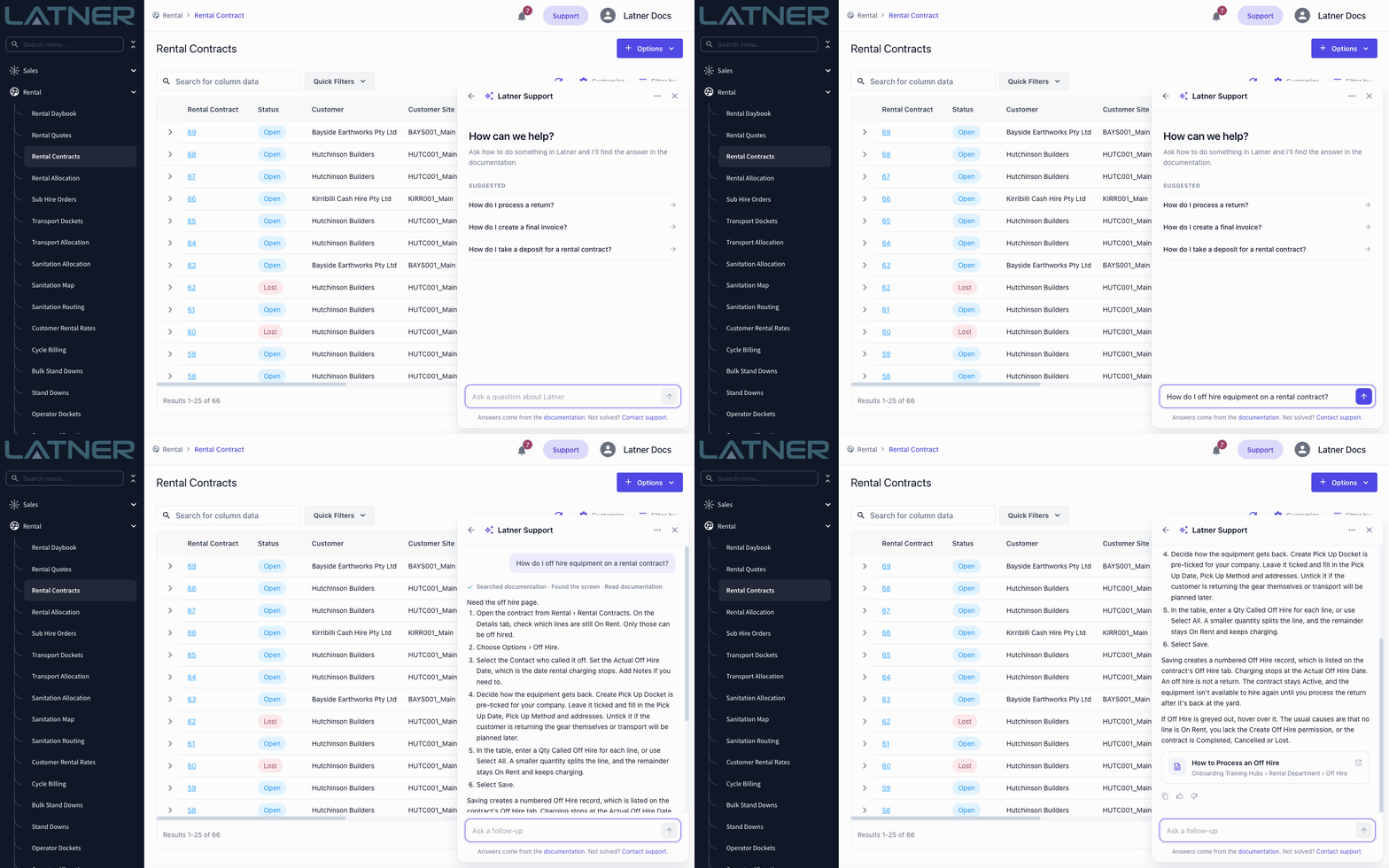
Got a how-to question? Select Support at the top of any screen and ask it in your own words. The Support Assistant answers from the Latner documentation, shows the page it used and can take you straight to the right screen. If it can't solve the problem, it can prepare a support ticket for you to send without leaving the screen. The Support Assistant is available on request - contact Latner to have it switched on for your company.
Send Rental Contracts Before Transport
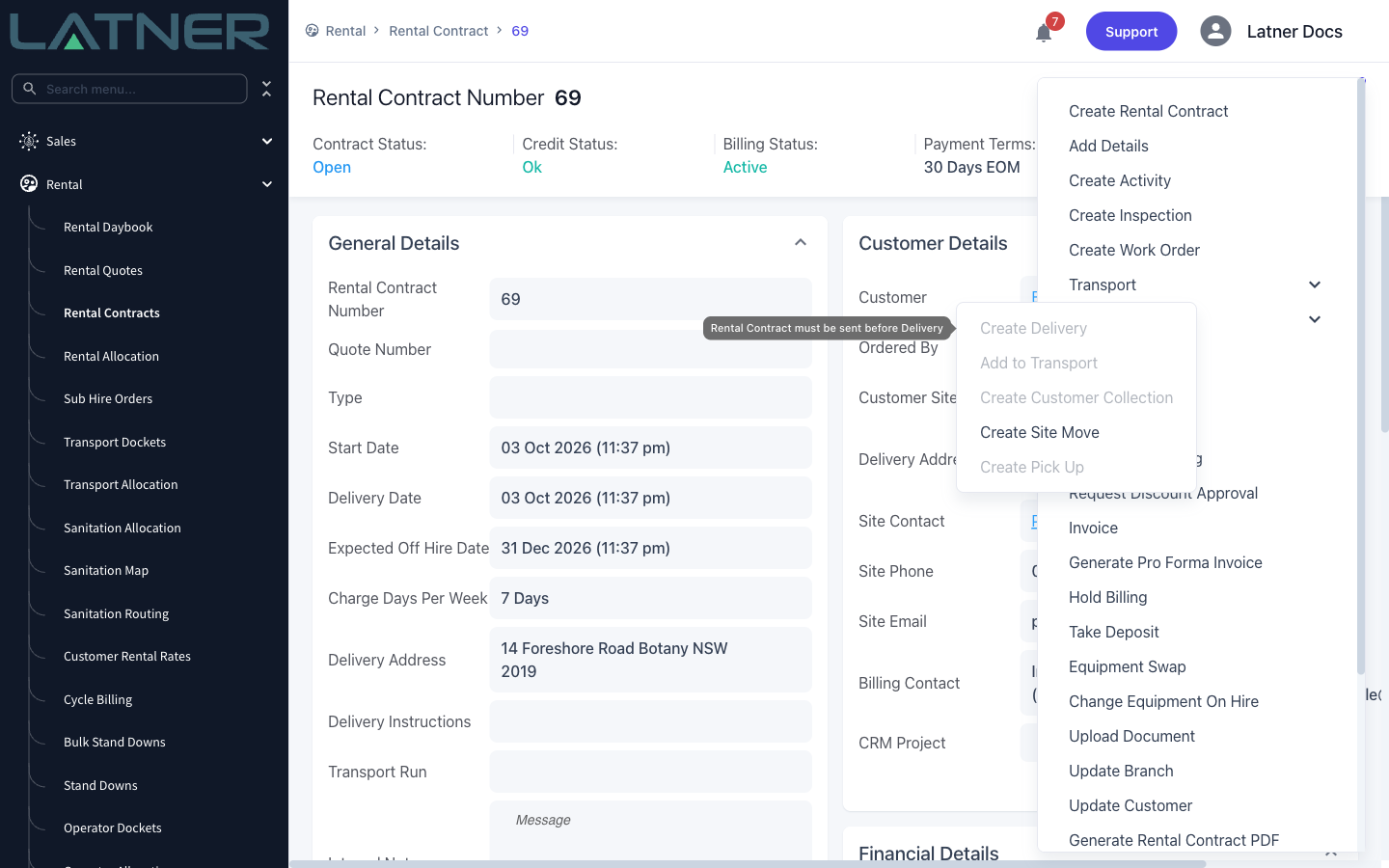
Want every customer to have their contract before anything leaves the yard? Turn on Rental Contract Must Be Sent Before Creating Transports in Security › Settings › Rental, and Create Delivery and Create Customer Collection stay greyed out until the contract has been emailed or sent for e-signature. Hover over either option to see why it's unavailable. The setting is off by default, so nothing changes until you switch it on.
Map Pins for Hard-to-Find Sites
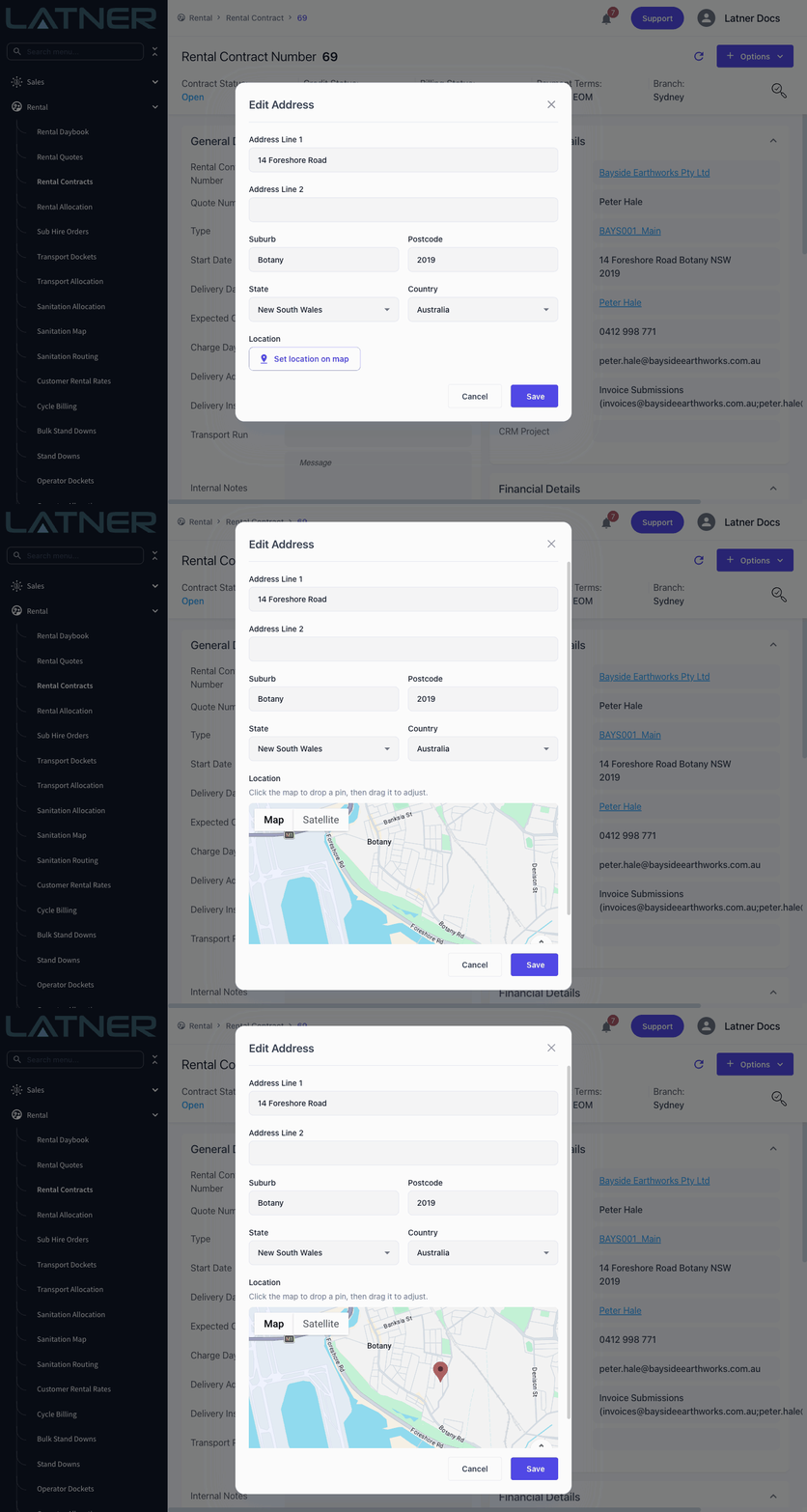
Remote sites don't always have an address the map can find. Edit Address now has a Set location on map button: click the map to drop a pin, drag it into place and save. The pin sets the exact location without changing the address text, so map links and sanitation routing go straight to the right spot.
Keep a Contract Highlighted on Operator Allocation
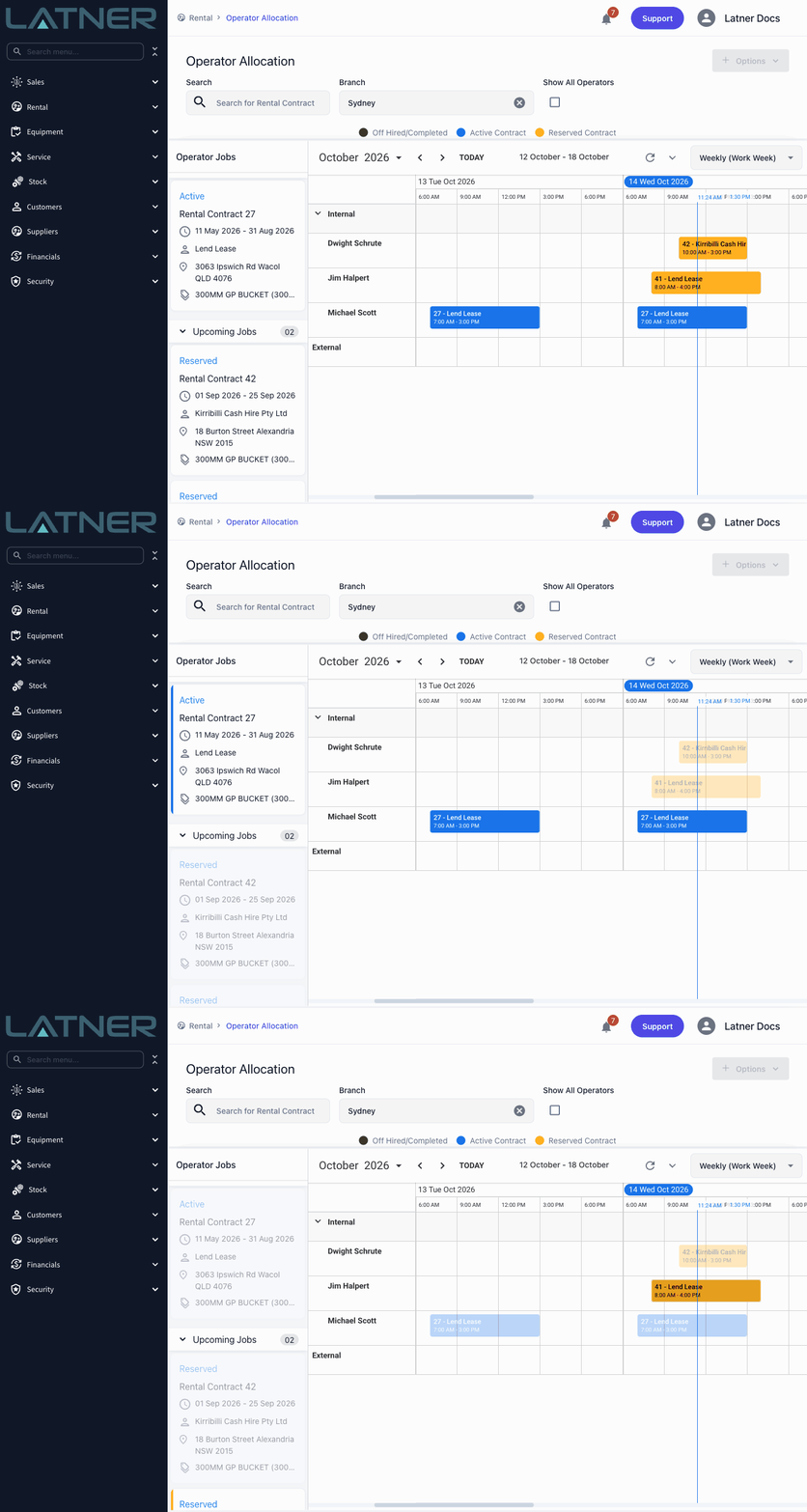
Hovering an operator job highlights its allocations, but the highlight used to vanish as soon as you moved onto the board. Now you can click an operator job card, or any of its allocations, to keep that rental contract highlighted while you work. Other contracts fade into the background, and clicking the same card again or an empty cell clears it.
Other Updates & Improvements
-
Add a Lease Number column to the Assets list
-
Work order checklists can now print using a custom PDF template
-
Stocktakes now respect the warehouse filter and leave out inactive stock
-
Assign a unit to an earlier-starting line and it takes over the reservation, moving the later line to Pre-Allocated, with a warning when the dates clash
-
Added a Bin Location column to Purchase Order lines
-
Supplier Invoice Scanning now reads PDF documents only, so email signatures, logos and photos are skipped instead of scanned
-
Plus a range of smaller fixes and performance improvements