
Welcome to the June 2026 Release of Latner! This month's update is headlined by the new Rental Allocation screen - a visual timeline of your whole fleet's hires - alongside more flexible billing with advance invoicing for work orders and the ability to add additional items to contracts after dispatch. We've also shipped a wide range of quality-of-life improvements across quoting, billing and the field. Below is a full breakdown of what's new in this release.
New Features
Rental Allocation Screen
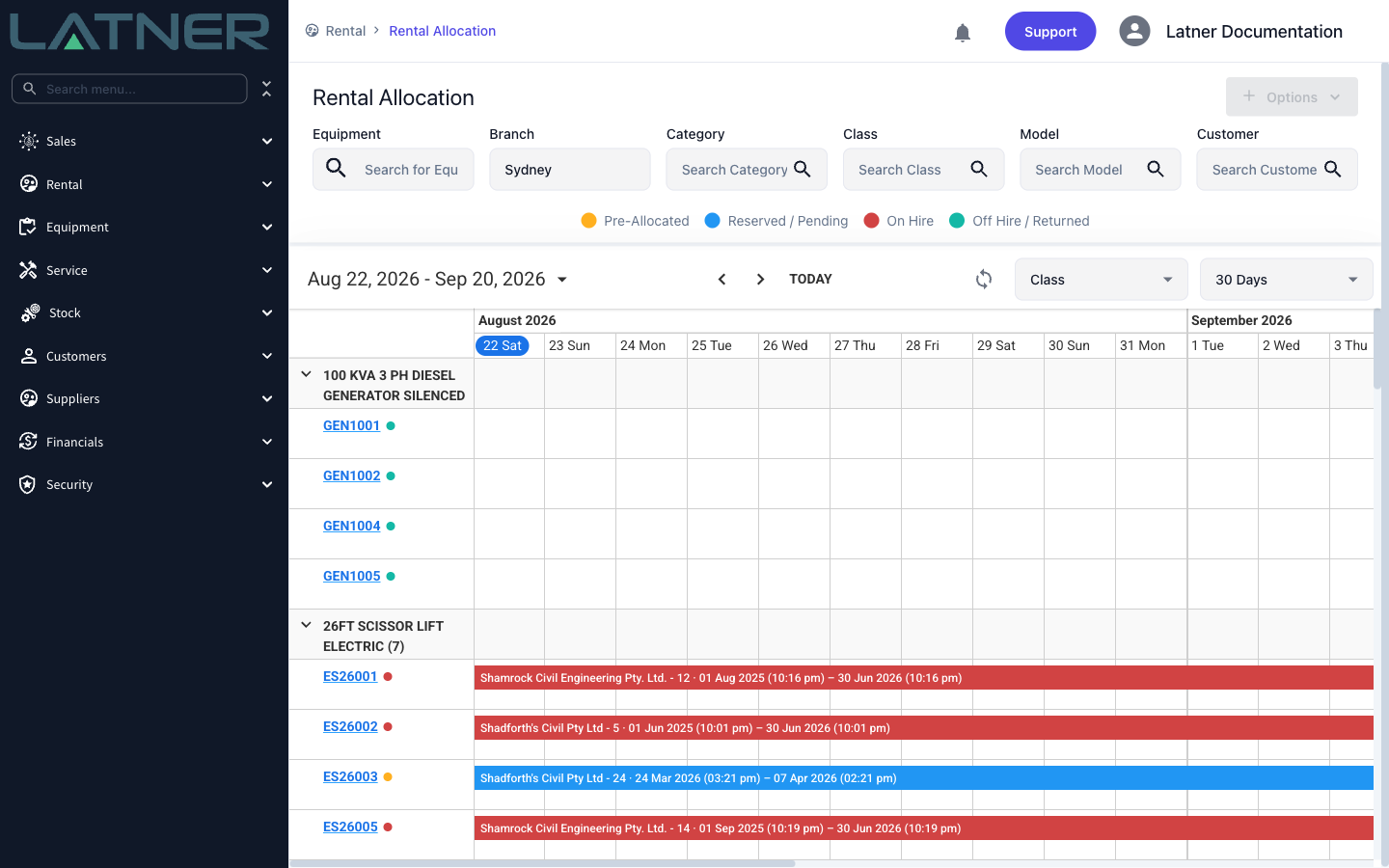
Plan your hires visually with the new Rental Allocation screen. Every machine in your fleet is shown on a timeline with its bookings colour-coded by status - Pre-Allocated, Reserved, On Hire and Off Hire - so you can spot availability and clashes at a glance. Filter by branch, category, class, model or customer, and click through to any equipment or contract directly from the timeline.
Invoice Work Orders in Advance
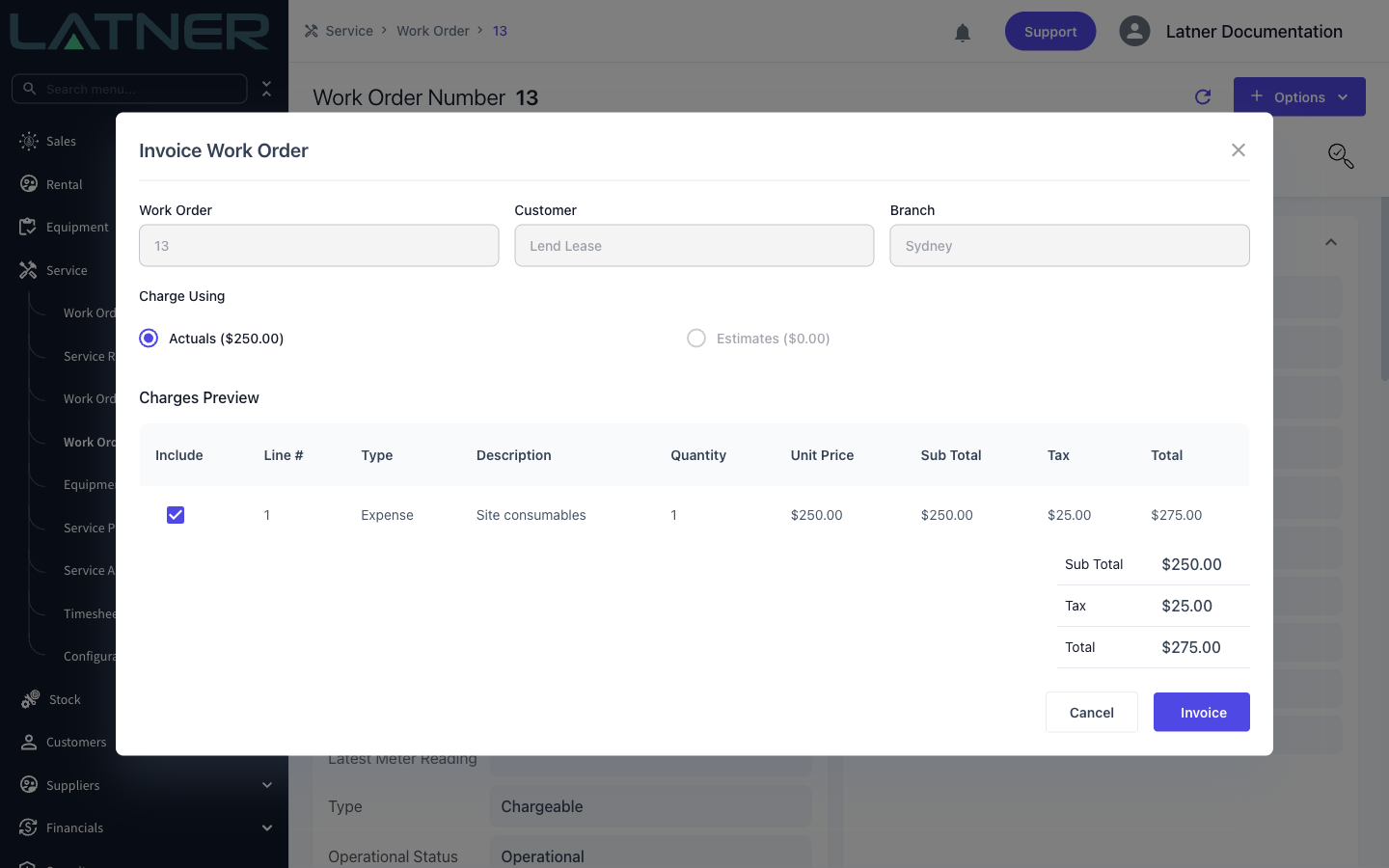
Chargeable work orders no longer have to wait until completion to be billed. You can now invoice a work order in advance, based on its estimates or its actuals, which is ideal for jobs that require payment up front. Once a work order has been invoiced in advance, completing it won't generate a second invoice.
Add Additional Items After Dispatch
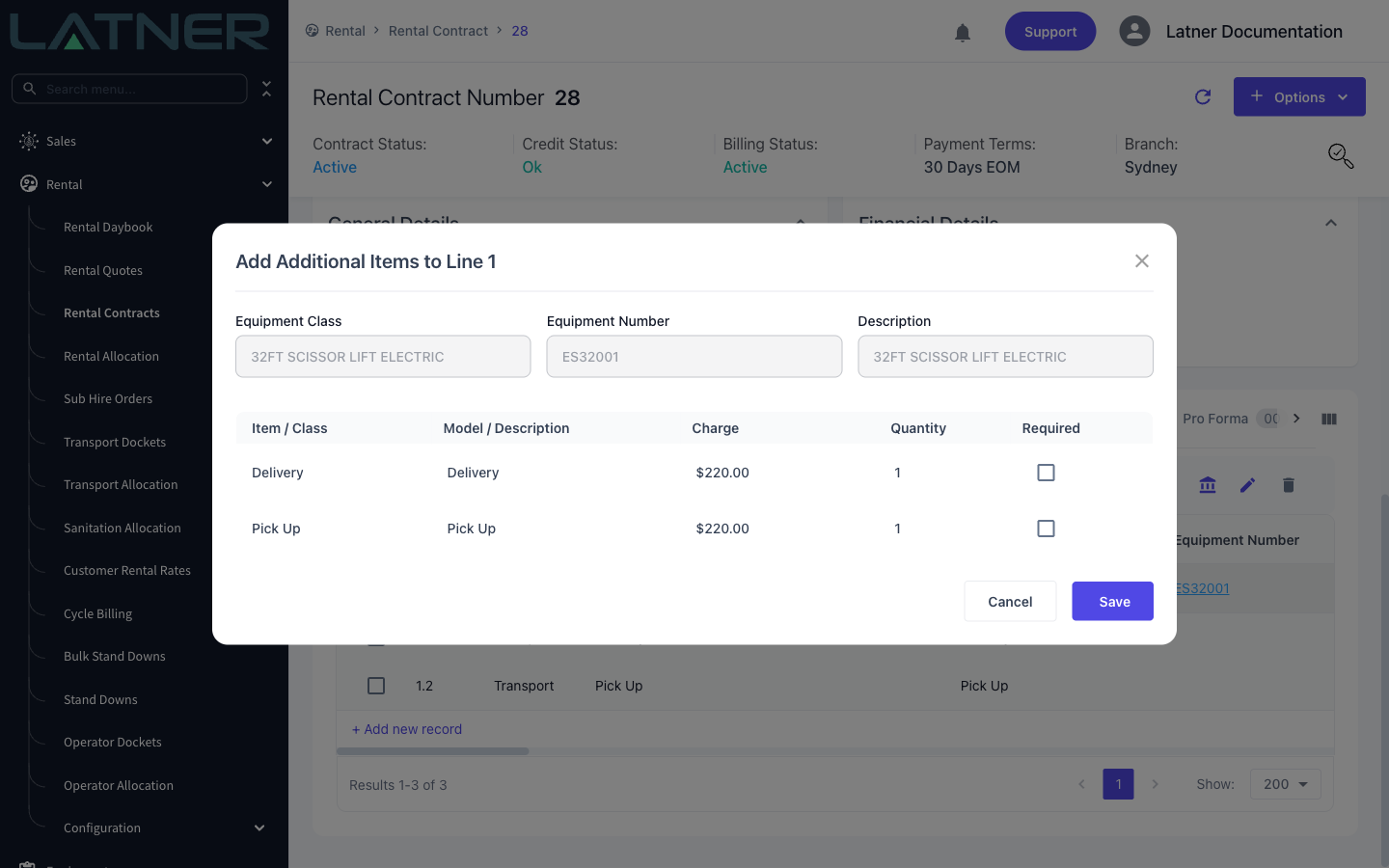
Additional items such as delivery, pick up or consumable charges can now be added to a rental contract's equipment lines after the contract is active - no need to plan every charge up front. Select the equipment line, choose Add Additional Items, and tick the items to add.
Other Updates & Improvements
-
Edit meter readings
-
Branch-level Terms & Conditions PDFs, used on rental quotes and contracts
-
Rental Quote PDF enhancements and a download button on rental quotes
-
Import rental contract details as On Rent
-
Added the Ordered By contact to customer invoice PDF templates
-
Serialized stock movements are now tracked and synced
-
Save and Cancel buttons stay visible when scrolling detail screens
-
Added "My Branch" and "My Orders" quick filters to purchase orders
-
New permission for reopening transport dockets
-
Saved filters on more dashboard screens
-
Assigned techs now show on mobile work order screens
-
Generate inspection PDFs for open inspections
-
Upload files to CRM opportunities
-
Plus a range of smaller fixes and performance improvements