
Welcome to the October 2026 Release of Latner! This month is all about the allocation boards: every board now shares the same views, header and refresh controls, and they load much faster. You'll also find new notifications for transfers, purchase order approvals and service requests, and AI Reports that open already filtered for whoever is viewing them. There's also a set of improvements across serialized stock, rental types, sanitation, transport and operator dockets. Below is a full breakdown of what's new in this release.
New Features
Refreshed Allocation Boards
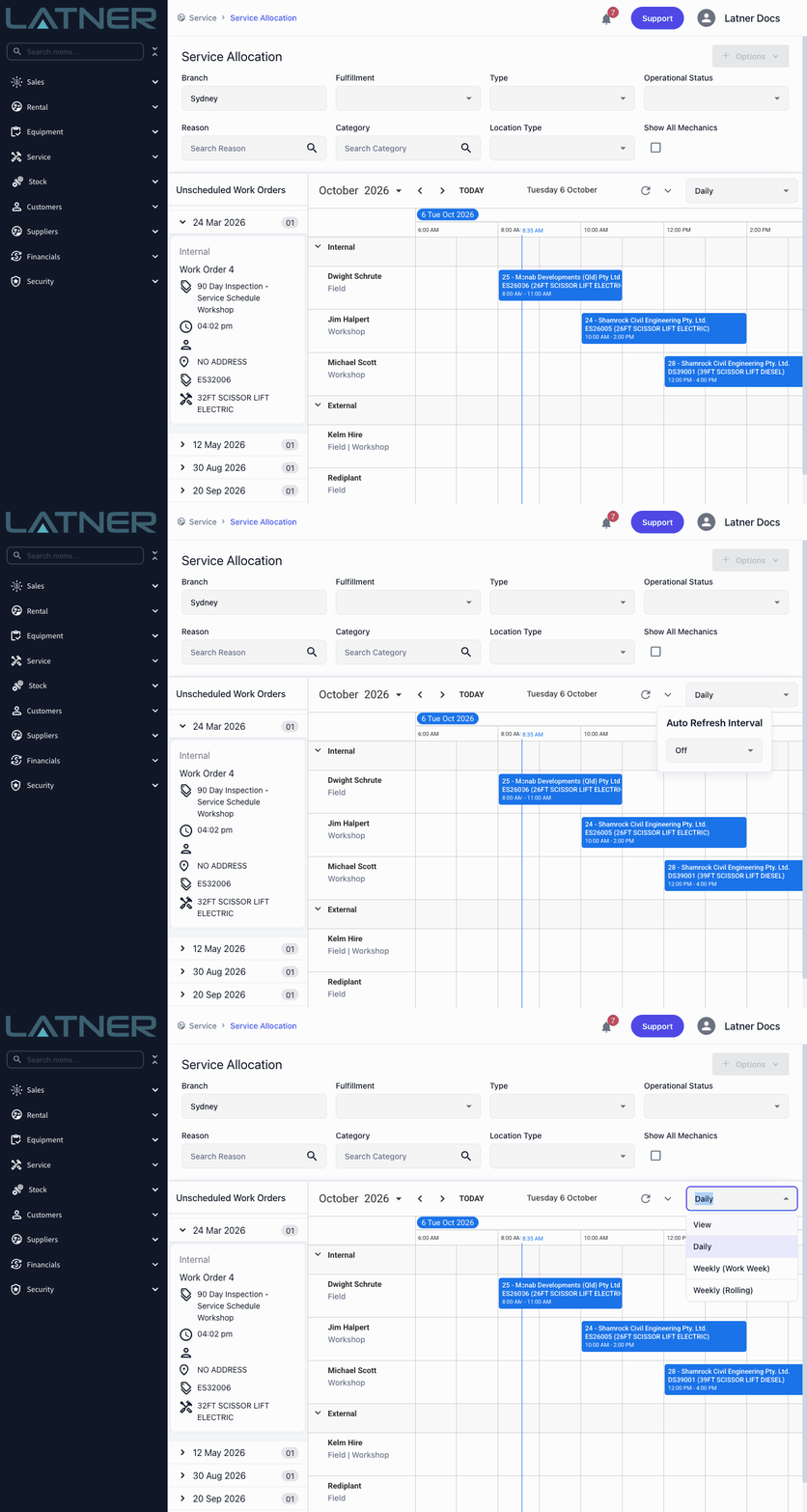
All six allocation boards - Rental, Operator, Service, Sanitation, Transport and Inspection - now work the same way, and they load much faster. Pick a layout from the View menu, from Daily and Weekly (Work Week) through to 2 Weeks, 30 Days or 12 Months where they suit the board, and Latner remembers your choice for each board. Every header now has a Refresh button and an Auto Refresh Interval, so a board left open on the office screen keeps itself up to date. Transport and Inspection Allocation get the view switcher for the first time, and Operator Allocation gains 2 Weeks and 30 Days views, where a job you drop onto a day starts at the beginning of the working day.
More Useful Notifications
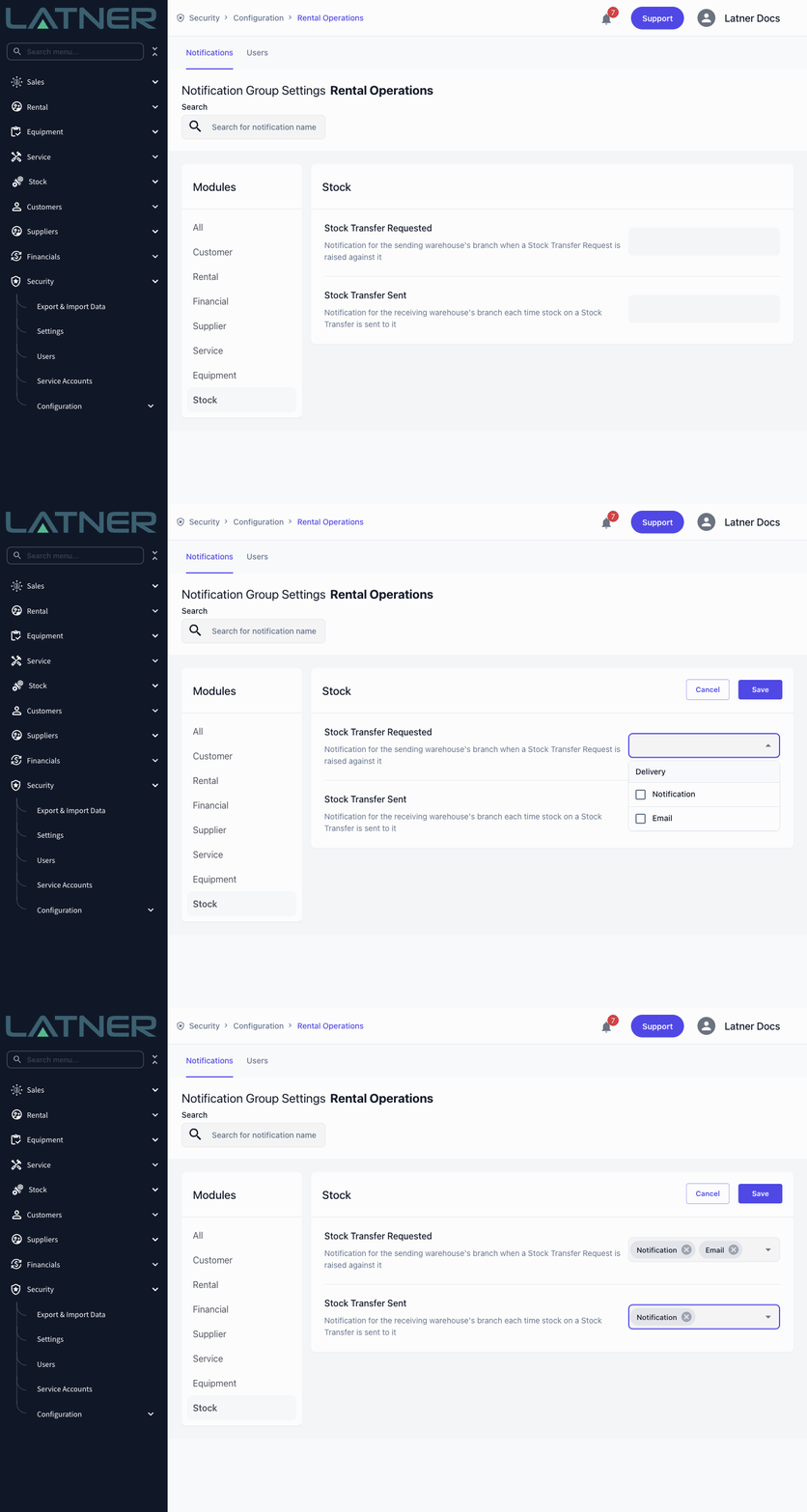
Notifications now cover more of the hand-offs between your team. A branch can be told when an equipment or stock transfer is requested from it or sent to it, the person who asked for a transfer hears when it's approved, the person who raised a purchase order for approval hears when it's confirmed, and a team member hears when a service request is assigned to them. You'll also stop being notified about things you did yourself, so your notifications only show what others need you to know. Switch on the new transfer requested and transfer sent alerts per notification group under Security › Configuration › Notification Groups, in the Equipment module and the new Stock module, while the approval and assignment notifications arrive automatically.
AI Reports Filtered for the Viewer
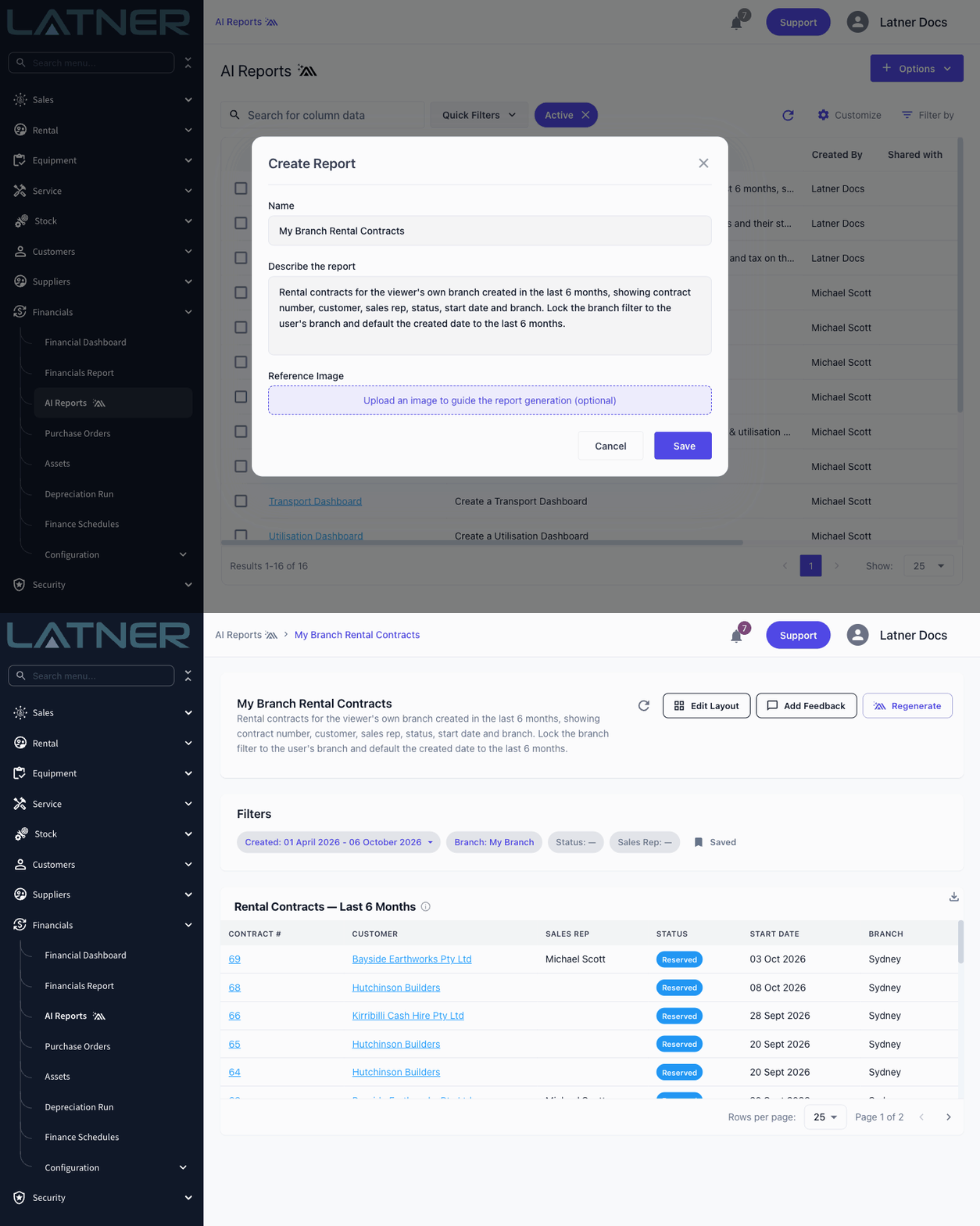
One AI report can now serve your whole team. When you describe a report, ask for a filter to start on the person viewing it or on their branch, or on a date range such as the last 6 months, and the report opens already filtered that way for everyone who opens it. Ask for the filter to be locked, and team members without the AI Report permission won't see it at all - they simply see their own records or their own branch. Anyone with the permission can still change or clear the filter.
Other Updates & Improvements
-
Add notes to serialized stock items, and see each item's purchase order and ETA on the Serialized Stock screens
-
Show and filter by Rental Type on the Rental Quotes and Rental Contracts lists and the daybooks, and use it on quote, contract and invoice print templates
-
Select more than one branch on Sanitation Allocation
-
Record a Purchase Order number on manual transports
-
Choose PDF or CSV for the scheduled Customer On Rent Report
-
Set your own invoice line wording for Operator Docket timesheets with the new Operator Timesheet Invoice Description setting
-
Operator Dockets no longer need a Pre Start checklist when none is set up for the equipment
-
Change Equipment on hire now works for bulk equipment held at more than one branch
-
Choose whether operators must complete the Pre-Start checklist on a mobile Operator Docket with the new Pre-Start Checklist Mandatory for Operator Dockets setting
-
Operator Allocation highlights the Rental Contract you have selected
-
Customer Industry and Category now show consistently across the Customer and Account screens
-
A note is now required when cancelling a purchase order, and cancelled purchase orders are no longer offered when creating a supplier invoice
-
Allocation boards open on the right day and week through daylight saving changes, and for users whose timezone differs from their branch or who have no branch
-
Operator dockets dragged across several days now appear on the operator's Today's Jobs
-
AI Reports no longer fail to open when a date range filter has a custom default
-
Fixed the back button in mobile sanitation routing
-
Plus a range of smaller fixes and performance improvements