
Welcome to the August 2026 Release of Latner! This month's update is all about working safely and accurately in the field and staying in control back at the office - with new Take 5 safety checklists on mobile, a dedicated allocation screen for sanitation runs, finer control over credit notes, and notifications that keep approvals moving. We've also added new AI Report chart types and a range of quality-of-life improvements across the app. Below is a full breakdown of what's new in this release.
New Features
Take 5 Safety Checklists
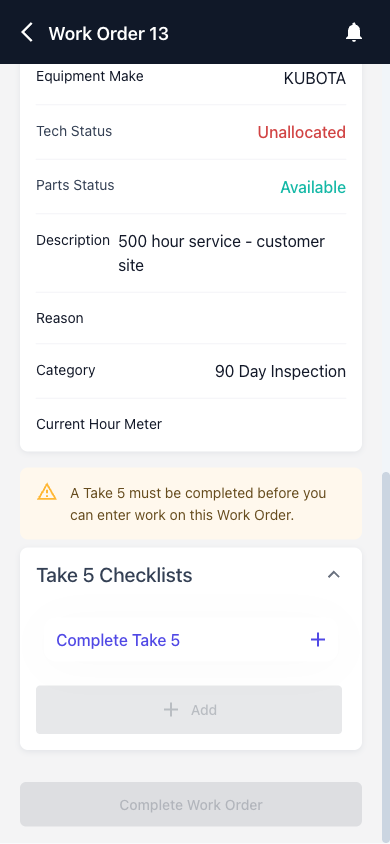
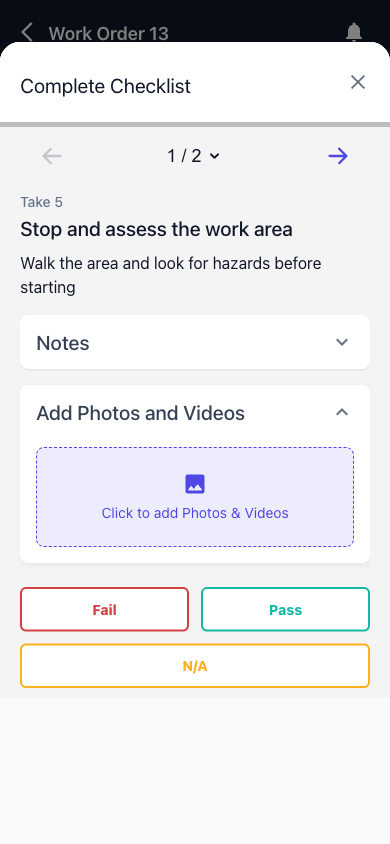
Field technicians can now be required to complete a Take 5 safety checklist (SWMS, JSEA) on their mobile device the moment they go On Site for a work order or transport docket - before they can do anything else on the job. Each completed Take 5 is saved against the work order or transport docket, giving you a clear safety record for every site visit. The checklists are configurable, and the whole feature sits behind a setting so you can roll it out when your team is ready.
|
|
Sanitation Allocation
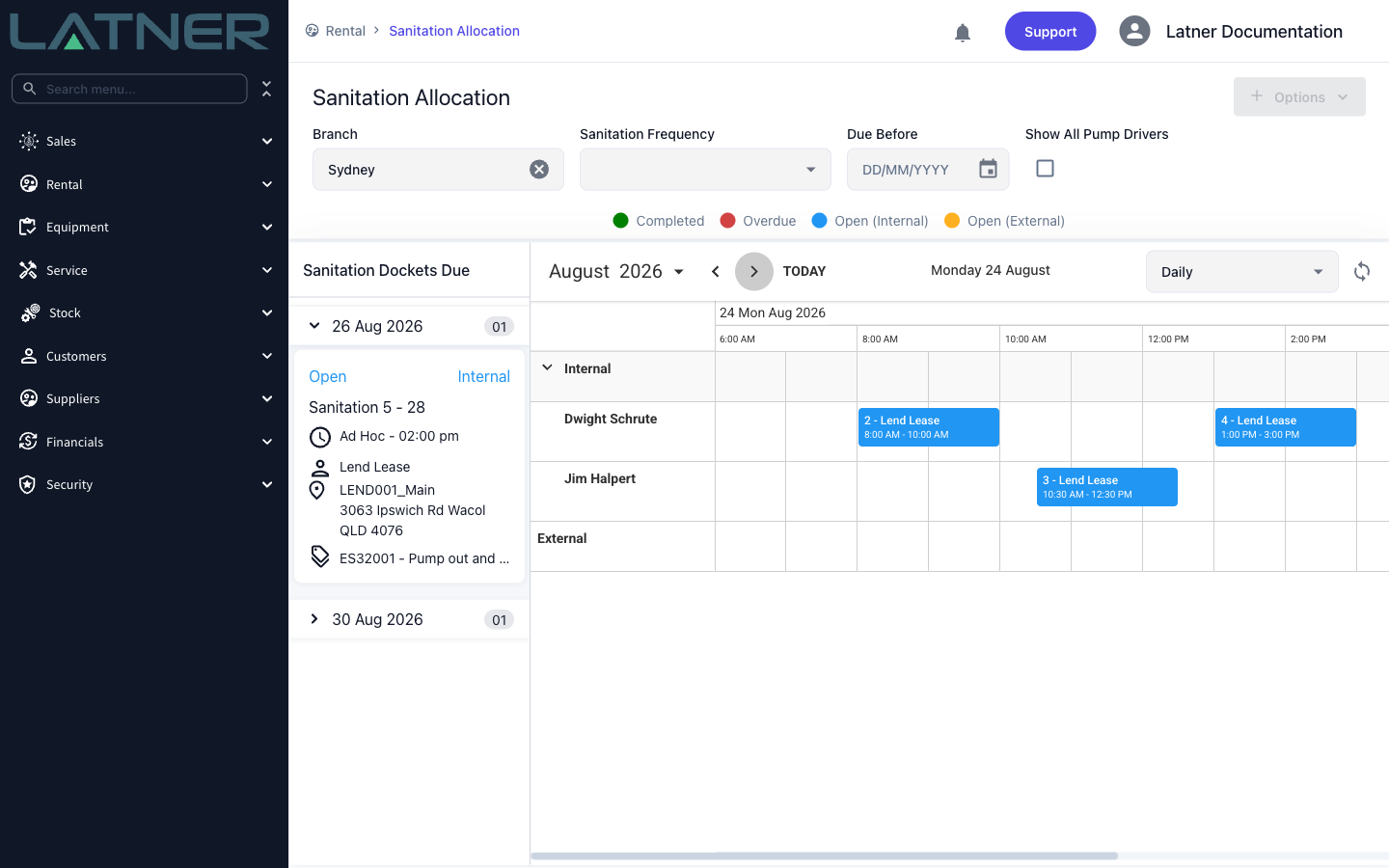
Sanitation runs now have their own allocation screen. Schedule sanitation dockets across your pump drivers, and filter by branch, sanitation frequency, or everything due before a chosen date - so nothing gets missed and every run is planned in one place, the same way you already allocate service and transport work.
Credit Note Line Selection
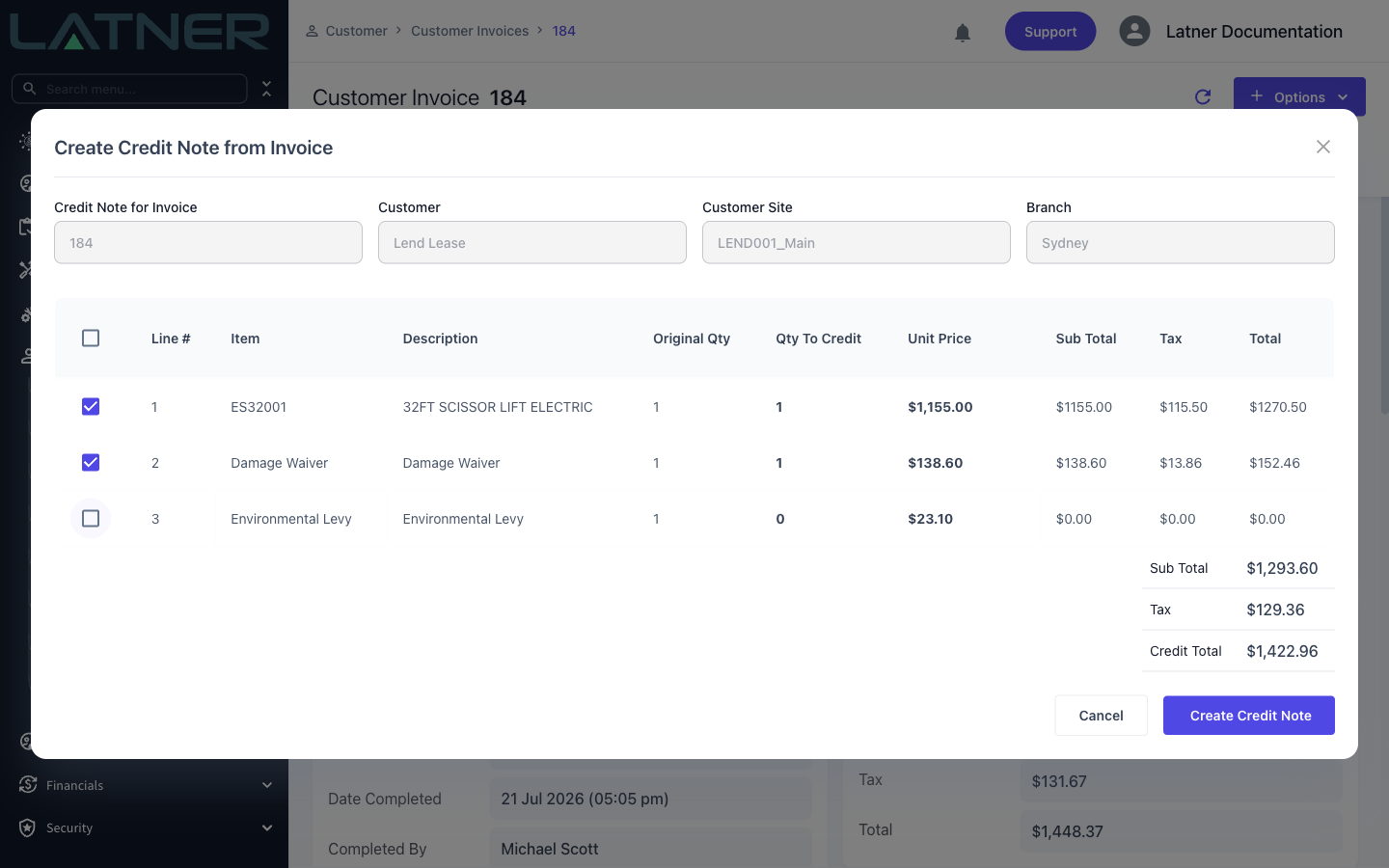
When raising a credit note against an invoice, you can now preview the invoice's lines and choose exactly which ones to credit. No more crediting the whole invoice and re-billing - just tick the lines that need correcting and the credit note is built from your selection.
Pending Approval Notifications
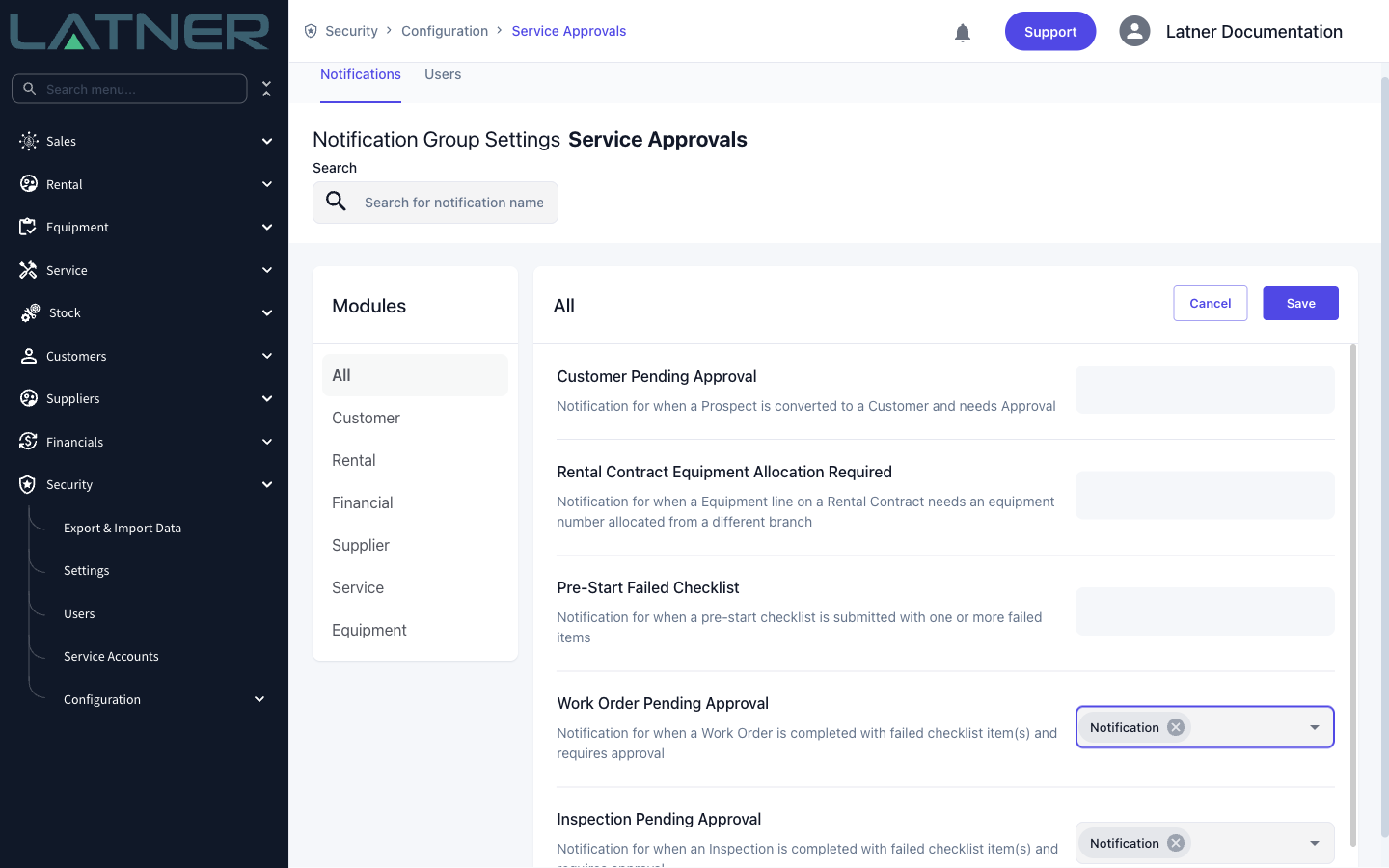
Your team can now be notified the moment an inspection or work order checklist moves into Pending Approval. The notification takes the approver straight to the record's checklist, so sign-offs happen sooner and jobs stop waiting on someone to notice. Subscribe a notification group to the new Work Order Pending Approval and Inspection Pending Approval notifications to switch it on.
New AI Report Chart Types
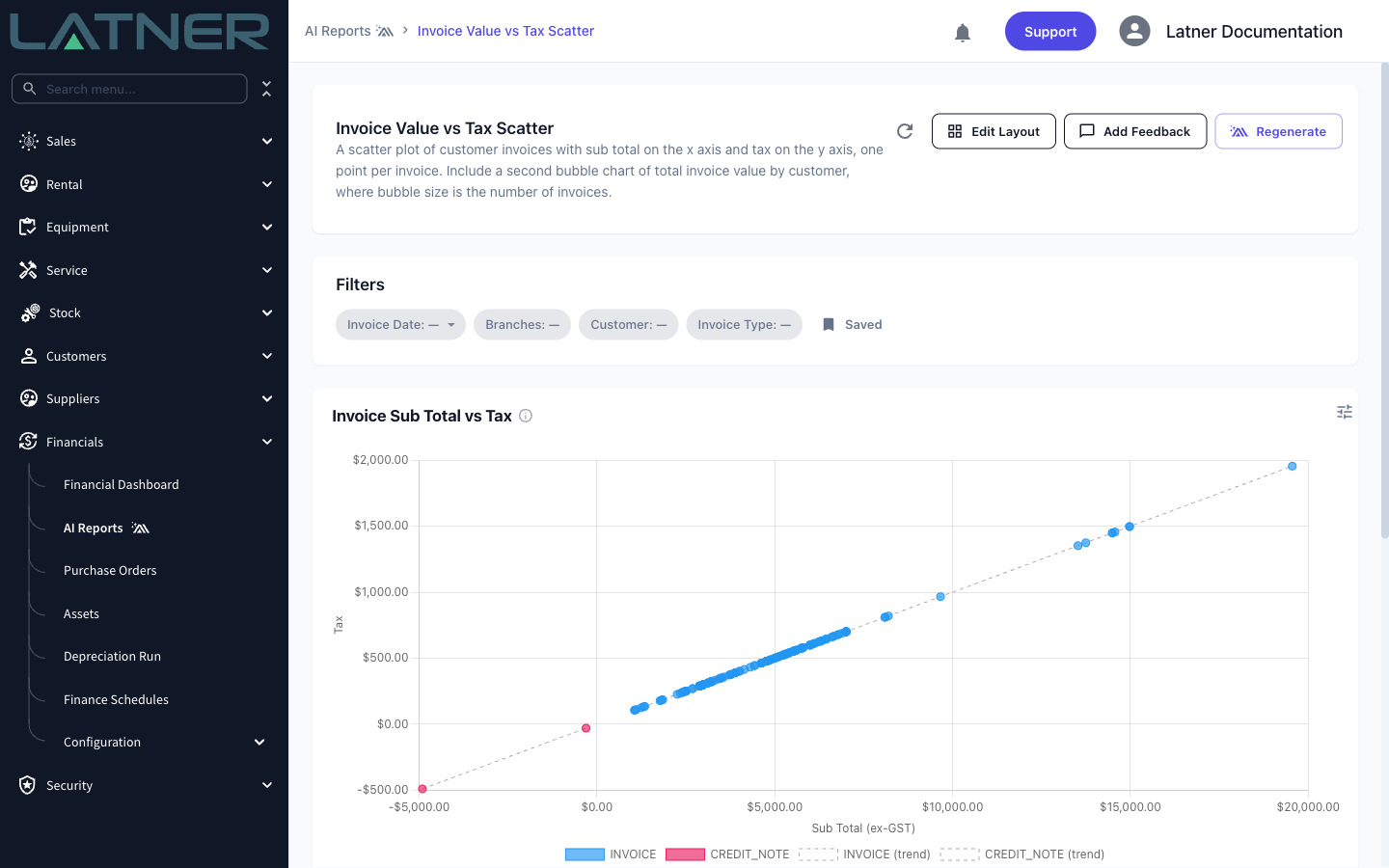
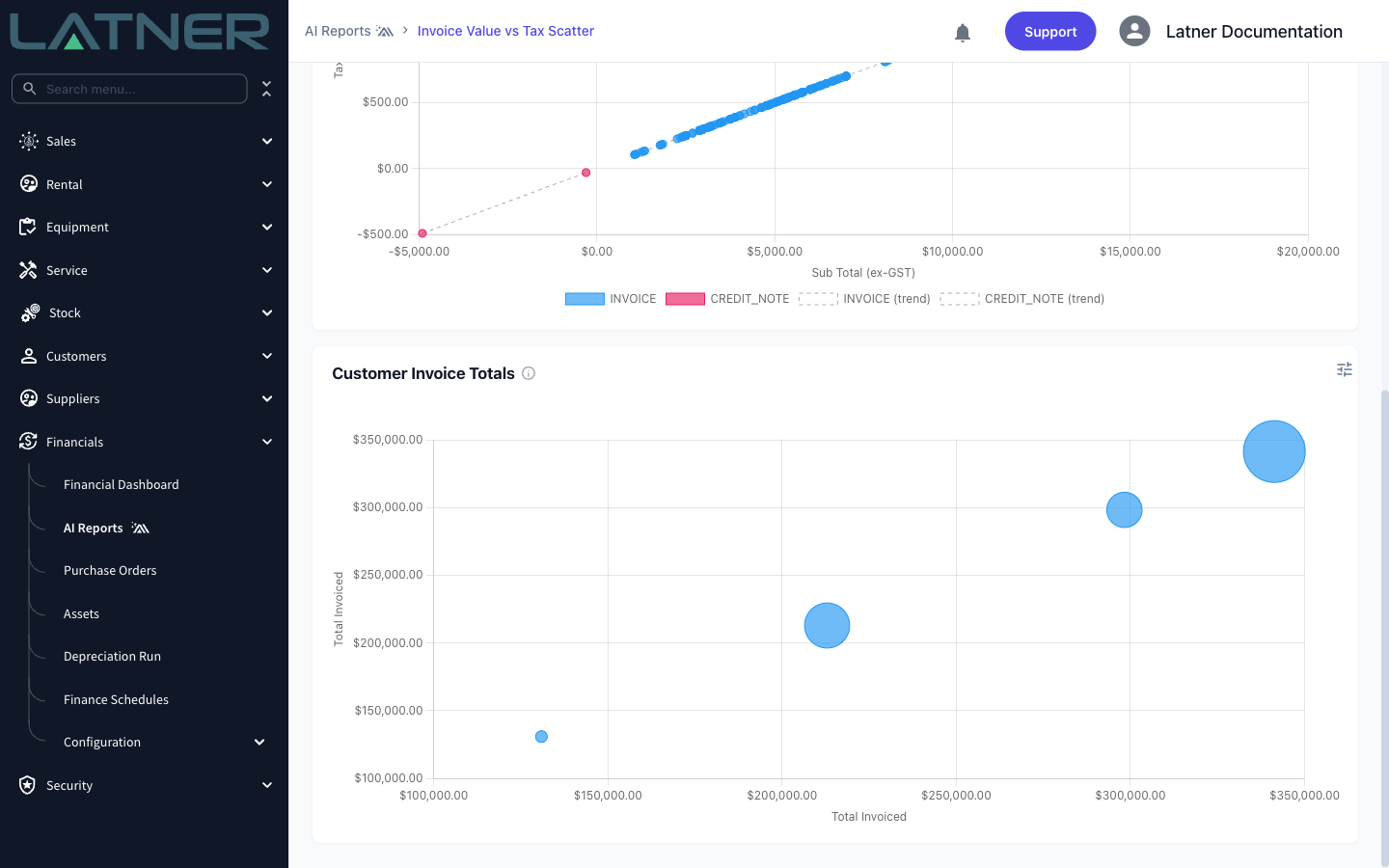
AI Reports can now present your data as scatter and bubble plots, making it easier to spot relationships, clusters and outliers across your fleet and financials - just describe the comparison you want to see and the right chart is built for you.
Drag-and-Drop Document Uploads
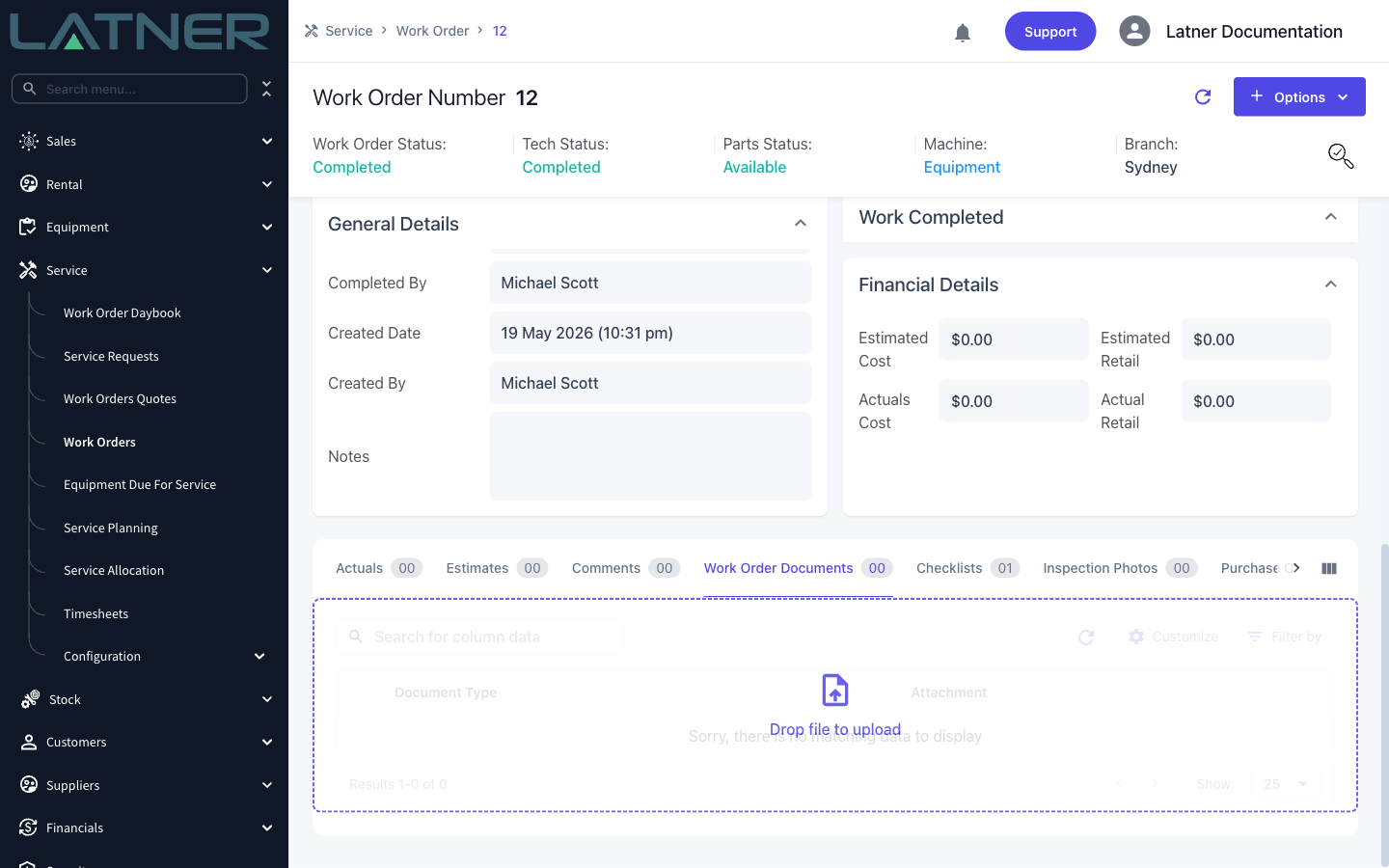
Attaching documents is now as simple as dragging a file onto the Documents tab. On work orders the file uploads immediately, and on equipment the upload dialog opens pre-filled with your file so you can set the document type and expiry before saving.
Other Updates & Improvements
-
See an equipment summary on the customer's Rental Contracts tab
-
Change the owning customer on Customer Owned Equipment
-
Linked equipment invoices now show on the Equipment details Invoices tab
-
Warn about unsaved changes when navigating away from a form
-
Added contact name to Rental Quote/Contract and Sales Order email templates
-
Pass/fail task counts on checklists
-
Create a purchase order from an external transport
-
Rental rate adjustments now support the Minimum Hours Per Month rate type
-
Export/import overtime rental rates for wet hire
-
Added sub hire supplier to the Customer Invoice Details export
-
Rouse exports now differentiate admin charge lines
-
Tables now default to 25 rows per page
-
Plus a range of smaller fixes and performance improvements