
Managed For equipment lets you put a supplier's machine on a rental contract as a Sub Hire line while still tracking it as a real piece of equipment in your fleet, so the customer's hire and the supplier's charge sit on the same contract line.
Overview
Some supplier machines never leave your yard. You hold them, service them, deliver them and hire them out under your own name - you just don't own them. In Latner these are Managed For machines: ordinary equipment records with a supplier recorded in the Managed For field. Sub hiring one out is a small variation on a normal Sub Hire Equipment line, and it is the Internal option on that line.
-
External sub hire is for a machine you don't hold - you name an equipment class and type in the supplier's own equipment number. Internal sub hire is for a Managed For machine you already have on your books, so you choose a real Equipment Number instead.
-
Choosing the Equipment Number fills the Supplier in for you, from that equipment's Managed For field, and then locks it. You can't sub hire a Managed For machine from anyone but the supplier it belongs to.
-
An Internal line still carries two sets of rates: the Customer Rental Rates you charge, and the Sub Hire Rental Rates the supplier charges you.
-
Saving the line creates a Sub Hire Order for that supplier, or adds the line to the contract's existing one, exactly as an External sub hire does.
-
Because the machine is a real equipment record, the line behaves like one of your own: the equipment is reserved, and transport, meter readings, work orders and off hire all work normally. External sub hire lines get none of that, because there is no equipment record behind them.
Before You Begin
You'll need the following in place before the Internal option appears.
|
Requirement |
Where to Find It |
|---|---|
|
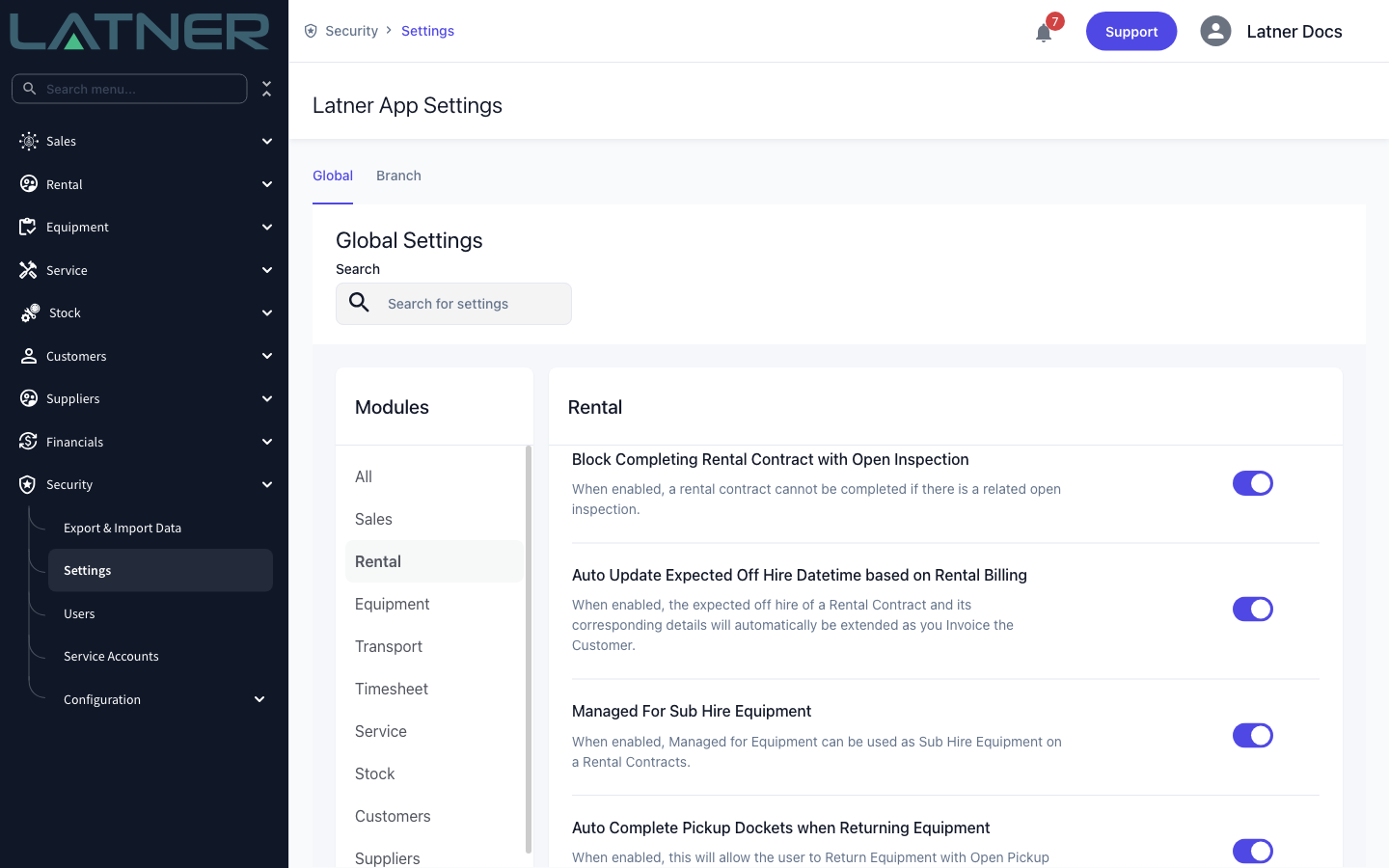
Managed For Sub Hire Equipment setting turned on |
Security › Settings › Rental |
|
Equipment with a supplier in its Managed For field |
Equipment › Equipment, then the equipment record |
|
Add Rental Contract Details permission |
Security › Configuration › Permission Groups › Rental › Option |
|
Sub Hire Orders permission, to open the order the line creates |
Security › Configuration › Permission Groups › Rental › Screen |
|
An active supplier with an active site and a site contact |
Suppliers › Suppliers |
|
Sub hire rates for that supplier and equipment class (optional, but they save typing) |
Rental › Configuration › Sub Hire Rental Rates |
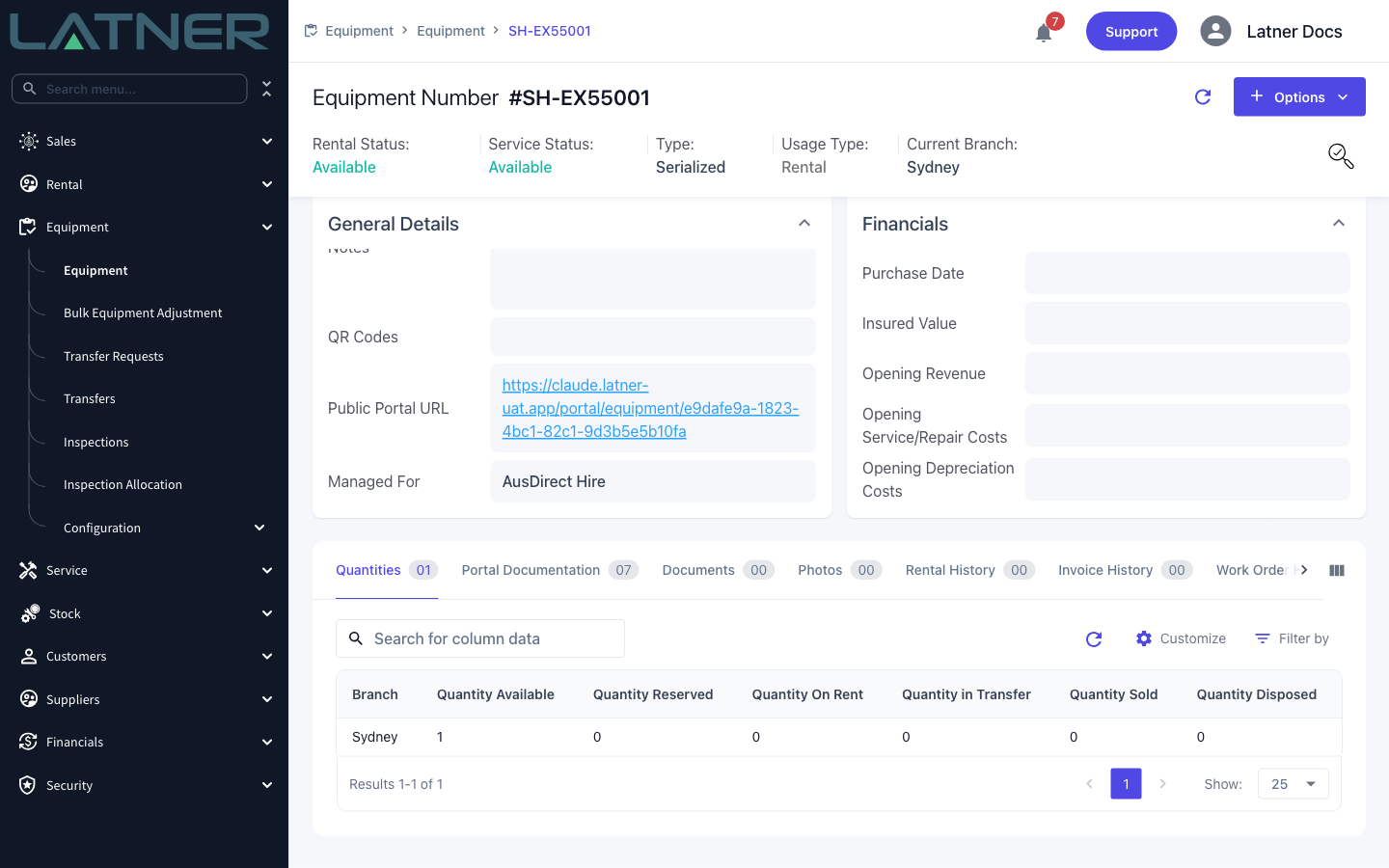
A Managed For machine is an ordinary equipment record - its Usage Type is still Rental. The only thing that marks it is the supplier in the Managed For field, so you can set that on a machine you already have, or clear it when the machine becomes yours. The Managed For quick filter on the Equipment screen lists every machine that carries one.
Sub Hiring the Equipment
Step 1 - Open the contract and choose Add Details
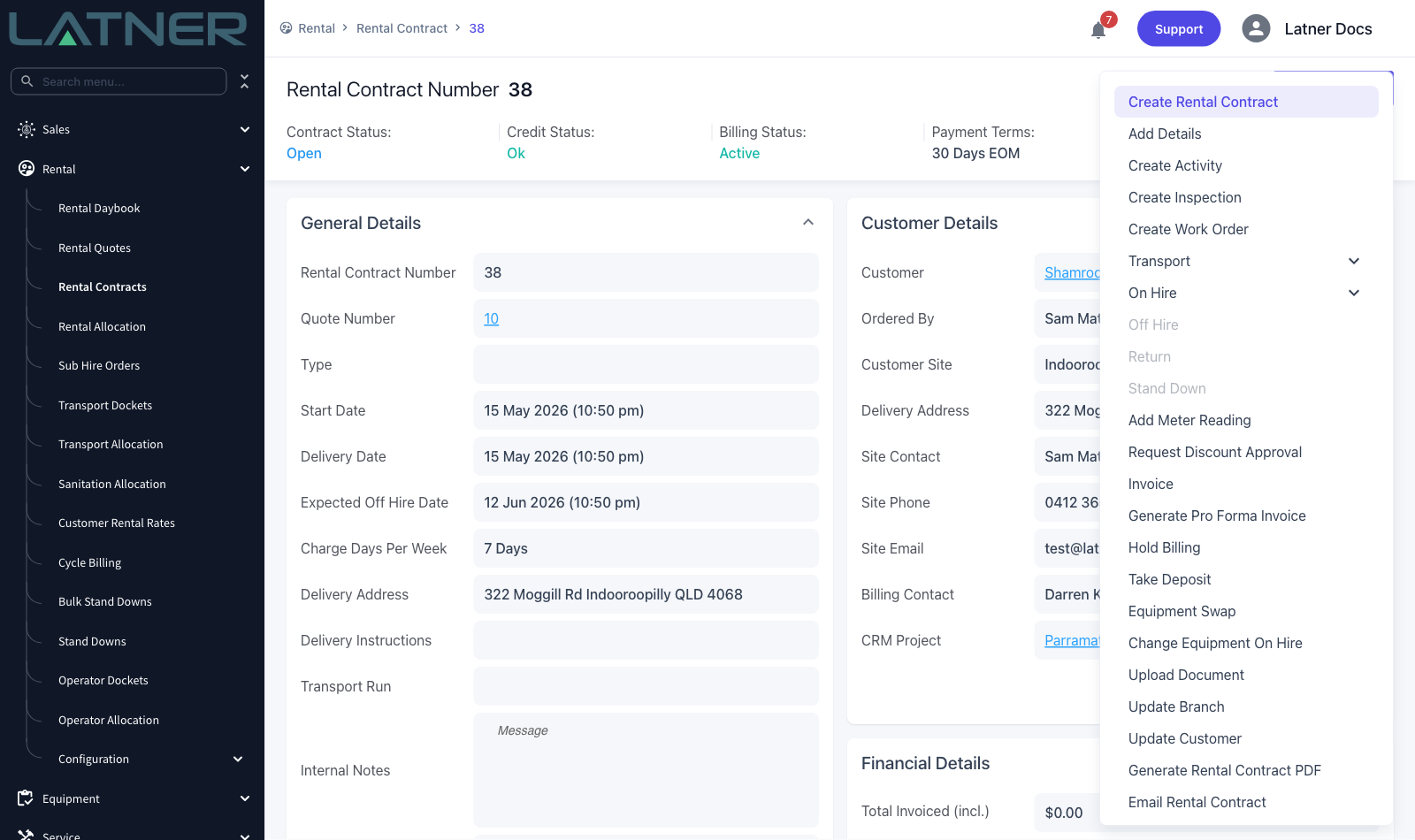
Open the contract from Rental › Rental Contracts, then choose Options › Add Details. The same form opens by itself the first time you land on a brand new contract.
Step 2 - Set the Line Type to Sub Hire Equipment
Change Line Type from Equipment to Sub Hire Equipment. An Equipment Type choice appears beside it, set to External, and the form asks you for an Equipment Class and a free text Sub Hire Equipment Number - that's the External path, for a machine you don't hold.
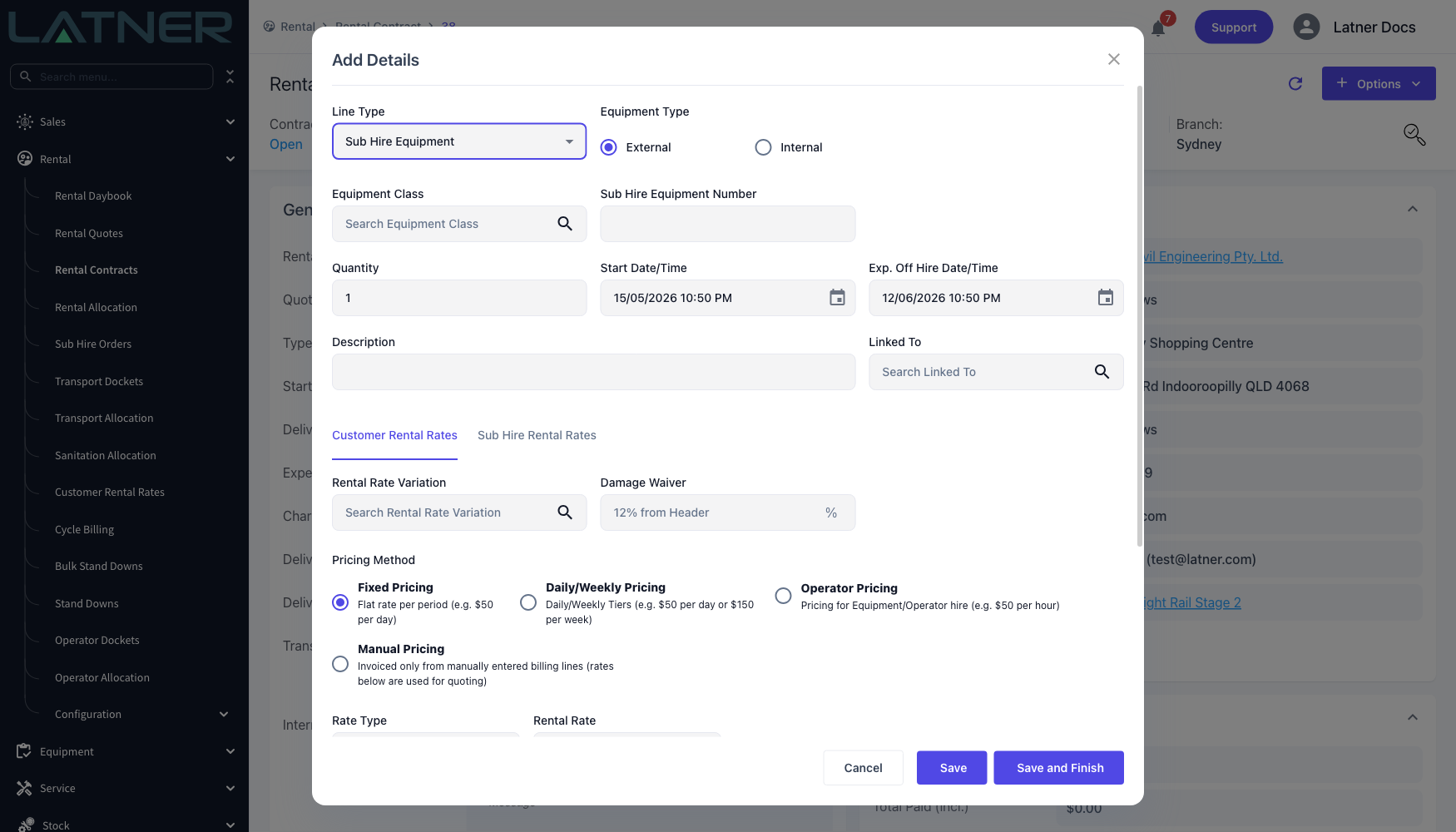
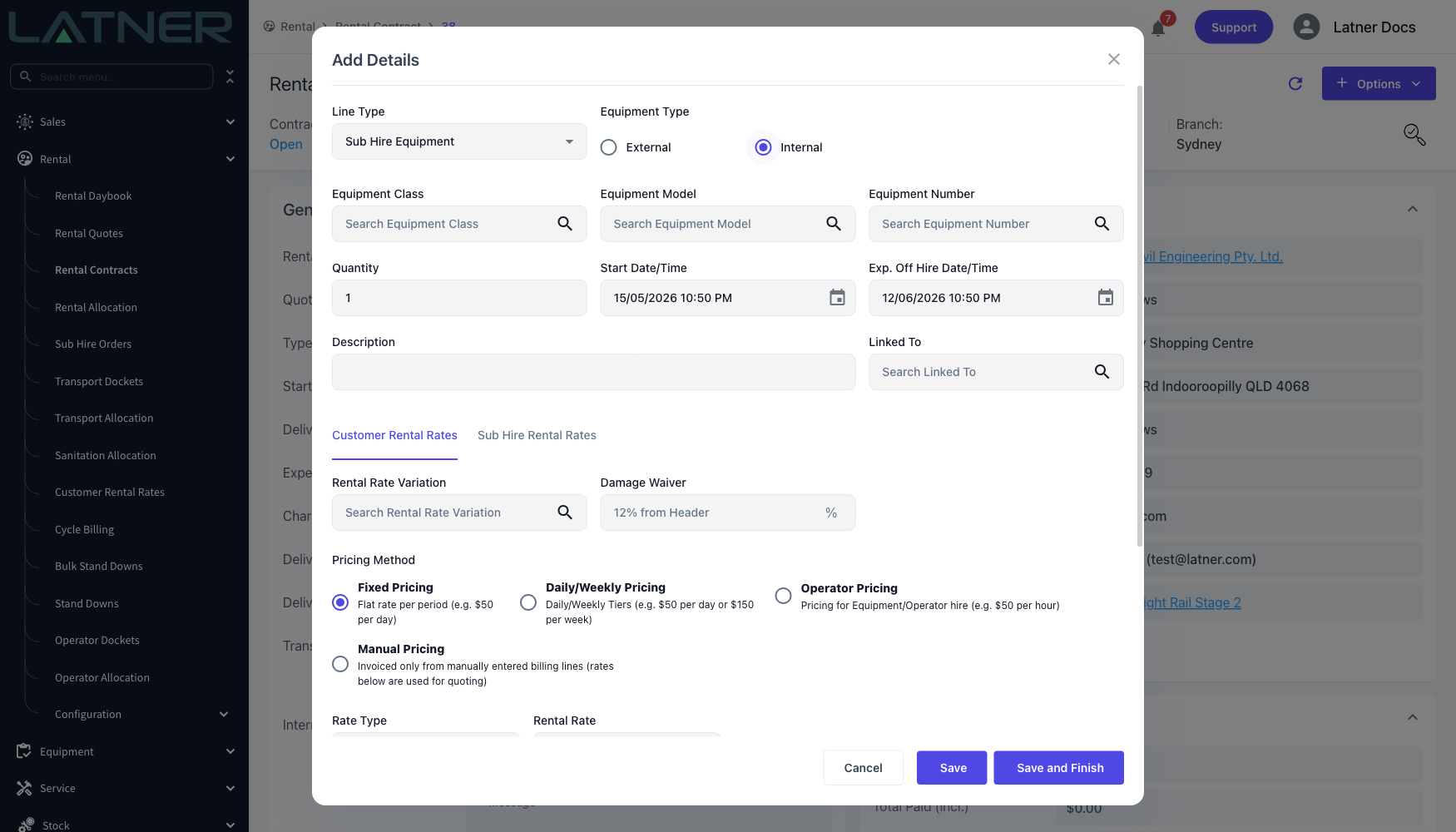
Step 3 - Switch Equipment Type to Internal
Choose Internal. The free text Sub Hire Equipment Number disappears and three lookups take its place:
-
Equipment Class - required, and normally filled for you once you pick the machine.
-
Equipment Model - optional, and useful for narrowing the Equipment Number list.
-
Equipment Number - the Managed For machine itself.
Step 4 - Pick the Equipment Number
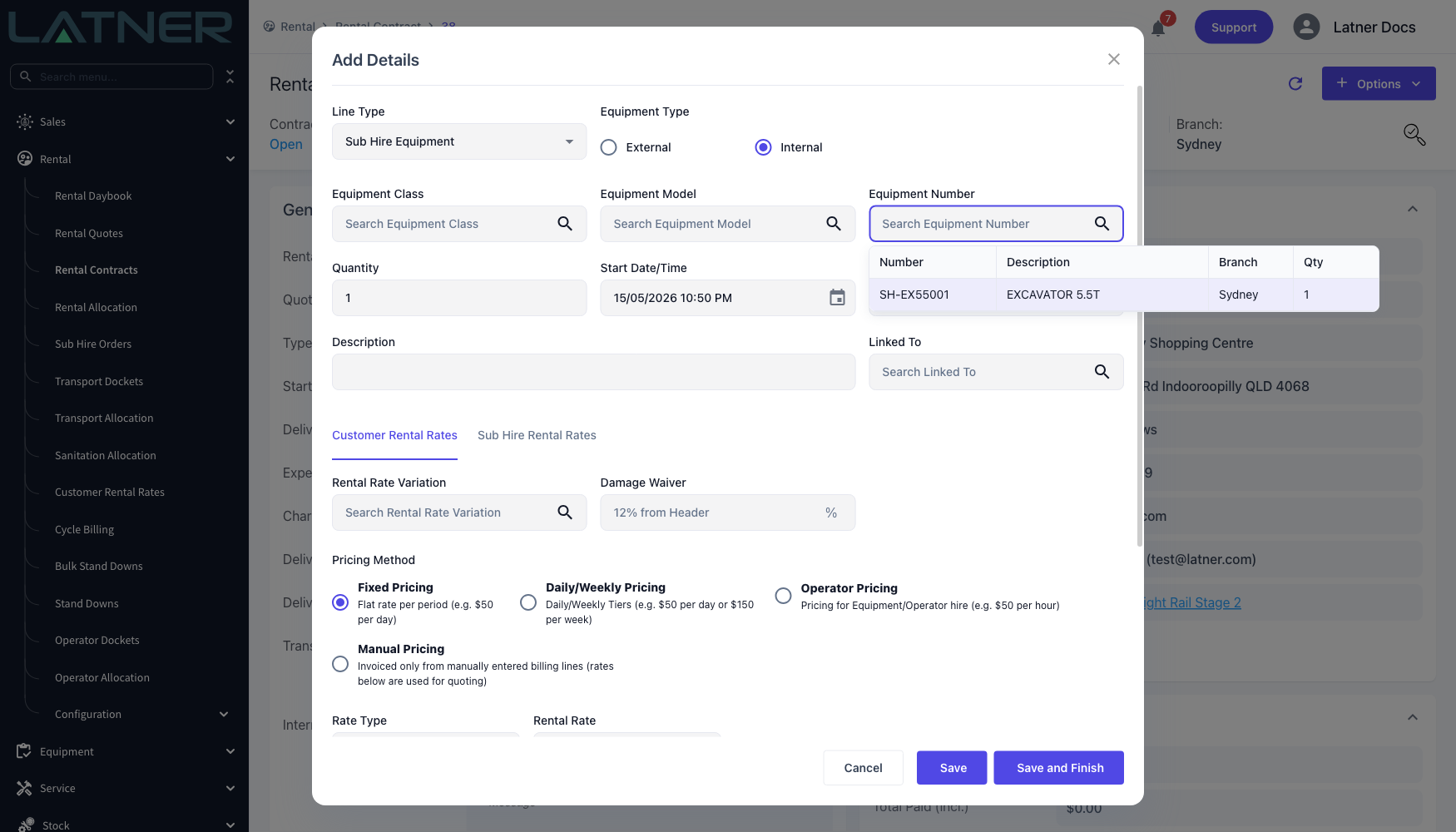
Open the Equipment Number lookup. It lists only equipment that has a supplier in Managed For, in the line's branch, and that is free to hire - your own fleet is deliberately not in this list.
Step 5 - Check the supplier Latner filled in
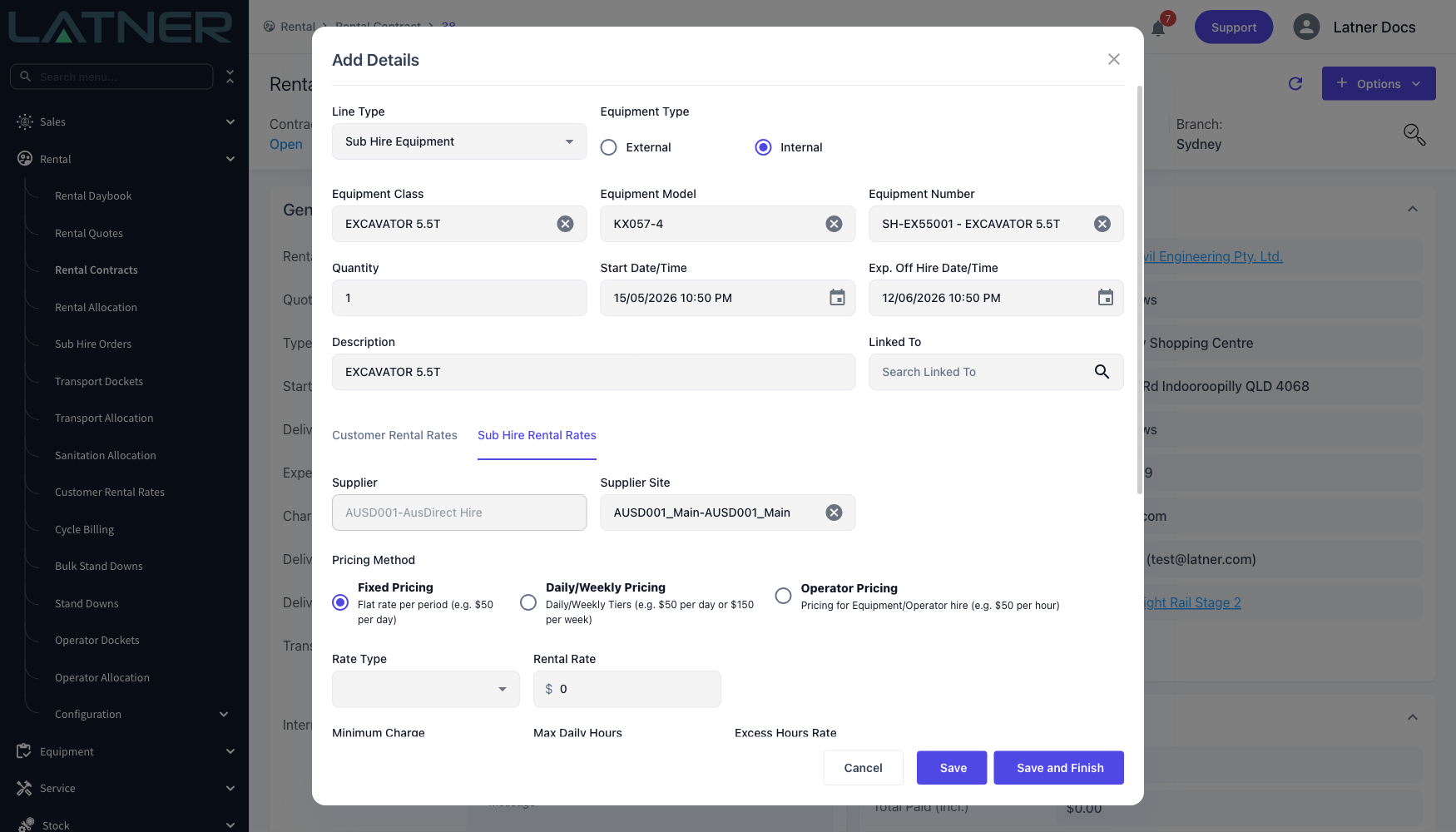
Picking the machine fills in Equipment Class, Equipment Model and Description, and pulls the customer's rates for that class into the Customer Rental Rates tab. Open the Sub Hire Rental Rates tab and you'll find:
-
Supplier - taken from the equipment's Managed For field and greyed out. This is the difference that matters: on an External line you choose the supplier yourself, on an Internal line the machine decides it.
-
Supplier Site - defaulted to that supplier's first site and still editable, so pick the branch or depot the order should go to.
Step 6 - Enter the supplier's rates and check the markup
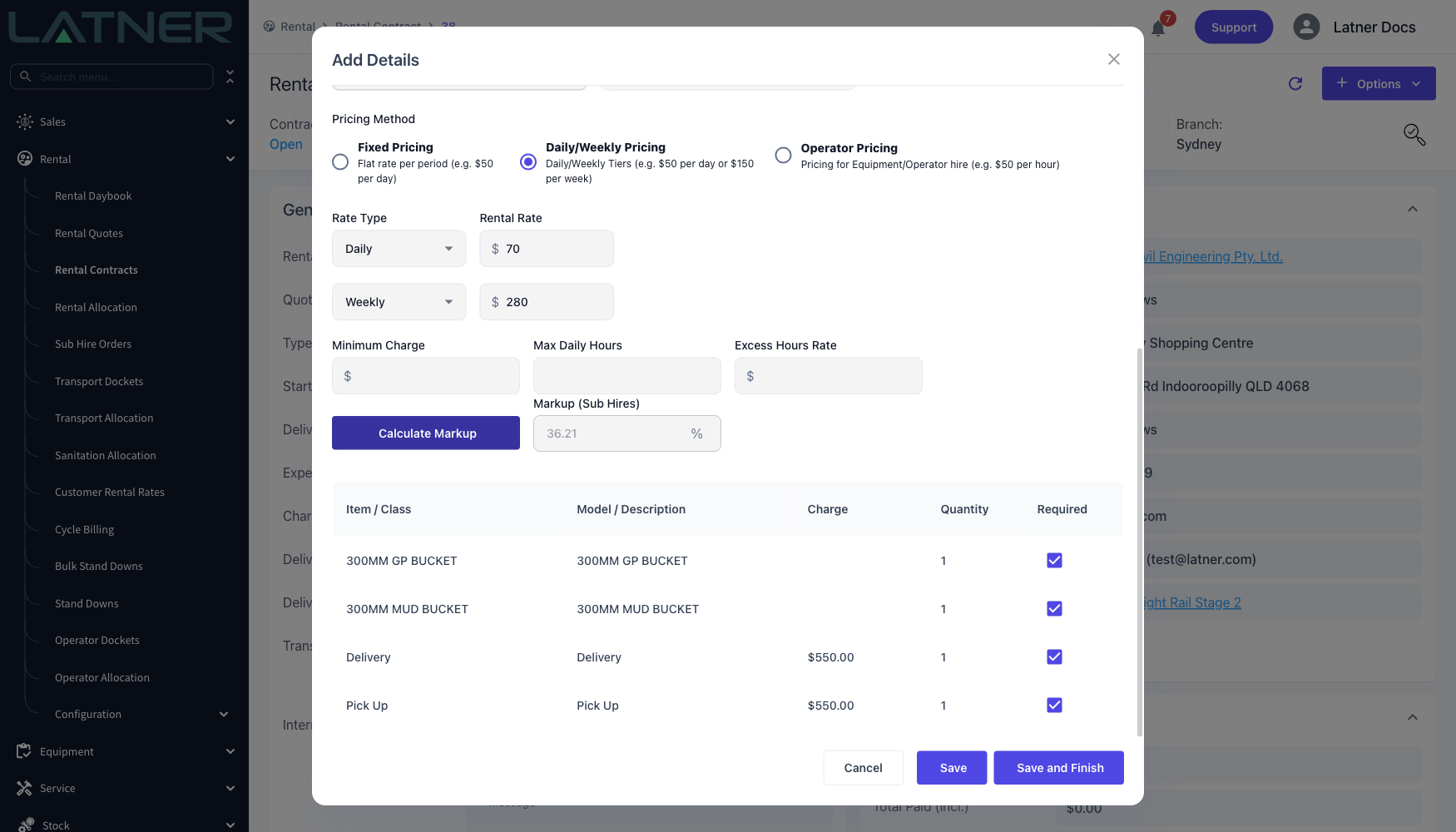
Set the supplier's Pricing Method and rates on the same tab. If you have Sub Hire Rental Rates configured for that supplier and equipment class, Latner loads them as soon as the supplier is known; otherwise enter them by hand.
Choose Calculate Markup to see the margin between the two rate sets before you commit. Markup (Sub Hires) is the percentage the customer subtotal sits above the supplier subtotal for the same period.
If a minimum markup applies, Latner checks the line against it on save and refuses one that doesn't clear it: This Sub Hire line does not meet the minimum markup of .... The equipment class's own minimum markup wins where it is set, otherwise the Global Sub Hire Minimum Markup setting applies. Users with the Allow Rates below Sub Hire Minimum Markup permission are not checked.
Step 7 - Save
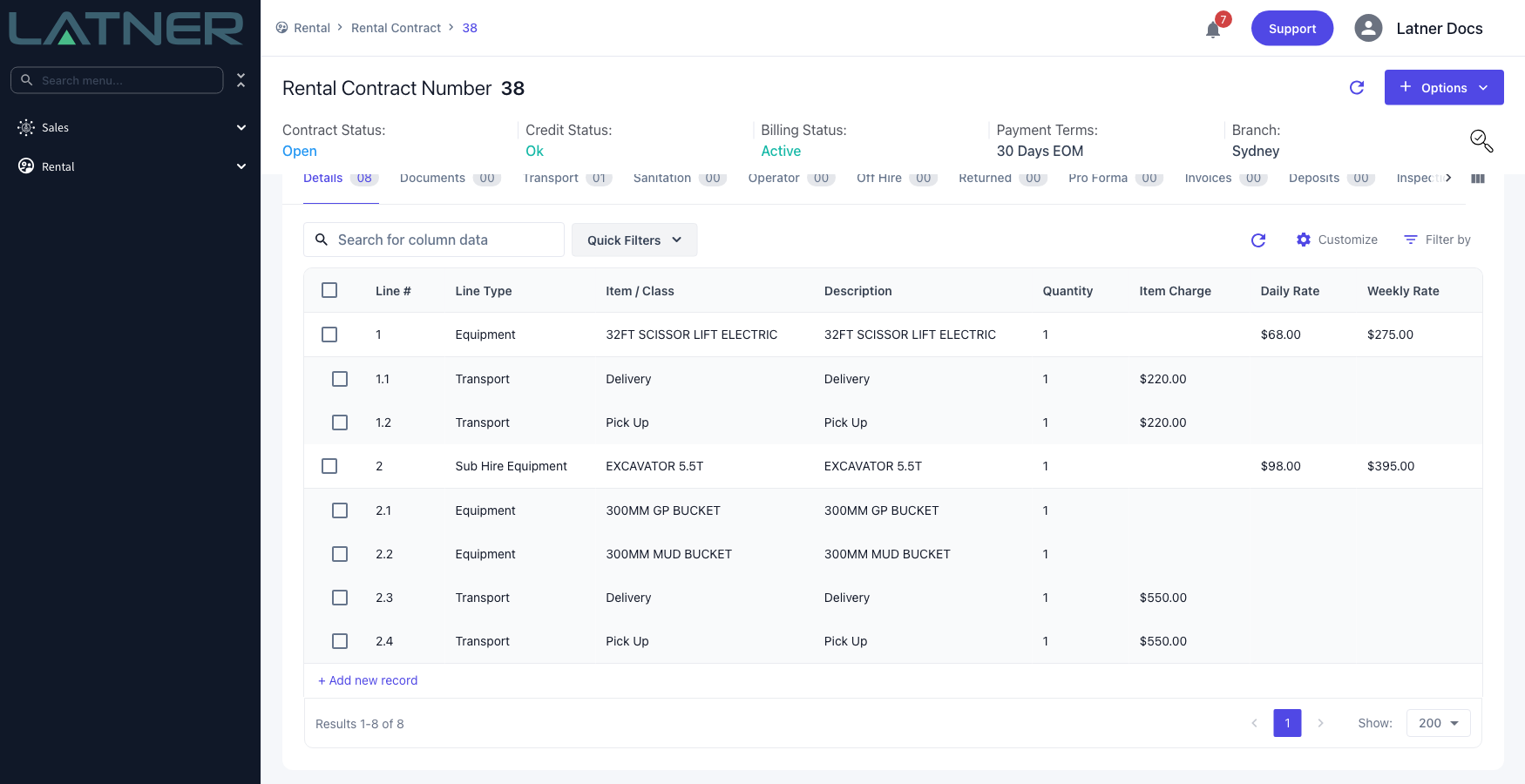
Choose Save to add the line and keep the form open for the next one, or Save and Finish to close it. The line lands on the contract as Sub Hire Equipment, showing the customer rates, with any required additional items for the class added underneath it.
After Adding the Line
-
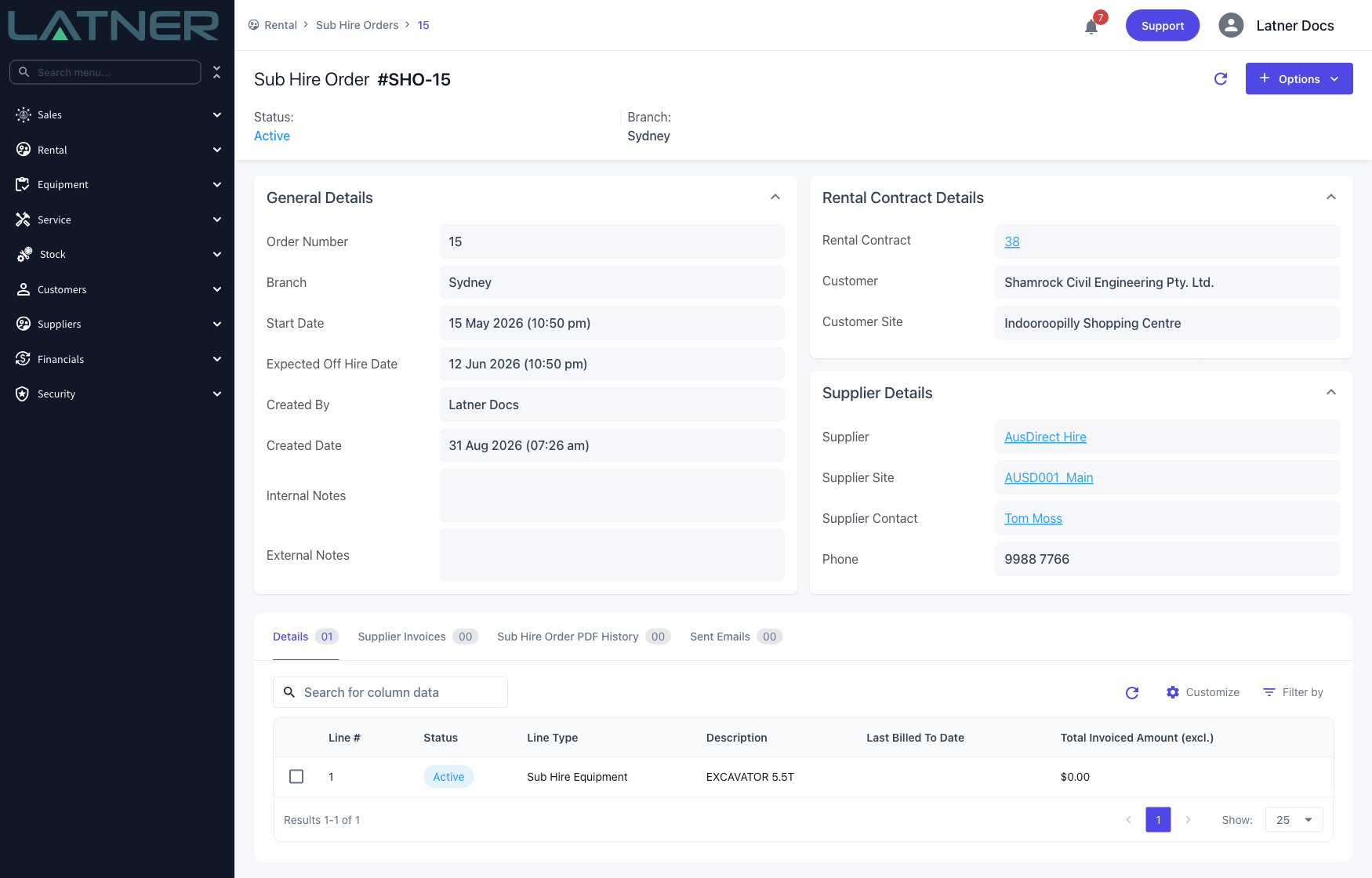
A Sub Hire Order is created for that supplier, site and branch, or the line joins the contract's existing active one. Find it under Rental › Sub Hire Orders, or from the Rental Contract link on the order itself.
-
The order's start and expected off hire dates stretch to cover every line on it, so adding a longer line pushes the order's end date out.
-
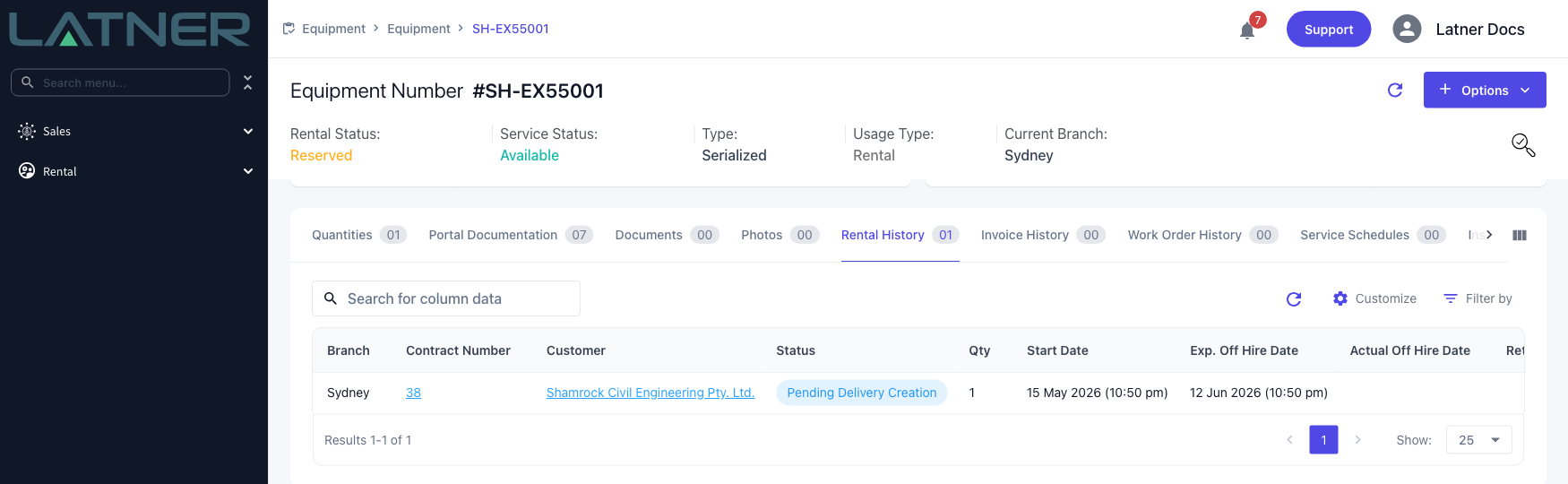
The equipment moves to Reserved and the contract appears in its Rental History, the same as for a machine you own.
-
The line's Sub Hire Equipment Number is set to the equipment's own number rather than a typed one, and the line is eligible for a run up inspection on the same terms as your own equipment - subject to the Create Run Up Inspection for Rental Contract Reservations setting and whether the model or class asks for one. An External sub hire line, having no equipment record, is not.
-
Transport, meter readings, work orders, stand downs, off hire and return all behave as they do for your own equipment - the sub hire part only changes what happens on the supplier's side.
-
Once the line is returned and its final supplier invoicing is done, the Sub Hire Order line completes, and the order completes when its last line does.
Once the line has been put on hire you can no longer change its Equipment Type or its Supplier - Latner tells you Cannot change Supplier of Equipment that has been put On Rent. Decide between External and Internal before the machine goes out. If the line is still Reserved you can switch it freely, and Latner moves it between Sub Hire Orders for you.
FAQs
Watch the Demo
Prefer to watch it? Step through the same flow here.