
Postponing a rental contract moves the delivery, start and expected off hire dates on a booking that has not gone out yet, so you can push a job back - or pull it forward - without unpicking an invoice you have already raised.
Overview
Plans slip. The site is not ready, the weather closes in, or the customer calls to say next fortnight suits them better. If you have already invoiced the hire in advance, editing the dates by hand is blocked, because those fields drive billing. Postponing is the sanctioned way to move the booking anyway.
-
Postpone moves three dates at once - Delivery Date, Start and Expected Off Hire - on the lines you choose.
-
It works on contracts that have already been invoiced. Latner normally refuses to change billing fields after invoicing; Postpone is the exception.
-
Billing already raised travels with the booking, so the period you have charged for is not charged again.
-
It works in both directions. Enter earlier dates and the contract comes forward.
-
Only lines that have not gone out on rent yet can be moved.
Before You Begin
You need one permission and a contract in the right state.
|
Requirement |
Where to Find It |
|---|---|
|
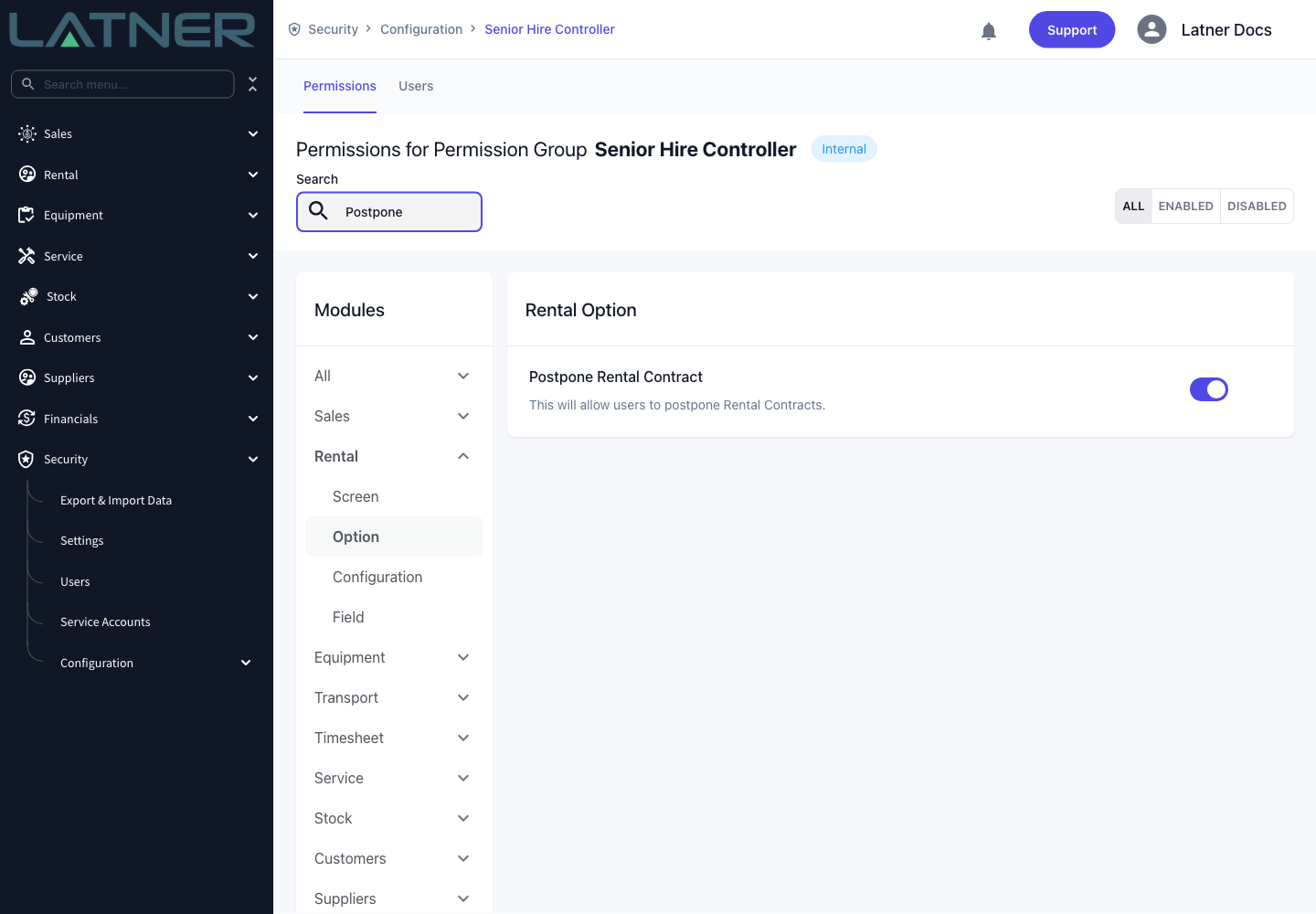
Postpone Rental Contract permission |
Security › Configuration › Permission Groups, then the group, then Rental › Option |
|
A rental contract with a status of Reserved or Active |
Rental › Rental Contracts |
|
At least one equipment line that has not gone out on rent |
The Details tab of the contract |
There is no system setting to switch on - the permission is the only gate. Postpone Rental Contract disappears from the Options menu entirely once a contract is Completed, Cancelled or Lost.
Postponing a Rental Contract
Step 1 - Open the rental contract
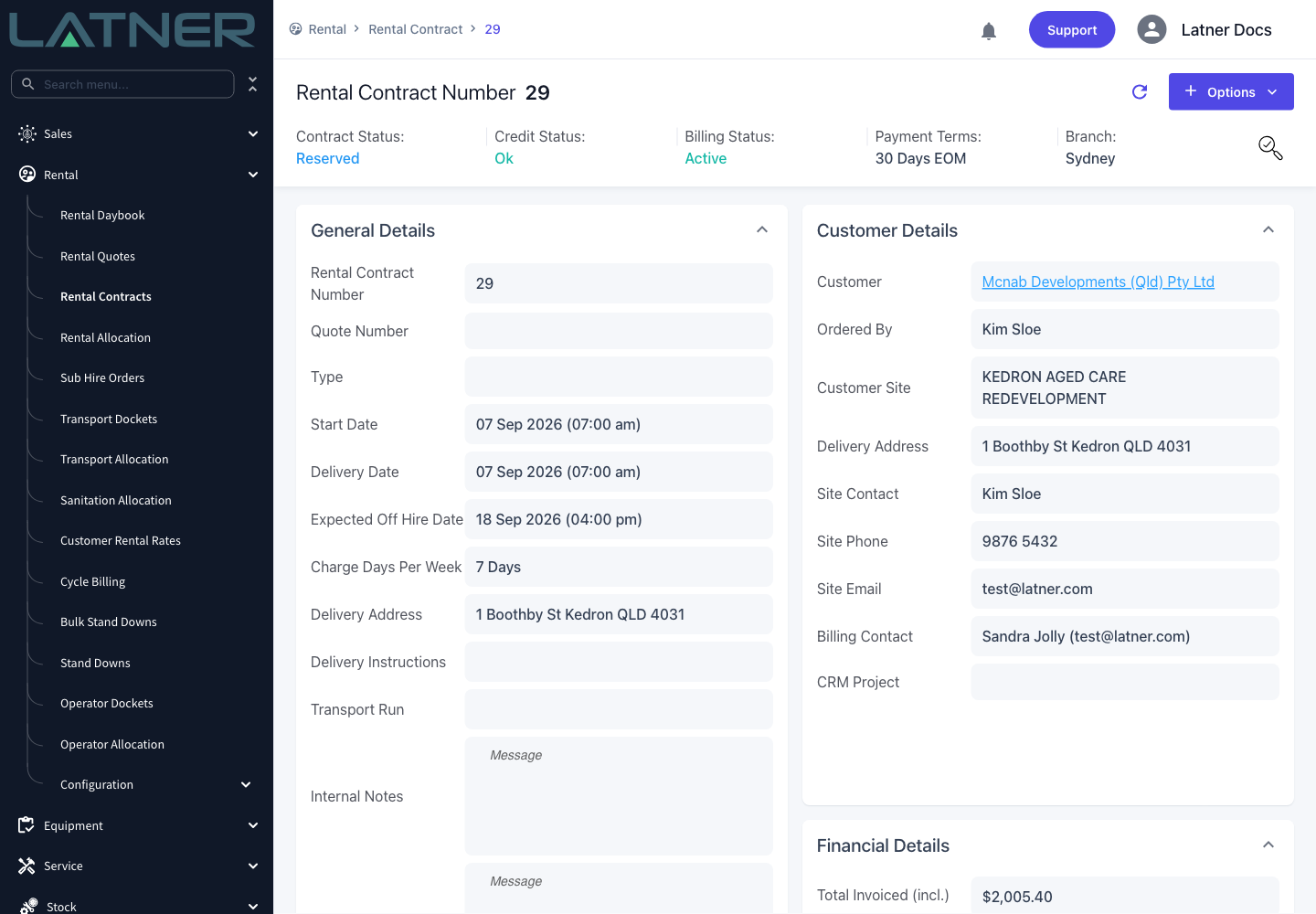
Go to Rental › Rental Contracts and open the contract you need to move. Check the Start Date, Delivery Date and Expected Off Hire Date in General Details so you know what you are changing from.
Step 2 - Choose Postpone Rental Contract
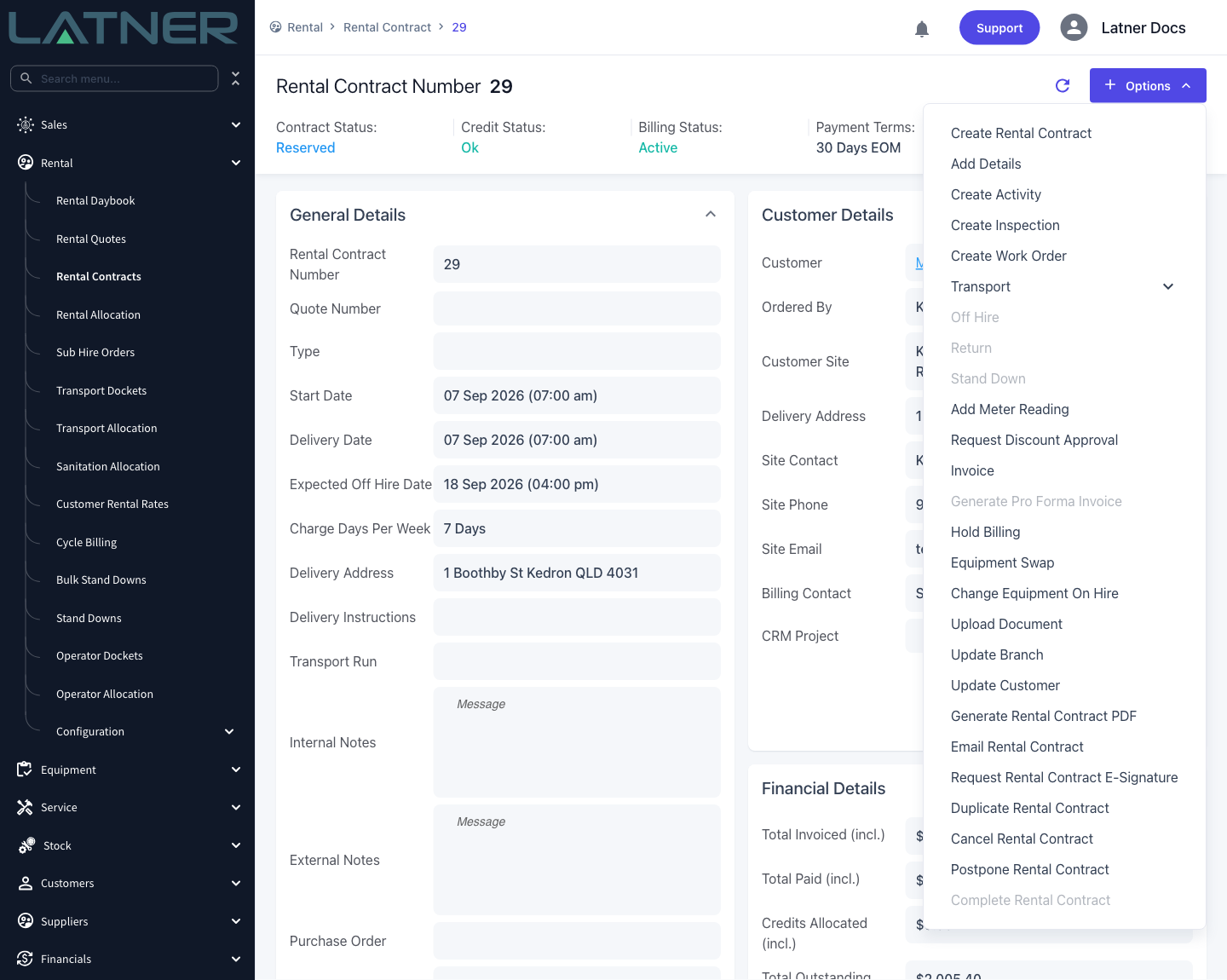
Select Options › Postpone Rental Contract. If the item is greyed out, the contract has no lines that can be moved - see the FAQs below.
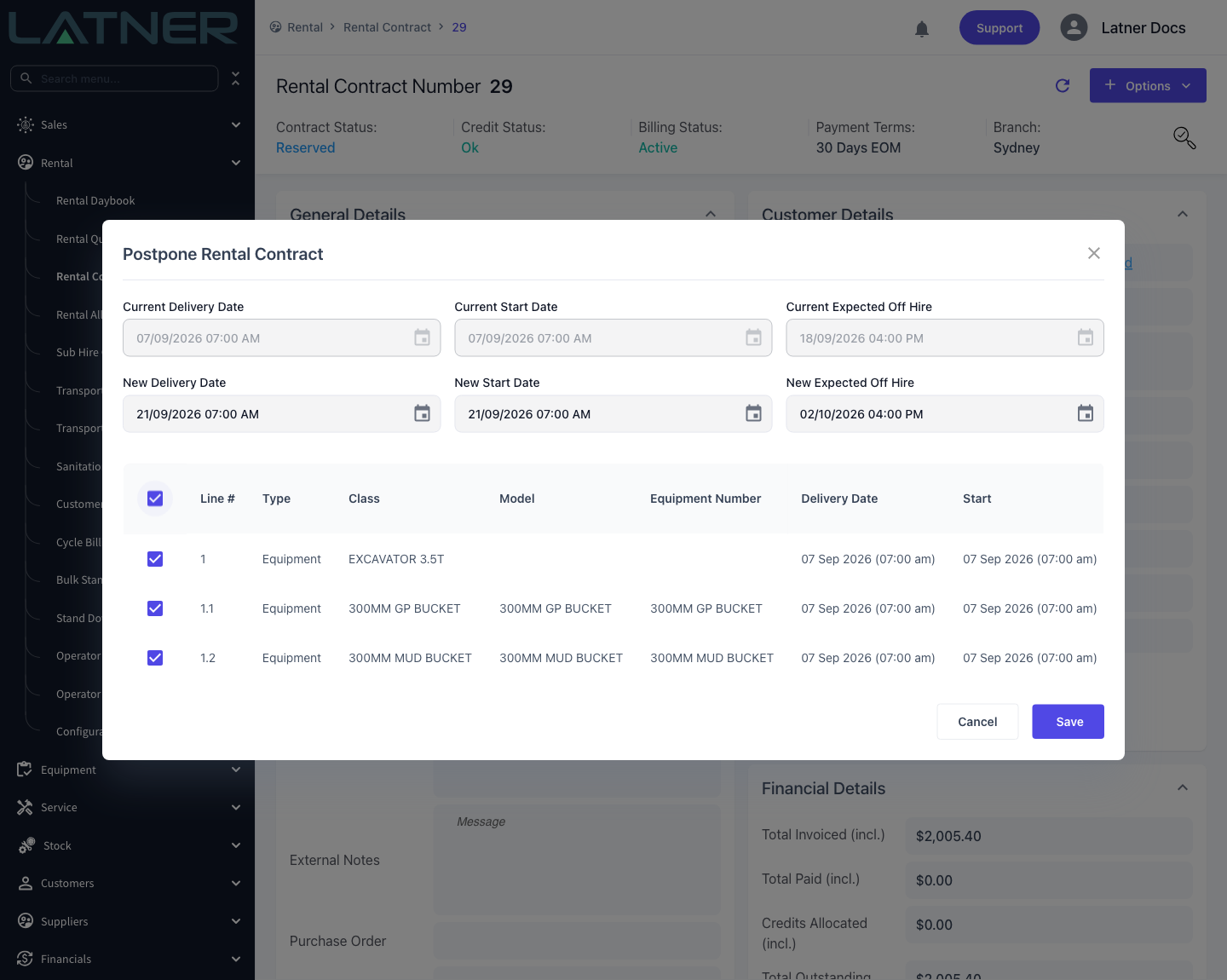
Step 3 - Check the current dates
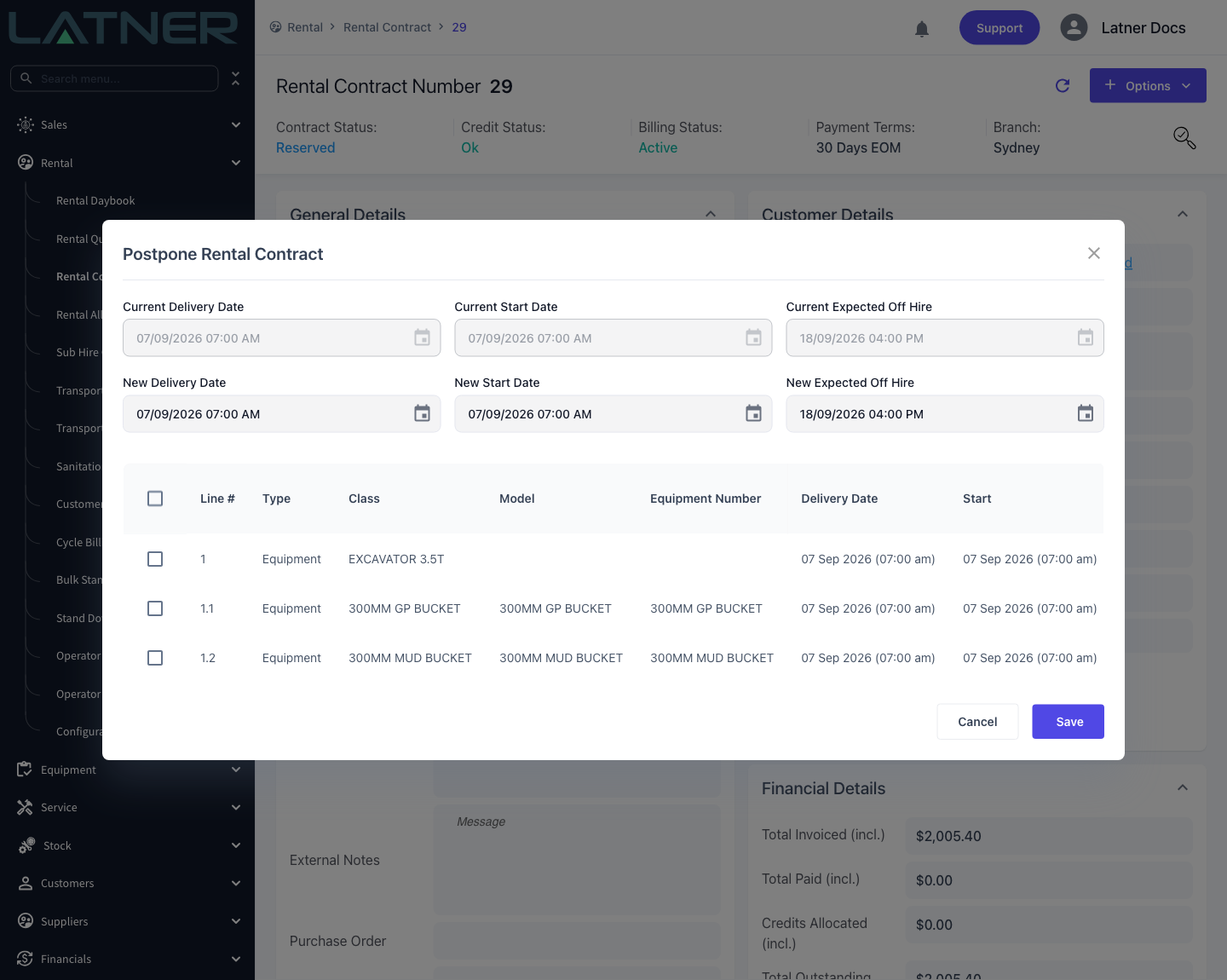
The top row of the dialog is read only and shows where the contract stands today:
-
Current Delivery Date - when the equipment was due to leave the yard.
-
Current Start Date - when charging was due to begin.
-
Current Expected Off Hire - when the hire was due to end.
Underneath, the table lists every line that can be postponed, with its own dates and quantity so you can see which lines share the same window.
Step 4 - Enter the new dates and select the lines
Fill in the second row of dates. All three are required:
-
New Delivery Date - when the equipment now leaves the yard.
-
New Start Date - when charging now begins.
-
New Expected Off Hire - when the hire now ends. This must be later than the New Start Date.
Then tick the lines to move. Use the checkbox in the table header to select them all, or tick only the lines that are running late. You have to select at least one line, or Latner returns Select a detail line to postpone.
Every line you tick is given the same three dates. If the lines on the contract currently run to different windows, postpone them in separate passes rather than selecting them all at once.
Step 5 - Save
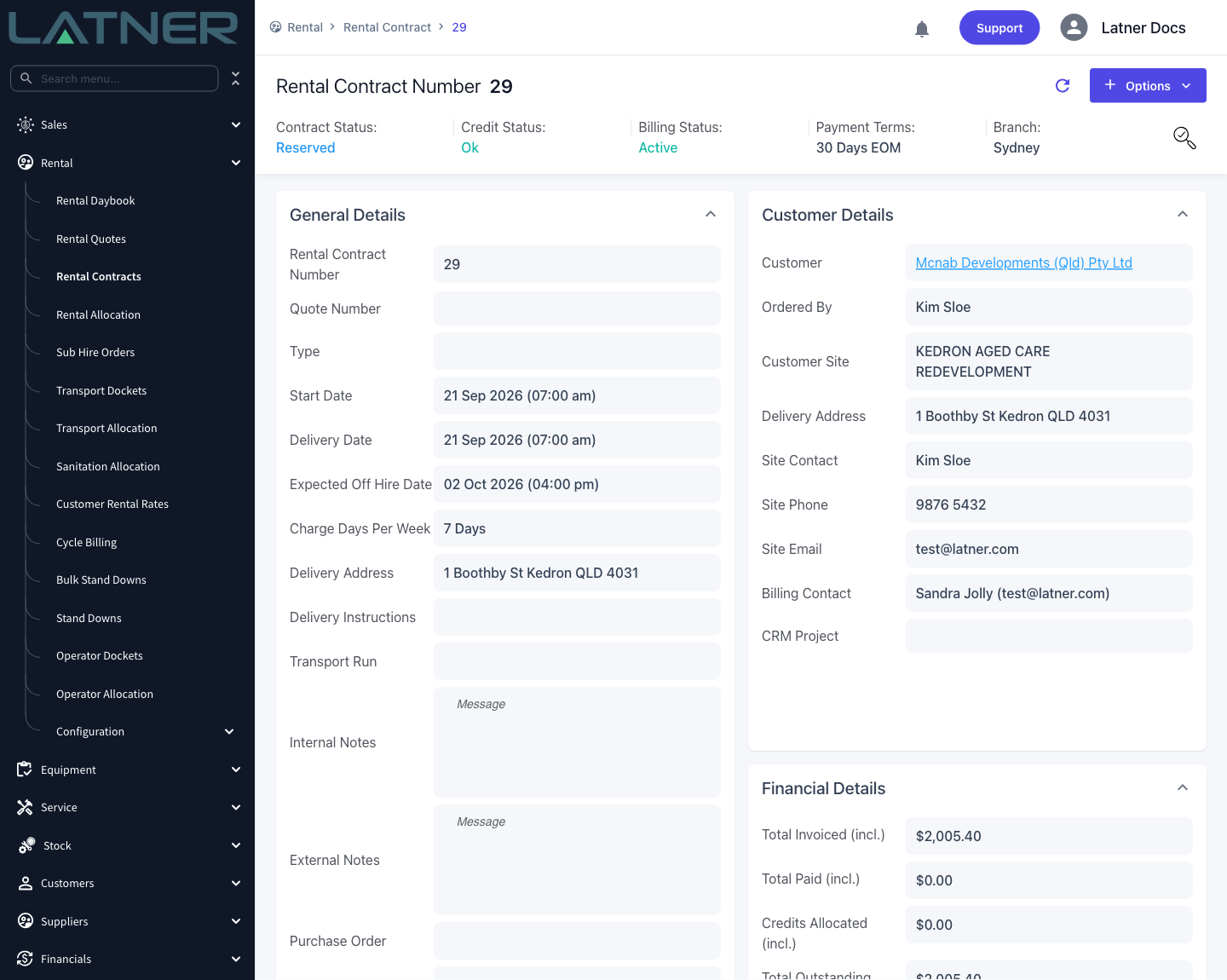
Select Save. Latner confirms with Rental Contract Postponed and the contract reloads on the new dates. Note that the invoiced total does not change.
After Postponing
-
Each line you selected carries the new Delivery Date, Start and Expected Off Hire.
-
The contract's own dates move too whenever the new start date becomes the earliest start date on the contract - in practice, whenever you postpone every line. Move only some of the lines and the header keeps the earlier date.
-
The booking moves on Rental Allocation, so the original window frees up and the equipment can be booked to someone else.
-
Any open inspection on a postponed line is moved to the weekday before the new delivery date. Latner will not move an inspection into the past, so if the new delivery date has already been and gone, the inspection lands on today.
-
Billing that has already been raised follows the line: the date it is billed up to shifts by the same number of charge days as the start date moved, so the period you have charged for is not charged twice.
-
The change is written to the contract's Audit History - the magnifier icon at the top right - with the old and new value of every date.
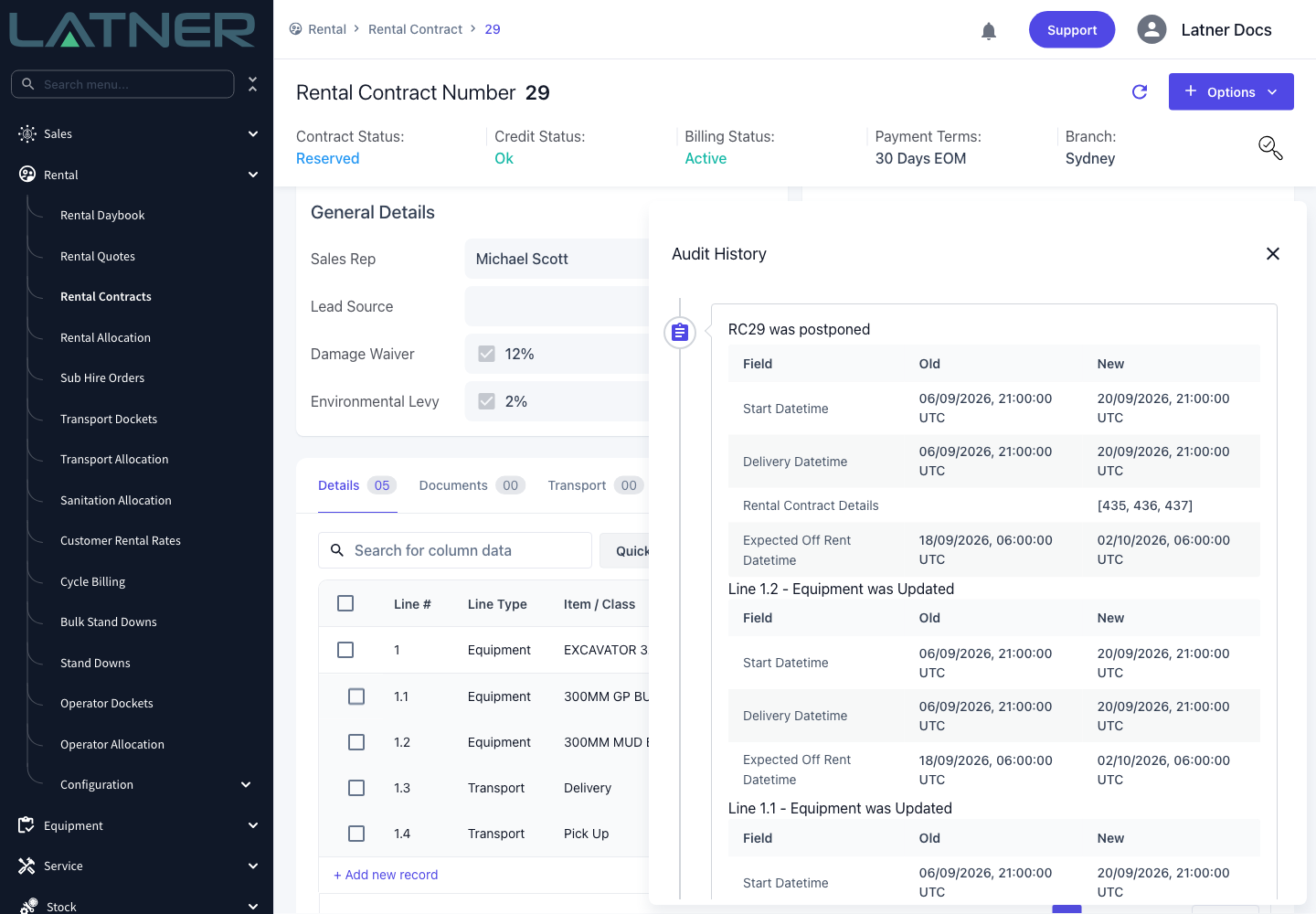
There is no undo. To reverse a postponement, run Postpone Rental Contract again and enter the original dates, which the Audit History has kept for you.
Transport dockets are not moved with the contract. If a delivery or collection has already been booked, open the Transport tab and update or cancel the docket separately.