
Invoicing an operator docket is how the hours your operator recorded on a wet hire job turn into a charge on the customer's invoice, and it happens as part of the rental contract's normal invoice run rather than from the docket itself.
Overview
Wet hire is billed backwards. Dry hire earns its money from a rental rate ticking over, but a machine hired with an operator earns nothing until someone has worked and someone in the office has signed off the hours. That is why there is no Invoice option on an operator docket: the docket is a source of charges, and the rental contract is where they are billed.
-
A rental contract line priced with the Operator pricing method produces no rate based charge at all. Every dollar on that line comes from approved operator dockets.
-
Only dockets in Approved status are billed. Open, Pending Approval and Cancelled dockets are ignored, however many hours they carry.
-
Each timesheet on an approved docket becomes its own invoice line, with the hours as the quantity and the timesheet's price as the unit price.
-
Operator docket lines cannot be deselected once they appear in the invoice preview. If the contract is being invoiced, the approved dockets go with it.
-
Advance and pro forma invoices never include operator hours, because there are no hours yet.
-
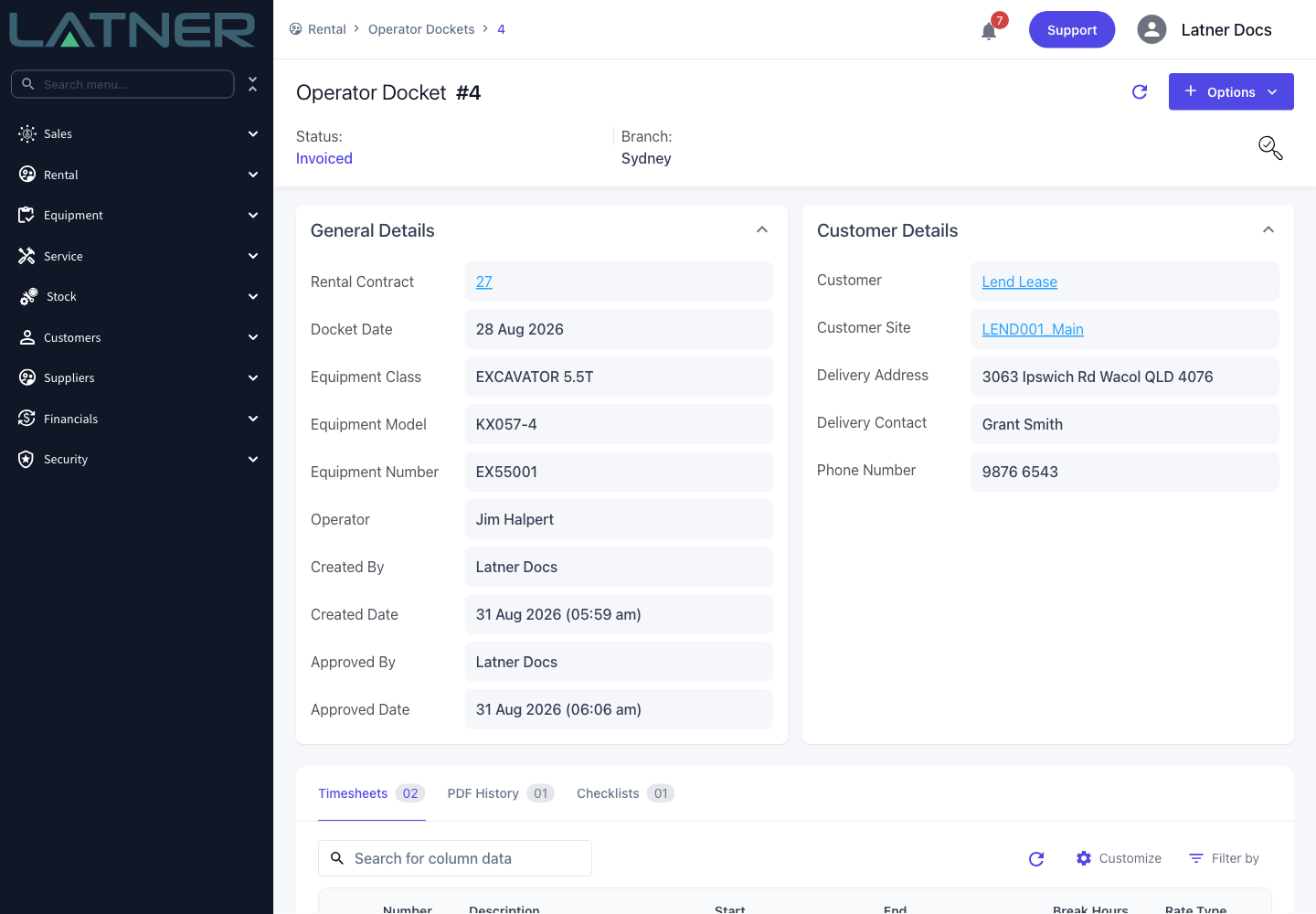
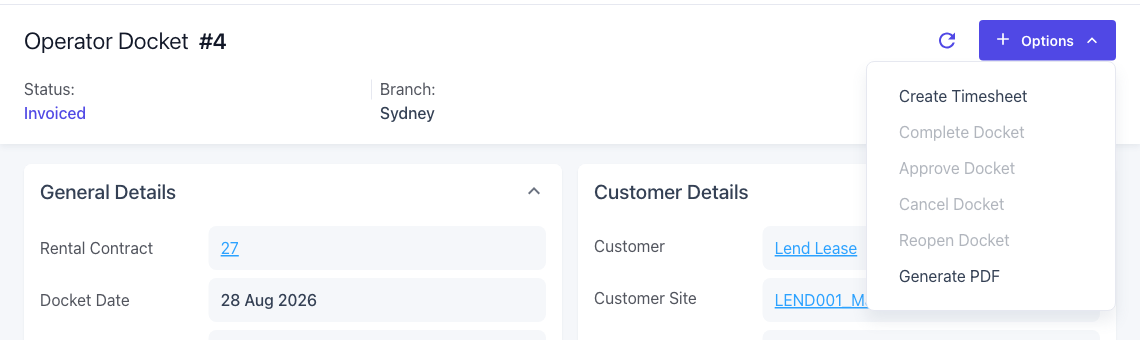
Invoicing moves the docket to Invoiced, which closes off Cancel Docket and Reopen Docket.
Before You Begin
Billing wet hire uses the ordinary rental invoicing permission, but the hours have to be approved before there is anything to bill.
|
Requirement |
Where to Find It |
|---|---|
|
A contract line priced with the Operator pricing method, and on hire |
The Details tab of the rental contract |
|
At least one docket in Approved status on that line |
The Operator tab of the rental contract, or Rental › Operator Dockets |
|
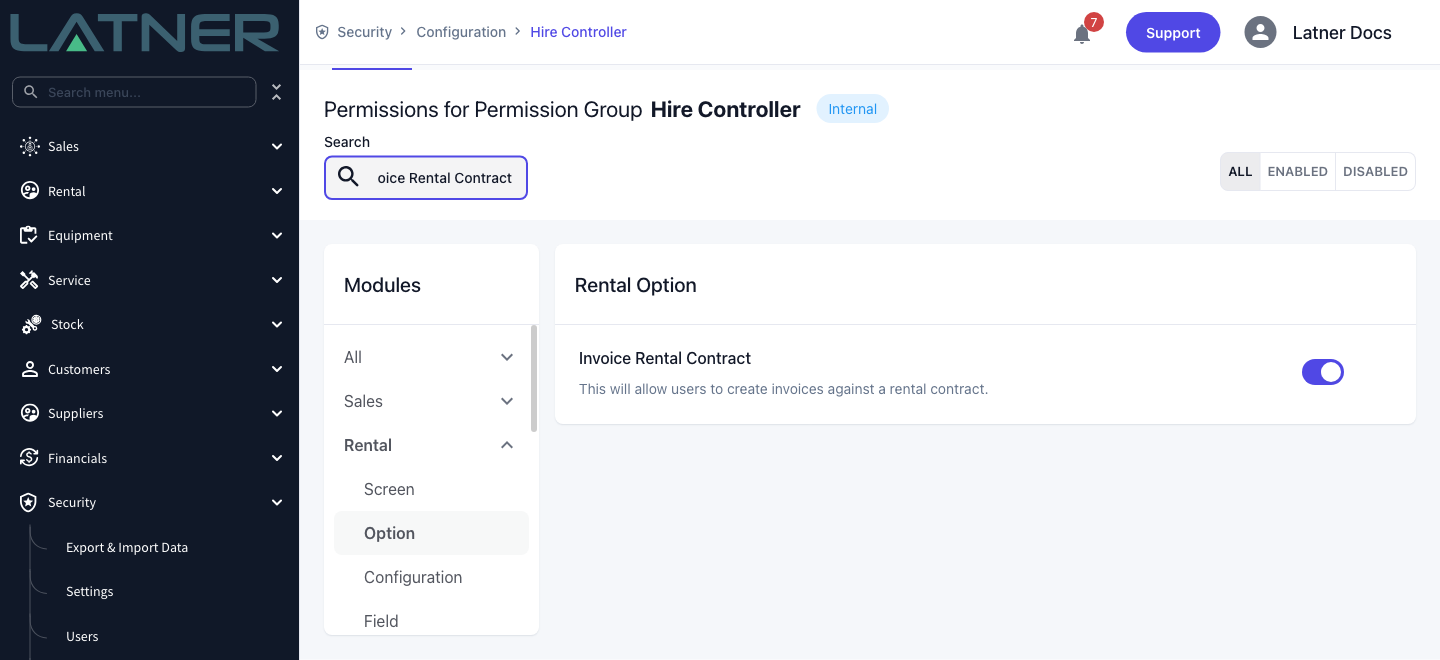
Invoice Rental Contract permission |
Security › Configuration › Permission Groups › Rental › Option |
|
Approve Operator Dockets permission, if you also sign the hours off yourself |
Security › Configuration › Permission Groups › Rental › Option |
|
Operator Dockets permission, to open a docket and check it |
Security › Configuration › Permission Groups › Rental › Screen |
|
Cycle Billing and Create Cycle Billing permissions, if you bill in bulk instead |
Rental › Screen and Rental › Option |
|
Cancel Customer Invoice permission, to undo a billing run |
Security › Configuration › Permission Groups › Customers › Option |
The equipment line has to be on hire before any of its dockets can be billed. A line still sitting in Reserved or Pending Delivery is skipped by invoicing entirely, so its approved dockets are skipped with it and the preview comes back empty.
Invoicing the Docket
Step 1 - Check which dockets are ready
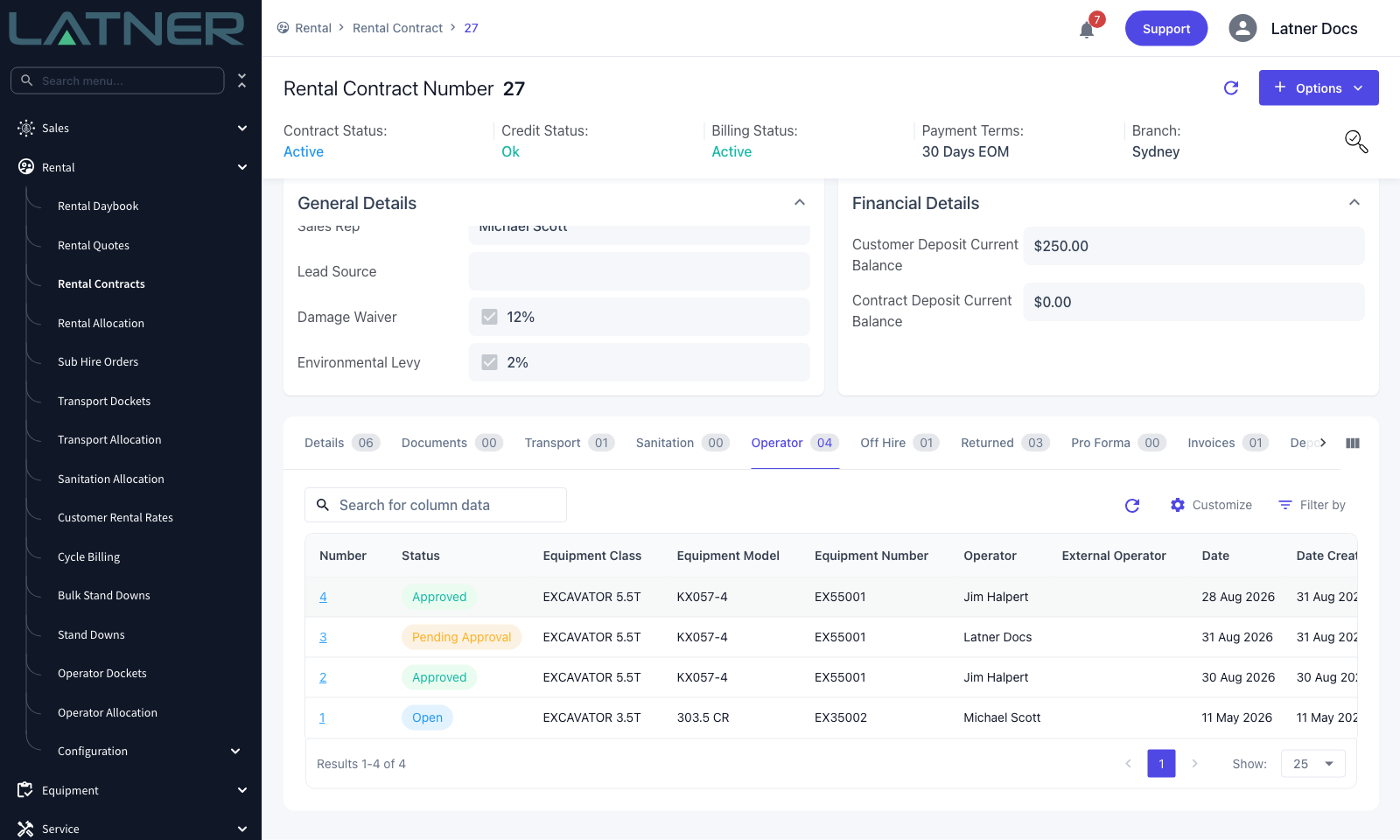
Open the rental contract and go to the Operator tab. It lists every docket raised against the contract, whatever its status, with the operator, the equipment and the day that was worked.
Only the Approved rows will be billed. A docket still in Pending Approval is waiting on someone's sign-off and will simply be left behind by this invoice run, so approve it first if the hours belong on this invoice.
Step 2 - Check the hours you are about to charge
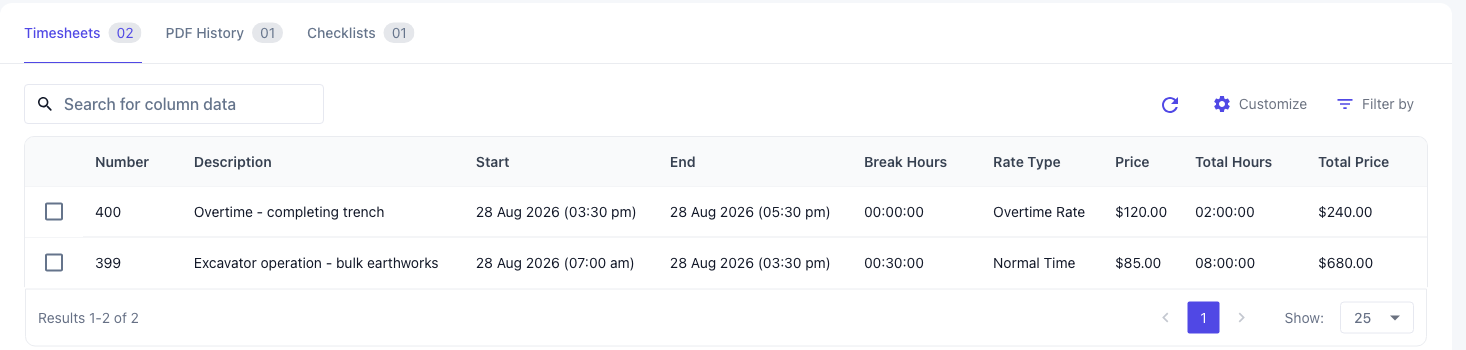
Click a docket's Number and open its Timesheets tab. This is the detail that ends up on the customer's invoice, so it is worth a look before you bill rather than after.
-
Total Hours - the hours that will be charged. Breaks have already been taken off, so a 07:00 to 15:30 day with a 30 minute break bills as 8 hours, not 8.5.
-
Rate Type - Normal Time, Overtime Rate or Call Out Rate. A long day is usually split into two timesheets so the overtime is priced separately.
-
Price and Total Price - the hourly rate charged to the customer, and the hours multiplied by it.
Each of these rows becomes one line on the invoice. Two timesheets on one docket means two invoice lines, not a single combined charge.
Step 3 - Open the invoice
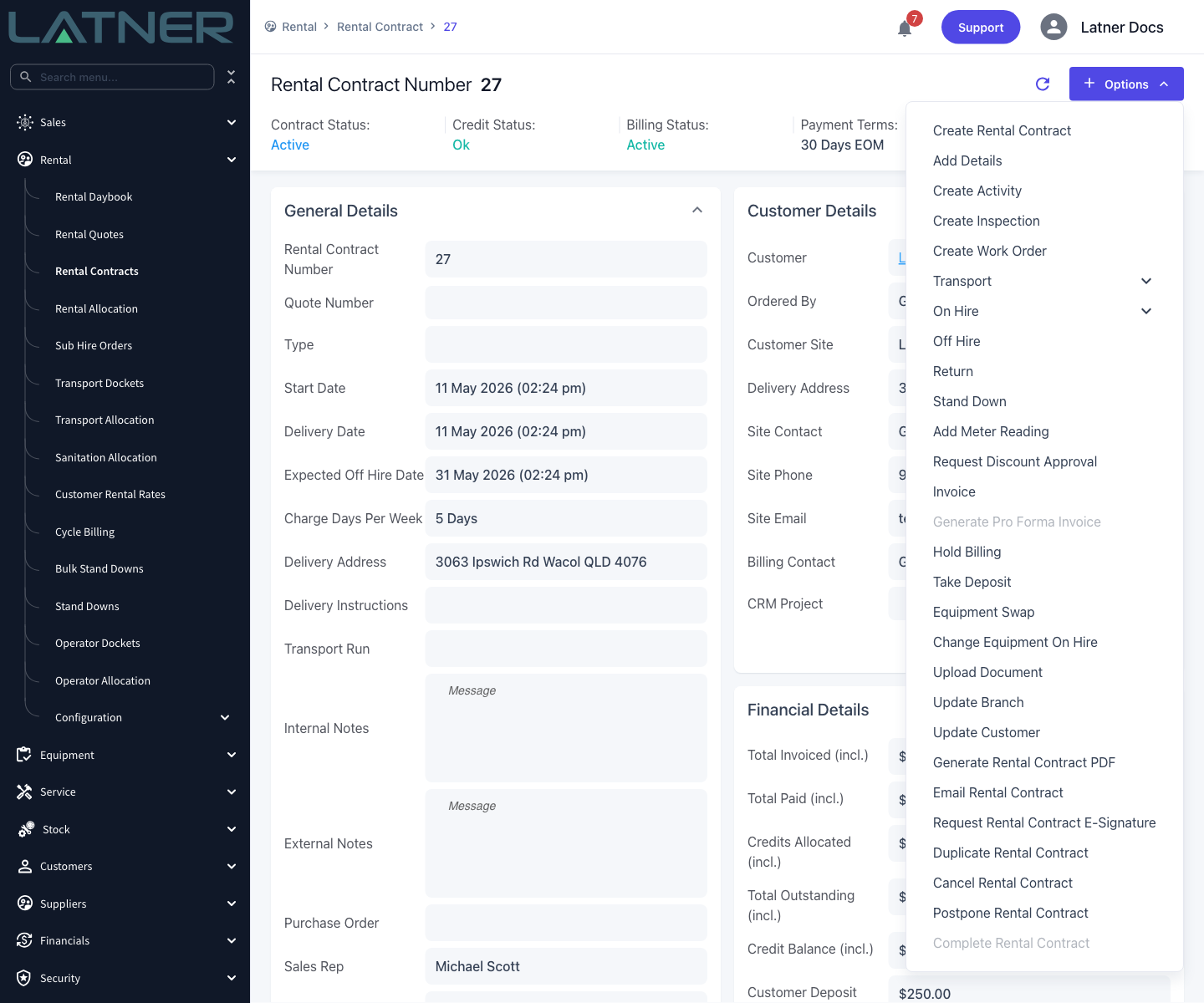
Go back to the rental contract and choose Options › Invoice. There is no separate wet hire billing run - operator hours are billed by the same option that bills the rest of the contract.
Step 4 - Set the dates and the invoice type
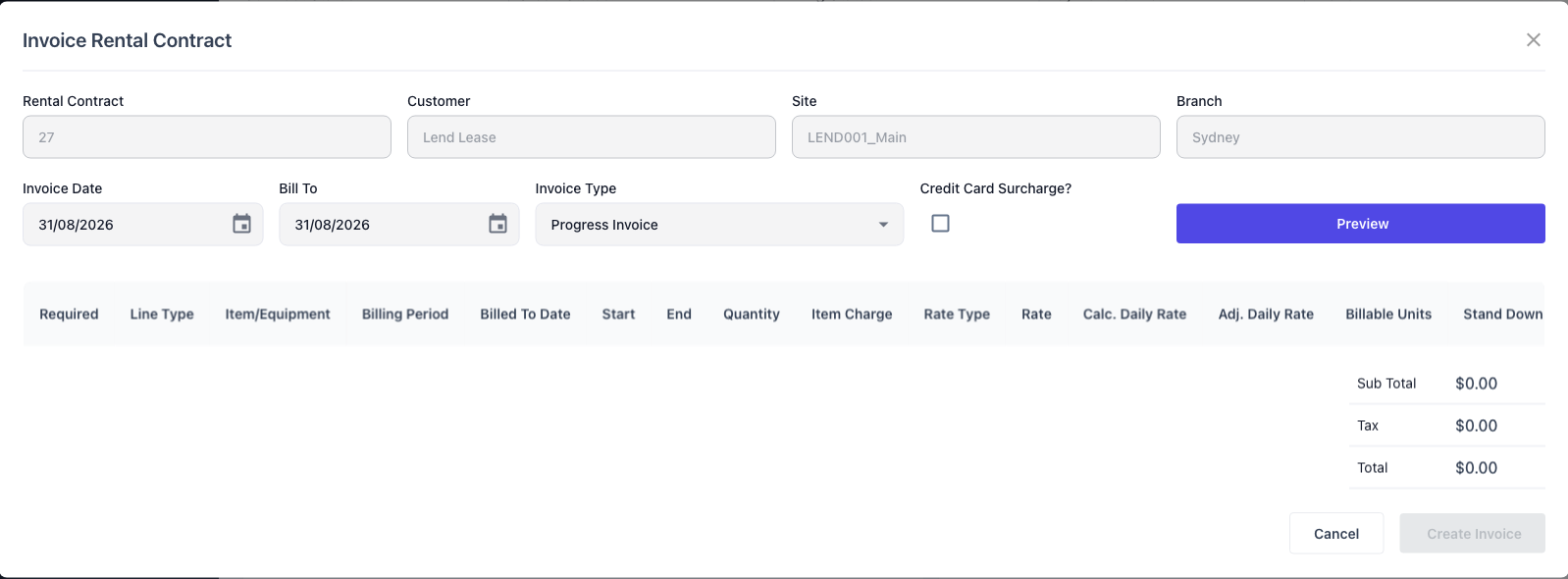
The Invoice Rental Contract dialog opens with the customer, site and branch already filled in. Three fields decide what gets billed.
-
Invoice Date - the date shown on the invoice, and the date the payment terms are counted from.
-
Bill To - the date to bill the rental contract up until. On a Progress Invoice this is what decides which dockets are included: every approved docket dated on or before this date is picked up, and anything dated later waits for the next run.
-
Invoice Type - leave it on Progress Invoice for a routine billing run. Returned/Completed Items and Final Invoice sweep up every approved docket on the line regardless of its date, so nothing is left behind when the machine comes back. Invoice in Advance never includes operator hours.
Nothing is calculated until you ask for it.
Step 5 - Preview the lines
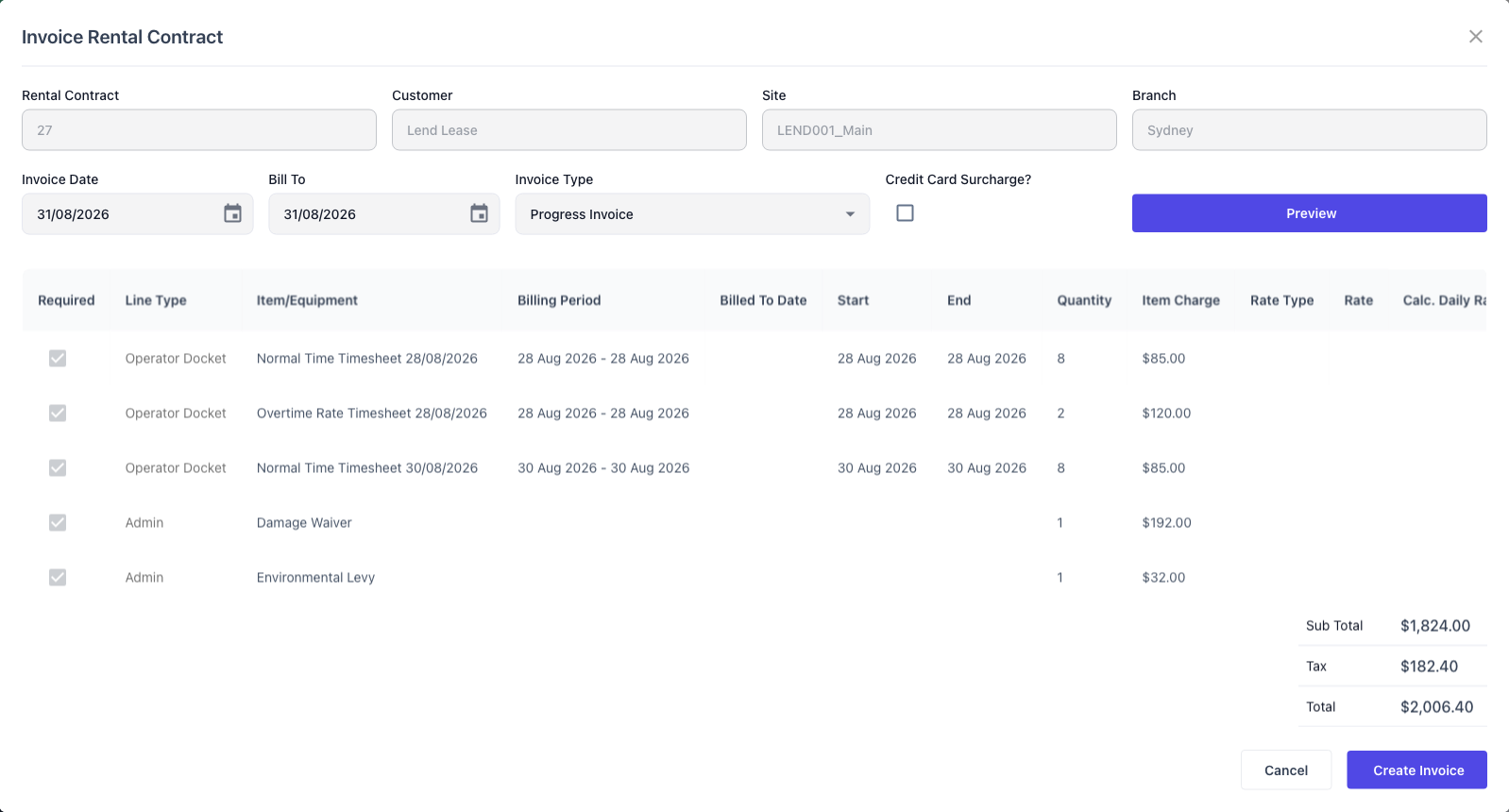
Click Preview. Latner works out what the contract owes and lists it, without writing anything - you can preview as often as you like.
Each operator docket line shows a Line Type of Operator Docket and takes its description from the timesheet, in the form Normal Time Timesheet 28/08/2026. Quantity is the hours and Item Charge is the hourly price. If the contract carries a damage waiver or an environmental levy, they are calculated on those hours and added as Admin lines.
If the preview comes back empty you will see Nothing to Invoice. That means nothing on this contract is billable to the date you chose, not that the dockets were rejected.
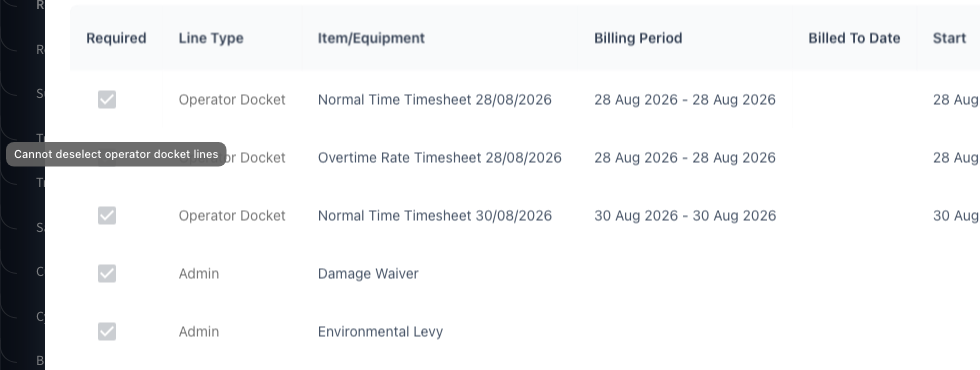
The Required tick is how you drop a line you do not want to bill yet, but it is switched off for operator docket lines. Hovering it explains why: Cannot deselect operator docket lines. The damage waiver and levy lines are locked for the same reason, with Cannot deselect related lines - they are calculated from the lines above them.
Step 6 - Create the invoice
Check the Sub Total, Tax and Total, then click Create Invoice. Latner creates the customer invoice and offers you a link straight to it.
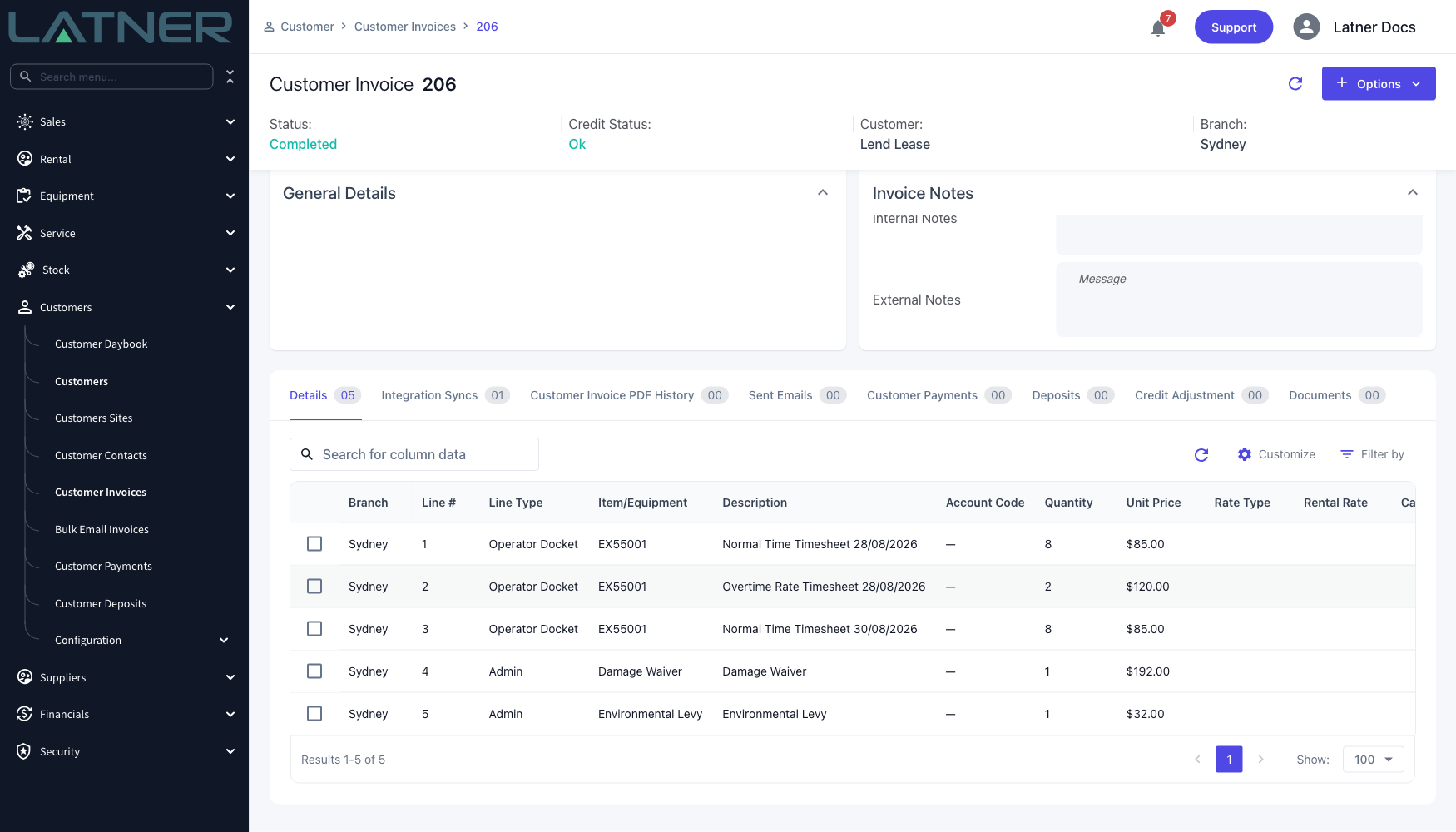
The new invoice opens in Completed or Open status depending on the Default Rental Contract Customer Invoices to Completed setting in Security › Settings › Customers. Either way the dockets are marked as billed straight away.
The invoice's Details tab holds one row per timesheet, each carrying the equipment number and the timesheet's own description. That is what the customer sees: a day of wet hire itemised by rate type, not a single lump sum.
After Invoicing
-
Every docket that contributed a line moves to Invoiced. The approval details are untouched, so you can still see who signed the hours off and when.
-
The contract line's Total Invoiced and Billed To Date move up, and the contract's Total Invoiced (incl.) follows.
-
Cancel Docket and Reopen Docket are both closed off on an invoiced docket. Attempting either is refused with An Invoiced Operator Docket cannot be cancelled or An Invoiced Operator Docket cannot be reopened.
-
Generate PDF still works, so you can produce the signed docket for a customer who queries the invoice.
-
A docket that produces no charge at all still moves to Invoiced. Zero value lines are deliberately kept on the invoice so the docket does not sit approved forever.
-
The next invoice run on the same contract will not bill those hours again - an invoiced docket is no longer approved, and only approved dockets are picked up.
An invoiced docket cannot be corrected in place. If the hours were wrong, cancel the invoice with Options › Cancel Customer Invoice on the invoice itself, which rolls the docket back to Approved. From there you can reopen it, fix the timesheets and bill it again. Once the invoice has been paid, cancelling is no longer offered and a credit note is the way back.
Billing Several Contracts at Once
Everything above describes one contract. Rental › Cycle Billing runs the identical calculation across a whole list of contracts, so a fleet of wet hire jobs can be billed in one pass without opening each contract - the same approved dockets are picked up, the same one line per timesheet is produced, and the same dockets end up Invoiced.
A contract you are not ready to bill can be held back with Options › Hold Billing on the contract, which takes it out of cycle billing until you choose Allow Billing again.