
The Daily (24 hr) and Weekly (24 hr) rate types count a hire in 24 hour blocks from the time it went on hire, so a machine collected at 2pm and returned at 1pm the next day is one day, not two.
Overview
The standard Daily and Weekly rate types count calendar dates: the on hire day and the off hire day are both billable. That is fair for a machine that goes out first thing and comes back at knock-off, and less fair for one collected after lunch and returned the next morning. The 24 hour rate types fix that by measuring the hire from the clock time it started.
-
Each billable day is a 24 hour block starting at the on hire time.
-
A return within the last block is not charged an extra day. A return later than the on hire time of day, plus the grace period, is.
-
Charge Days Per Week still applies - on 5 Days, Saturday and Sunday are never counted.
-
The daily equivalent works exactly as the standard types: Daily (24 hr) is the rate itself, and Weekly (24 hr) is the weekly rate divided by Charge Days Per Week.
-
Both are available on Fixed Pricing, Daily/Weekly Pricing and Tiered Pricing, and for customer billing only - a Sub Hire supplier rate does not offer them.
Before You Begin
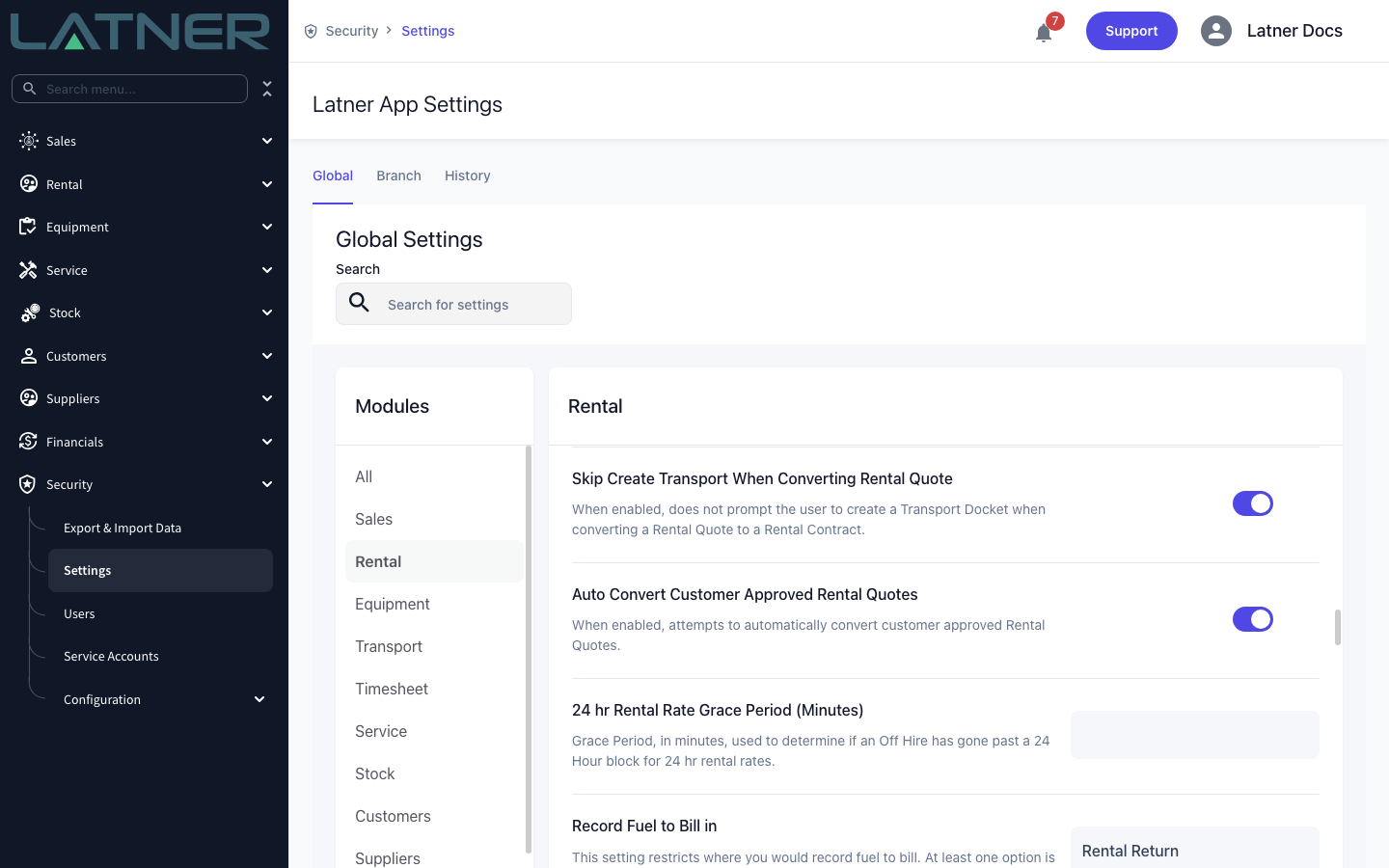
One setting controls how forgiving the off hire count is.
|
Requirement |
Where to Find It |
|---|---|
|
Allowed Rental Rate Types either empty or including Daily (24 hr) and Weekly (24 hr) |
Security › Settings › Rental |
|
24 hr Rental Rate Grace Period (Minutes) - how far past a 24 hour block a return can run before it counts as another day. Left blank, it is 0 |
Security › Settings › Rental |
How It Charges
Latner counts the chargeable dates from the on hire date to the end date, inclusive, and then takes one off, because the last date is only the end of the final block. On the invoice that bills the final day, it adds that day back if the equipment came back later than the on hire time of day plus the grace period.
-
Progress invoices bill to the bill-to date at the on hire time of day, so they only ever charge complete 24 hour blocks. The next invoice carries on from that exact time.
-
The off hire invoice, and Advance and Pro Forma invoices billed to the expected off hire, are where the grace period is checked.
-
A same-day hire always bills one day.
-
Non-charge days are skipped. On 5 Days, a machine out from Friday at 2pm to Monday at 1pm is one day; back at Monday 3pm with no grace period, it is two.
Worked example
A light tower on Fixed Pricing at Daily (24 hr) $150.00, on a 7 Days contract, with the grace period set to 60 minutes. It goes on hire on Monday at 9:00am.
-
Returned Thursday at 9:45am - Monday to Thursday is 4 dates, less 1, is 3 blocks. 9:45am is not later than 9:00am plus 60 minutes, so no extra day: 3 x $150.00 = $450.00.
-
Returned Thursday at 10:15am - the return is past 10:00am, so the fourth day is added: 4 x $150.00 = $600.00.
-
On the standard Daily rate type, both returns would bill 4 days, because the Monday and the Thursday are both billable dates.
On the Invoice
A 24 hour line produces the same fields as any day-based line, with two differences you can see:
-
Rate Type reads Daily (24 hr) or Weekly (24 hr) in Latner. Invoice PDFs use the shorter label Daily 24Hr or Weekly 24Hr.
-
The billing period on the Create Invoice screen shows the times in brackets, so you can check where each block starts and ends.
-
Billable Days is the number of blocks in this invoice's period, Calc. Daily Rate is the daily equivalent and Adj. Daily Rate is what this invoice actually charged per day - see Reading a Rental Invoice Line.
On Tiered Pricing, the tiers on a quote or contract line must be all 24 hour or all standard. Mixing them is refused with 24 Hour Rate Types cannot be mixed with other rate types, because the two count time differently.