
Rental Rates are the price book behind every rental quote and contract in Latner, and this page explains how the pieces fit together so you can set them up once and let the billing engine do the rest.
Which Page Do I Need?
Start from what the customer has agreed to pay for:
|
The customer asks for... |
Read |
|---|---|
|
One rate for the whole hire - a day rate, a week rate or a month rate |
|
|
A daily rate that rolls onto the weekly rate when that is cheaper |
|
|
Days counted from the time they collected it, not by calendar date |
|
|
A month - billed by the calendar month, a fixed 30 days, or a flat monthly fee |
|
|
A rate that steps down the longer they keep it |
|
|
Hours used - a committed number of metered hours a month, with excess on top |
|
|
A set number of hours per day included, with excess hours charged on return |
|
|
Usage such as kilometres |
Rate Modifiers (there is no per-kilometre rate type) and Manual Pricing |
|
A minimum spend, however short the hire |
Rate Modifiers - Minimum Charge |
|
A machine with an operator, billed from timesheets |
|
|
Milestones or a schedule no rate describes |
Overview
Almost nothing in hire is priced the same way twice. One customer wants a flat daily rate, the next wants the weekly rate to kick in automatically, a third is on wet hire and pays by the hour, and a fourth has agreed to milestone payments that no rate type describes. Latner handles all of that with four layers stacked on top of each other, and once you can see the layers, rates stop feeling complicated.
-
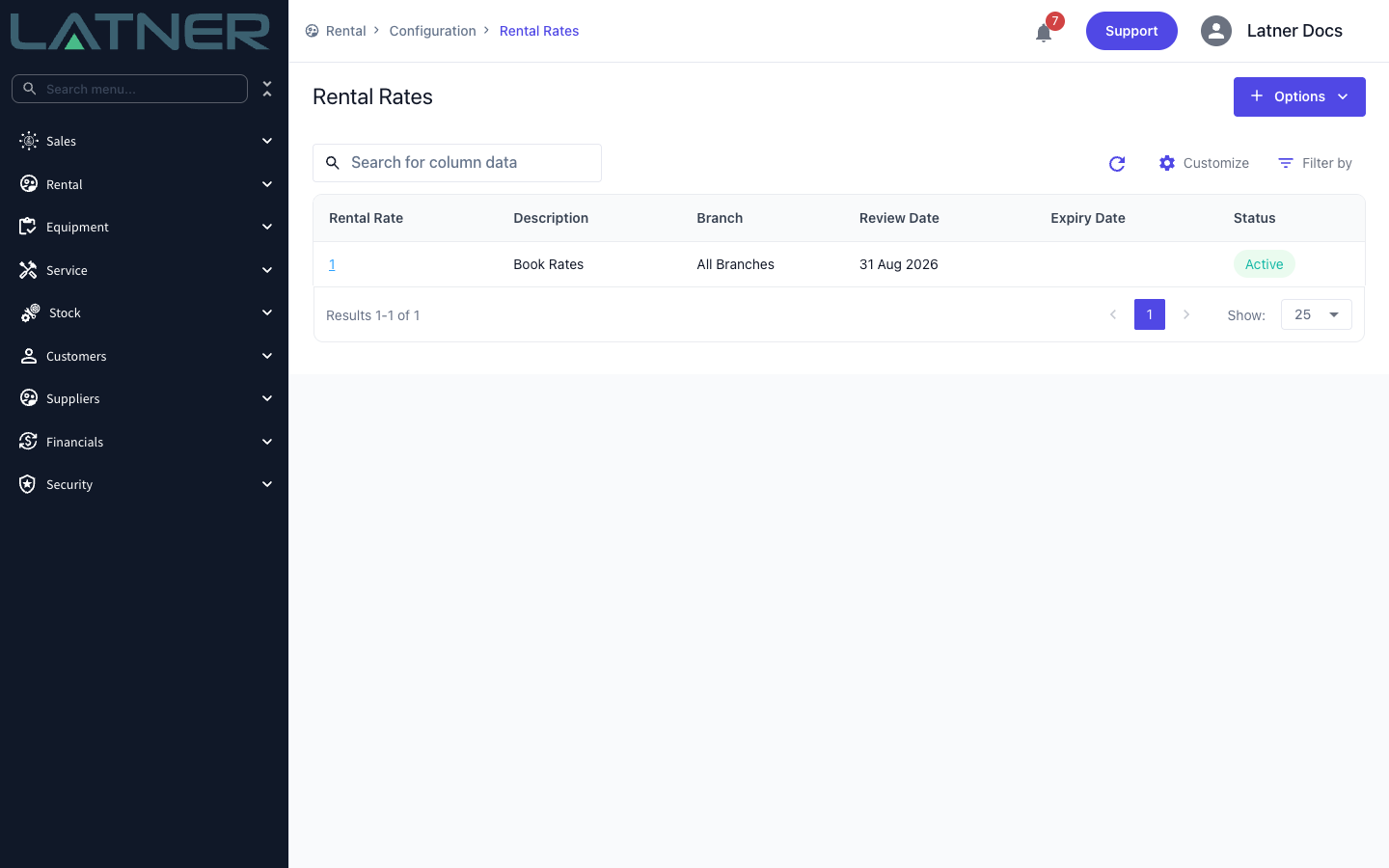
The rate book is a Rental Rate record. Each row in it prices one Equipment Class, Equipment Model, Equipment Number, Package, Transport type, Admin Charge or Sanitation service.
-
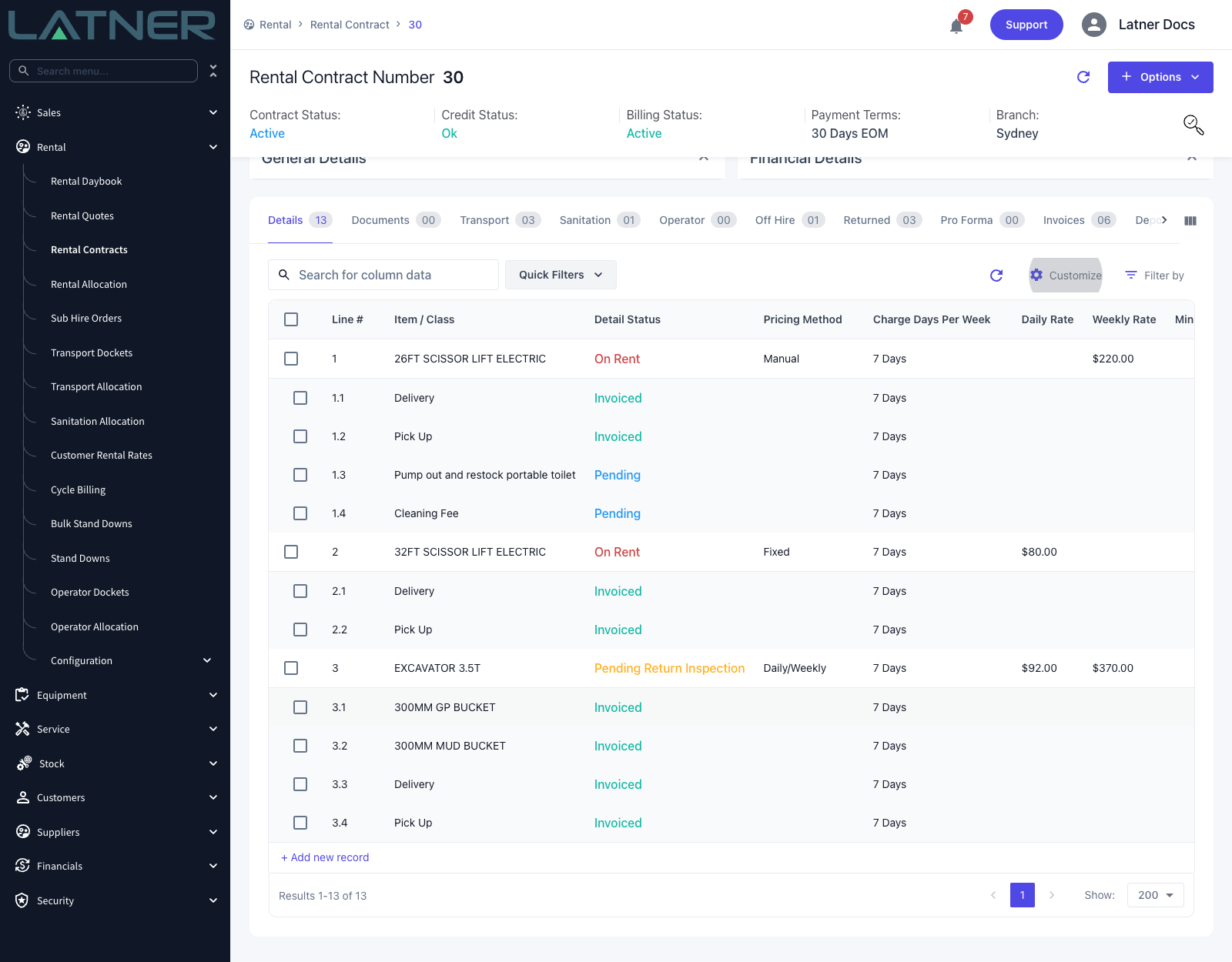
Charge Days Per Week sets the billing calendar - which days of the week count as chargeable days.
-
The Pricing Method decides how Latner picks which rate to bill: one fixed rate, the cheaper of a daily or weekly rate, a tier based on days on rent, operator timesheets, or nothing at all.
-
Rate Types are the units the money is expressed in - Daily, Weekly, Monthly, Hourly and their variants - and the Pricing Method decides how many of them a row can carry.
-
Modifiers are the optional extras layered on top: a minimum charge, a maximum daily hours allowance with an excess rate, and a floor rate that stops staff discounting below your commercial limit.
Every rate that ends up on a quote or contract is a copy taken at the moment the line was added, so changing the rate book never re-prices a contract that already exists.
Before You Begin
Rates are set up in the Rental module's Configuration area, and a couple of settings and permissions decide who can do what.
|
Requirement |
Where to Find It |
|---|---|
|
Rental Rates configuration screen permission |
Security › Configuration › Permission Groups › Rental › Configuration |
|
Edit Rental Rates permission, to change a rate while adding details to a quote or contract |
Security › Configuration › Permission Groups › Rental › Field |
|
Allow Rates Below Floor Rate permission, to approve a rate under the floor |
Security › Configuration › Permission Groups › Rental › Field |
|
Allowed Pricing Methods - leave empty for all five, or list the ones your business uses |
Security › Settings › Rental |
|
Allowed Rental Rate Types - the same idea for rate types |
Security › Settings › Rental |
|
Default Charge Days Per Week - required, because a contract cannot be created without a charge days value to fall back on |
Security › Settings › Rental |
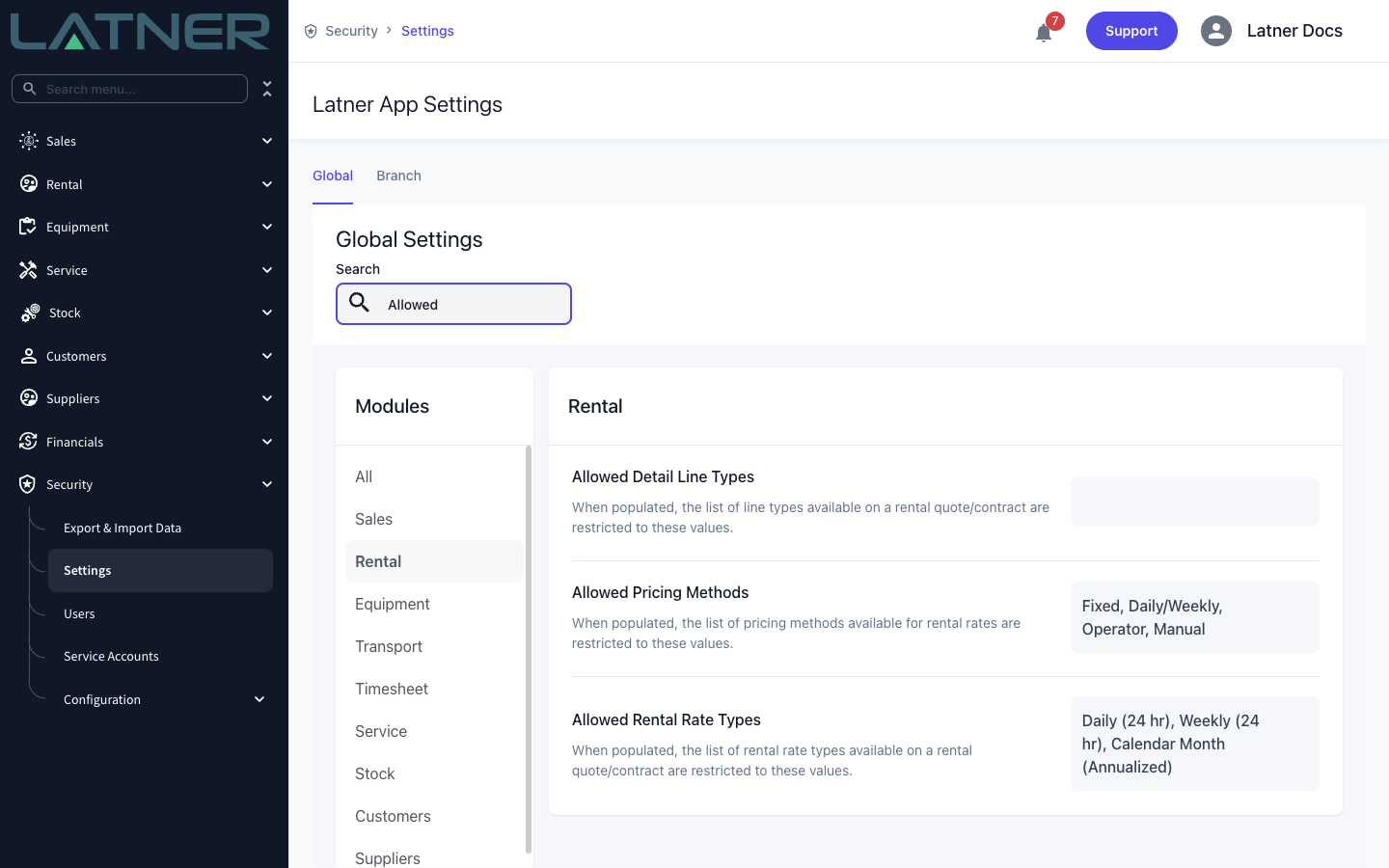
Both Allowed settings are filters, not switches. Leave one empty and every option is available. Populate it and the list shrinks to what you listed - except on a record that already uses an excluded option, where Latner keeps the original choice selectable so you can still open and edit the line.
Charge Days Per Week
Charge Days Per Week is the billing calendar. It decides which days of the week Latner counts when it works out days on rent, and it converts weekly and monthly rates into a daily equivalent.
-
5 Days - Monday to Friday
-
6 Days - Monday to Saturday
-
7 Days - Monday to Sunday
-
Saturday - Saturdays only
-
Weekend - Saturday and Sunday
On a 5 Days contract a machine that sits on site over the weekend is not billed for the Saturday or the Sunday, and a weekly rate is divided by five rather than seven to get its daily equivalent. That single choice moves every number on the contract, so it is worth getting right before the first invoice.
Latner fills it in for you, working down a hierarchy:
-
On the contract header - the site's Charge Days Per Week, then the customer's, then the Default Charge Days Per Week setting.
-
On each detail line - the Equipment Model's Charge Days Per Week, then the Equipment Class's, then whatever the contract header ended up with.
Because the line inherits rather than mirrors, you can leave a whole contract on 5 Days and still bill one seven-day-a-week generator correctly. Change the header value and Latner offers to push the new value down to the details.
Two rate types ignore Charge Days Per Week entirely. Flat Monthly charges the same amount per calendar month however many days fall in it, and Calendar Month (Annualized) spreads the year's cost across all 365 days. See Rental Rate Types for the detail.
The Five Pricing Methods
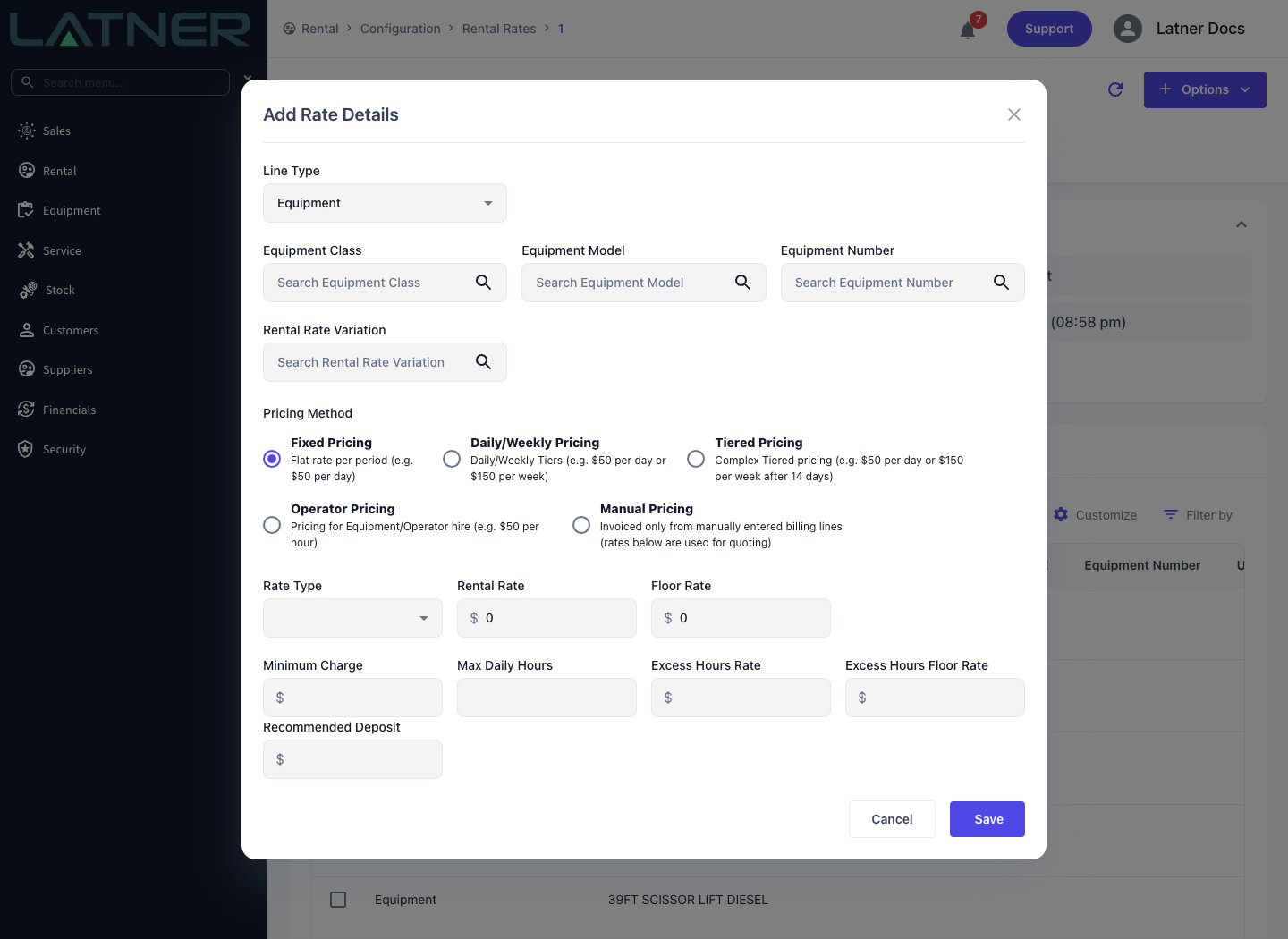
The Pricing Method is the first thing you choose on a rate row, and it decides how many rate rows that line can carry and how Latner picks between them.
-
Fixed Pricing - one rate type, one rate. The simplest and by far the most common.
-
Daily/Weekly Pricing - a daily rate and a weekly rate, with Latner automatically billing whichever works out cheaper for the customer.
-
Tiered Pricing - as many tiers as you like, each unlocked by a Days on Rent threshold.
-
Operator Pricing - wet hire. The line bills from approved operator docket timesheets instead of a rental rate.
-
Manual Pricing - no rate based billing at all. The line invoices only from Manual Billing Lines you enter by hand.
Each has its own page under this one, with the rules, the maths and a worked example.
The Rate Book
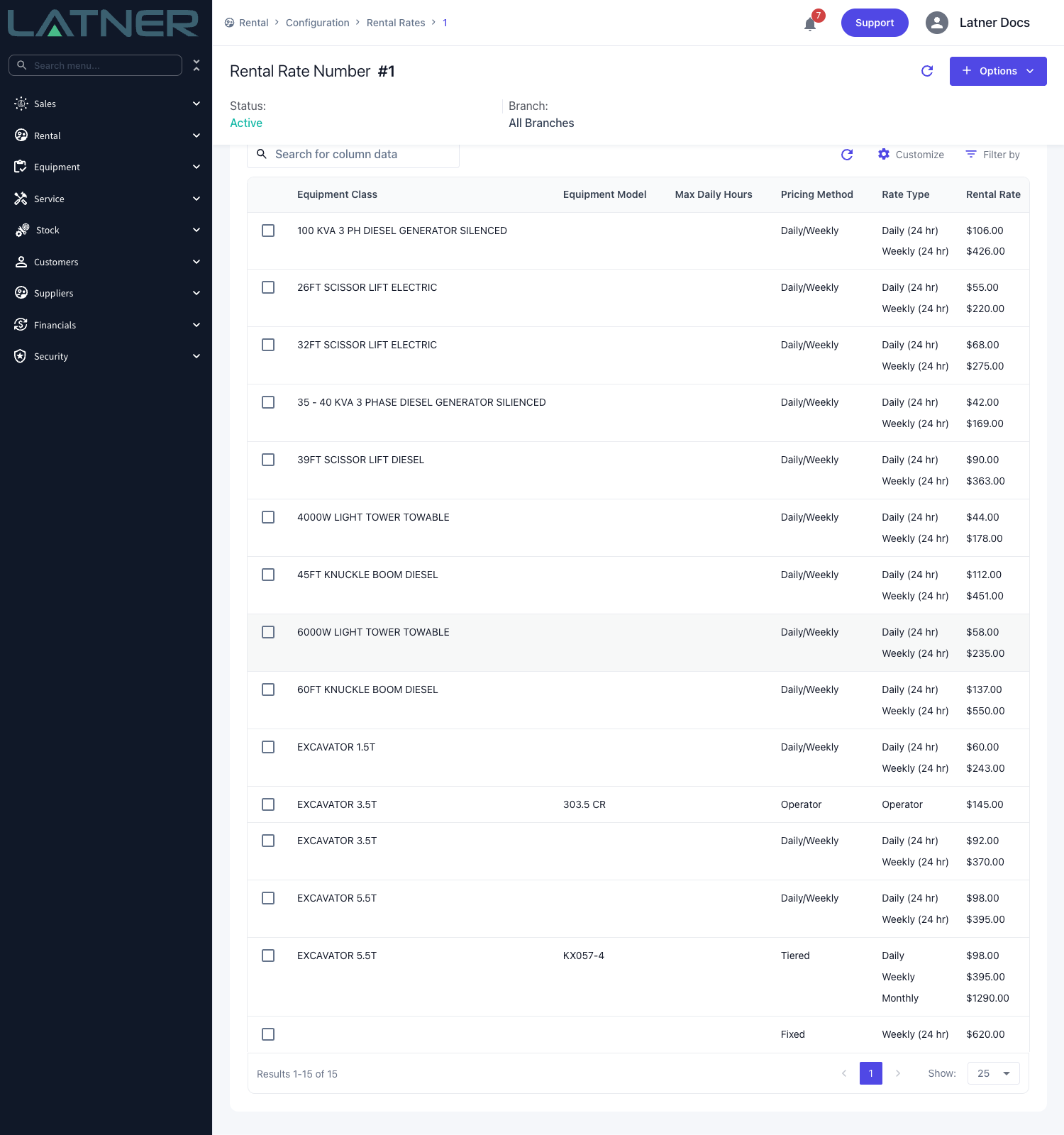
Rates are created and managed on the Rental Rates screen, under Rental › Configuration › Rental Rates. Each record there is a rate book, holding one row per thing you price - an Equipment Class, Equipment Model, Equipment Number, Package, Transport type, Admin Charge or Sanitation service. Most businesses run one book for everyone and add a second only when a national account or a branch needs its own pricing.
Creating a book, adding rows to it, copying it to build next year's prices, making it the standard book for the whole business and assigning it to a particular customer or site are all covered in How to Create and Manage a Rental Rate Book.
How a Rate Reaches a Contract
When someone adds an equipment line to a quote or contract, Latner finds the right rate and copies it onto the line, working through this in order:
-
Shortlist the candidate rows - only rows in a book that matches the contract's branch, or is an All level book, or is the book named in the Global Rental Rates setting.
-
Match the Rental Rate Variation exactly, including matching "no variation" when none was chosen.
-
Take the most specific rows available - rows against the Equipment Number first, then the Equipment Model, then the Equipment Class.
-
Within those rows, prefer by assignment - a book assigned to the contract's site beats one assigned to the customer, which beats the Global Rental Rates book.
The consequence worth remembering is that a book is only ever consulted if it is the global book or it is assigned to the customer or the site. A book that matches the branch but is attached to nobody is never looked at.
Once the rate is on the line it is that line's rate. Editing the rate book afterwards changes what the next contract gets, never what this one bills.
Rate fields lock once a line has been invoiced, and Flat Monthly and Minimum Hours Per Month cannot be swapped for another rate type at all - their billing maths cannot reconcile across a change. Decide the pricing method and rate type before the first invoice wherever you can.
Reading a Rental Invoice Line
Every rate-based equipment line on an invoice shows how it was priced. The customer invoice's Details tab and the Create Invoice screen carry these fields:
-
Bill from Date and Bill to Date - the period this invoice covers.
-
Billable Days - the chargeable days in this invoice's period only, not since the hire started. The Create Invoice screen shows it as Billable Units.
-
Stand Down Days - stood down days in the period, weighted by each stand down's Discount %.
-
Rate Type and Rental Rate (Rate on the Create Invoice screen) - the rate the pricing method selected. After a Rental Rate Adjustment, the latest adjusted rate.
-
Calc. Daily Rate - that rate as a daily figure: the daily rate itself, a weekly rate divided by Charge Days Per Week, or a monthly rate divided by 30.
-
Adj. Daily Rate - what this invoice actually charged per day: Sub Total divided by Quantity divided by (Billable Days - Stand Down Days). Because each invoice re-prices the whole hire and charges the difference, it includes any catch-up from moving onto a cheaper weekly rate or tier, and any Minimum Charge.
-
Billable Hours - Minimum Hours Per Month lines only: the minimum hours billed.
When Adj. Daily Rate is higher than Calc. Daily Rate, the line usually reached its Minimum Charge. When it is lower, the line usually moved onto a cheaper rate and this invoice credited the earlier days. Flat Monthly, Calendar Month, Calendar Month (Annualized) and Minimum Hours Per Month lines leave both daily rates blank, because their charge is not days times a daily rate. Excess usage never sits on the rental line: it is a separate admin line, Excess Hours for <line description> after a Return or Additional Hours - <equipment number> each month on Minimum Hours Per Month.
Invoice PDFs are laid out per business, so which of these fields print depends on your invoice template. The Details tab of the customer invoice in Latner always shows them.