
Rate Modifiers are the optional rules you layer on top of a rental rate - a floor under the price, a minimum on the total, an hours allowance with an excess charge - and every one of them is safe to leave blank.
Overview
The pricing method and rate type between them describe the deal. The modifiers describe the guard rails: the least you are willing to charge, the least the hire can be worth, and what happens when a customer works a machine harder than the rate assumed. Each one is checked at a particular moment, and most questions about them come down to that moment.
|
Modifier |
When it is checked |
What it is not |
|---|---|---|
|
Floor Rate |
When the line is added or its rate is edited |
Not a billing rule - it never changes an invoice |
|
Minimum Charge |
On the invoice that bills up to the off hire, and on Advance and Pro Forma invoices. Once billed, it stays billed |
Not monthly, not pro rata, not per invoice - one floor per unit for the whole hire |
|
Max Daily Hours and Excess Hours Rate |
Once, at Return, when a Return Meter Reading is entered |
Not monthly, not on progress invoices, not reduced by stand downs, not a per-kilometre rate |
|
Recommended Deposit |
On the first invoice of the line |
Not enforced - a hire can go out without it |
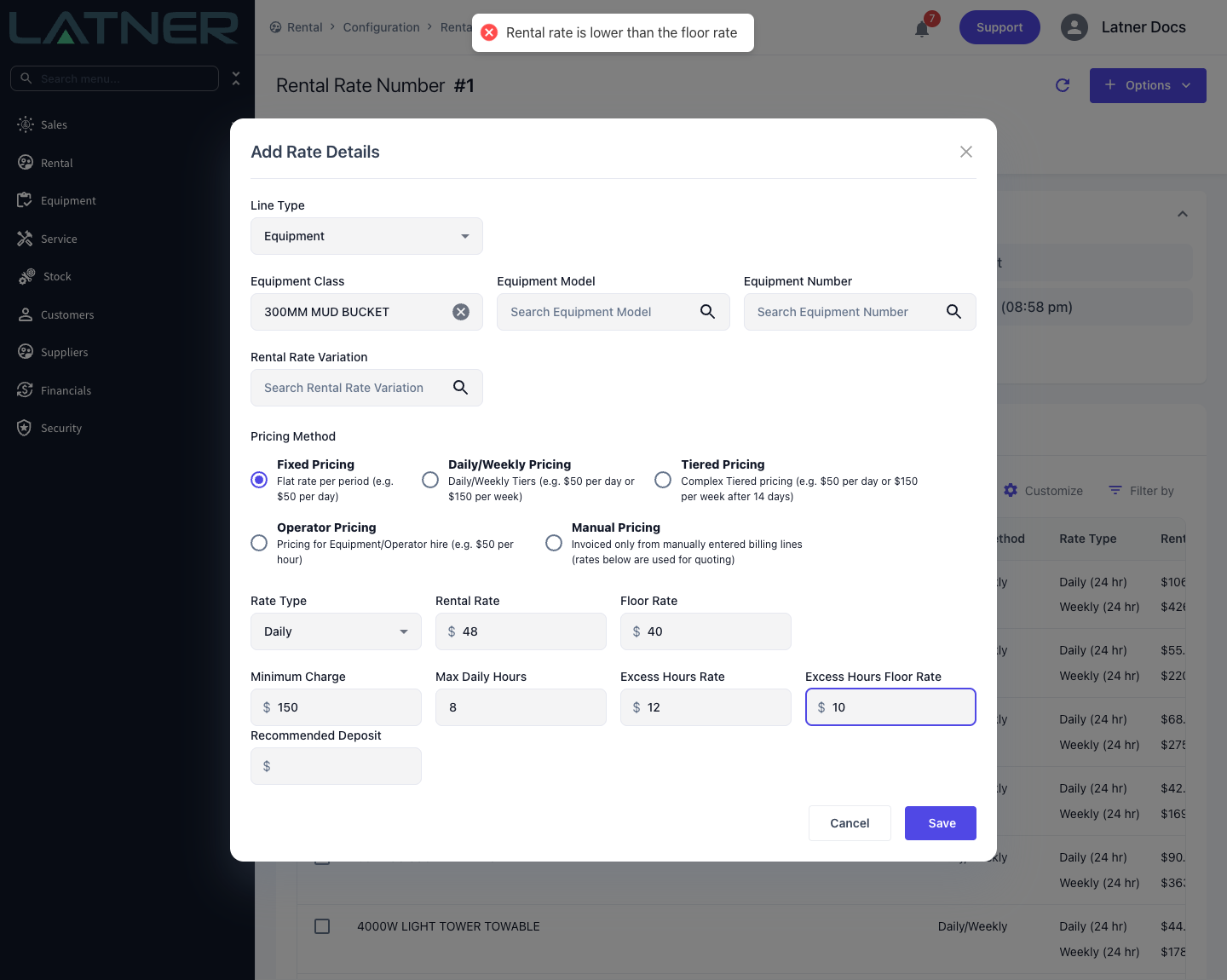
Floor Rate
A Floor Rate sits beside each rental rate in the rate book and marks the lowest rate you are prepared to accept for that line. The rate book itself never accepts a rate below its own floor.
On a quote or contract, entering a rental rate below the rate book's floor is blocked with Rental rate is lower than the floor rate. Discounts can be requested from the Options menu.
-
A user with the Allow Rates Below Floor Rate permission is not blocked.
-
Anyone else can raise a request from Options › Request Discount Approval on the rental contract: choose an approver, explain why, and the request is tracked on the contract's Discount Requests tab.
-
Floor Rate is a customer-side field. It is not shown for a Sub Hire supplier rate.
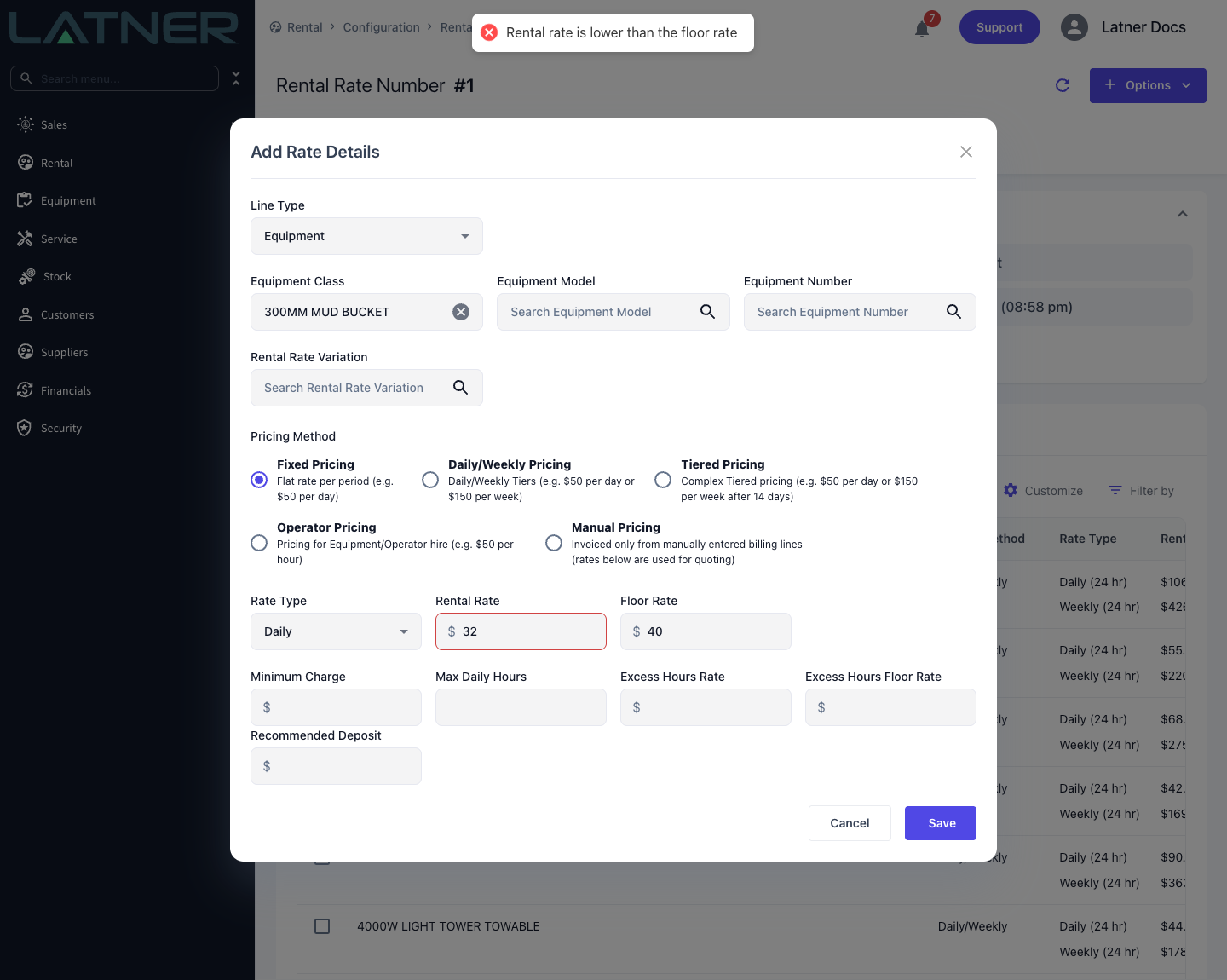
Minimum Charge
A Minimum Charge is the least one unit on the line can be worth over the whole hire. Latner works out what the line has earned from its start to the bill-to date - after stand downs and any rate adjustments - and if that is less than the Minimum Charge, it charges the Minimum Charge instead.
When it is checked
-
On the invoice that bills up to the off hire date. It is the date that matters, not the invoice type - a progress invoice that reaches the off hire date gets the minimum too.
-
On Advance and Pro Forma invoices, and on quote totals, which estimate to the expected off hire.
-
On later invoices, once it has been billed. After an invoice has charged the minimum, Latner keeps it in place, so a later invoice never credits it back. Cancelling that invoice releases it.
Progress invoices on a line that is still on hire, and has never been billed the minimum, charge the rate as calculated.
A zeroed rate still bills the minimum
A line with a Rental Rate of $0.00 and a Minimum Charge of $250.00 bills nothing on its progress invoices, then $250.00 on the invoice that bills up to the off hire. The same happens to a line that was stood down for the whole hire. If you want a line to bill nothing at all, clear its Minimum Charge as well as its rate.
Worked example
A plate compactor on Fixed Pricing at Daily $10.00 with a Minimum Charge of $200.00, off hired after 4 billable days. The line has earned 4 x $10.00 = $40.00, which is under the minimum, so the off hire invoice bills $200.00. On that invoice line Calc. Daily Rate shows $10.00 and Adj. Daily Rate shows $50.00 - the minimum spread over the 4 days. There is no separate minimum charge line: the higher Adj. Daily Rate is how you can see it was applied.
What it is not
-
Not monthly. It is one floor for the whole hire, not a minimum per month or per invoice.
-
Not pro rata. A short hire bills the whole minimum, however few days it ran.
-
Not on every rate. It is hidden, and not applied, for the Hourly and Minimum Hours Per Month rate types and for Operator Pricing. On Manual Pricing a contract line has no rate-based charge for it to raise.
-
Not counting Manual Billing Lines. Manual charges are added on top and are left out of the comparison.
Max Daily Hours and Excess Hours Rate
These two fields let a rate include a set number of hours per day and charge separately for anything beyond them.
-
Max Daily Hours - the hours per day the rental rate includes, for example 8.
-
Excess Hours Rate - what each hour above the allowance costs. Editing it on a quote or contract needs the Edit Excess Hours permission.
-
Excess Hours Floor Rate - the floor for the excess rate, enforced the same way as a rental rate floor. It is set in the rate book only.
Hours included per day, by class
The included hours are set on the rate book row, so they can differ by Equipment Class, Equipment Model or Equipment Number - an excavator class can include 8 hours a day while a generator class includes 24. When a line is added to a quote or contract, it copies Max Daily Hours and Excess Hours Rate from the same rate row that supplied its rental rate (the most specific row wins), and you can then change them on that line.
When it is checked
Once, at Return. When the equipment is returned with a Return Meter Reading, Latner takes the reading difference against the start reading and compares it with the allowance: Max Daily Hours x the chargeable days on rent, counting both the on hire day and the off hire day on the line's Charge Days Per Week. If the usage is higher, it adds a Pending admin line, Excess Hours for <line description>, for the difference at the Excess Hours Rate. That line goes on the next invoice like any other admin charge.
All four must be present or no excess is raised: a start meter reading, a Return Meter Reading, a Max Daily Hours and an Excess Hours Rate.
Worked example
An excavator with Max Daily Hours of 8 and an Excess Hours Rate of $12.00, returned after 15 chargeable days.
-
Allowance: 8 x 15 = 120 hours
-
Meter readings: 1,192 out, 1,340 at return - 148 hours used
-
Excess: 148 - 120 = 28 hours x $12.00 = $336.00, on an Excess Hours admin line
What it is not
-
Not monthly and not on progress invoices. Nothing is checked until Return, so a long hire shows no excess until it comes back. For a monthly usage commitment, use Minimum Hours Per Month.
-
Not pro rata, and not reduced by stand downs. The allowance counts every chargeable day on rent, including stood down days.
-
Not per quantity. It is one calculation per contract line.
-
Not a per-kilometre rate. Latner has no per-kilometre rate type. On equipment whose class meter is in Kilometres, the same check compares kilometres instead of hours - Max Daily Hours then acts as kilometres per day - but the line it raises is still called Excess Hours. To bill a straight charge per kilometre, add the distance as a Manual Billing Line (quantity in kilometres, rate per kilometre).
Stand Downs
A stand down is not a field on the rate, but it changes what the rate bills. Each chargeable day inside a Completed stand down is taken off the billable days in proportion to its Discount %: five days at 100% remove 5 days, and five days at 30% remove 1.5 days.
Latner then prices the line on the reduced day count, and the normal rules still apply. That is why a stand down sometimes appears to do nothing: a weekly rate on Daily/Weekly Pricing still charges at least one week, a tier still charges its Days on Rent, and a Minimum Charge still applies. The reduction shows once the hire runs past that minimum.
Stand downs do not reduce Flat Monthly, Hourly, Operator or Manual lines, or the excess hours allowance.
The 24 Hour Grace Period
Only the 24 hour rate types use it. The 24 hr Rental Rate Grace Period (Minutes) setting in Security › Settings › Rental is how far past a 24 hour block a return can run before it counts as another day. See Daily (24 hr) and Weekly (24 hr) Rate Types.
Recommended Deposit
A Recommended Deposit suggests how much to collect up front. It only appears when the Allow Users to take a Rental Deposit against a Customer setting in Security › Settings › Financials is on, is carried onto the first invoice of the line, and is shown when you record a customer payment. It never stops a hire going out without a deposit.