
Manual Pricing switches rate based billing off for a line completely, so the only thing it ever invoices is the Manual Billing Lines you enter by hand.
Overview
Sometimes the deal simply is not a rate. The customer has agreed to pay against milestones, or the contract was priced on a schedule that no rate type describes, or the whole thing is a one-off negotiated figure. Manual Pricing is the escape hatch for that, and it does one thing very deliberately: it produces no rate based charge at all.
-
A Manual line still captures a Rate Type and a Rental Rate, exactly like Fixed Pricing - but on a Rental Contract those figures are only an estimate. They appear on the paperwork and are never invoiced.
-
On a Rental Quote the same figures behave like a Fixed rate, so the quote still shows a sensible quoted value.
-
All the money on a Manual contract line comes from Manual Billing Lines - a description, a quantity and a rate, entered against the line.
-
Manual Billing Lines are not exclusive to this pricing method. They can be added to a line on any pricing method as an extra charge. What Manual Pricing changes is that they become the only charge.
-
Manual Pricing is for customer billing only. It is not offered on the supplier side of a Sub Hire.
This page covers the pricing method. For the step-by-step of entering, invoicing and correcting the charges themselves - including negative credit lines - see How to Use Manual Billing Lines on a Rental Contract.
Before You Begin
|
Requirement |
Where to Find It |
|---|---|
|
Allowed Pricing Methods either empty or including Manual |
Security › Settings › Rental |
|
Create Manual Billing Lines permission |
Security › Configuration › Permission Groups › Rental › Option |
|
Enables Crediting of a Rental Contract, only if you want to enter negative, credit style lines |
Security › Settings › Rental |
A Manual line will not invoice anything at all until you add Manual Billing Lines to it. If you set a line to Manual Pricing and then forget the billing lines, the hire runs and bills nothing - and Latner has no rate to warn you with, because you told it not to use one.
Setting Up a Manual Rate
Step 1 - Add a rate row or edit the contract line
Manual Pricing can be set up either in the rate book (Rental › Configuration › Rental Rates, then Options › Add Rate Details) so that every line for that class starts as Manual, or on a single contract line when you add or edit its details.
Step 2 - Select Manual Pricing
Choose Manual Pricing. The rate row underneath looks exactly like a Fixed row, because it is - the same single Rate Type and Rental Rate.
Step 3 - Enter the estimate rate
A Rate Type and Rental Rate are still required. On a contract they are an estimate for the paperwork; on a quote they produce the quoted figure. Add a Floor Rate if you use floors.
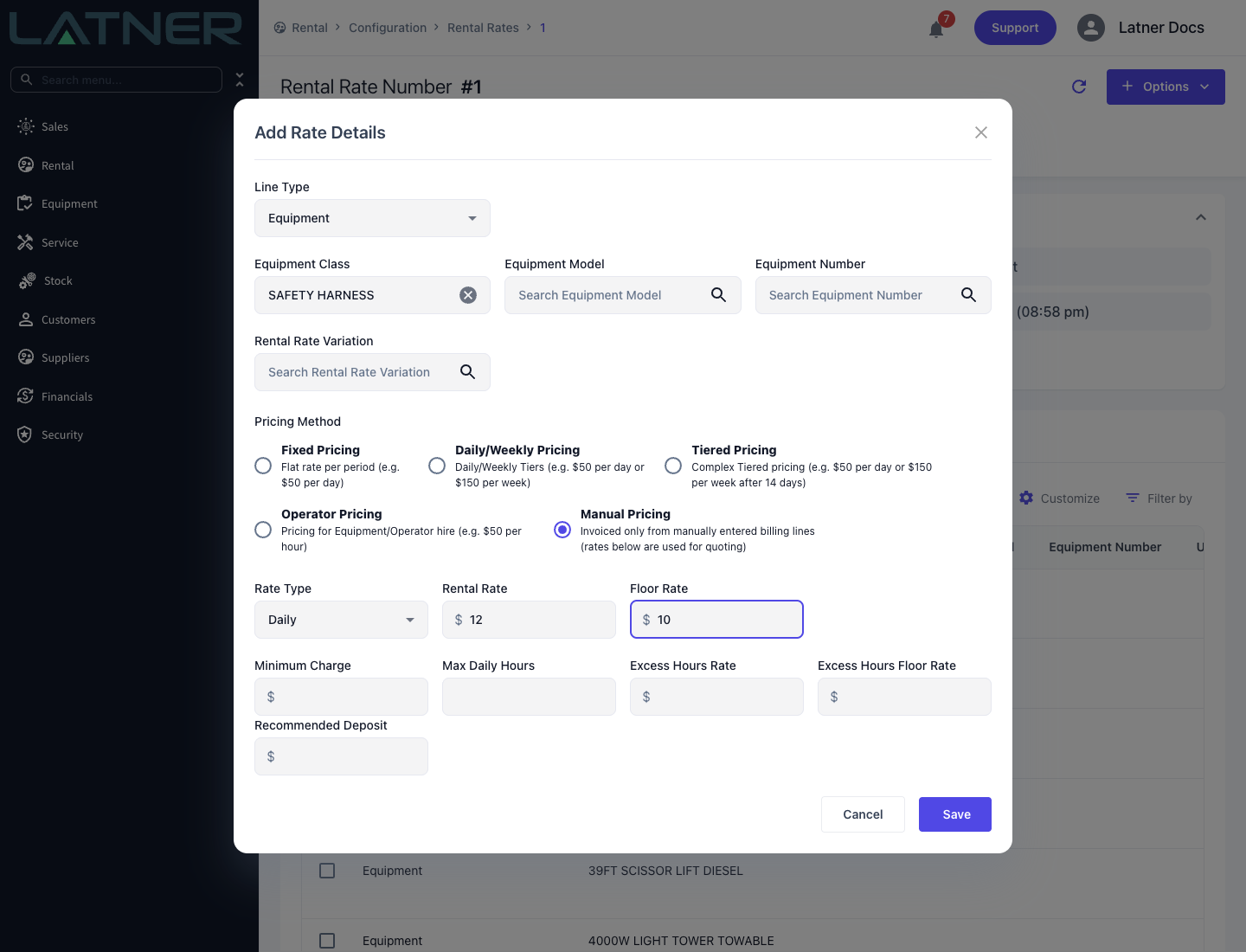
Step 4 - Save, then add the billing lines
Click Save. On the contract, tick the line in the Details table and click the Manual Billing Lines icon to enter the charges that will actually invoice. How to Use Manual Billing Lines on a Rental Contract walks through that dialog step by step.
How It Bills
-
On a Rental Contract line, Latner produces no rate based invoice line whatsoever. The Manual Billing Lines are the whole of that line's invoice.
-
Every Pending billing line on the detail goes onto the next invoice raised for it, whatever date range the billing line describes.
-
Manual charges are deliberately left out when Latner reconciles what the rental rate still owes, so they never move the line's billed to date.
-
Damage Waiver and Environmental Levy are worked out on the rate based charge, so on a Manual line - which has none - they do not apply to the manual charges.
-
On a Rental Quote the line prices like Fixed Pricing, so the quote total is not zero.
On the Invoice
A Manual line produces no rate-based line on a contract invoice, so there is no Billable Days, Calc. Daily Rate or Adj. Daily Rate for it. Each Manual Billing Line invoices as its own line: Description, Quantity and Unit Price as you entered them. That makes Manual Billing Lines the way to bill usage Latner has no rate type for - kilometres travelled, for example, with the kilometres as the Quantity and the rate per kilometre as the Unit Price.