
Syncing deposits to Xero keeps the money you are holding for customers on your balance sheet, so a deposit taken in Latner shows up in your accounts without anyone re-keying it.
Overview
A deposit is not revenue - it is your customer's money sitting with you until it is either applied to an invoice or handed back. Xero already has a way of recording that, called a prepayment, and Latner uses it.
-
Xero is the only accounting integration that receives deposits. MYOB and Sage do not sync them.
-
Once the sync is switched on, Latner pushes a deposit to Xero automatically after every transaction made against it - the initial deposit, each drawdown and each return.
-
Xero holds the amount as a prepayment against the customer, so the balance sheet shows what you owe back at any moment, and it clears itself as deposits are used or refunded.
-
Every attempt is logged on the deposit, so a failed sync is visible and can be retried without re-entering anything.
-
This page covers the accounting side only. For taking, applying and returning deposits, see How to Take Deposit / Pre Payment for a Rental Contract.
Before You Begin
Deposits have to be switched on in Latner before any of the Xero settings appear.
|
Requirement |
Where to Find It |
|---|---|
|
Allow Users to take a Rental Deposit against a Customer must be enabled |
Security › Settings › Global › Financials |
|
An Active Xero integration for the company the rental contract belongs to |
Financials › Configuration › Accounting Integration |
|
Enable Sync Xero Deposits turned on |
Xero integration › Integration Settings › Deposits (Prepayments) |
|
Xero Prepayment Bank Account - the bank account the prepayment is received into, and later refunded from |
Xero integration › Integration Settings › Deposits (Prepayments) |
|
Xero Prepayment Account Code - the account the prepayment line is coded to |
Xero integration › Integration Settings › Deposits (Prepayments) |
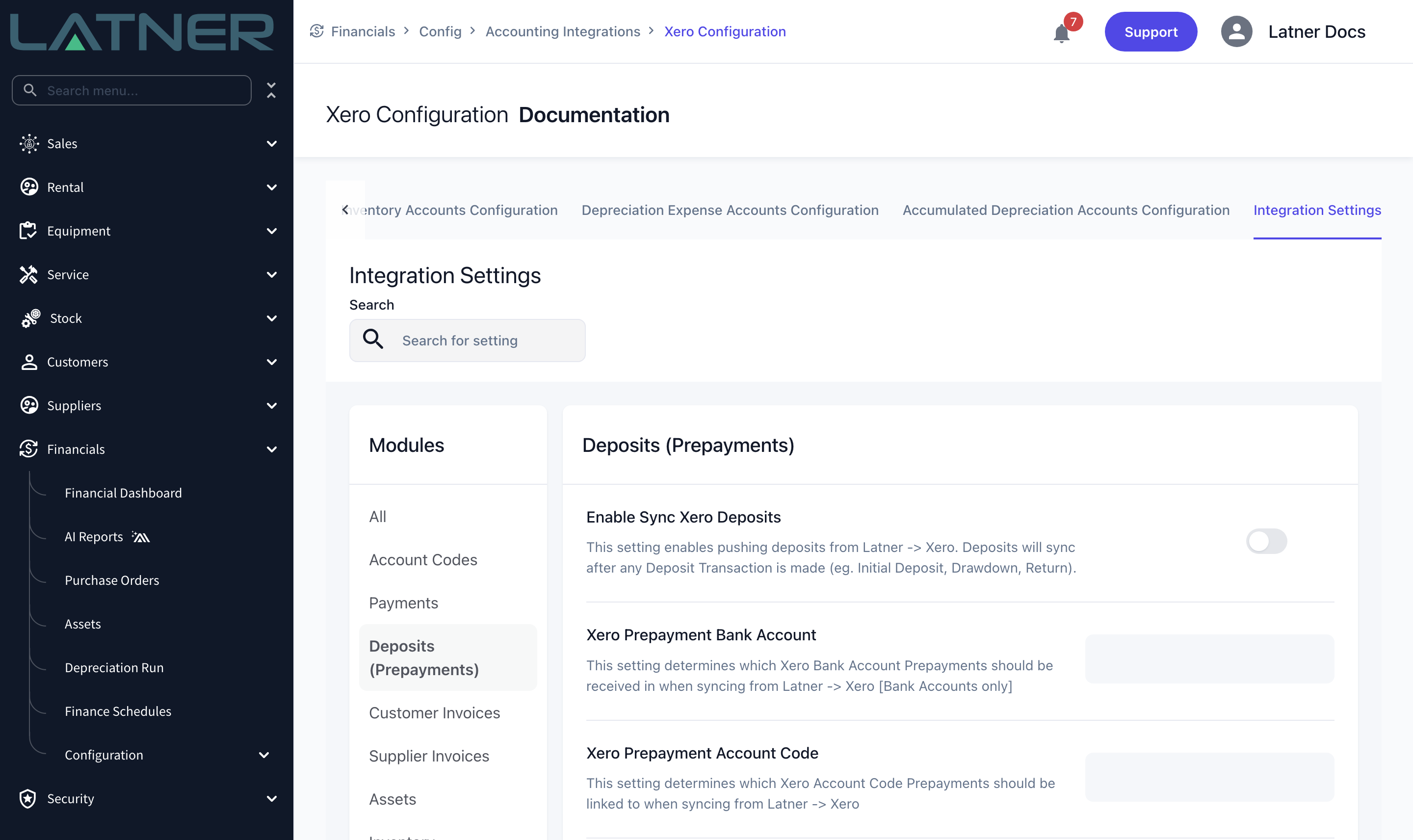
The two account fields are deliberately restricted. Xero Prepayment Bank Account only lists Xero bank accounts, because Xero does not allow prepayments against any other kind of account. Xero Prepayment Account Code only lists asset accounts, which is what keeps the money on the balance sheet as something you are holding rather than revenue you have earned.
What Lands in Xero at Each Stage
You do not drive any of this. Each time something happens to a deposit in Latner, the matching entry is sent to Xero.
|
Stage in Latner |
What Lands in Xero |
|---|---|
|
Take Deposit |
A Receive Prepayment bank transaction into the Xero Prepayment Bank Account, for the full deposit amount, with a single line coded to the Xero Prepayment Account Code. The line is posted with no tax applied, and describes the rental contract (or the invoice, if the deposit was taken from one) followed by your Deposit Description. Xero creates a prepayment against the customer and Latner remembers it. |
|
Drawdown against an invoice |
An allocation of that prepayment to the Xero invoice, for the amount drawn. The drawdown is deliberately not also pushed as a Xero payment - the allocation is what settles the invoice, so sending both would pay it twice. |
|
Return Deposit |
A refund against the prepayment, paid out of the Xero Prepayment Bank Account, referenced with the return transaction number. |
A drawdown can only be allocated to an invoice Xero already knows about. If the invoice has not synced yet, the deposit sync fails with an error naming that invoice. Sync the invoice first, then retry from the deposit with Options › Sync Deposit.
Checking That a Sync Worked
-
Syncing runs in the background after each deposit transaction, so it is not instant. Give it a moment before assuming something is wrong.
-
The Integration Syncs tab on the deposit lists every attempt, with its status, the date and any error message Xero returned. That message is the fastest way to find a missing account code or an unsynced invoice.
-
Options › Sync Deposit retries by hand. It is safe to run more than once - Latner skips anything that has already synced successfully, so it will only push what is still outstanding.
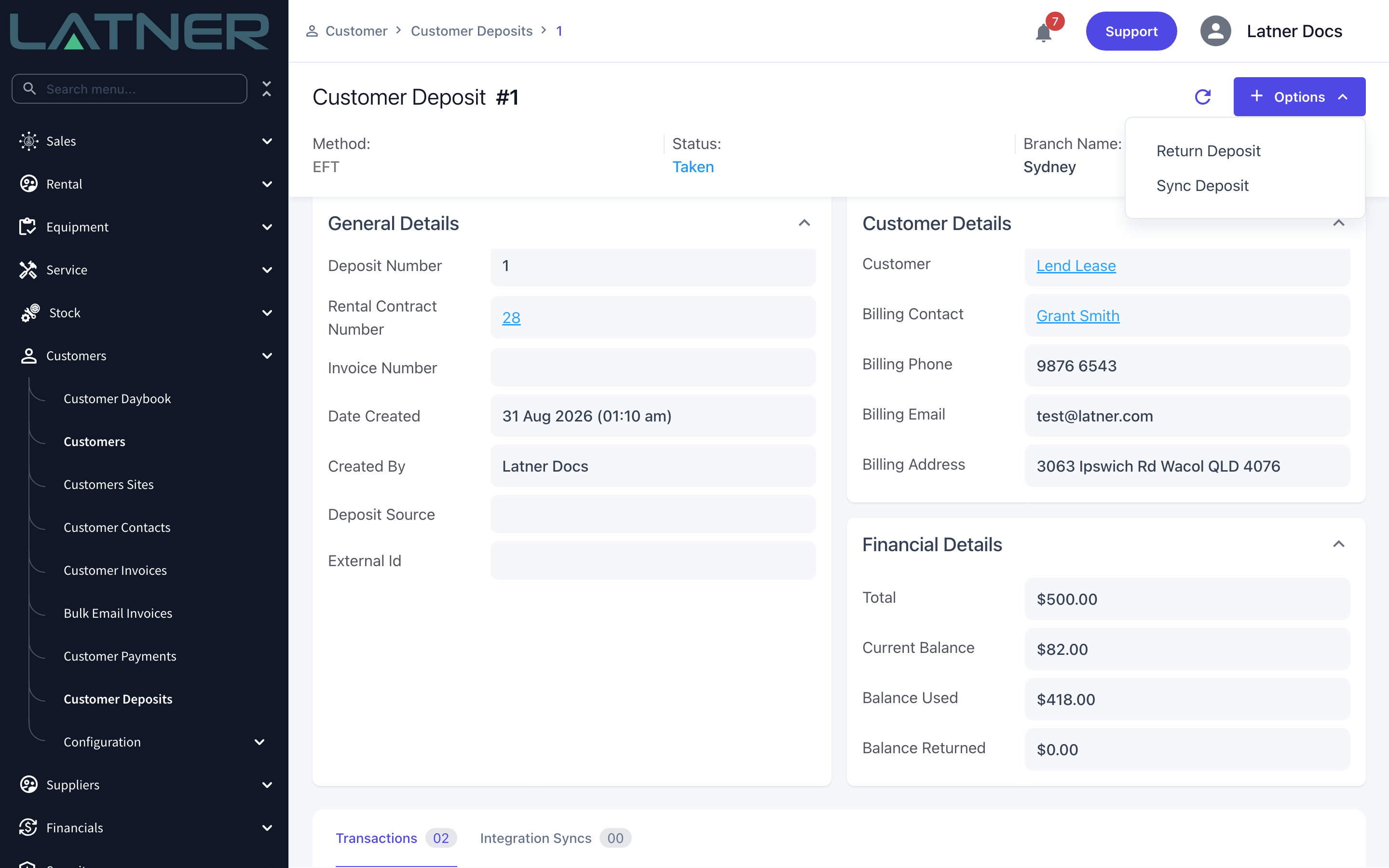
Turning the sync on does not backfill. Deposits taken before Enable Sync Xero Deposits was switched on stay out of Xero until something happens to them or someone pushes them, so if you switch it on partway through a month, work through the open deposits on Customers › Customer Deposits and run Options › Sync Deposit on each one.