
The Stand Down Estimated Cost tab on the Dashboard shows how much rental revenue stand downs are costing you, month by month, by reason, customer or equipment.
Overview
When a customer stands equipment down (for example for wet weather), you charge less for those days. This tab, on the Dashboard home screen, adds up that discount.
-
Only Completed stand downs count; cancelled ones are ignored.
-
Each stand down line's estimated cost = stand down charge days in the billing period × the stand down Discount % × the line's daily rate.
-
The estimate is worked out when the line is invoiced. Until the contract is invoiced for the stand down period, it shows as $0.
-
The cost is spread evenly over each calendar day of the stand down, then totalled by month.
-
Only owned equipment lines appear.
Before You Begin
Here's what you need to see this tab.
|
Requirement |
Where to Find It |
|---|---|
|
Equipment Stand Down Estimated Cost Dashboard permission |
Security › Configuration › Permission Groups, Equipment module |
|
Stand downs entered on rental contracts |
Rental › Stand Downs or Rental › Bulk Stand Downs |
A stand down needs to fall entirely inside one invoice's billing period to get an estimate. If it spans two invoices, it isn't estimated.
Using the Tab
Step 1 - Set the filters
-
Branch, Customer and Stand Down Reason.
-
Date Range - the days the stand down covers; defaults to the last 12 months including this one.
-
Group By - Reason (default), Category, Class, Model, Branch or Customer.
Click Update. Hover over a bar for the month's Total Estimated Cost.
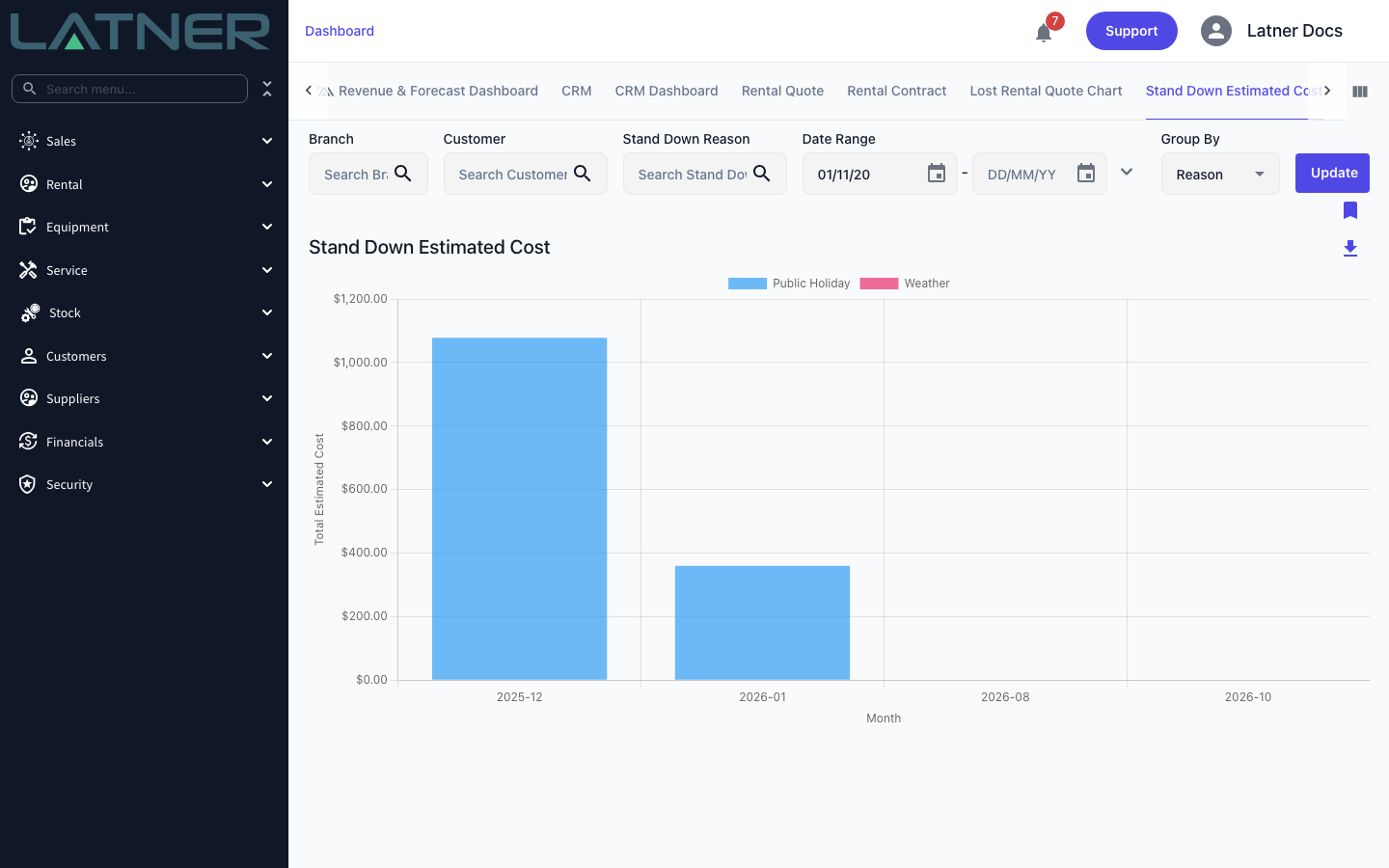
Step 2 - Download the data
Click Download Chart Data to save Stand Down Estimated Cost.csv: one row per group and one column per month. The bookmark icon saves filters as a Saved Filter. An empty chart says "There is no data to display".