
The Rental Quote tab on the Dashboard lists the quotes that need attention - overdue ones, new ones and lost sales - so nothing slips through between quoting and winning the job.
Overview
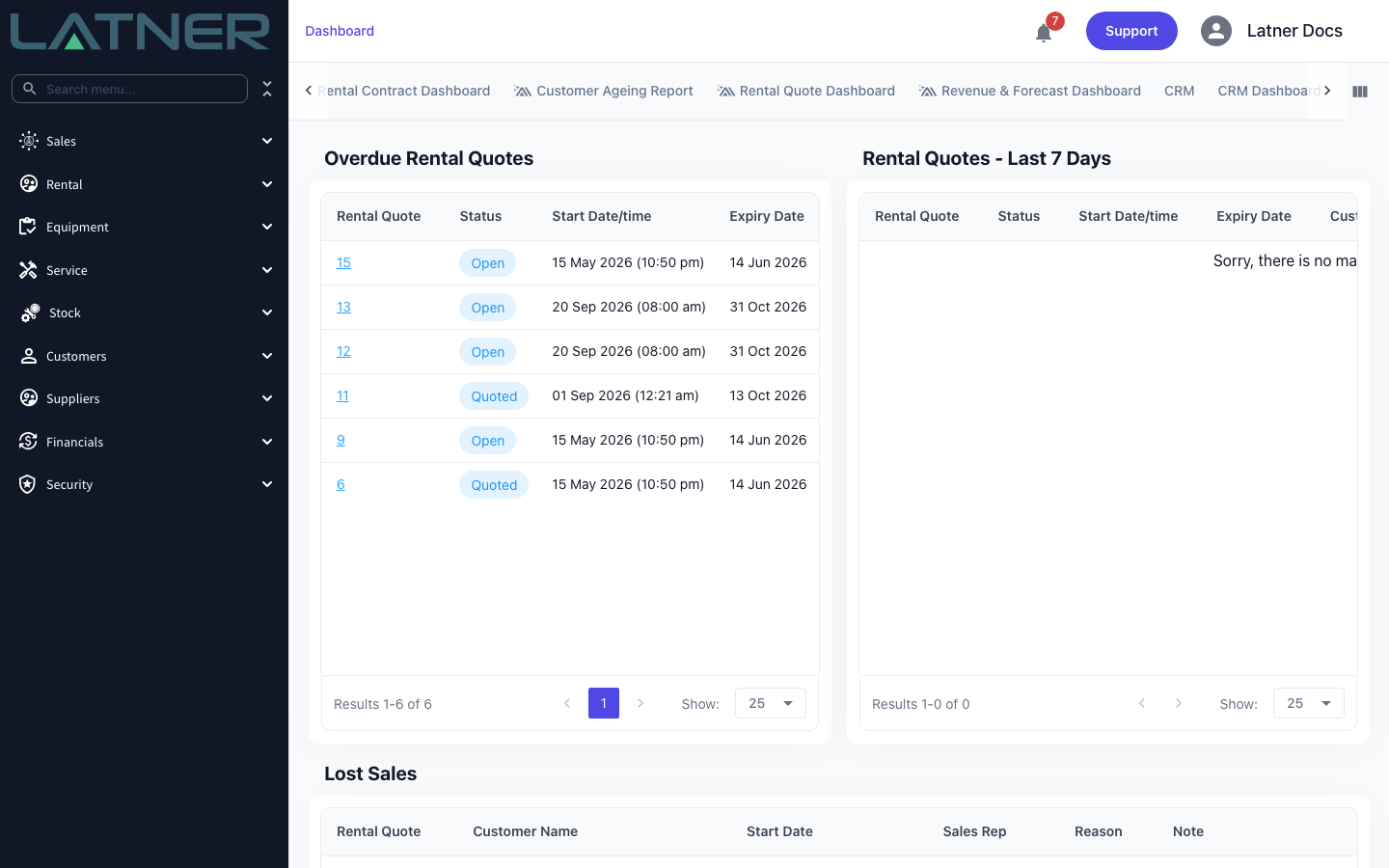
Rental Quote is a tab on the Dashboard home screen. It has three ready-made lists with no filters to set; hover over a list's title for a reminder of what it shows, and double-click a row to open the quote.
-
Overdue Rental Quotes - quotes still Open or Quoted whose start date is before today. Chase these or mark them lost.
-
Rental Quotes - Last 7 Days - every quote created in the past seven days, in any status.
-
Lost Sales - quotes marked Lost or Cancelled, newest start date first, with the Reason and Note entered when the quote was lost.
-
Each list shows only quotes from branches you can access.
Before You Begin
Here's what you need to see this tab.
|
Requirement |
Where to Find It |
|---|---|
|
Rental Quote Dashboard permission (also shows the Lost Rental Quote Chart tab) |
Security › Configuration › Permission Groups, Rental module |
|
Rental Quote screen permission, to load the quotes |
Security › Configuration › Permission Groups |
Using the Rental Quote Tab
Open Dashboard and select Rental Quote.
-
The overdue and last-7-days lists show Rental Quote, Status, Start Date, Expiry Date, Customer Name, Customer Site, Sales Rep and Created Date.
-
Lost Sales shows Rental Quote, Customer Name, Start Date, Sales Rep, Reason and Note.
-
A quote lands in Lost Sales when someone uses Rental Quote Lost on an Open or Quoted quote and picks a reason. Reasons are set up under Rental › Configuration › Cancel Reasons.
These lists have no download. For lost quote values by reason, use the Lost Rental Quote Chart; for quote counts by status, the CRM Dashboard.