
The Equipment tab on the Dashboard lists equipment documents - registrations, certificates and the like - that have expired or are about to, so nothing goes out on hire unroadworthy.
Overview
It's a tab on the Dashboard home screen with one list: Equipment with Overdue or Upcoming Document Expiry.
-
For each machine and document type, only the latest document counts - an expired registration that has been renewed drops off.
-
Sold, disposed, inactive, converted and Pending Activation equipment is left out, as are deactivated documents.
-
The list is sorted by Expiry Date, earliest first, with overdue dates highlighted.
Before You Begin
Here's what you need to see this tab.
|
Requirement |
Where to Find It |
|---|---|
|
Equipment Dashboard permission |
Security › Configuration › Permission Groups, Equipment module |
|
Documents with an expiry date on the equipment |
The equipment's Documents tab |
Using the Equipment Tab
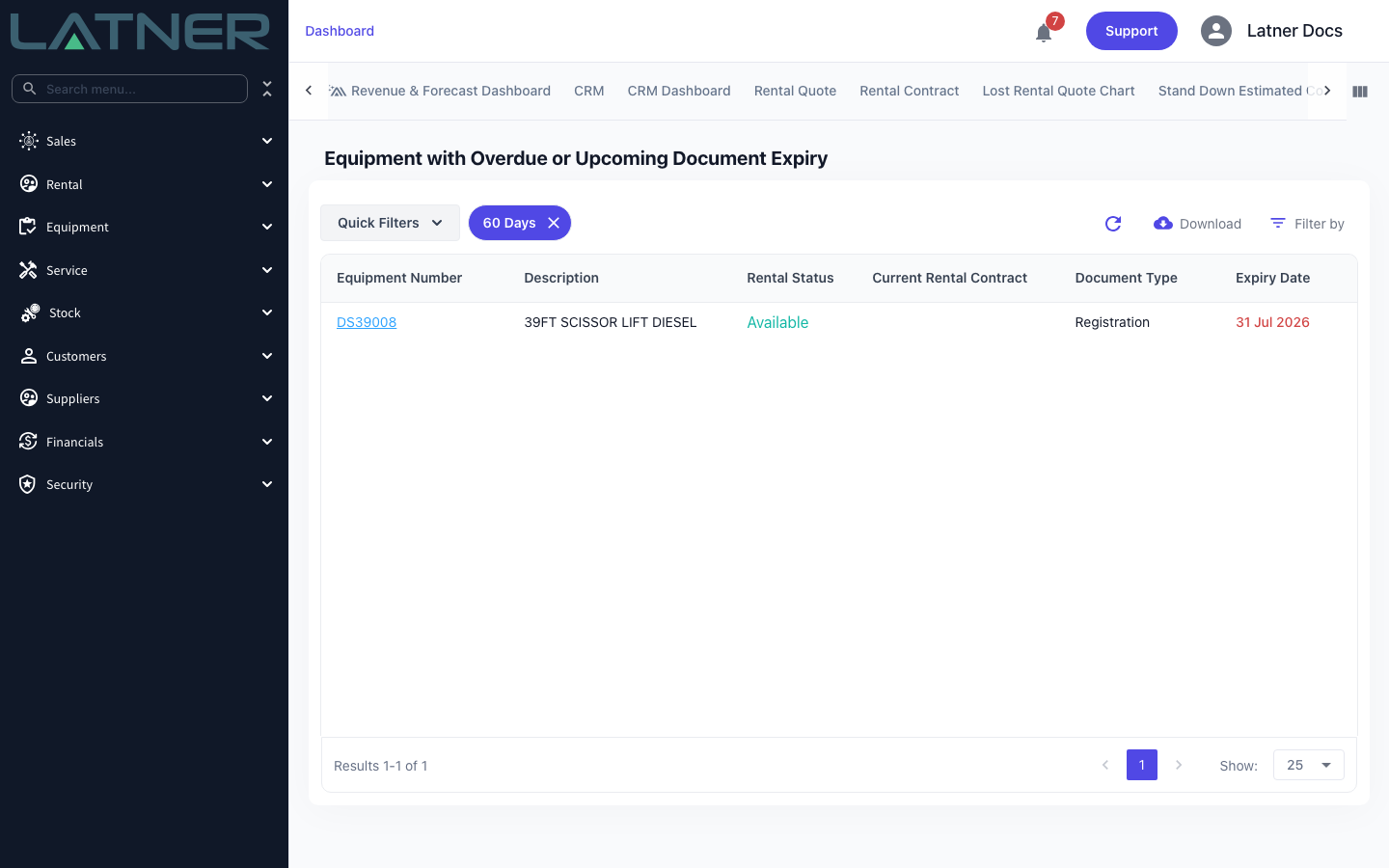
Open Dashboard and select Equipment. By default it shows documents that expired already or expire in the next 60 days.
-
Columns: Equipment Number (opens the machine's Documents tab), Description, Rental Status, Current Rental Contract, Document Type and Expiry Date.
-
Quick Filters - 60 Days (default) or 90 Days ahead, Registration only, Internal Equipment, On Rent or Off Hired. Pick one expiry window at a time. Click Save to keep your choice.
-
The filter icon lets you filter by Equipment Number or Document Type.
-
The download icon saves the list as a CSV, with your filters applied.