
Marking a Sales Order as Quoted tells Latner you have finished pricing the order and put it to the customer, so the lines are locked down and invoicing, picking and delivery open up.
Overview
A Sales Order starts life as a working draft. While it's Open you can add lines, change prices and delete anything you got wrong. Marking it as Quoted draws a line under all that: the order becomes the offer sitting with your customer, and Latner starts treating it as something to fulfil rather than something to edit.
-
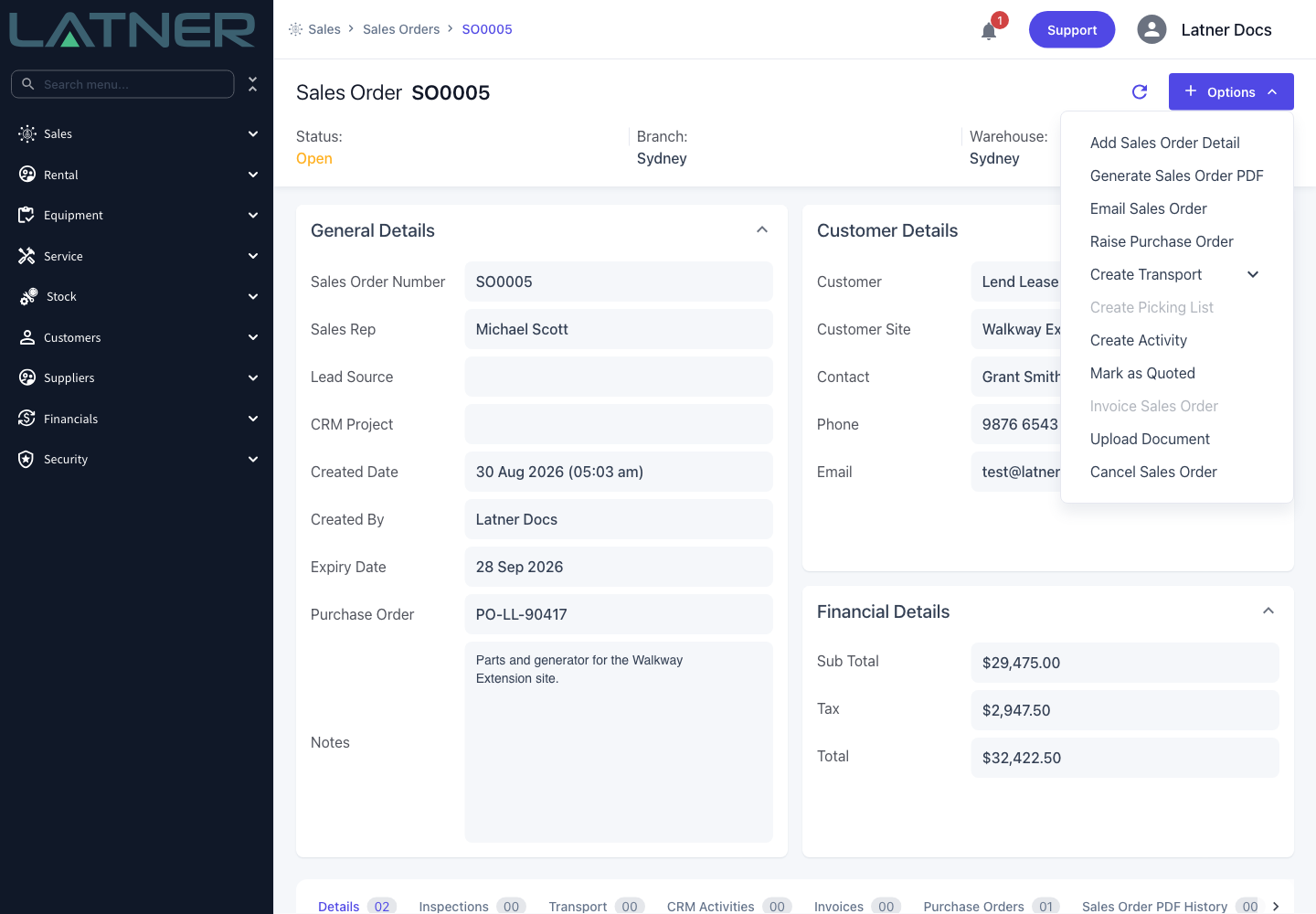
Mark as Quoted appears in the Options menu of any Sales Order that is Open and has at least one detail line.
-
Latner records the date the order was sent and the user who sent it.
-
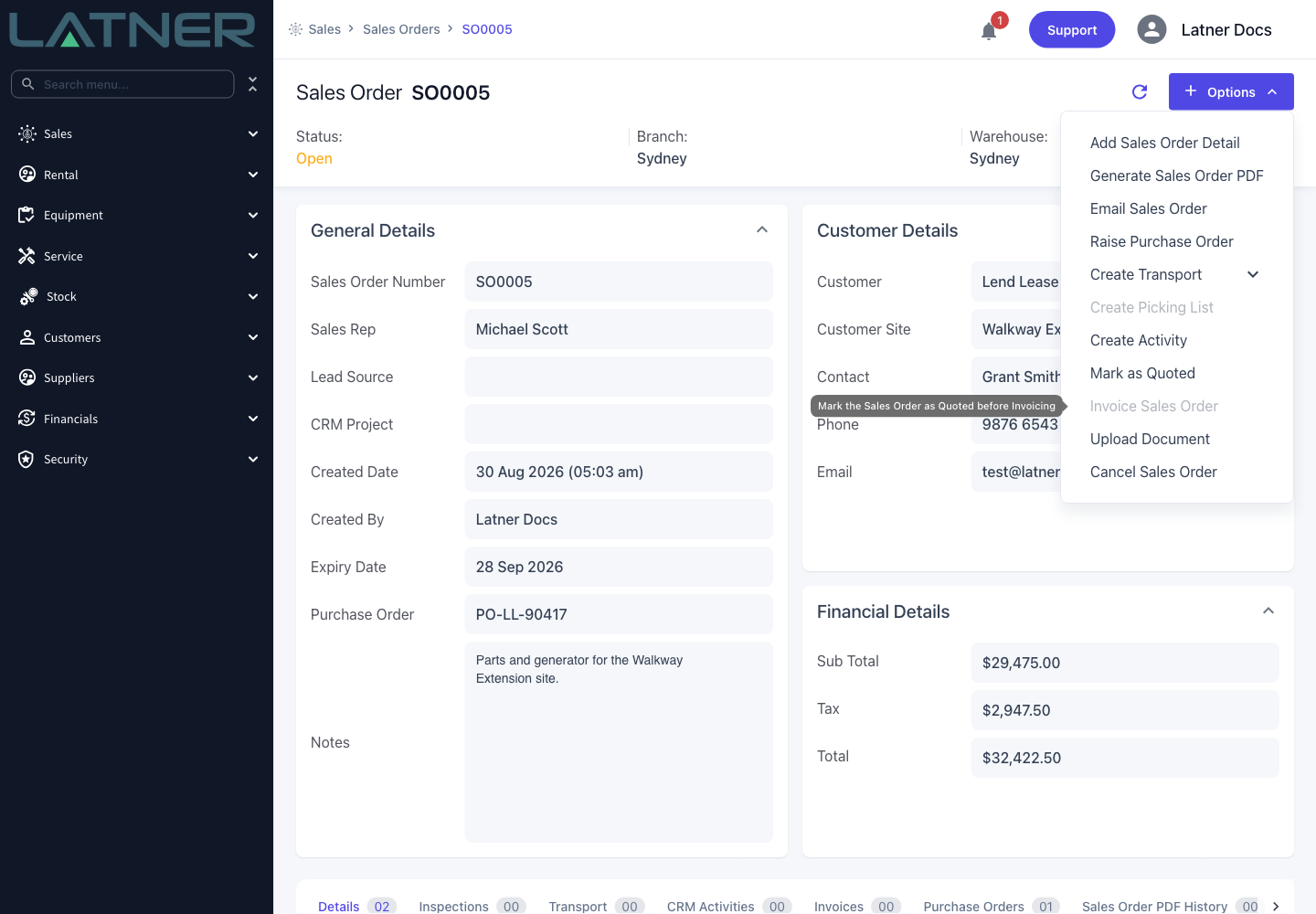
Quoting is what unlocks Invoice Sales Order and Create Picking List.
-
Once quoted, detail lines can't be added or deleted, and only Stock, Serialized Stock and Asset lines stay editable.
-
Emailing the order to the customer does the same thing automatically, so you rarely need to do both.
-
If you quoted too early, Reopen Sales Order puts it back to Open.
Before You Begin
You don't need any special configuration to mark an order as Quoted, but two optional settings change what happens when you do.
|
Requirement |
Where to Find It |
|---|---|
|
The Edit Sales Order permission |
Security › Configuration › Permission Groups › Sales › Option |
|
A Sales Order in Open status with at least one detail line |
Sales › Sales Orders |
|
Create Pre Sale Inspection after adding Serialized Stock to Sales Order (optional) |
Security › Settings › Equipment |
|
Enable Picking Lists for Sales Orders (optional) |
Security › Settings › Sales |
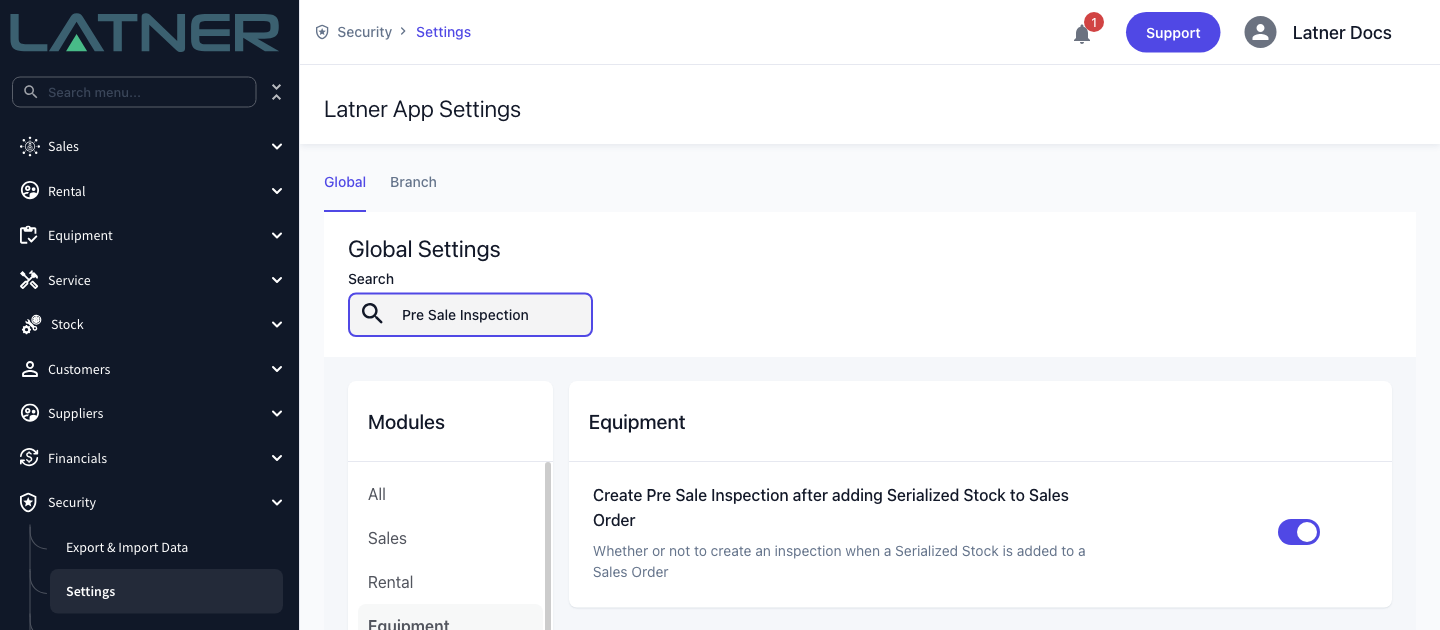
Despite its name, Create Pre Sale Inspection after adding Serialized Stock to Sales Order doesn't fire while the order is still Open. Latner reads it at the moment you quote, so the inspections for every Serialized Stock line on the order all appear together at that point.
Marking the Sales Order as Quoted
Step 1 - Open the Sales Order
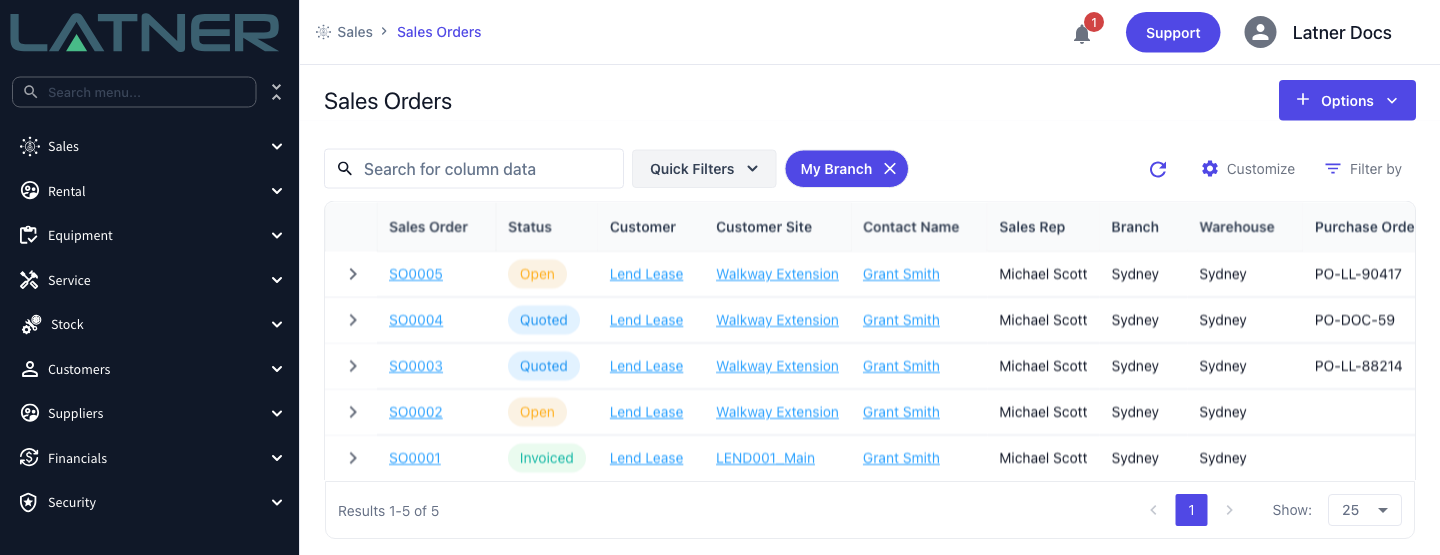
Go to Sales › Sales Orders and open the order you want to quote. The Status column shows where each order sits, and the Quoted quick filter narrows the list to the orders you've already sent out.
Step 2 - Check the order is ready
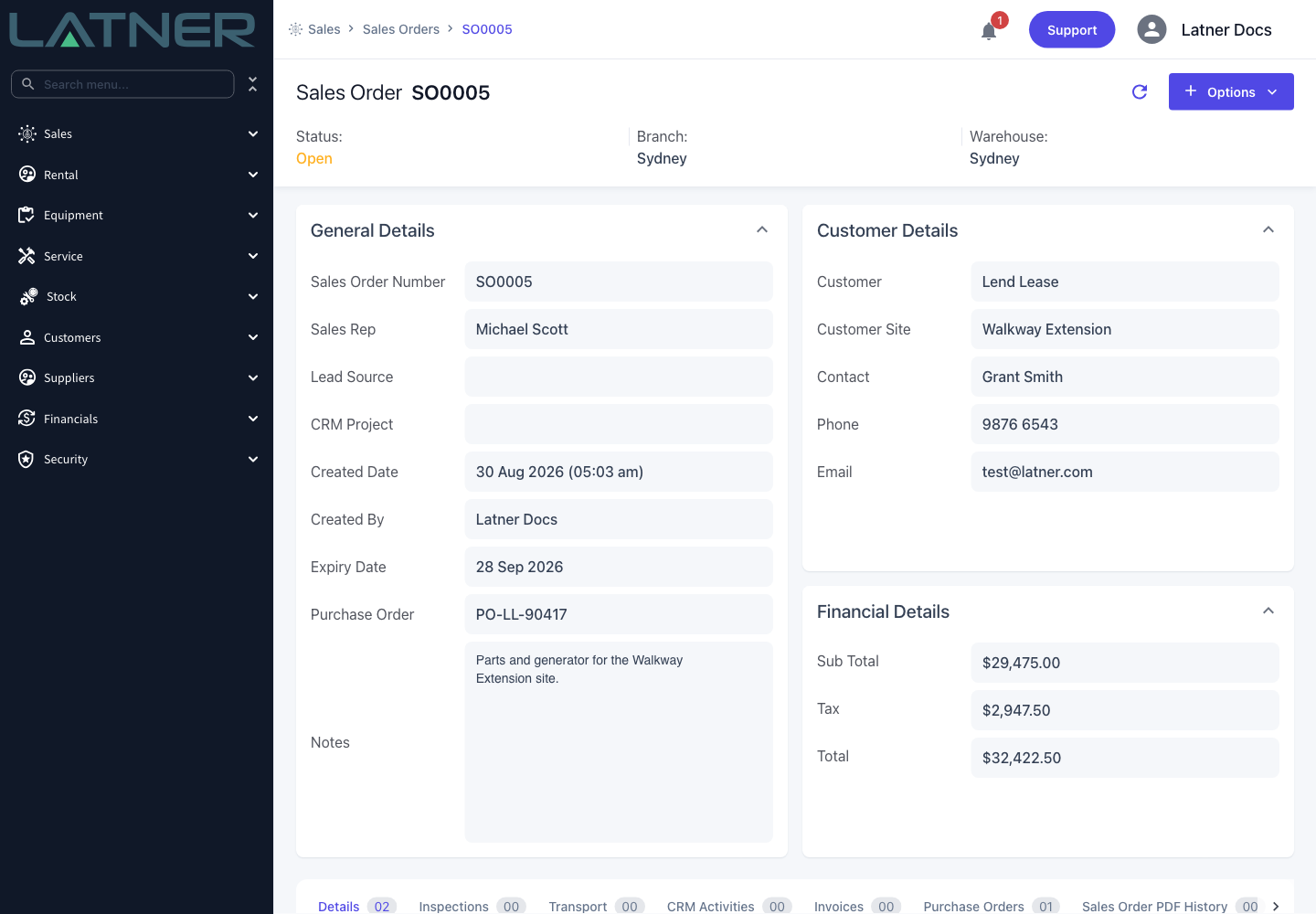
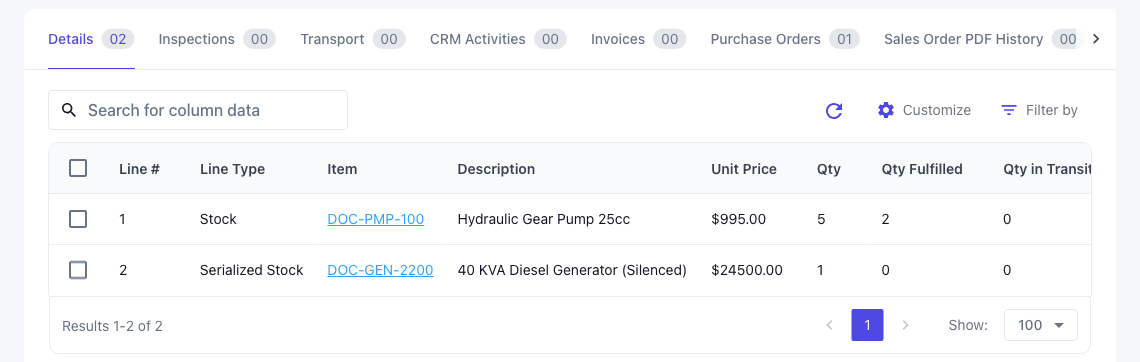
Quoting is the point the order stops being editable, so give it a last look before you commit. Two things have to be true for the option to appear at all:
-
Status - the order must be Open. An order that is already Quoted, Invoiced, Cancelled or Lost has no Mark as Quoted option.
-
Detail lines - the order needs at least one line on the Details tab. An empty order can't be quoted.
Step 3 - Choose Mark as Quoted
Open the Options menu at the top right of the Sales Order and choose Mark as Quoted. There's no confirmation dialog, so the status changes the moment you click.
If you're not sure why an option is unavailable, hover it. Invoice Sales Order spells out the reason directly.
Step 4 - Confirm the new status
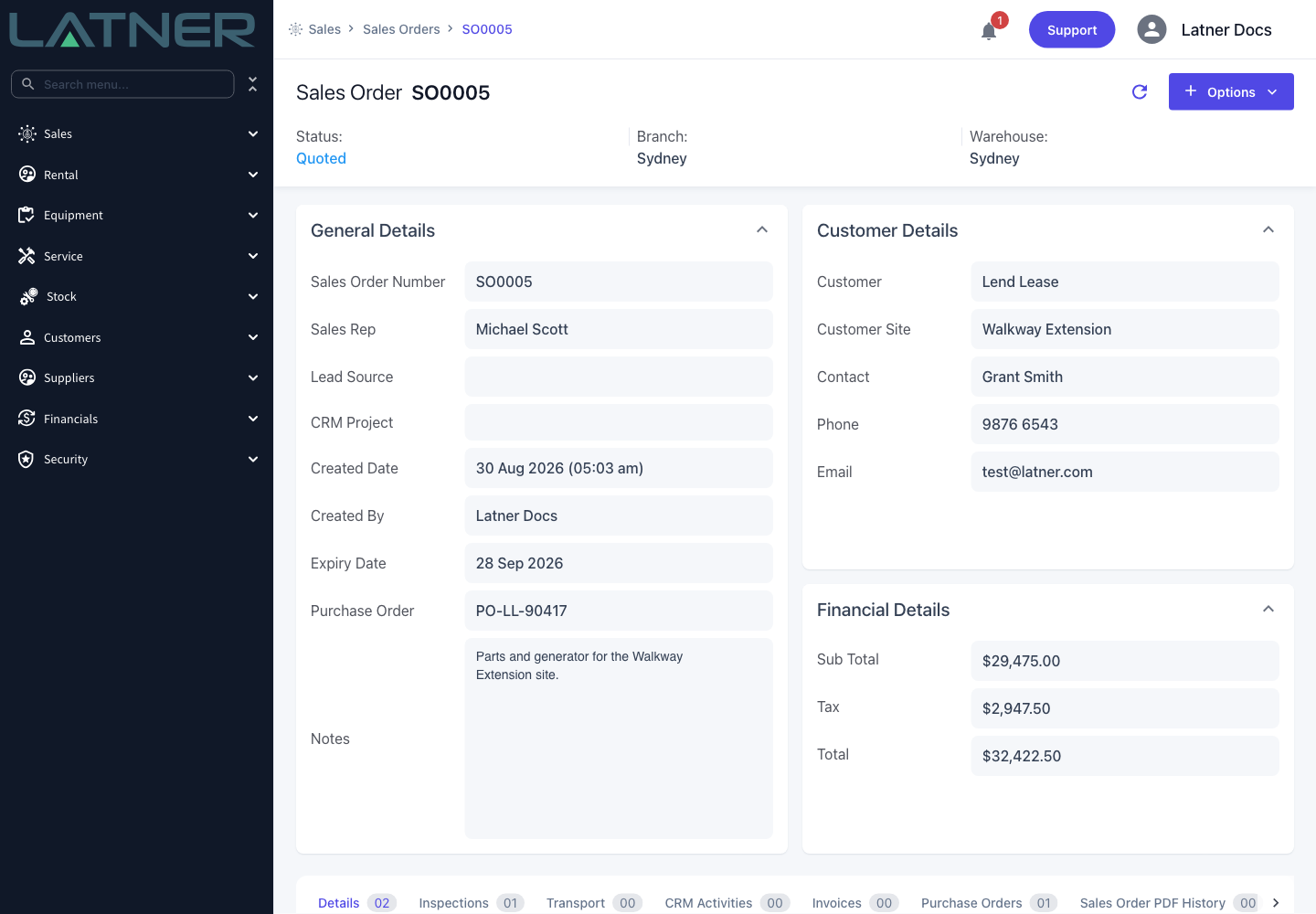
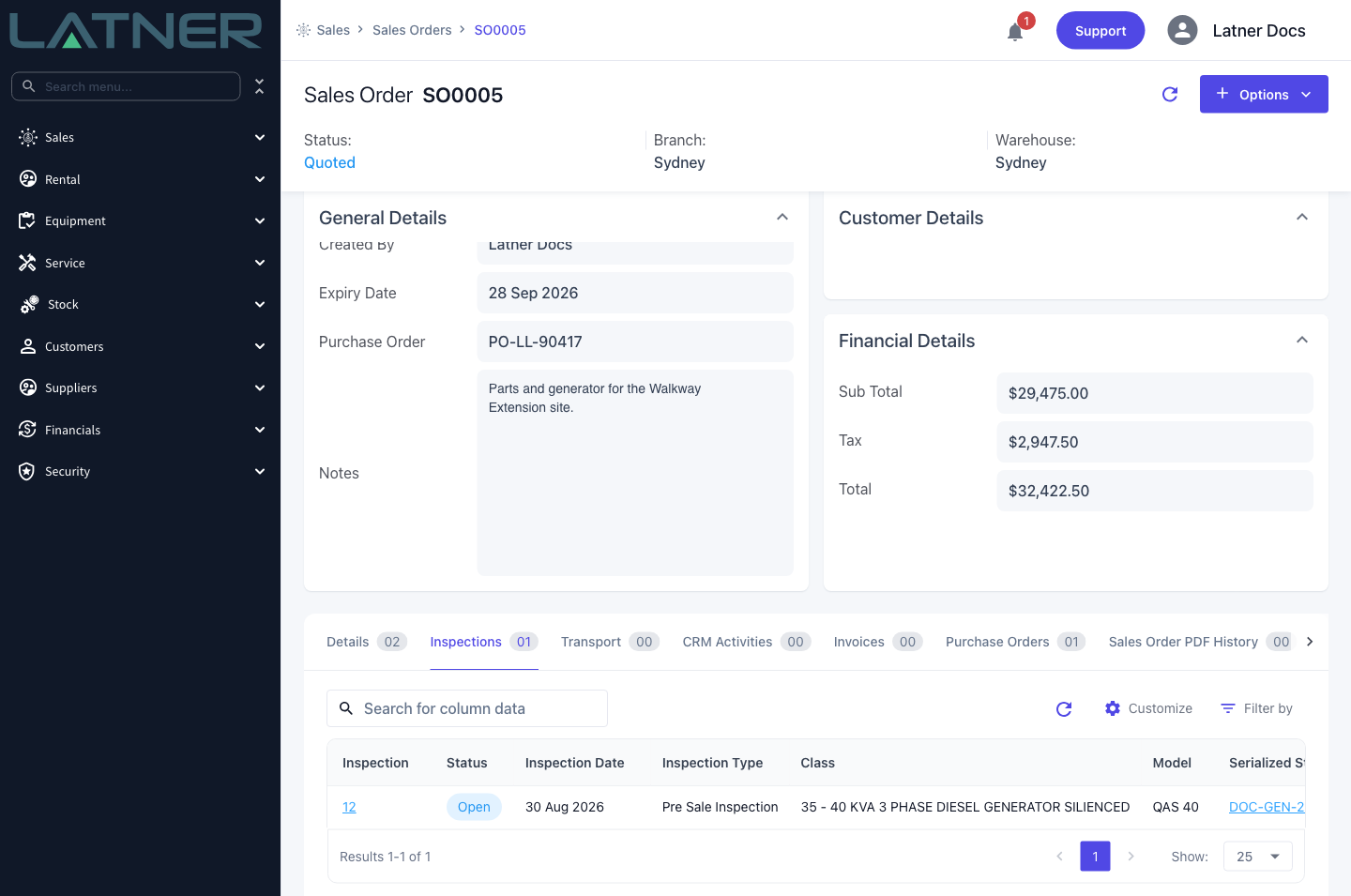
The page refreshes and the Status in the header reads Quoted. The tab counts update at the same time, which is where you'll notice any inspections Latner raised for you.
After Marking as Quoted
Quoting changes what the order lets you do, in both directions.
-
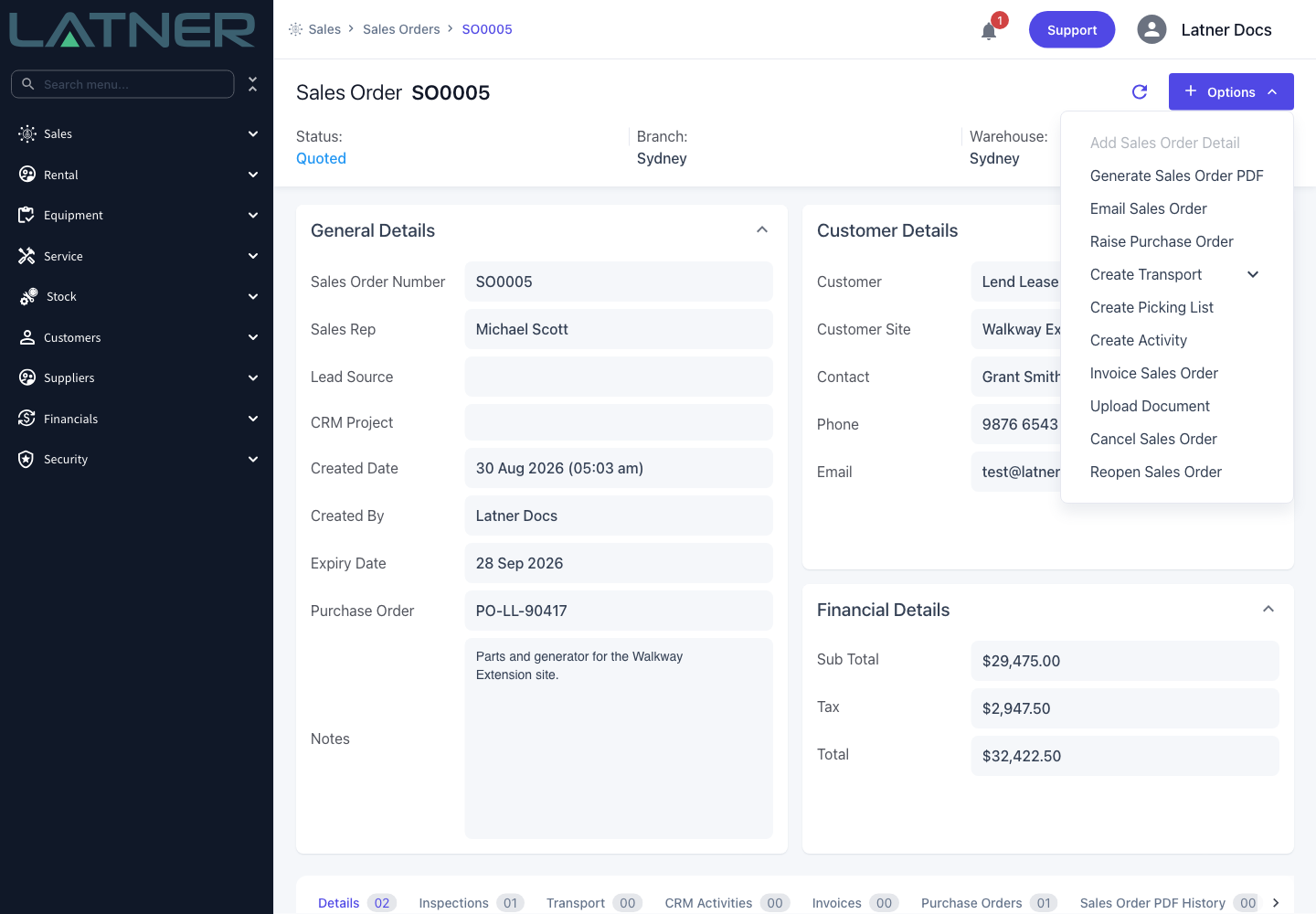
Invoice Sales Order becomes available. It needs the Convert Sales Order permission.
-
Create Picking List becomes available, provided Enable Picking Lists for Sales Orders is switched on.
-
Reopen Sales Order appears in the Options menu.
-
Add Sales Order Detail is greyed out, and detail lines can no longer be deleted.
-
Only Stock, Serialized Stock and Asset lines stay editable. Try to edit an Admin, Labour or Transport line and Latner tells you detail lines can only be edited when the Sales Order is in Open status.
-
A Pre Sale Inspection is raised for each Serialized Stock line, if the setting is on, the Serialized Stock is set up for pre sale inspections, and the line doesn't already have an inspection.
-
The date sent and the user who sent it are recorded against the order. The Date Sent column is available on the Sales Orders tab of a CRM Project.
Marking an order as Quoted does not send anything to your customer. It only changes the status inside Latner. If the customer needs to see the quote, use Options › Email Sales Order instead - that emails the Sales Order PDF and sets the status to Quoted once the email has actually gone out.
FAQs
Watch the Demo
Prefer to watch it? Step through the same flow here.