
Generating the schedule details builds the whole repayment plan for a finance schedule in one go, splitting each repayment into the principal and interest that make it up.
Overview
This is the step that turns a set of loan terms into something you can invoice against. You don't have to type a single repayment.
-
Latner creates one detail line per repayment, dated a month apart from the schedule start date.
-
Interest is worked out on the balance still outstanding, using the annual rate and the number of days in each month, and the rest of the repayment reduces the principal.
-
A residual adds one extra line at the end of the term for the residual amount.
-
Every line starts as Uninvoiced, ready to be invoiced as it falls due.
-
Details can only be generated once per schedule, and the schedule has to reconcile before anything is saved.
Before You Begin
Make sure the following are in place before you start.
|
Requirement |
Where to Find It |
|---|---|
|
A finance schedule in Open or Active status with no detail lines yet |
Financials › Finance Schedules |
|
Loan terms on the schedule that match the finance contract - amount financed, interest rate, term, standard repayment and residual |
The schedule's General Details and Schedule Details (Excl. GST) panels |
|
Create Finance Schedule permission |
Security › Configuration › Permission Groups › Financial › Options |
The terms are read-only in the generate dialog. If something needs changing, close the dialog, edit the schedule, then come back - the loan terms can be edited while the schedule is Open or Active and nothing has been invoiced.
Generating the Schedule Details
Step 1 - Open the generate dialog
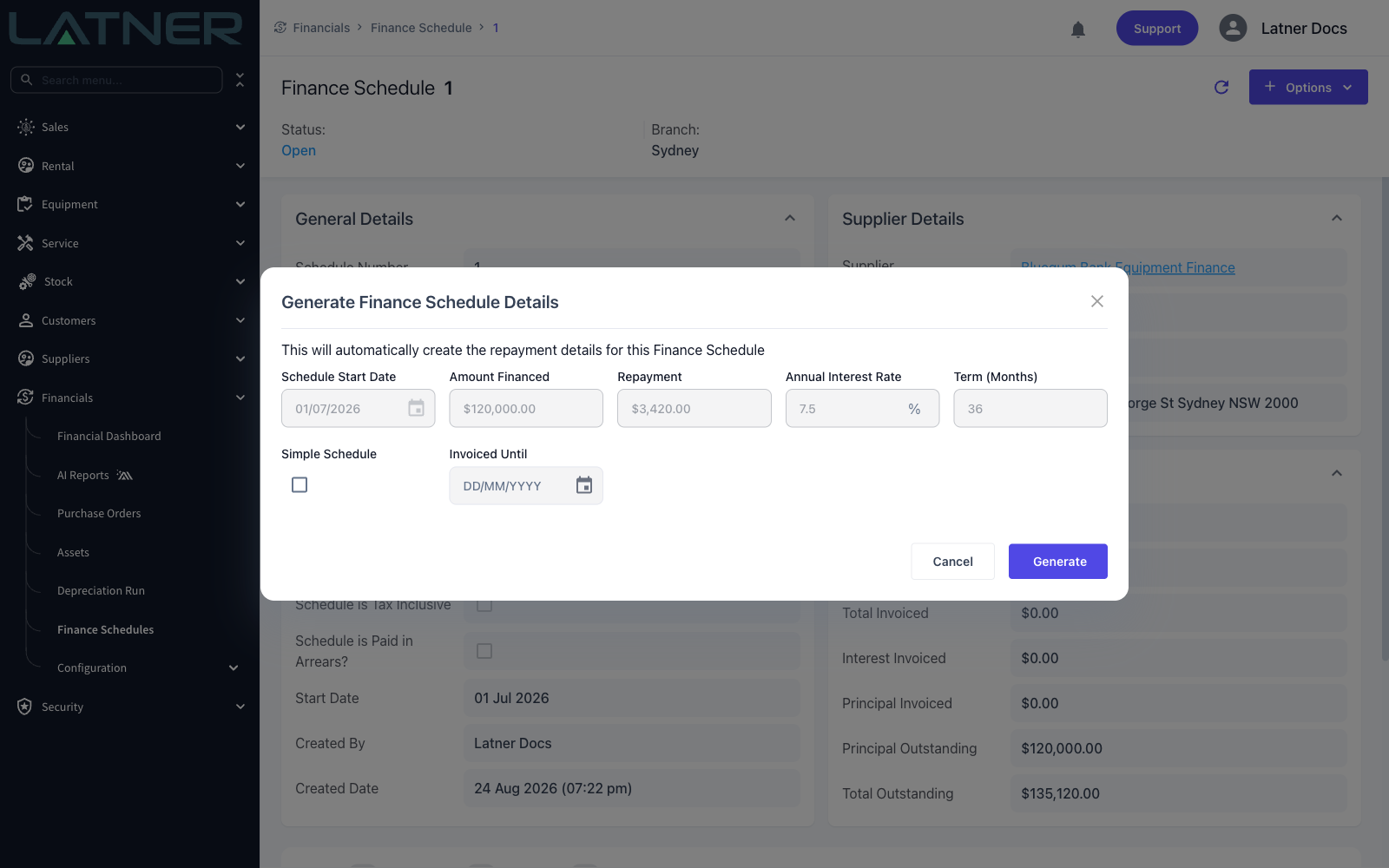
Open the finance schedule and choose Options › Generate Schedule Details. The loan terms are shown for you to check before anything is created.
Step 2 - Set the two options
Everything else is fixed, so there are only two decisions to make:
-
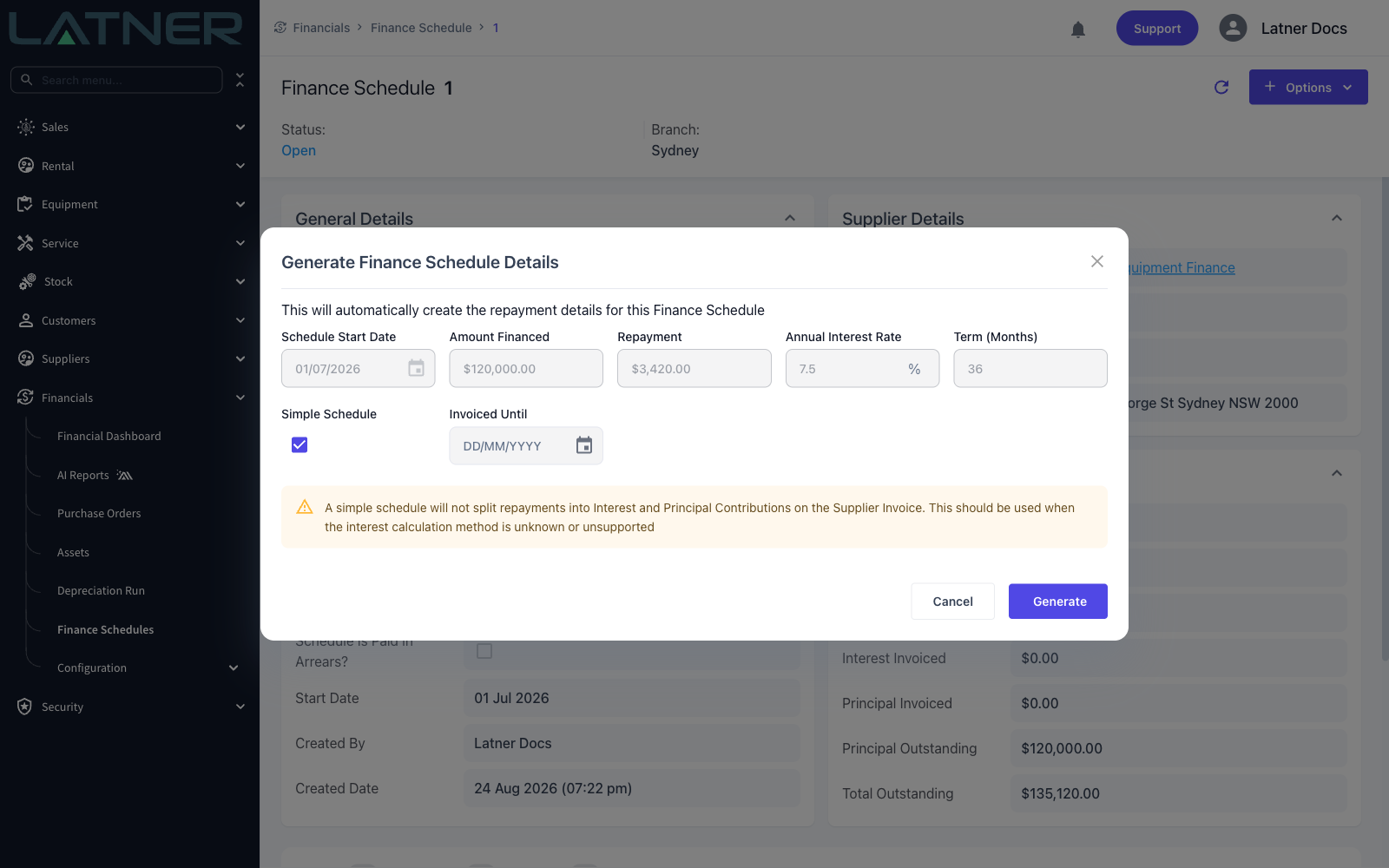
Simple Schedule - generates each line as a single repayment with no principal and interest split. Leave it unticked for a normal amortising schedule.
-
Invoiced Until - the date the financier has already invoiced you up to. Every repayment on or before that date is created as Manually Marked as Invoiced, which is what you want when the loan started before you moved onto Latner.
A simple schedule is the fallback for loans Latner can't model. Instead of calculating interest on the balance each month, it records each repayment as one amount and leaves the principal and interest contributions at zero, so the supplier invoice carries a single Finance Schedule Repayment line rather than separate principal and interest lines. The principal and interest columns are hidden on a simple schedule, and so are the interest and principal totals on the schedule itself. Use it when the financier's interest calculation method is unknown or doesn't match the way Latner works it out.
Step 3 - Generate
Choose Generate. The lines appear on the schedule's Details tab, one per repayment, with the principal outstanding running down to zero across the term.
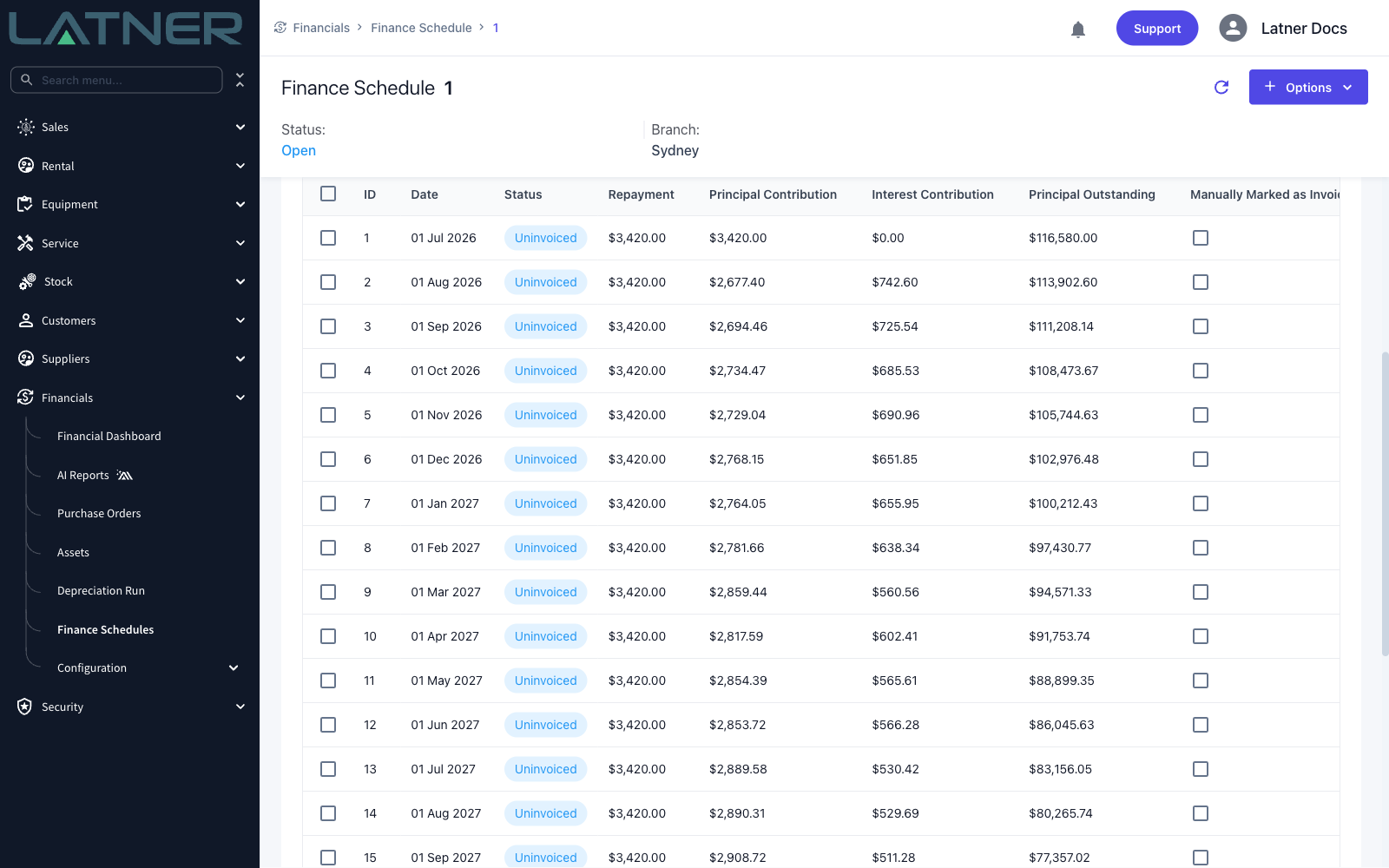
Latner checks the schedule before saving it. The repayments have to add up to the term multiplied by the standard repayment plus the residual, the principal contributions have to add up to the amount financed, and no line can carry negative interest. If the numbers don't reconcile, nothing is saved and you'll see an error - correct the terms and generate again, or use a simple schedule.
After Generating
-
Every line shows as Uninvoiced, unless you used Invoiced Until, in which case the earlier lines show as Manually Marked as Invoiced.
-
Generate Schedule Details is now greyed out with the tooltip Schedule Details already exist.
-
While the schedule is Open or Active you can still double-click a line to edit it, delete lines that haven't been invoiced, or add a line by hand - see How to Add Finance Schedule Details Manually.
-
Next, activate the schedule and then invoice the repayments as they fall due.
A line that already has a supplier invoice against it can't be deleted - cancel the invoice first. That means a schedule you've started invoicing can't simply be regenerated, so it's worth checking the lines against the financier's own schedule before the first invoice run.