
Cancelling an off hire reverses it, putting the equipment back on rent on the rental contract so charging carries on as though the off hire had never been called.
Overview
Off hires get called in a hurry, and sometimes the phone call that follows says the machine is staying on site after all. Cancelling the off hire is how you put that right, without having to unpick the contract by hand.
-
Cancelling works line by line, so you can reverse a whole off hire or just some of the equipment on it.
-
Each cancelled line goes back to On Rent on the rental contract and its Actual Off Hire Date is cleared, so the line keeps charging.
-
Open pick up dockets raised for those lines are cancelled too, as long as nothing has been picked up against them yet.
-
Latner records who cancelled each line and when, so the reversal stays on the record.
-
The off hire itself ends up Cancelled when every line has been reversed, or Partially Cancelled when some lines are left off hire.
Before You Begin
Cancelling an off hire needs the right permissions, and the records themselves have to be in a state that can still be reversed.
|
Requirement |
Where to Find It |
|---|---|
|
Create Off Hire permission - the same permission that raises an off hire also reverses one |
Security › Configuration › Permission Groups › your group › Rental › Option |
|
Off Hires permission, so you can open the off hire record in the first place |
Security › Configuration › Permission Groups › your group › Rental › Screen |
|
A rental contract in Active status |
Rental › Rental Contracts |
|
An off hire with at least one Completed detail line |
The contract's Off Hire tab |
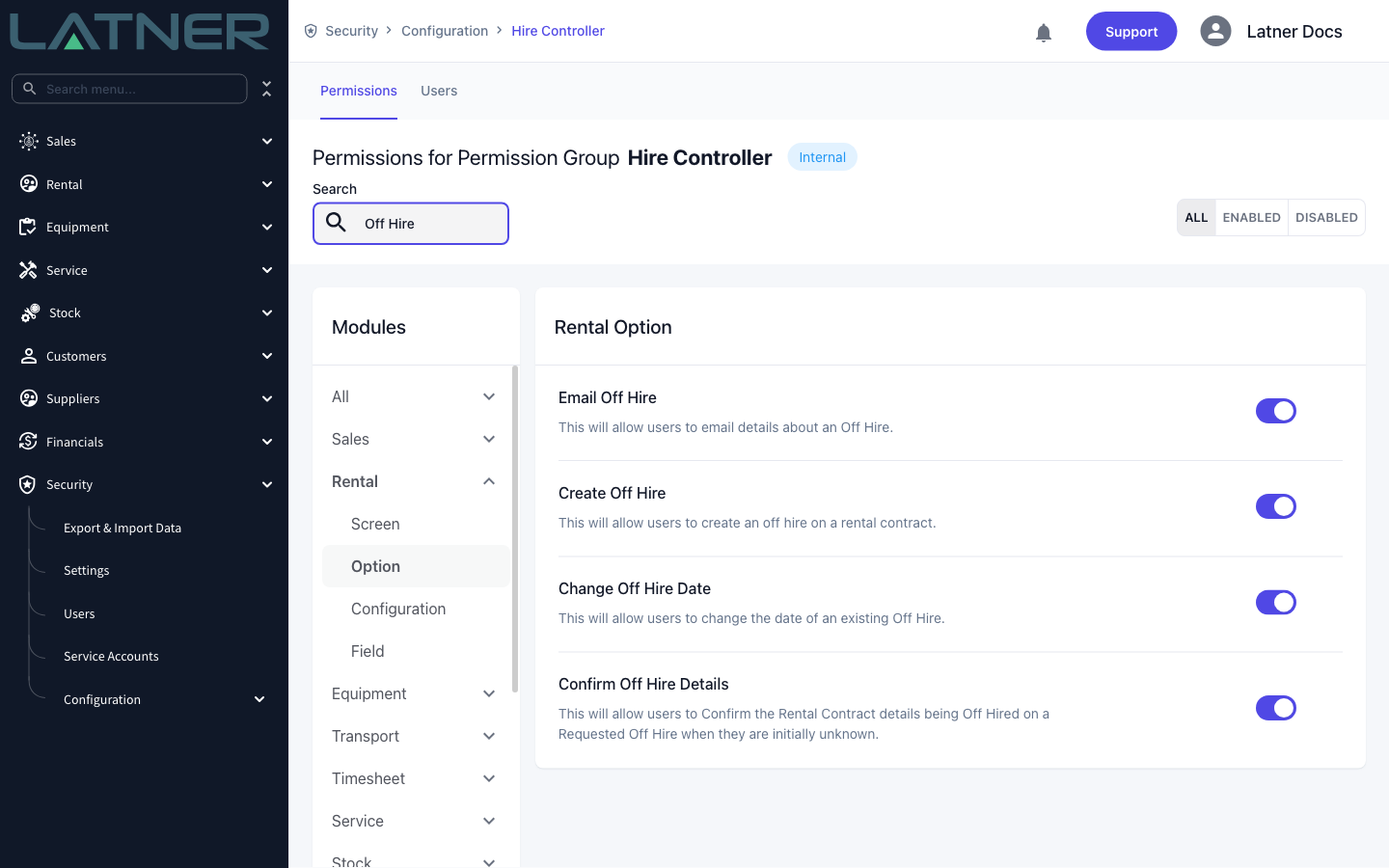
Cancel Off Hire appears in the Options menu for anyone who can open the off hire screen, but the cancellation itself is checked against Create Off Hire. If the option is there and Save comes back with a permission error, ask an administrator to enable Create Off Hire for your permission group.
Cancelling the Off Hire
Step 1 - Open the off hire
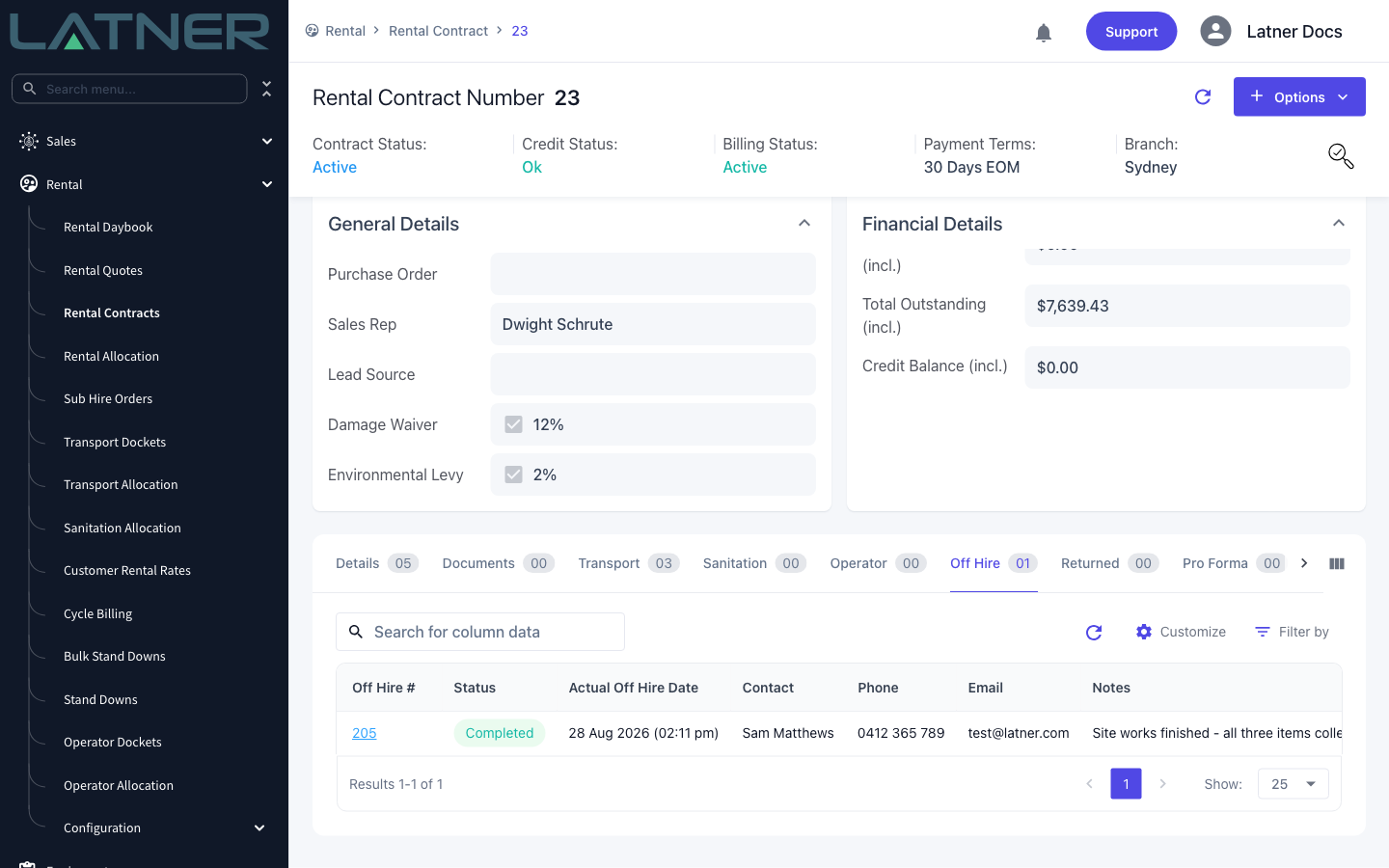
Go to Rental › Rental Contracts, open the contract, then open its Off Hire tab. Click the Off Hire # to open the off hire record. Off hires are always reached through their contract, so this is the way in.
Step 2 - Check what you are about to reverse
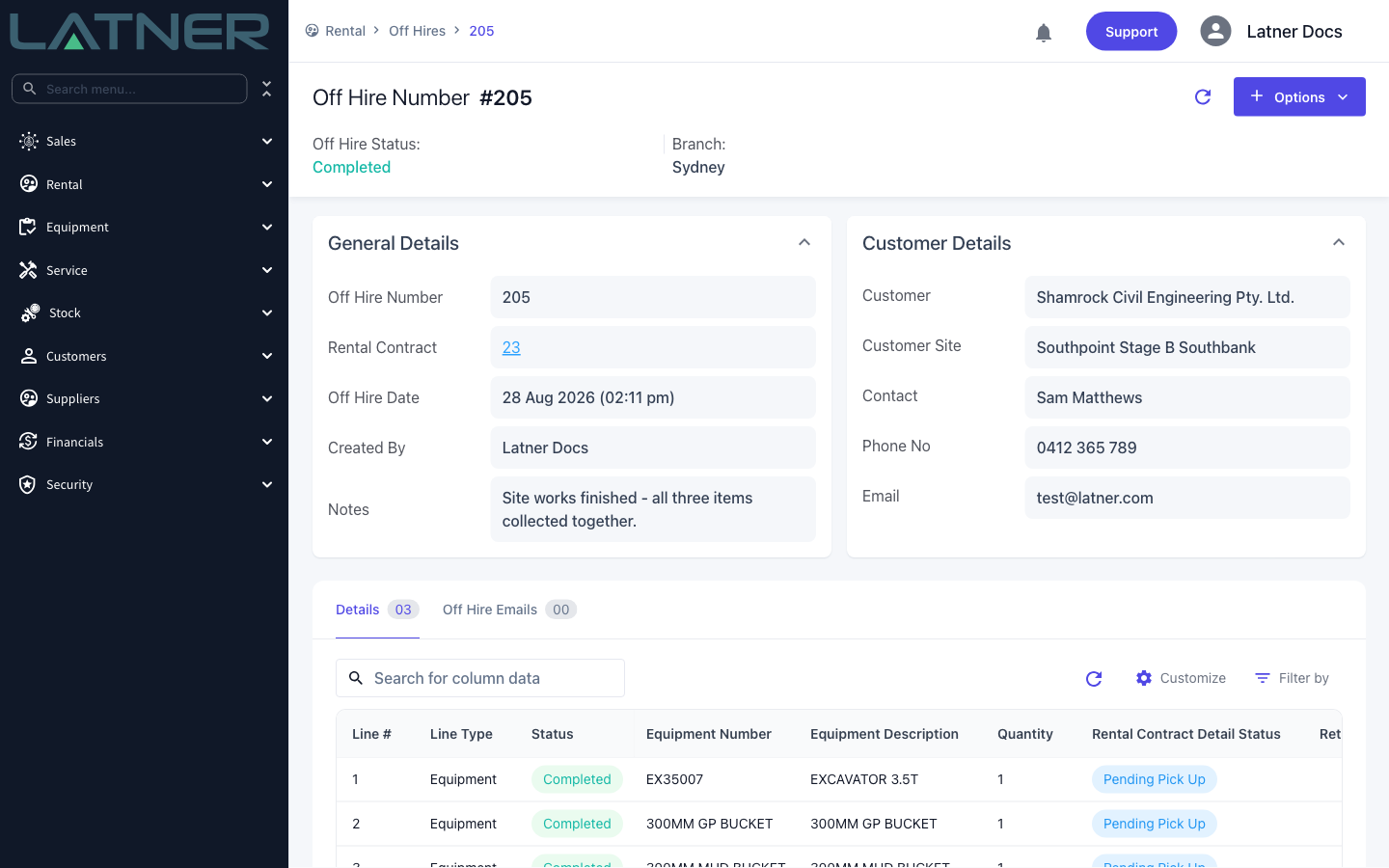
The Details tab on the off hire shows every line that was called off hire, and the current status of the matching rental contract line. Only lines with a Completed status can be cancelled, and their contract line has to still be sitting at Off Hire, Pending Pick Up or Pending Return.
Step 3 - Choose Cancel Off Hire
Select Options › Cancel Off Hire.
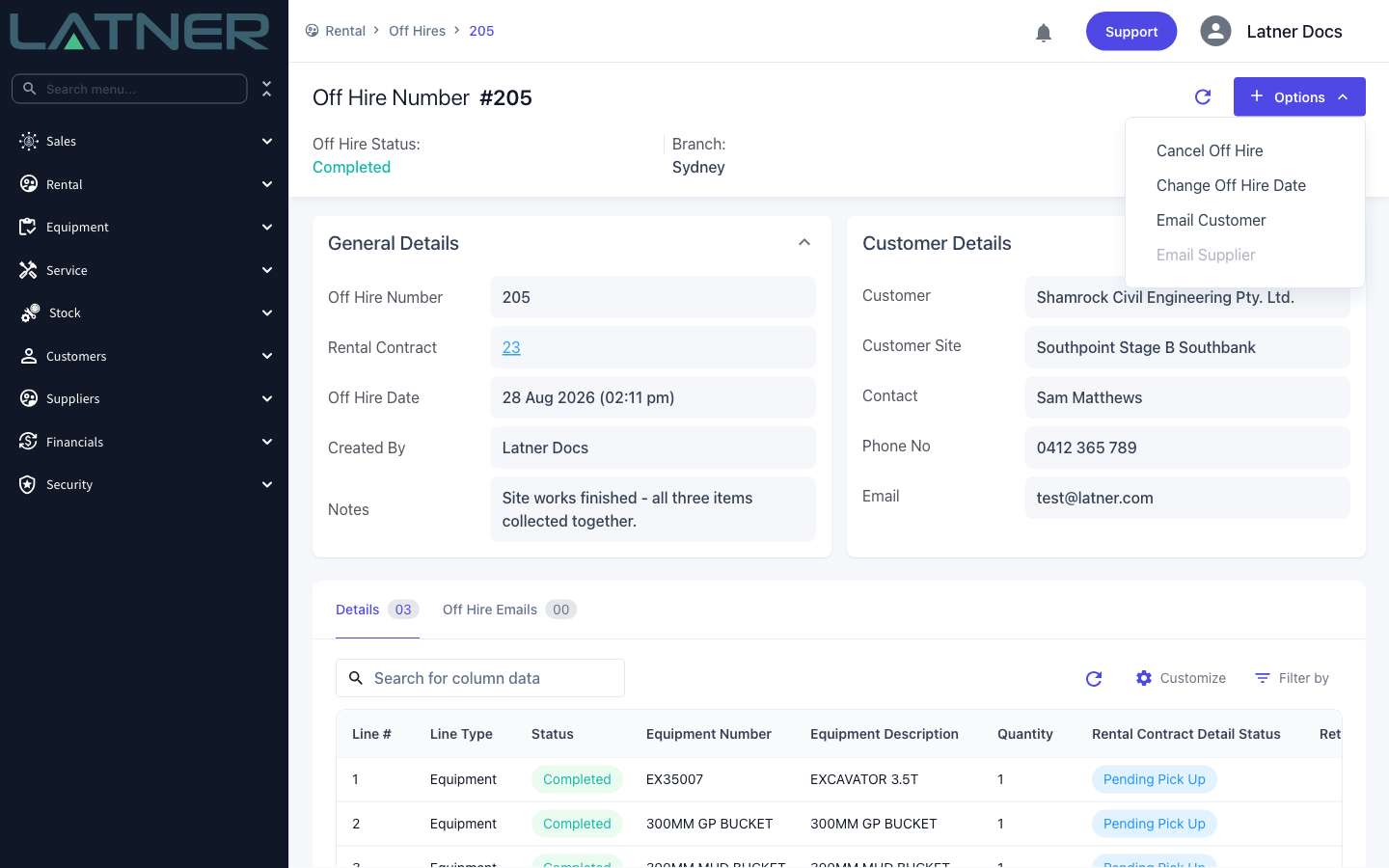
The option is greyed out while the rental contract is anything other than Active, and it disappears altogether once the off hire is fully Cancelled. It stays available on a Partially Cancelled off hire, so you can come back and reverse the rest.
Step 4 - Review the off hire being cancelled
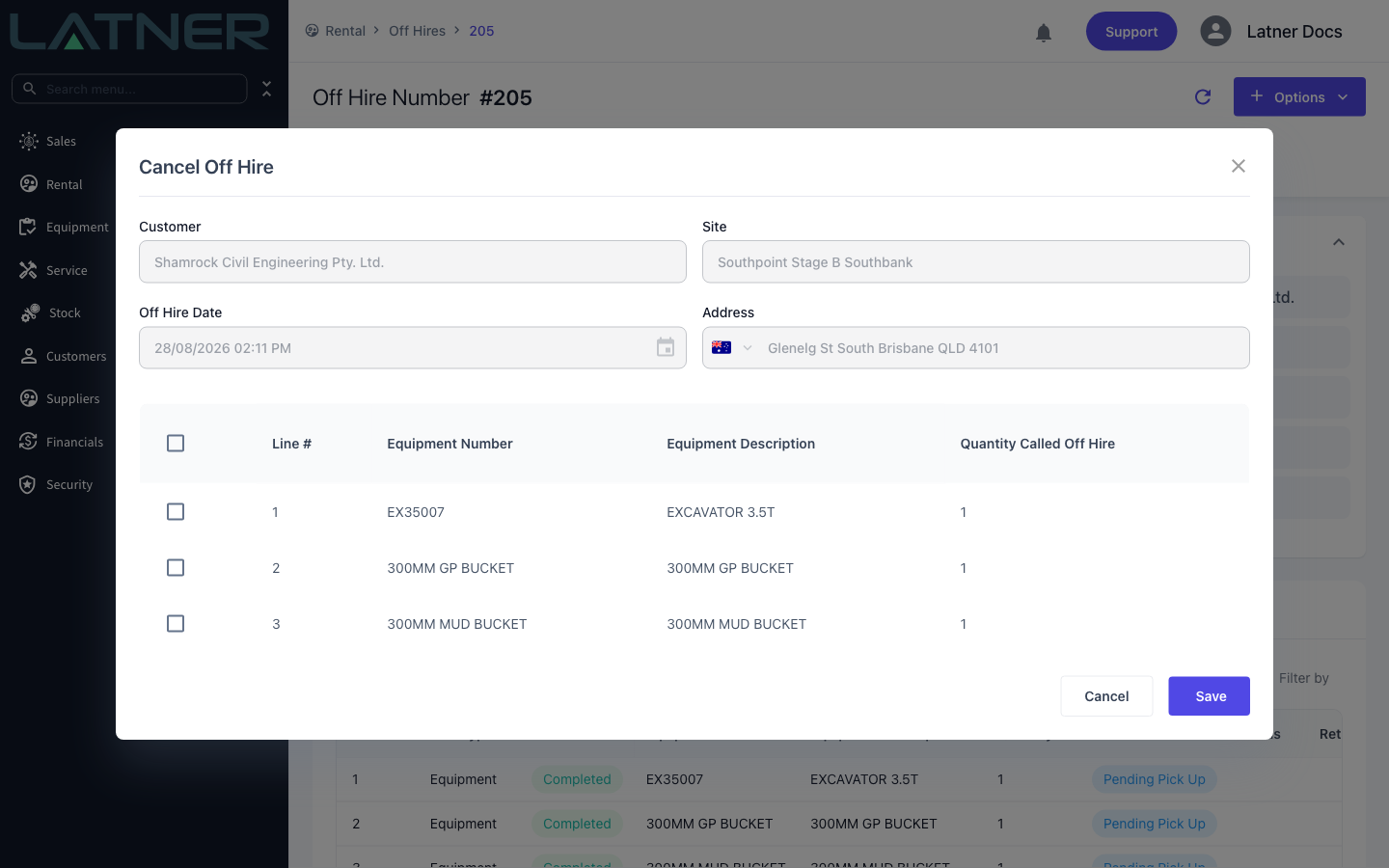
The Cancel Off Hire window opens with the off hire's own details filled in and read only, so you can confirm you are on the right record:
-
Customer - the customer on the off hire.
-
Site - the customer site the equipment was called off hire from.
-
Off Hire Date - the actual off hire date and time being reversed.
-
Address - the contract's delivery address, or the site address where the contract has none.
Underneath, the table lists every Completed line on the off hire, with its Line #, Equipment Number, Equipment Description and Quantity Called Off Hire. Lines that were cancelled earlier are not listed.
Step 5 - Select the lines to cancel
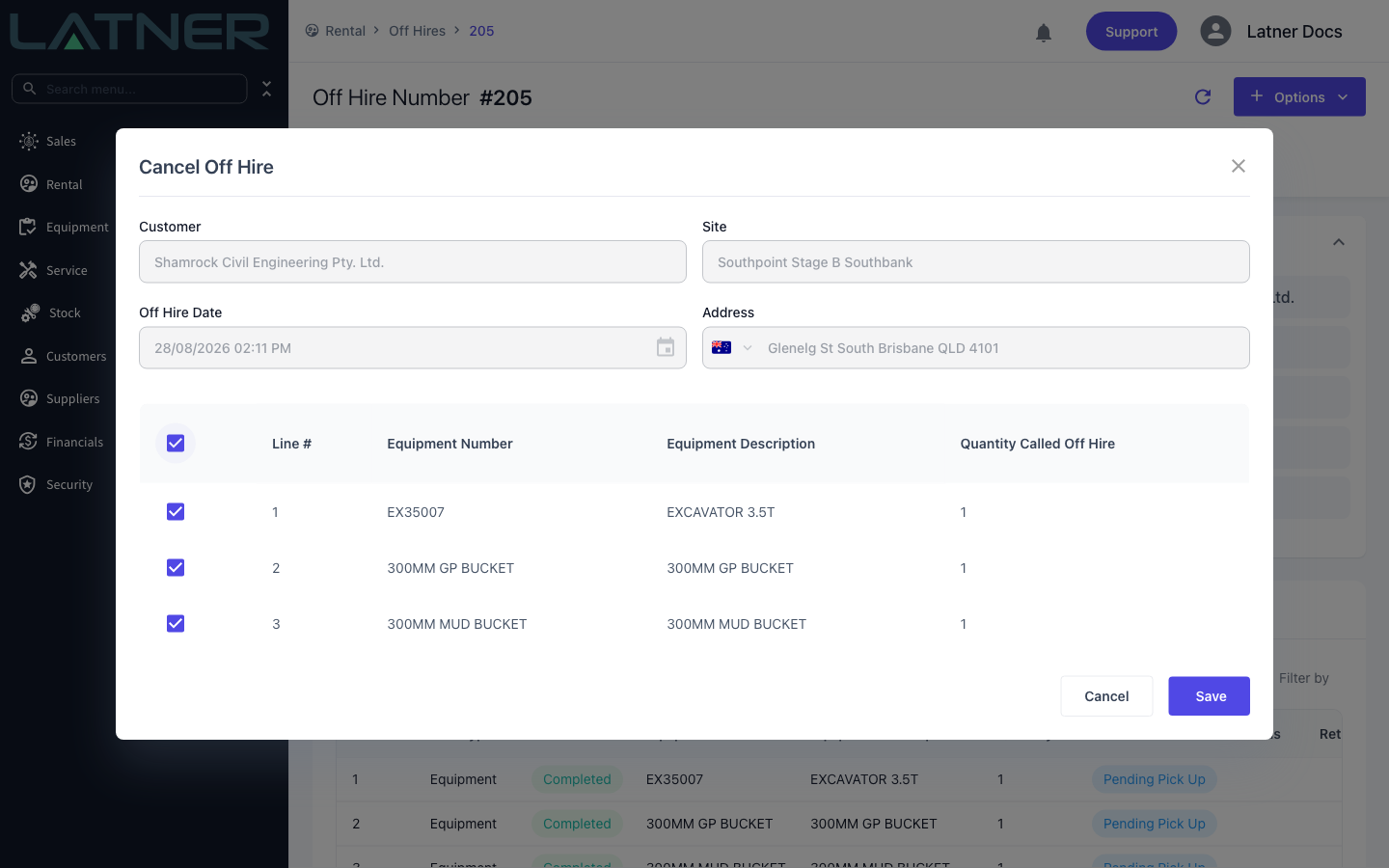
Tick the lines you want to put back on rent. The checkbox in the table header selects and clears them all at once. You have to select at least one line - saving with nothing ticked returns Select a detail line to cancel.
Step 6 - Save
Click Save. Latner confirms with Off Hire details cancelled and refreshes the off hire record.
After Cancelling
-
Each cancelled off hire line changes to Cancelled, and picks up a Date Cancelled and Cancelled By.
-
The matching rental contract line goes back to On Rent and its Actual Off Hire Date is cleared, so it charges on as normal.
-
Serialized equipment goes back to on rent; for bulk equipment the rental status is worked out again from the quantities out on hire.
-
Open Pick Up dockets covering those lines are cancelled, provided nothing has been picked up against the line and the docket is not already Completed, Attempted or Cancelled.
-
Where the cancelled line sits inside a package, the package header line's status is worked out again from the equipment lines under it.
-
The off hire itself becomes Cancelled when no Completed lines are left on it, or Partially Cancelled when some remain.
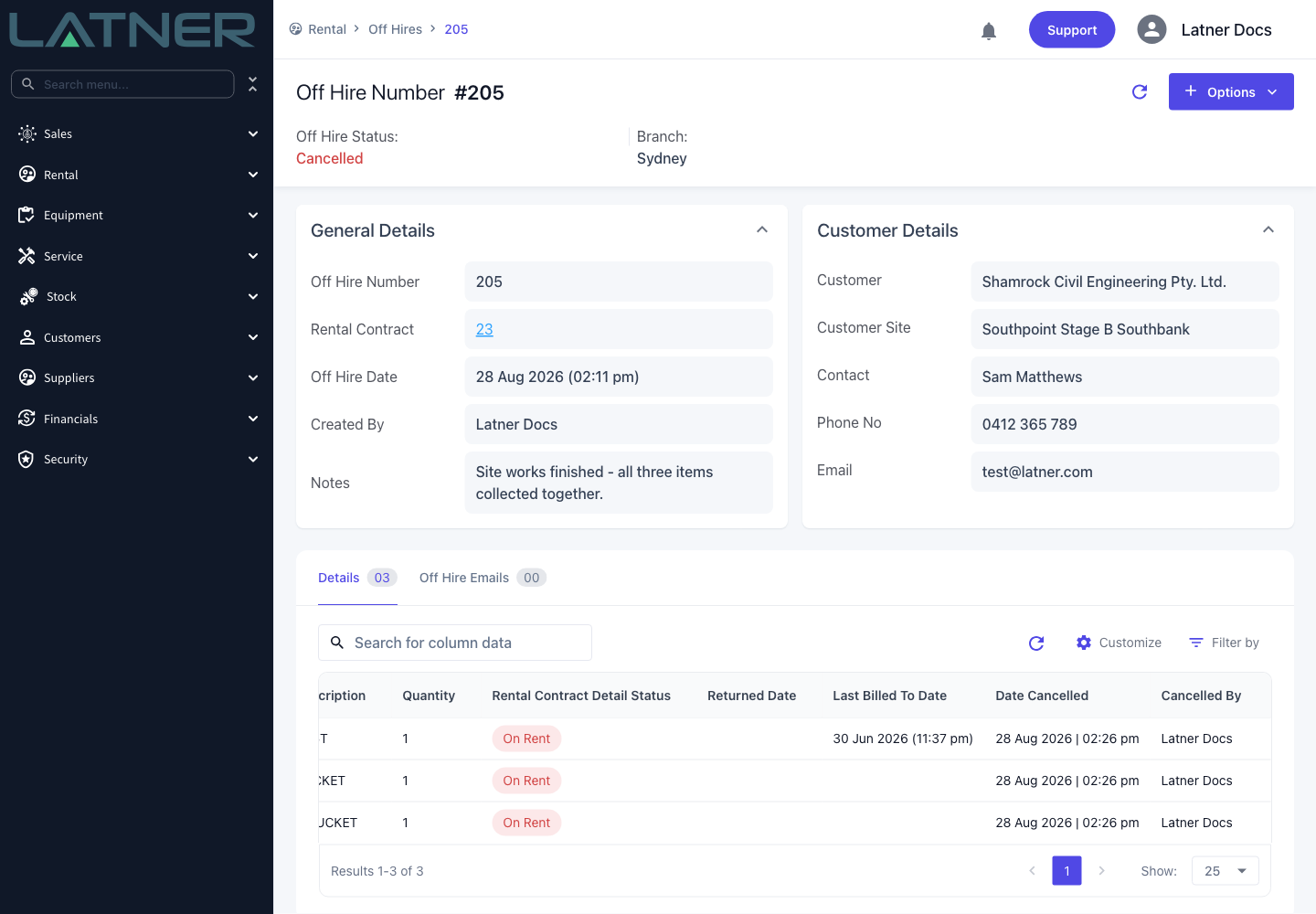
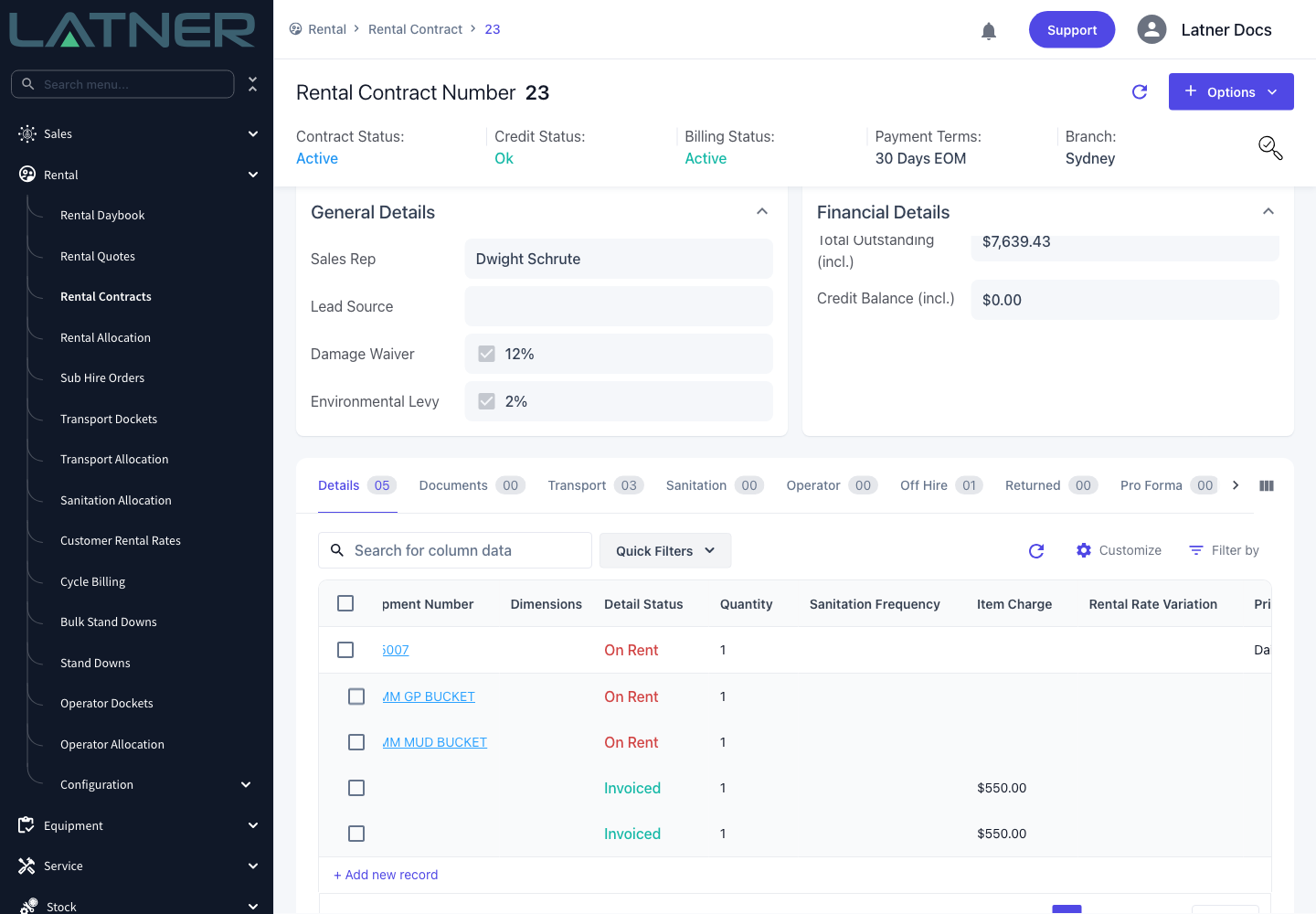
A cancellation cannot itself be undone. If the equipment does come off hire after all, raise a new off hire on the contract rather than trying to reinstate the cancelled one. Cancelling also does not touch invoices that have already been raised - check Last Billed To Date on the line to see what the customer has been charged to.
FAQs
Watch the Demo
Prefer to watch it? Step through the same flow here.