
Capital preparation is the shop work that readies a purchased machine for service, and Latner lets you raise that work as a Capital Preparation work order straight from the Serialized Stock Item, so the cost of the work is captured against the unit.
Overview
A machine rarely goes straight from the delivery dock to the customer. It may need assembly, safety checks, servicing, or fit-out first. A Capital Preparation work order is how you record and cost that work against a specific serialized unit.
-
You raise the work order directly from the Serialized Stock Item, in one click.
-
Raising it moves the item to Capital Preparation status.
-
The work order behaves like any other work order: you add labour and parts, and complete it when the work is done.
-
The cost of completed capital prep work is rolled up and shown on the item as its Capital Prep Cost.
-
When the work order is completed (or cancelled), the item returns to In Stock, ready to sell or convert.
Before You Begin
Creating a Capital Preparation work order needs two permissions, because it touches both the serialized item and the work order module.
|
Requirement |
Where to Find It |
|---|---|
|
Edit Serialized Stock permission |
Security › Configuration › Permission Groups — Stock module. |
|
Create Work Order permission |
Security › Configuration › Permission Groups — Service module. |
|
An item in In Stock status |
The item must have been received from its Purchase Order. See How to Purchase Serialized Stock. |
The Create Work Order action is available while the item has no existing work order. Once a work order exists for the item, the action is greyed out; continue the preparation on that work order rather than raising another.
Step 1 - Open the Serialized Stock Item
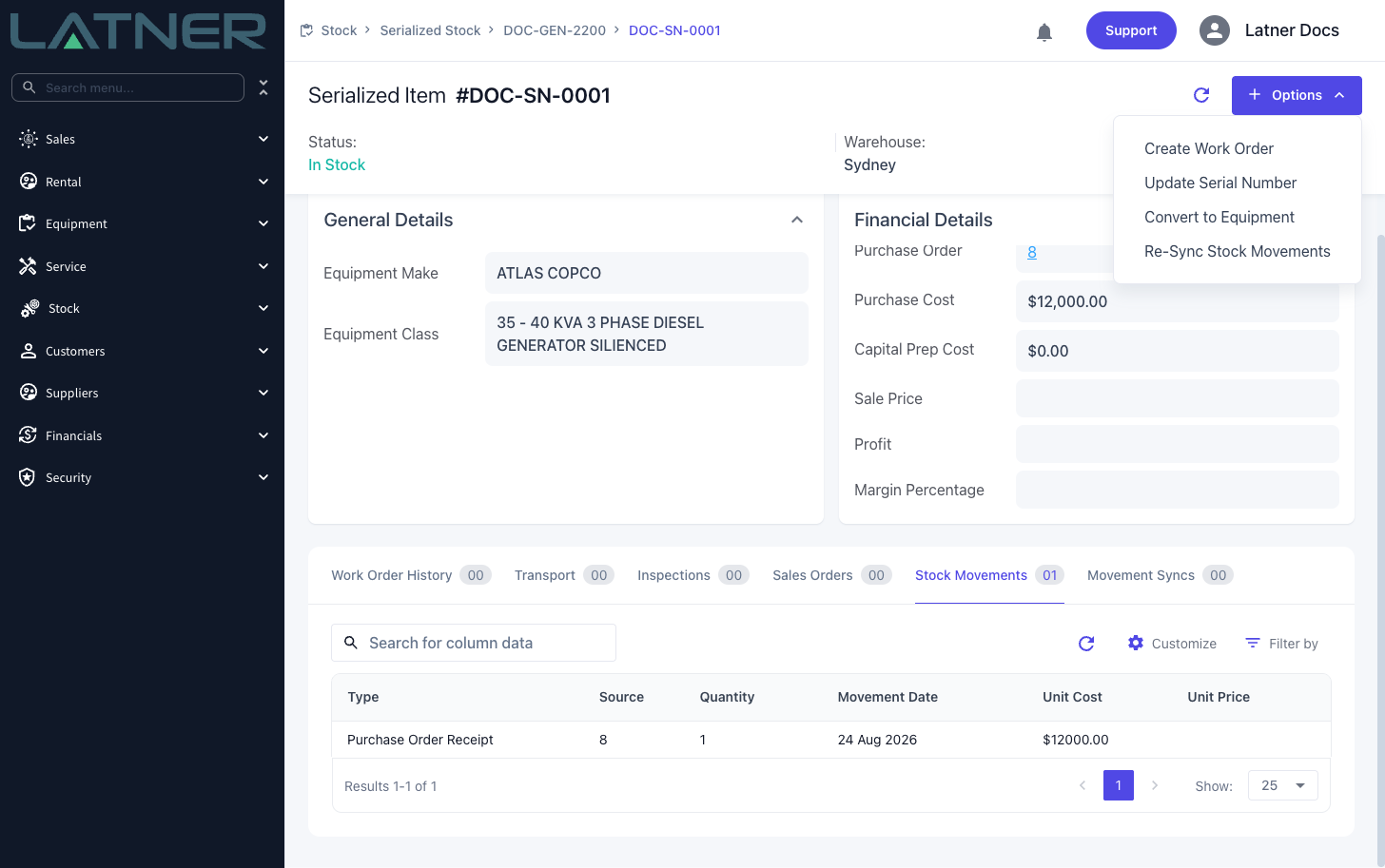
Go to Stock › Serialized Stock › Serial Numbers (or open the product and use its In Stock tab), and open the item you want to prepare. Check that its status is In Stock.
Step 2 - Create the Capital Preparation work order
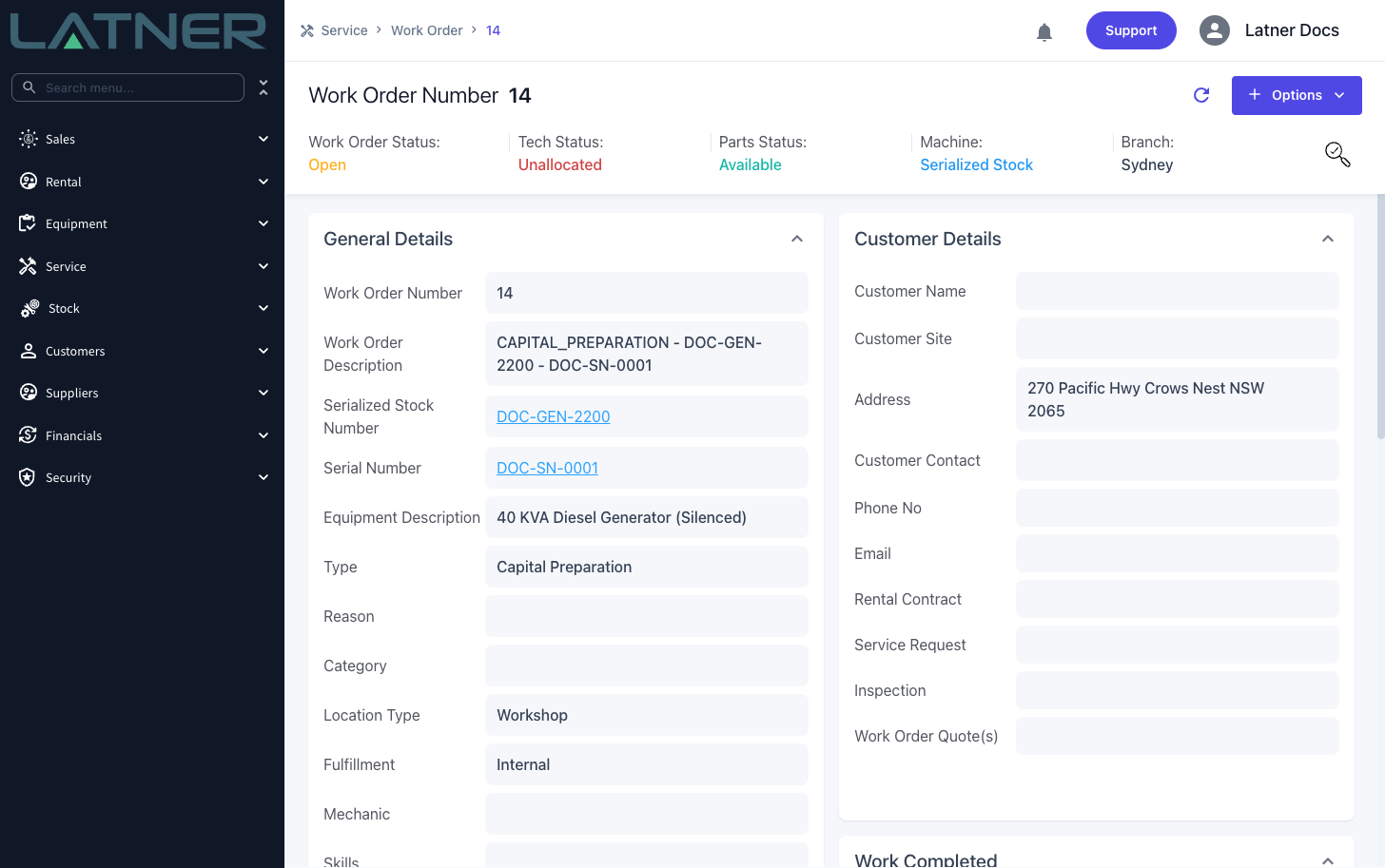
Choose Options › Create Work Order. There is no form to fill in: Latner immediately creates a work order of type Capital Preparation against the item, moves the item to Capital Preparation status, and opens the new work order.
The work order is pre-filled with the item's branch and a description built from the product number and serial number, so it is easy to identify.
Step 3 - Do the work and complete the work order
Add labour and parts to the work order and progress it exactly as you would any work order. When the preparation is finished, complete the work order.
On completion, if the item has no other open work orders, it returns to In Stock. Its Capital Prep Cost is updated to the total actual cost of its completed capital prep work.
After Creation
-
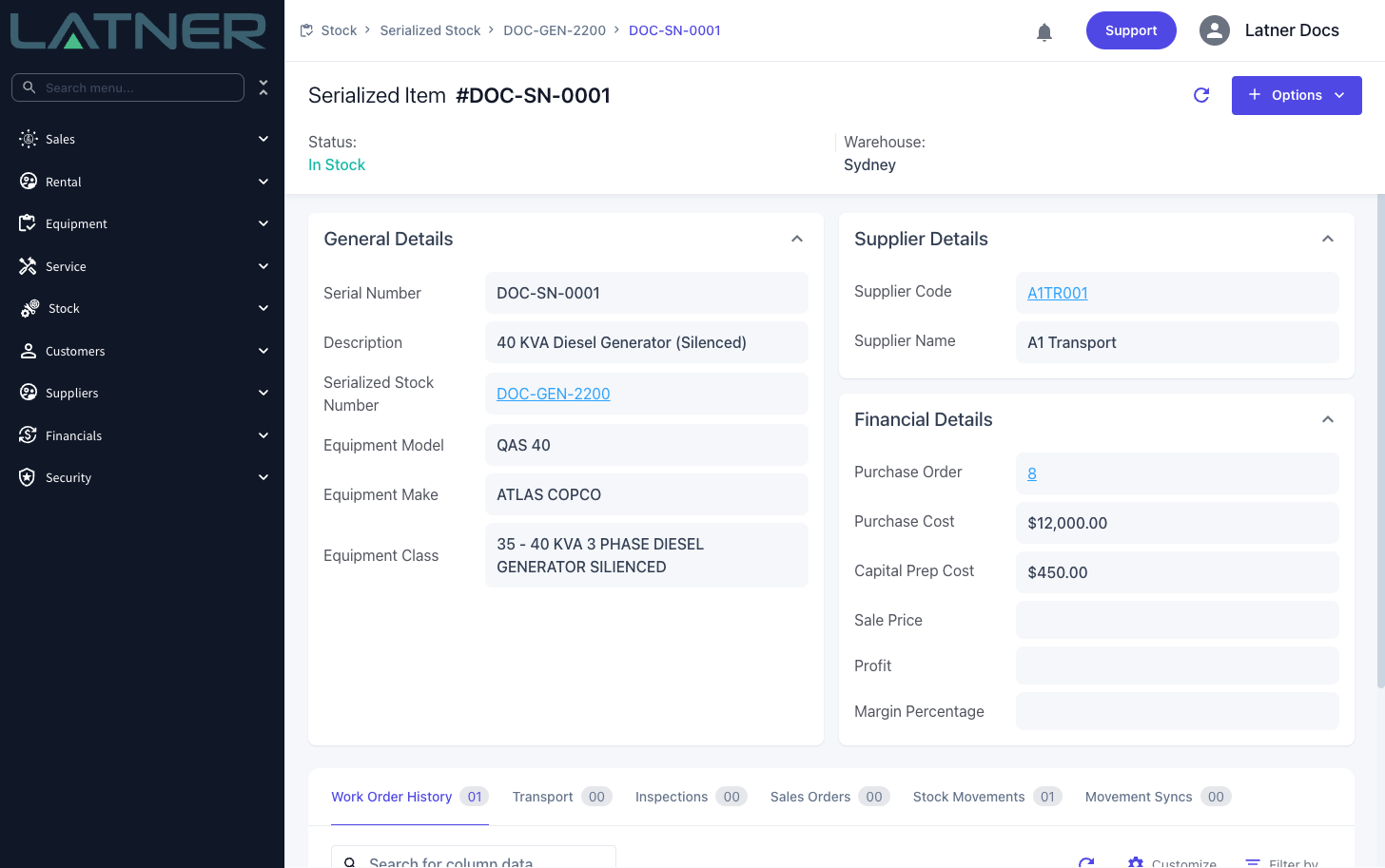
The item shows the work order under its Work Order History tab.
-
The Capital Prep Cost on the item's Financial Details is the sum of the actual cost of completed capital prep work orders. It sits alongside the purchase cost and, once sold, feeds the item's profit and margin.
-
The item is now ready to be sold or converted to Equipment.
Cancelling the work order also returns the item to In Stock (provided no other work order is open), but any cost already recorded against a cancelled work order is not counted towards the Capital Prep Cost, because only completed work orders are rolled up.