
Reopening a completed rental contract puts it back into Active status so you can add a missed charge, correct a return or invoice it again, without having to duplicate the contract.
Overview
Completing a contract is meant to be the end of the story, but the story isn't always finished. A charge was missed, a return went on with the wrong date, or the final invoice needs redoing. Reopening hands the contract back to you instead of making you start a new one.
The two most common reasons to reopen are below. In both cases, complete the contract again from Options › Complete Rental Contract when you're done.
Billing a late charge, such as a fuel recharge
Put the charge on the contract as a line and invoice it from the contract. Don't raise a separate manual invoice for it - billing from the contract keeps the charge on the contract's lines and in its invoice history.
-
Reopen the contract with Options › Reopen Rental Contract (steps below).
-
Choose Options › Add Details and set Line Type to Fuel for a fuel recharge, or Admin for any other late charge set up as an admin charge, such as a cleaning fee. Fill in the line and save it. This needs the Add Rental Contract Details permission (see How to Add Equipment to a Rental Contract).
-
Choose Options › Invoice, set Invoice Type to Final Invoice and click Preview. A final invoice picks up every line that hasn't been invoiced yet. The contract was fully invoiced when it was completed, so the preview should show just the new charge. Click Create Invoice.
-
Complete the contract again with Options › Complete Rental Contract.
Deleting leftover lines
Lines can't be deleted while the contract is Completed - the delete button stays greyed out until the contract is Reserved or Active.
-
Reopen the contract with Options › Reopen Rental Contract (steps below).
-
On the Details tab, tick the lines to remove, click the Delete (bin) icon above the grid and choose Confirm. This needs the Delete Rental Contract Details permission. If a line has already been invoiced (its Total Invoiced is above zero), you also need Delete Invoiced Rental Contract Details, and deleting the line doesn't reverse the invoice - raise a credit note for it first (see How to Create a Credit Note from a Rental Contract).
-
Complete the contract again with Options › Complete Rental Contract.
Only lines in Pre-Allocated, Reserved, Pending or Added status can be deleted. Equipment that has been Returned stays on the contract even after you reopen it.
What reopening does:
-
Reopening moves the contract's status from Completed straight back to Active.
-
The option only appears on contracts that are Completed. Cancelled and Lost contracts can't be reopened.
-
Equipment lines stay in Returned status. Reopening doesn't put equipment back on rent.
-
Invoices, payments and credit notes already raised on the contract are untouched.
-
Once the contract is Active again, everything that was locked while it was completed is available again, including adding details, off hires, returns, transport dockets, invoicing and uploading documents.
-
Every reopen is written to the contract's audit trail.
Before You Begin
Reopening needs one permission and a contract in the right status. There is no system setting to switch on. Deleting lines once the contract is open again needs two more.
|
Requirement |
Where to Find It |
|---|---|
|
Reopen Rental Contract permission |
Security › Configuration › Permission Groups › your group › Rental › Option |
|
A rental contract in Completed status |
Rental › Rental Contracts |
|
Delete Rental Contract Details and Delete Invoiced Rental Contract Details permissions (only to delete lines after reopening) |
Security › Configuration › Permission Groups › your group › Rental › Option |
|
The contract's customer must not be inactive |
Customers › Customers |
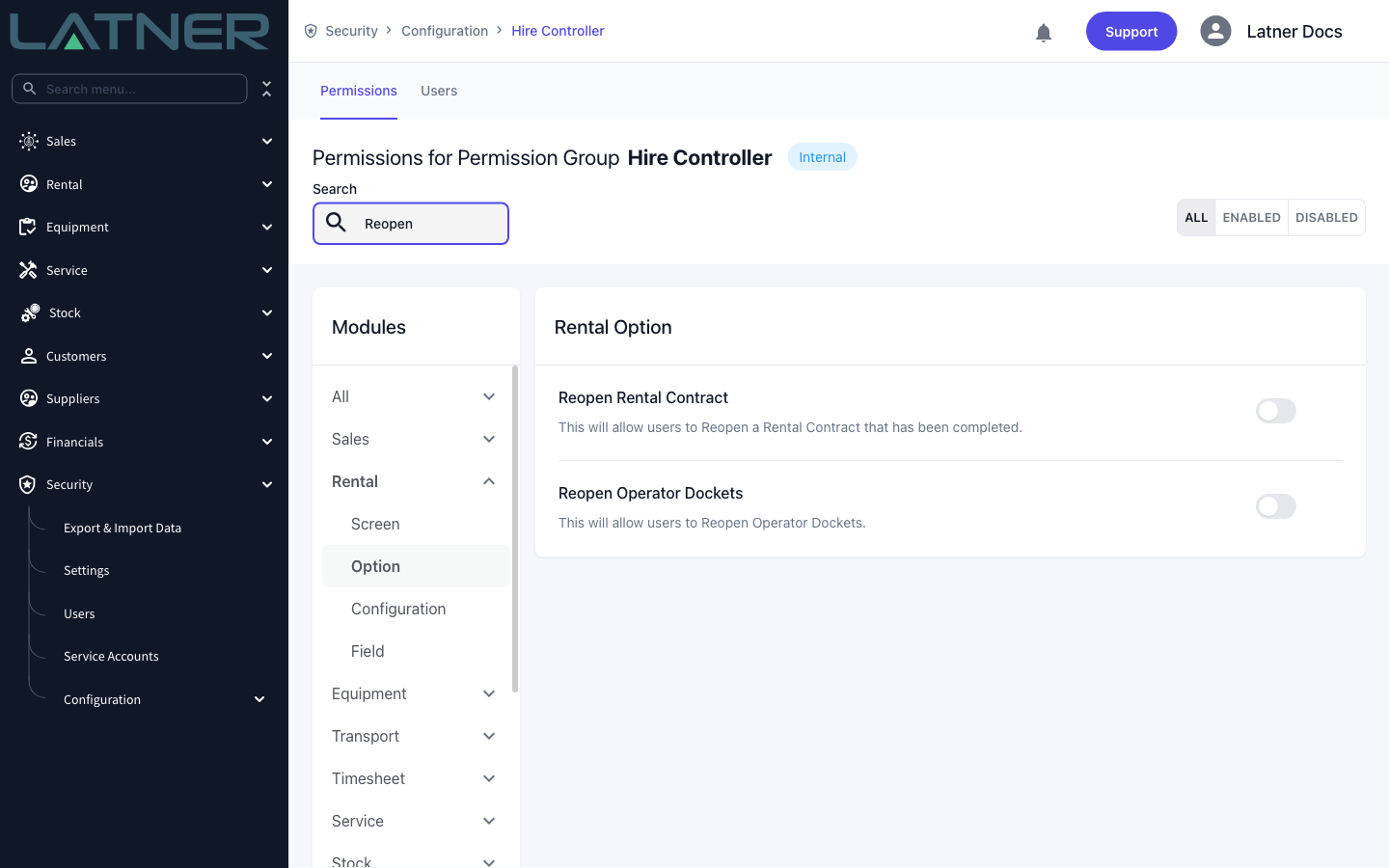
The permission is branch aware. If your group grants Reopen Rental Contract for some branches only, reopening a contract from another branch returns "You do not have permission to perform this action in this branch".
Reopening the Contract
Step 1 - Open the completed rental contract
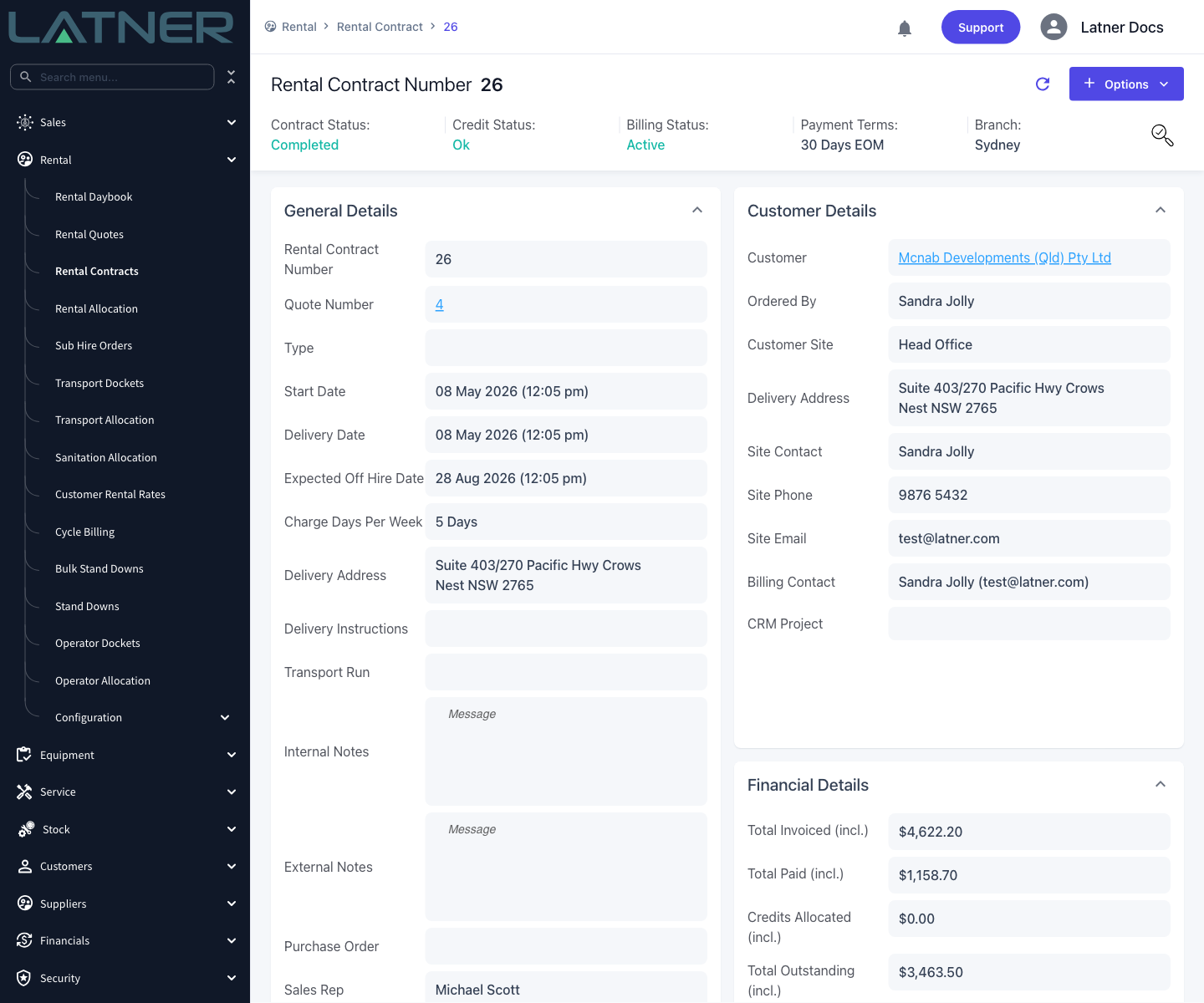
Go to Rental › Rental Contracts and open the contract you need. Its Contract Status reads Completed, which is what locks the contract down.
Step 2 - Choose Reopen Rental Contract
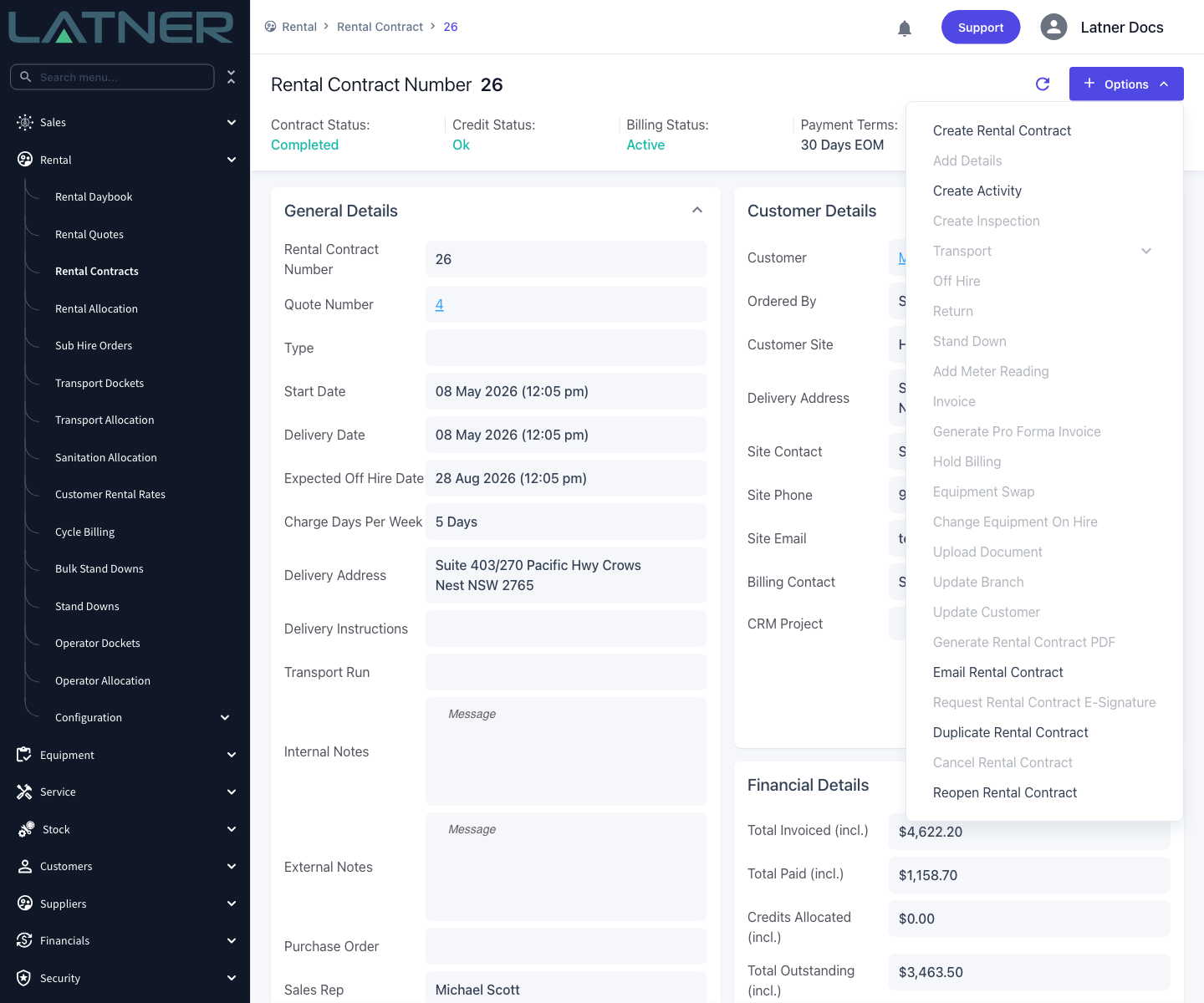
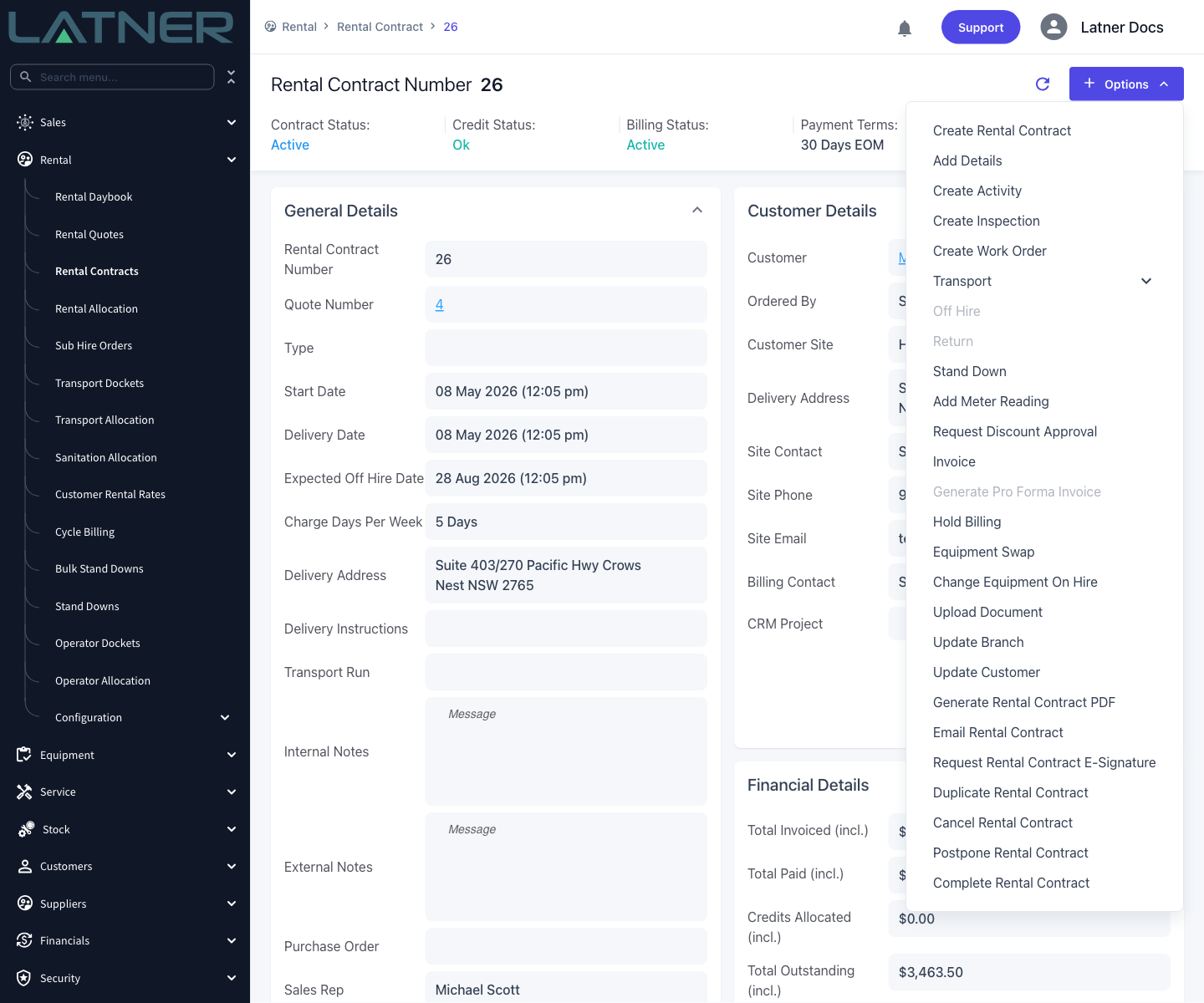
Click Options and select Reopen Rental Contract, at the bottom of the list. Notice how much of the menu is greyed out while the contract is completed. If Reopen Rental Contract isn't in the menu at all, the contract isn't in Completed status, or your permission group doesn't grant the permission.
Step 3 - Check the contract is Active
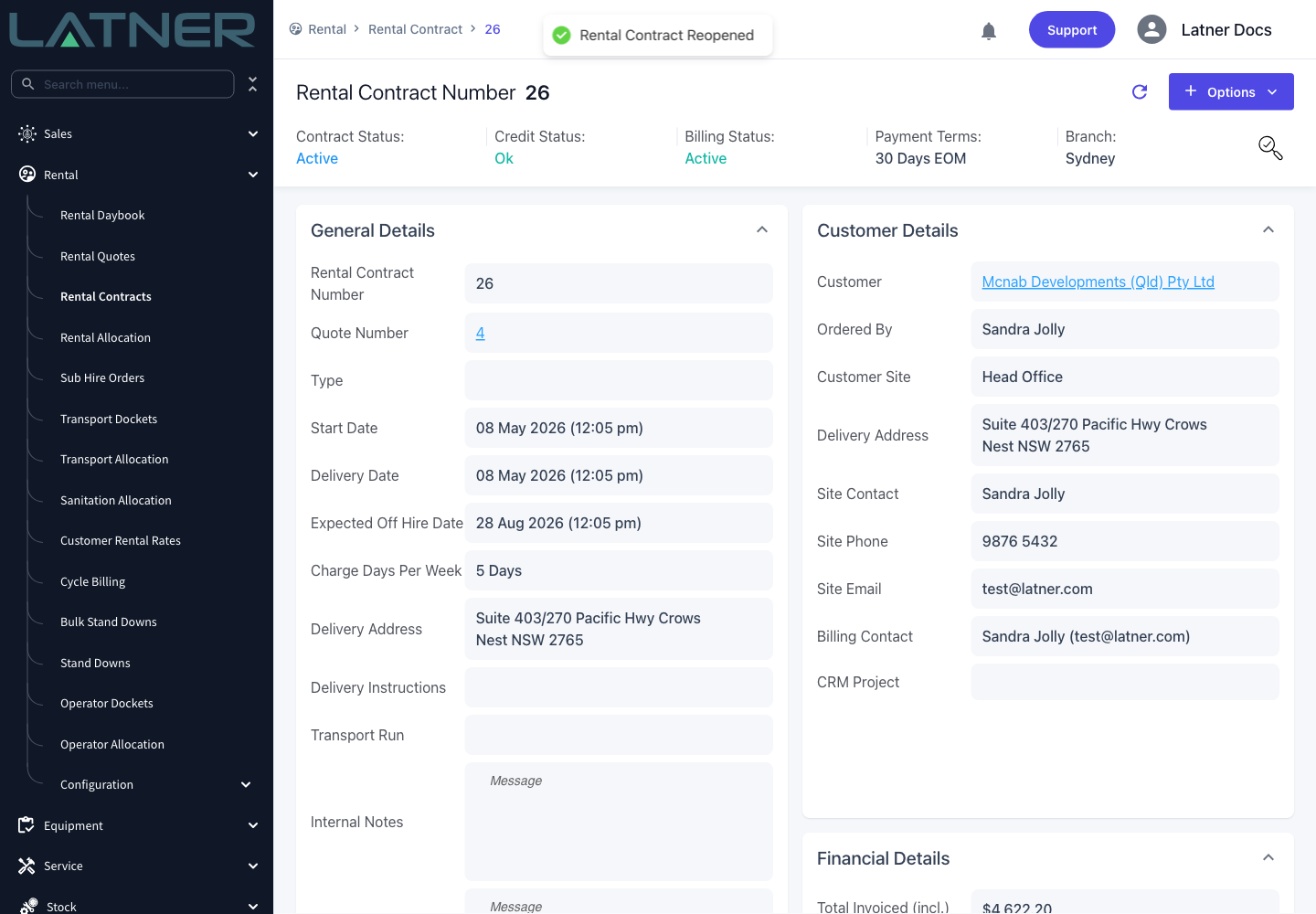
The contract reopens straight away, with no confirmation dialog. Latner confirms with Rental Contract Reopened and the Contract Status in the header changes to Active.
After Reopening
-
The contract is Active, and the sub statuses on the contract and on every detail line are recalculated. Completing had stamped them all as Completed.
-
Detail line statuses themselves don't move. Equipment that was Returned stays Returned.
-
Reopen Rental Contract disappears from Options, and Complete Rental Contract and Postpone Rental Contract take its place.
-
The contract counts as a live contract again, so it comes back into scope for invoicing, cycle billing and revenue forecasting.
-
The reopen is recorded in the contract's audit trail, along with the status change from Completed to Active.
Don't leave a contract sitting in Active once you've finished with it. An active contract with a Billing Status of Active is picked up again by cycle billing and revenue forecasting, so it can attract charges you didn't intend. When the corrections are done, complete it again from Options › Complete Rental Contract.
FAQs
Watch the Demo
Prefer to watch it? Step through the same flow here.