
Completing a rental contract closes it off once the equipment is back and everything on it has been invoiced, so it drops out of your live rental work and can no longer be billed.
Overview
A rental contract earns its keep while equipment is out on hire. Once the last machine is back on the yard and the customer has been billed for everything, the contract has nothing left to do, and completing it says so.
-
Completing sets the Contract Status to Completed and marks every detail line on the contract as completed.
-
Every equipment and sub hire equipment line has to be Returned first. Off hiring alone is not enough.
-
Any transport raised against the contract must be Completed or Cancelled.
-
Nothing can be left to invoice. Latner re-prices the whole contract at the moment you complete it and refuses if anything is still outstanding.
-
A completed contract can't be invoiced, off hired, returned, or used for new purchase orders, but it can be reopened.
Before You Begin
Completing a contract is an option on the rental contract itself, so you need the right permission for its branch and you should know whether your business blocks completion while an inspection is open.
|
Requirement |
Where to Find It |
|---|---|
|
Edit Rental Contract permission, for the contract's branch |
Security › Configuration › Permission Groups, under Rental › Option |
|
Reopen Rental Contract permission, only if you may need to undo a completion |
Security › Configuration › Permission Groups, under Rental › Option |
|
Block Completing Rental Contract with Open Inspection setting |
Security › Settings › Rental |
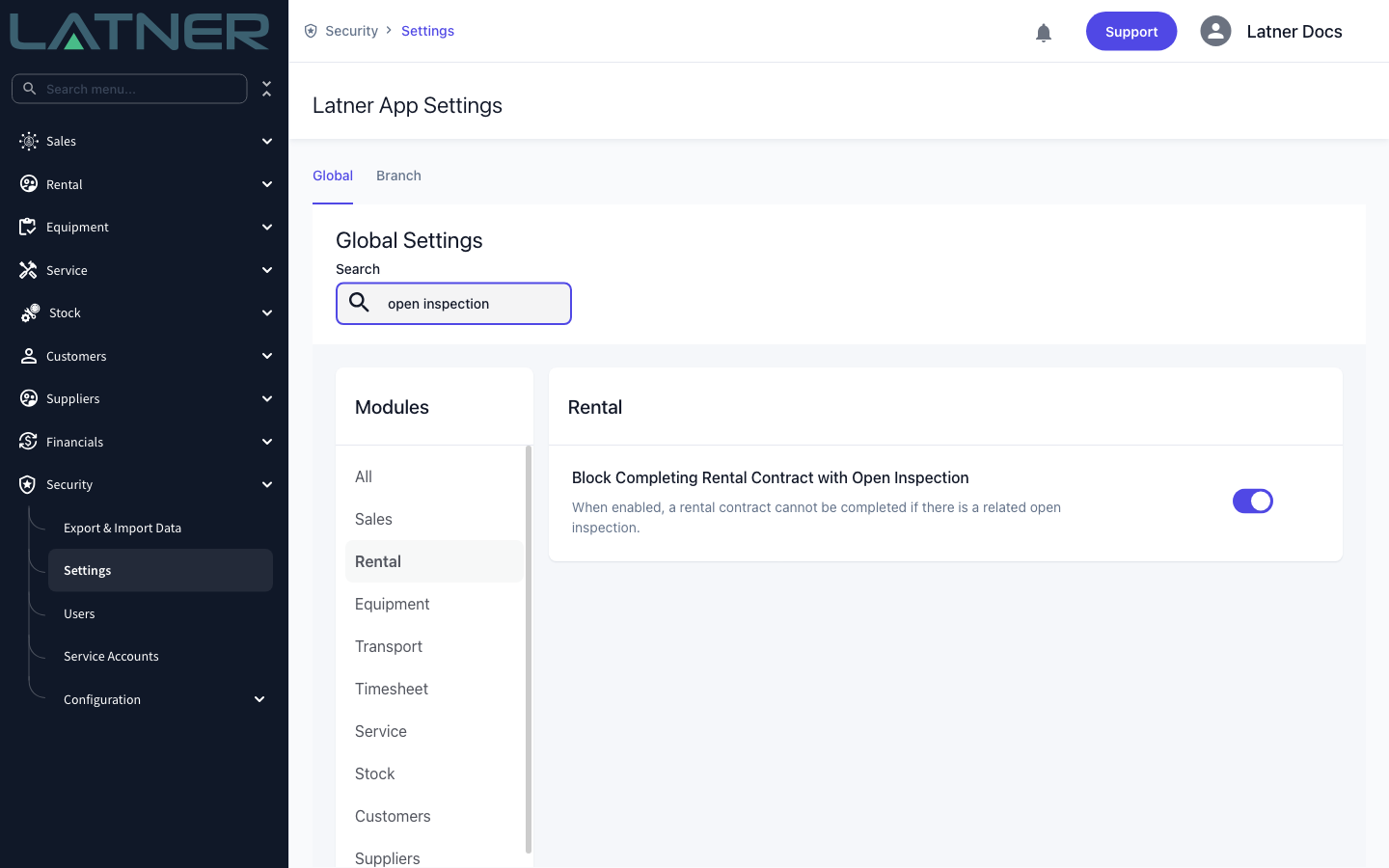
With Block Completing Rental Contract with Open Inspection switched on, a contract can't be completed while any inspection on one of its lines is still Open or Pending Approval. Complete or cancel those inspections first. Switch the setting off and completion ignores inspections entirely.
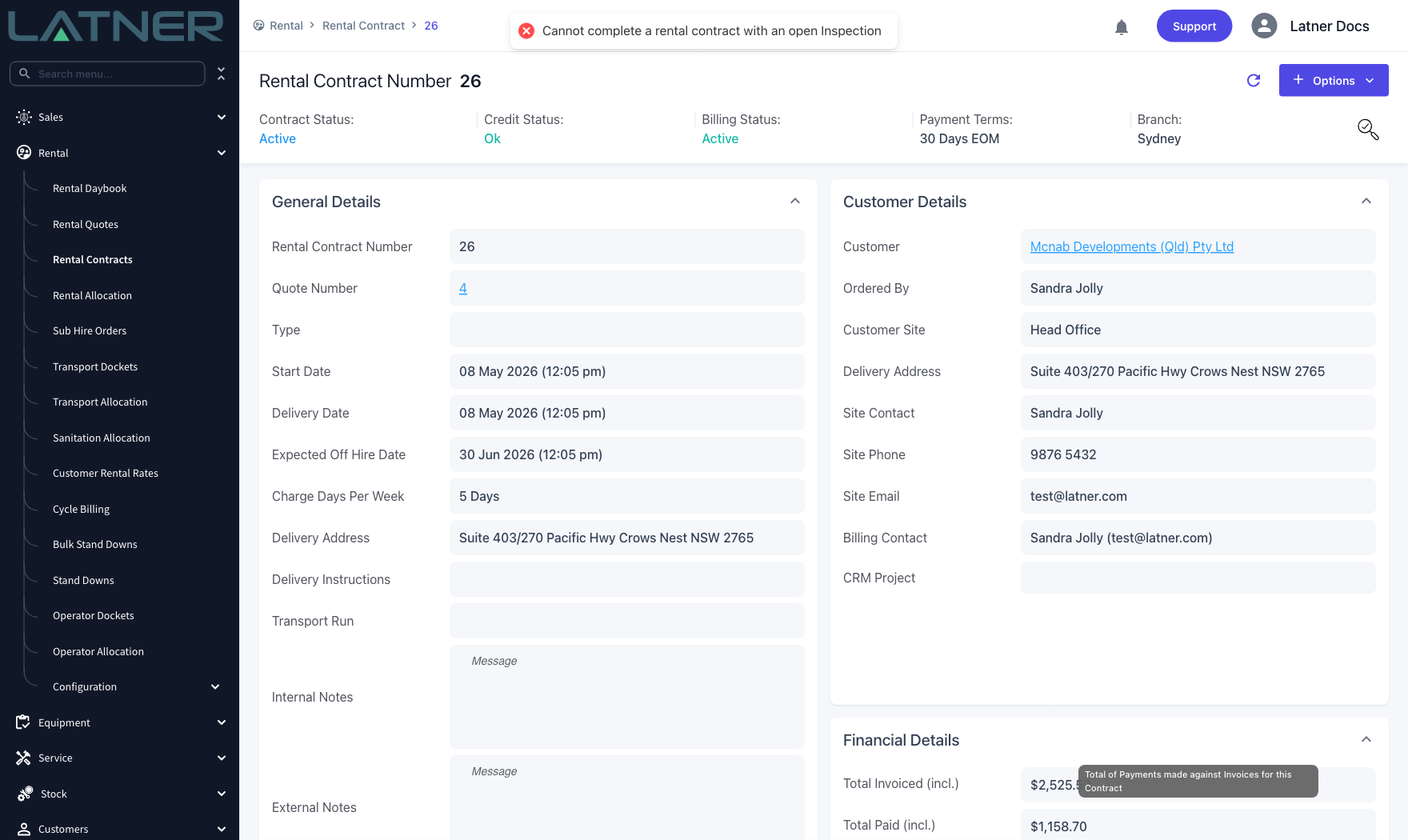
Completing the Rental Contract
Step 1 - Check every equipment line has been returned
Open the contract from Rental › Rental Contracts and look at the Details tab. Every Equipment and Sub Hire Equipment line needs a Detail Status of Returned. Lines that are still On Rent, Off Rent, Pending Pick Up or Reserved will stop you.
-
Equipment and sub hire equipment lines - must be Returned. Use Options › Off Hire and then Options › Return to get them there.
-
Other lines - transport, admin charges, sale items and labour lines don't have to be returned.
-
Transport - every transport on the contract must be Completed or Cancelled.
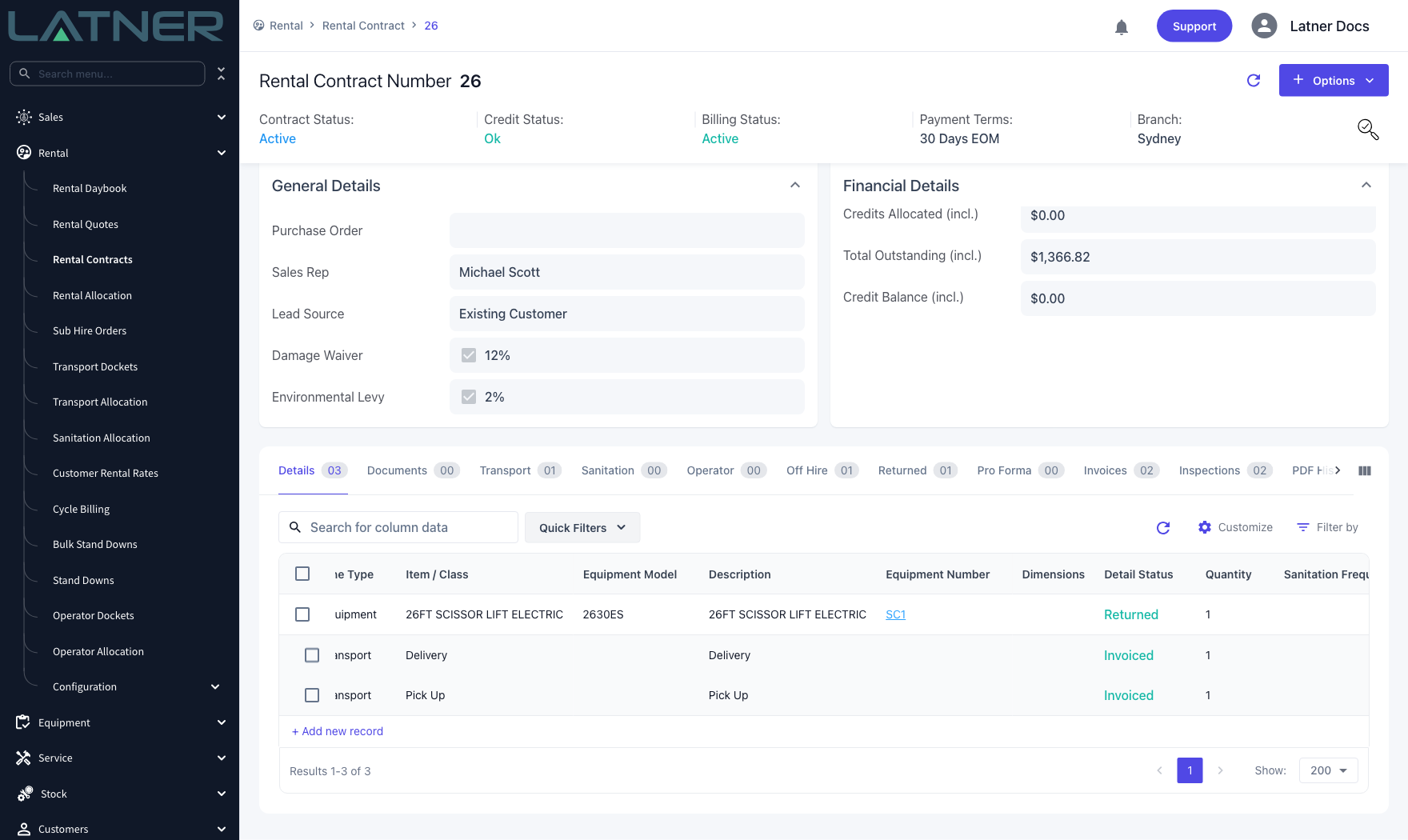
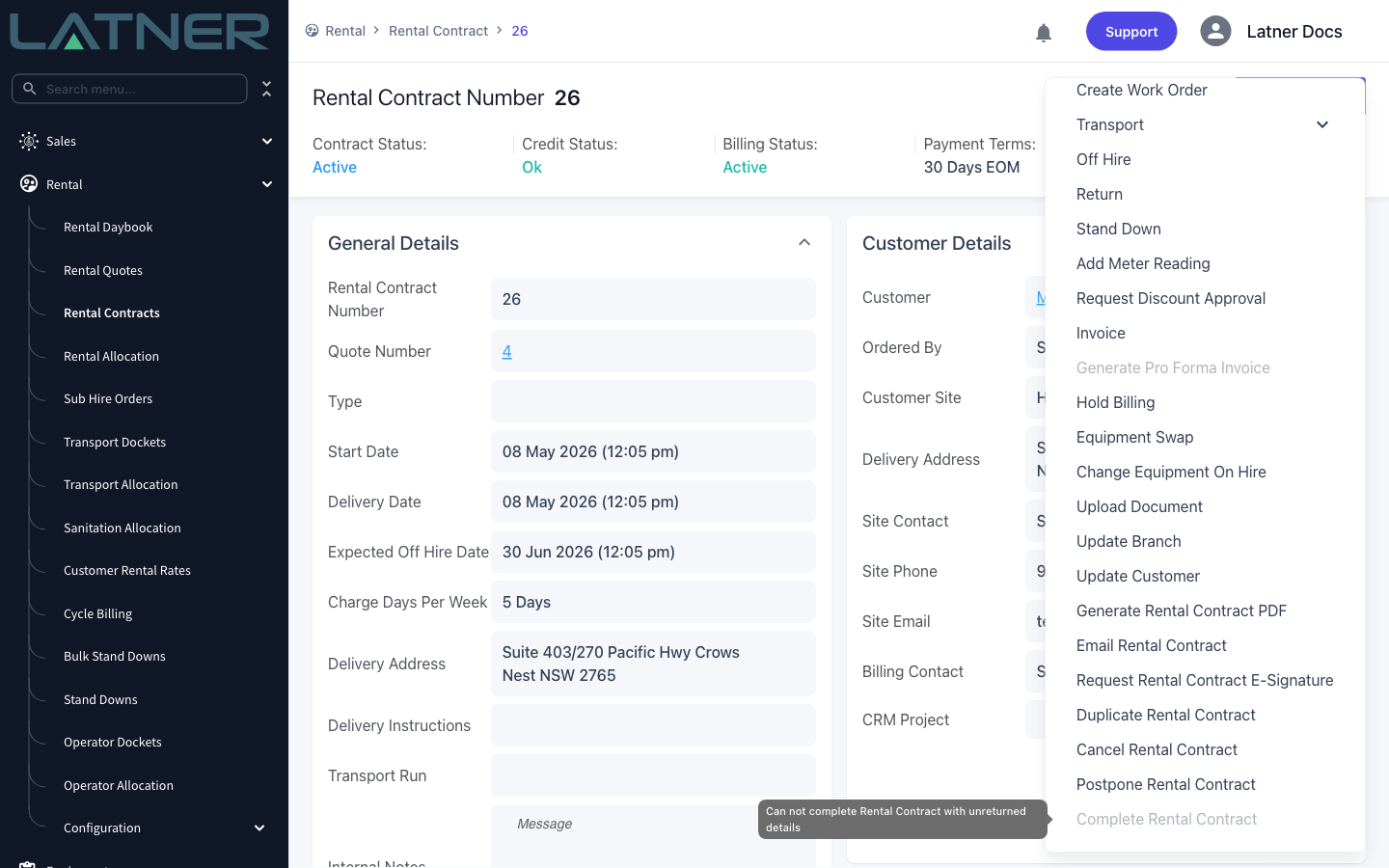
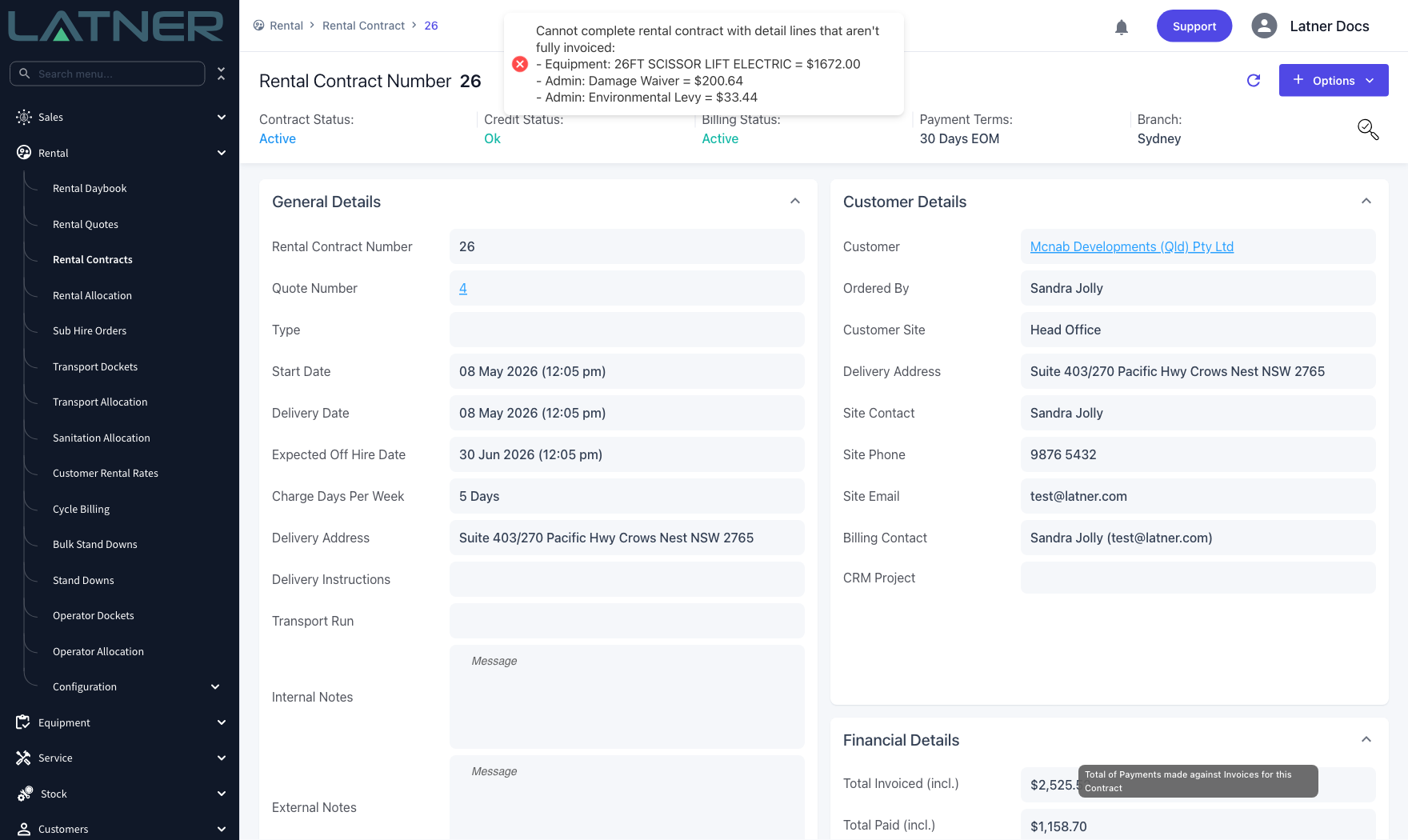
If anything is still out, Complete Rental Contract is greyed out in the Options menu and hovering over it tells you why.
Step 2 - Clear anything still to invoice
Latner checks the money before it closes the contract. It re-prices every line up to the latest actual off hire date, and if that produces so much as a dollar of unbilled charge, completion is refused and the outstanding lines are listed for you.
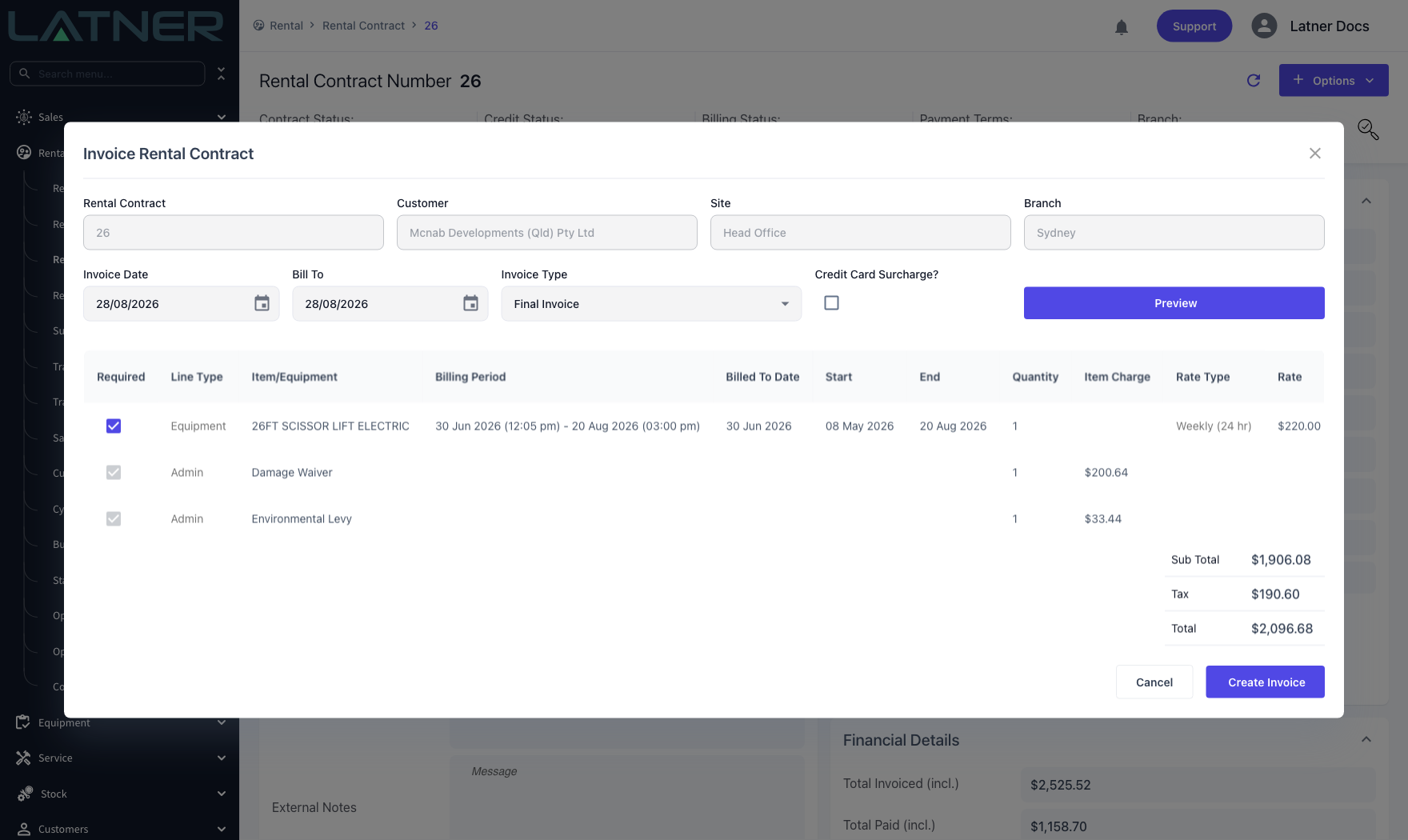
Clear it with a final invoice. Choose Options › Invoice, set Invoice Type to Final Invoice, click Preview to see what is left, then Create Invoice.
-
Invoice Date - the date the invoice is raised. Defaults to today.
-
Bill To - the date charges are calculated up to. It needs to be on or after the last off hire date on the contract.
-
Invoice Type - choose Final Invoice so every remaining line is picked up, not just the returned ones.
Step 3 - Complete the contract
Back on the contract, choose Options › Complete Rental Contract.
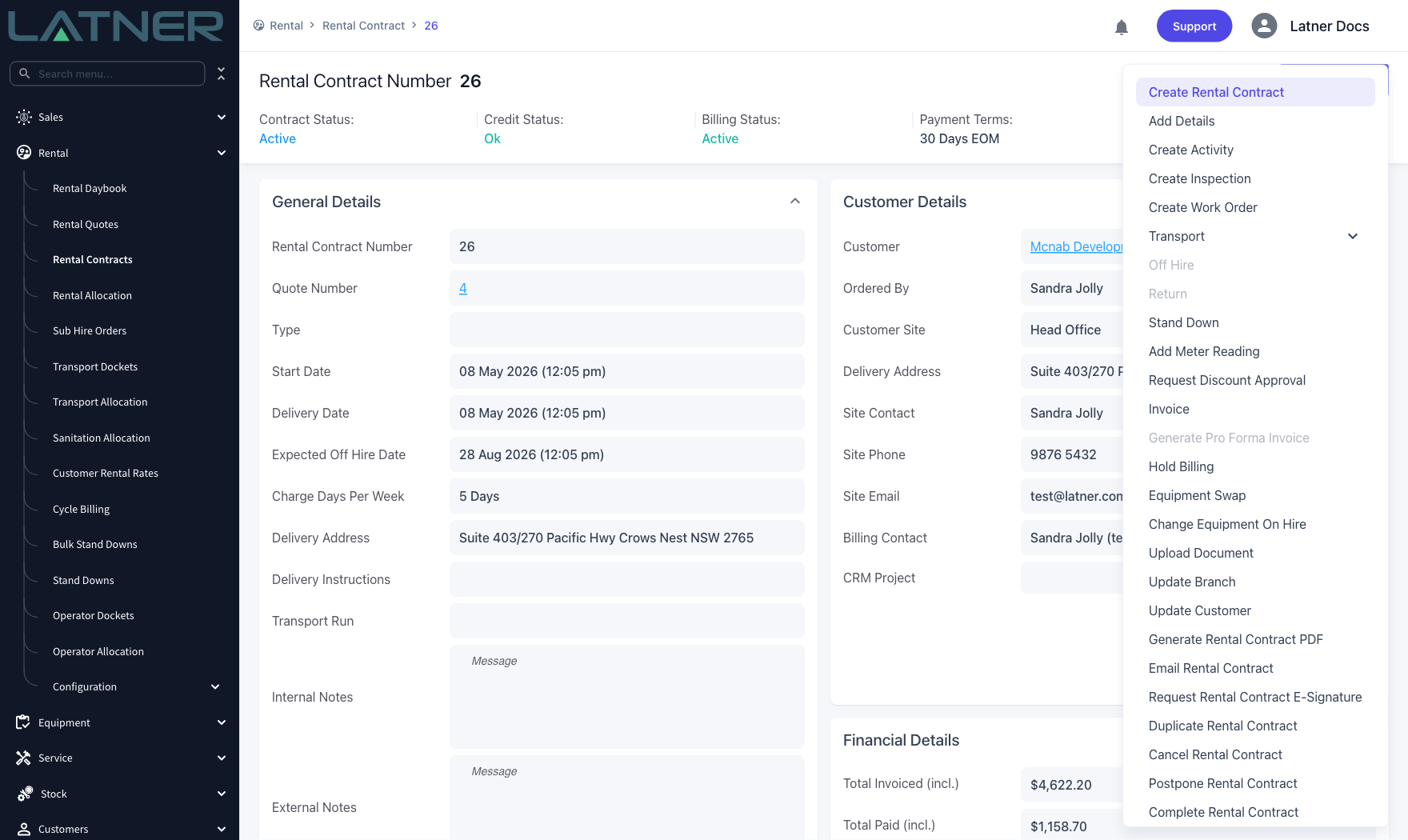
If the customer still has a deposit sitting against the contract, Latner asks first: There is a deposit remaining on this Rental Contract. Do you still want to complete? Answer No if you meant to refund or allocate it, or Yes to complete anyway.
Step 4 - Check the result
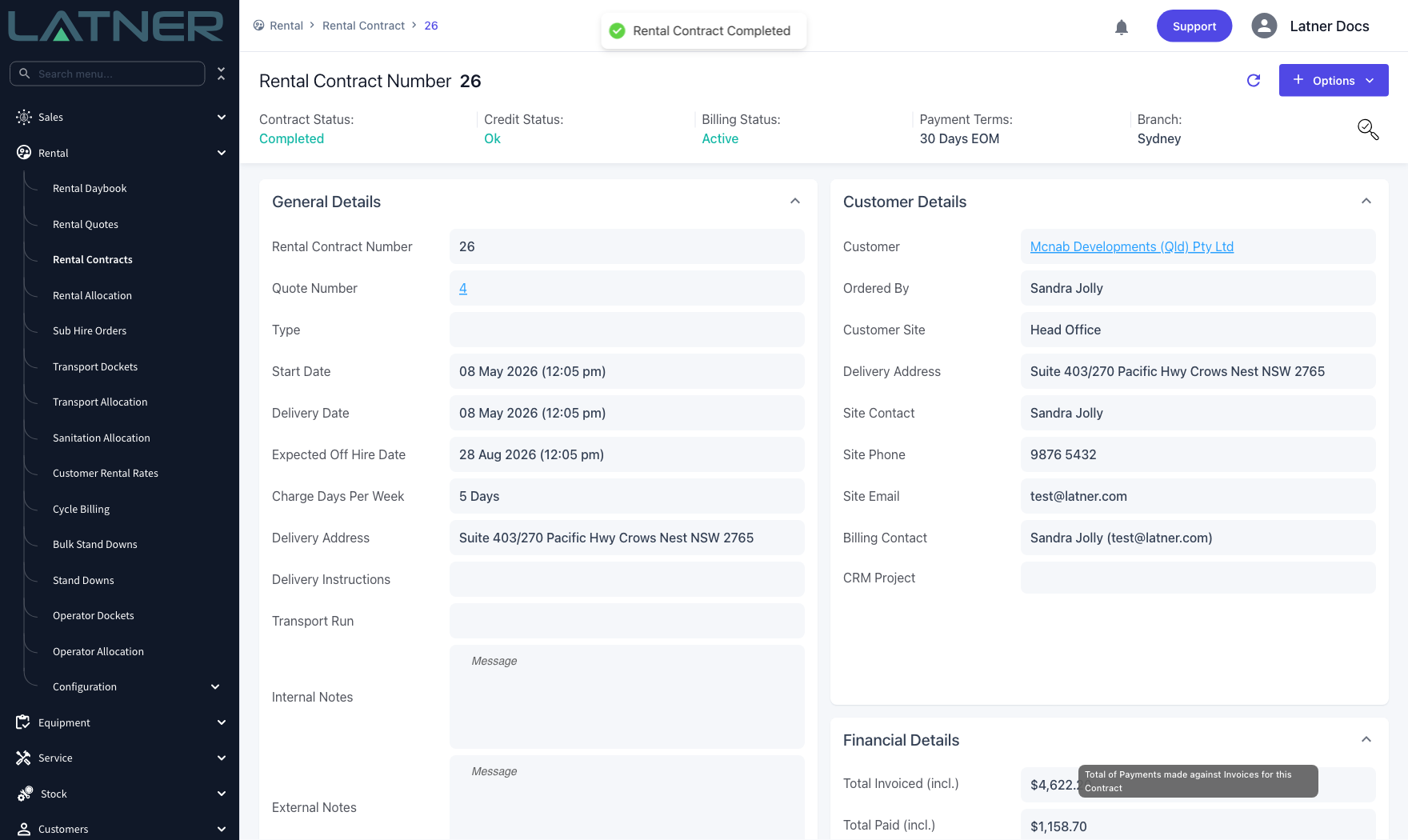
You'll see Rental Contract Completed and the Contract Status at the top of the screen changes to Completed.
After Completion
-
The contract's status is Completed and every detail line is marked as completed, so the contract stops showing up as live rental work.
-
The contract can no longer be invoiced, and cycle billing skips it from then on.
-
Off Hire, Return, Add Details, Invoice and most of the other actions in the Options menu are greyed out, so the contract can't be changed.
-
The off hire and return dates on the contract can no longer be changed.
-
New purchase orders can't be raised against the contract.
-
Reopen Rental Contract appears in the Options menu in place of Complete Rental Contract.
-
The completion is recorded against the contract, so you can see who completed it and when on the audit trail.
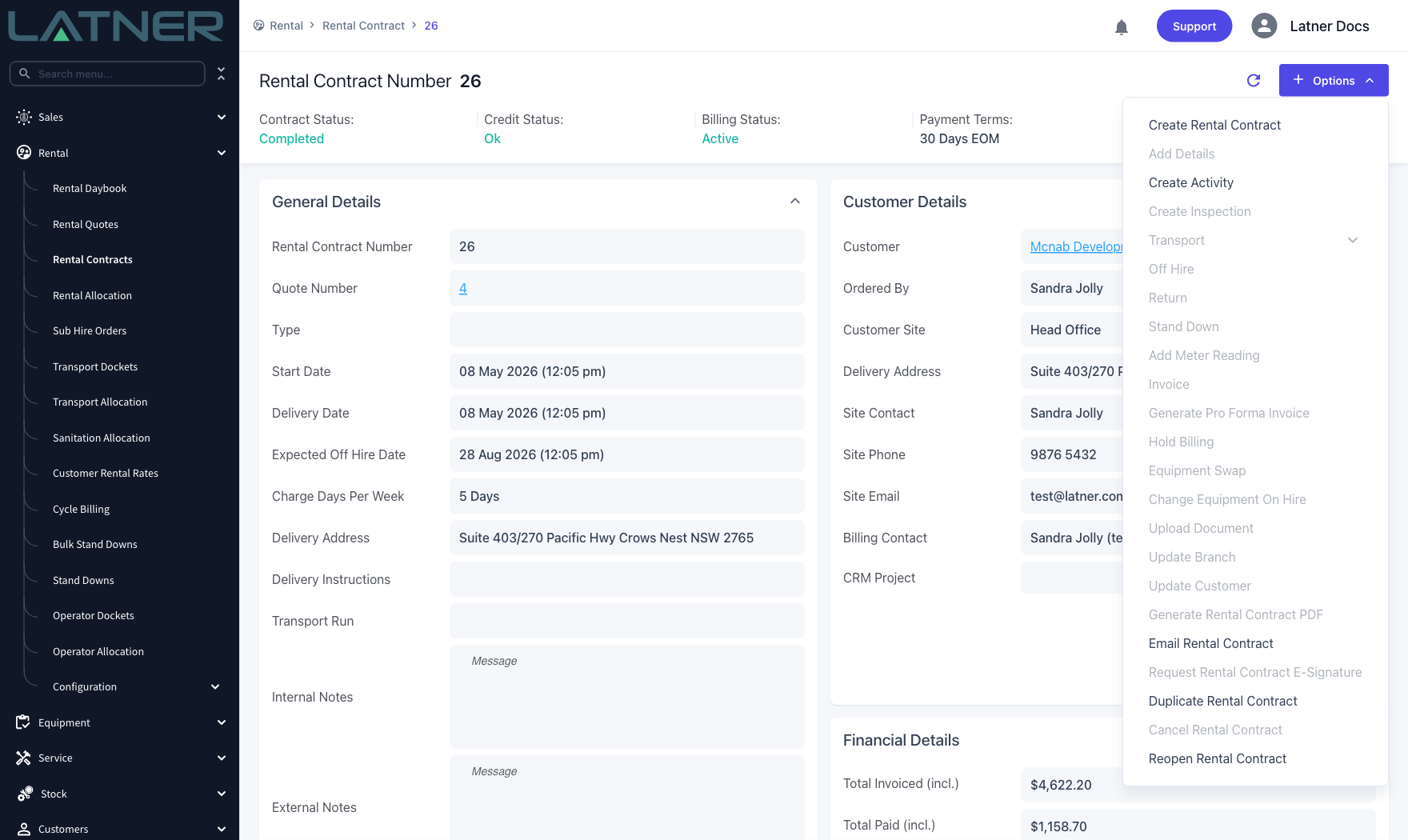
Completing is not the same as cancelling. A completed contract keeps its invoices and its history and can be reopened with Options › Reopen Rental Contract, which puts it back to Active. If the contract should never have been raised at all, use Cancel Rental Contract instead.
FAQs
Watch the Demo
Prefer to watch it? Step through the same flow here.